








- Chatter Gives Salesforce.com a Facebook Look and Feel
- Saleforce Redesigns User Interface for Chatter Introduction
- Chatter in Action
- Personal Profile Page
- Sales Opportunity Page
- Leveraging Work Group Expertise
- Building Specialized Work Groups in Chatter
- Sharing Information and Assets in Chatter
- Salesforce Knowledge
- Tracking Customer Service Inquiries
- Salesforce Answers
- Service Cloud Conversations
Chatter Gives Salesforce.com a Facebook Look and Feel

by John Pallatto
Saleforce Redesigns User Interface for Chatter Introduction
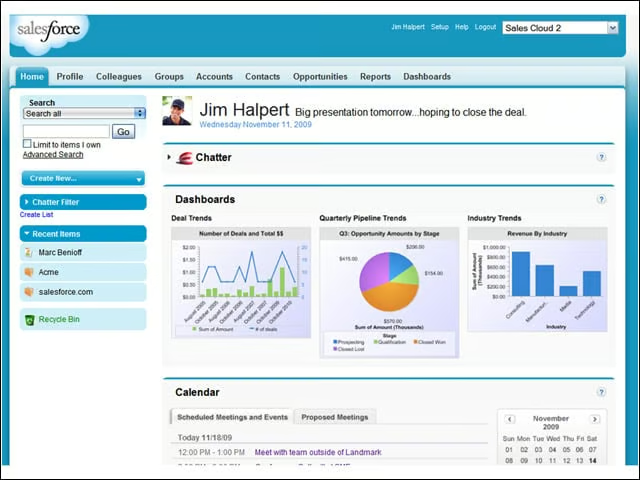
Personal home pages on Salesforce.com have been redesigned to take on a more Facebook-like appearance. When Salesforce.com releases Chatter in 2010, the standard Salesforce status page, with its dashboards and reports, will sport the user’s profile photo with the familiar Facebook “What’s on your mind?” comment field and the new Chatter application icon.
Chatter in Action
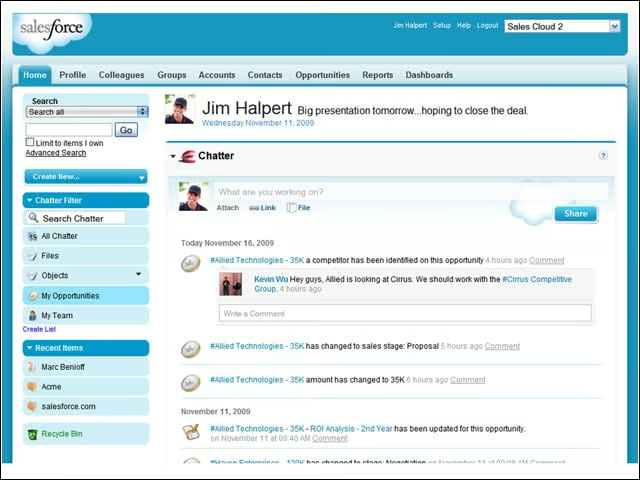
Chatter lets workgroups get off e-mail and work directly within the Salesforce platform to share information on sales opportunities, competitive challenges and the results of the latest price quotes. It’s designed to put important information and applications at their fingertips. Buttons link to the latest chatter, sales opportunities, files and team members.
Personal Profile Page
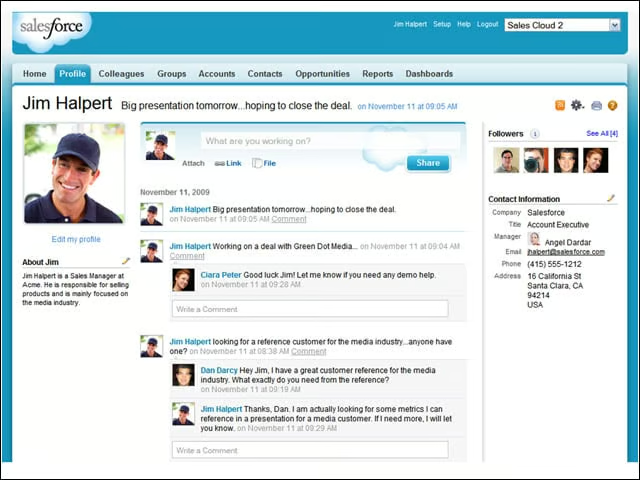
As on Facebook, this page lists the basic information about a particular worker: title, area of responsibility, phone number, address and who he or she reports to along with all chatter comments that directly relate to the user and the user’s group.
Sales Opportunity Page
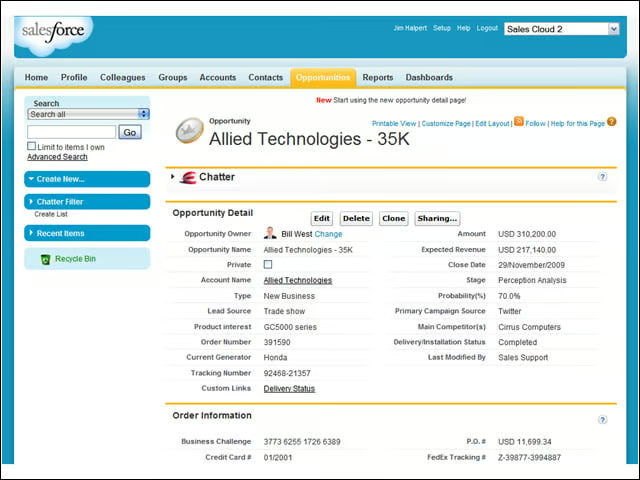
Chatter lets users create sales opportunity pages that include essential information about potential customers and any active sales pitches. Workgroups and managers can see the status of any quotes and what needs to be done next to close a deal.
Leveraging Work Group Expertise
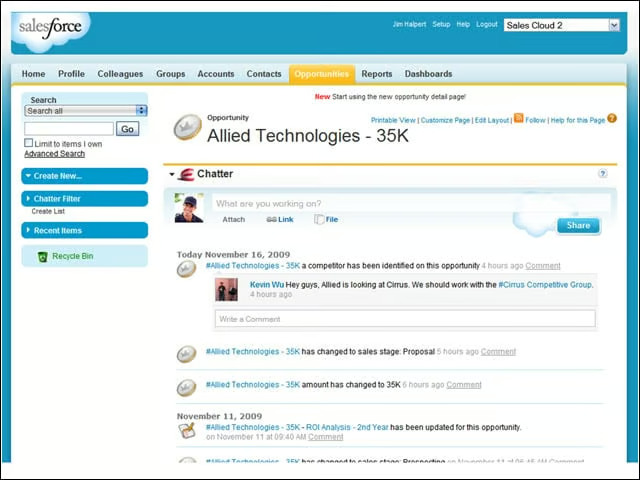
This page shows how sales organizations can use Chatter to coordinate internal resources to respond to sales opportunities or competitive challenges. In this case, a workgroup manager is suggesting that team members consult with another group assigned to responding to offers from the competition.
Building Specialized Work Groups in Chatter
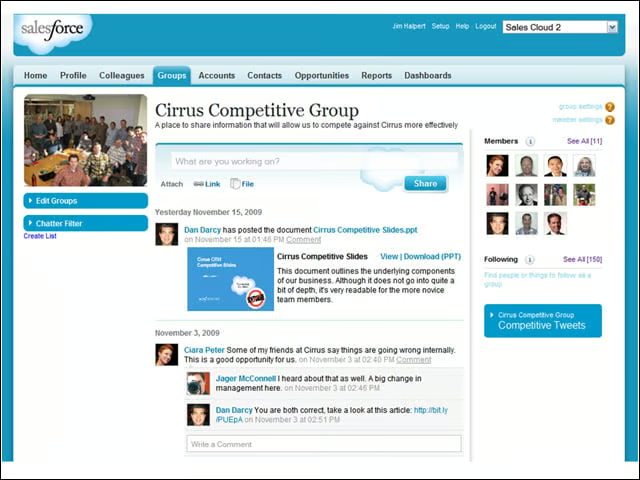
Chatter users can access information on colleagues and other workgroups that can help them close a deal or solve a problem. This page displays information about a workgroup that gathers material to help sales teams respond to competitive challenges.
Sharing Information and Assets in Chatter
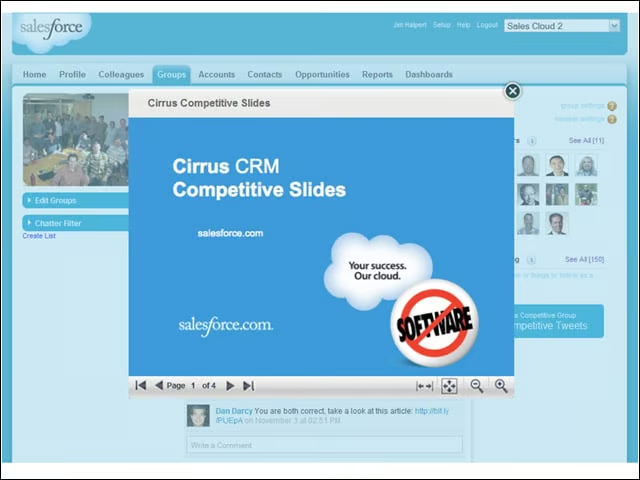
Working within Chatter makes it easier to distribute files and information rather than clogging up the company network by sending bulky reports and presentations to multiple workers via e-mail. In this case a competitive response presentation is instantly available to all team members who need to access it.
Salesforce Knowledge
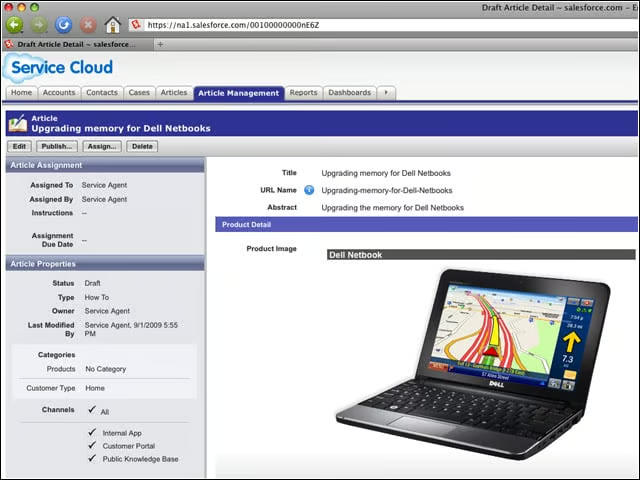
Service Cloud 2, the next generation of Salesforce’s customer service and support platform includes Salesforce Knowledge, a knowledge base system integrated with CRM to provide product information and support for service agents, customers and marketing partners. The knowledgebase can help service agents answer customer questions, allow customer to find their own answers and enable product channel partners deliver customer support.
Tracking Customer Service Inquiries
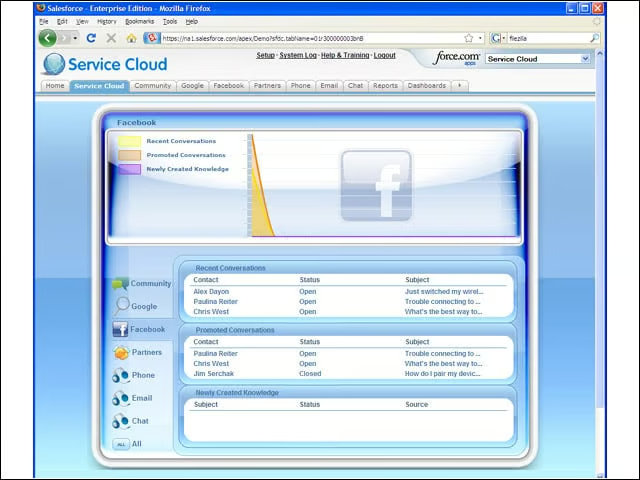
Service Cloud 2 also enables service agents to track their conversations with customers about product support questions and how they were resolved. It also allows them to pull up customer profiles with information about what products they purchased, any problems they had with products and and to follow the conversation threads for the multiple products a customer may have purchased. It also allows service agents to search for problem solutions on the web, and to track conversations whether they come in by phone, e-mail, phone or instant message. It also provides a link to user group communities on Facebook.
Salesforce Answers
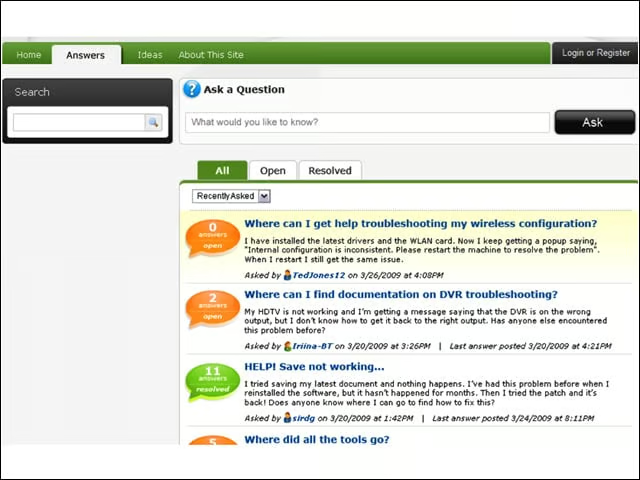
Salesforce Answers allows companies, product service agents and customers to go to the Web to find answers to answers to any conceivable consumer question. It is designed to help companies leverage Facebook communities, crowd-source knowledge and enable them to start conversations and maintain links with product user communities.
Service Cloud Conversations
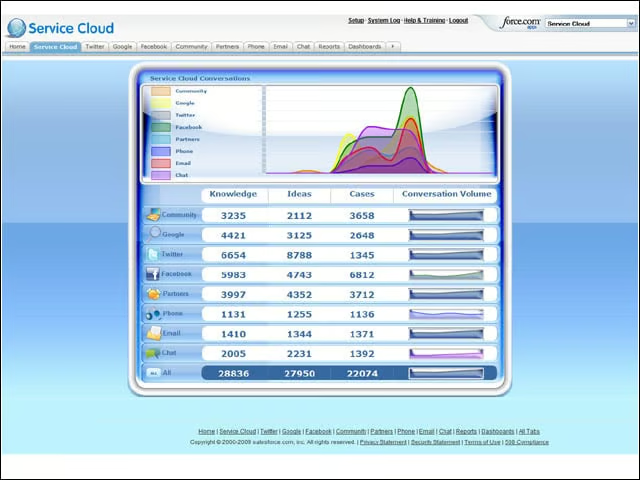
This feature helps companies track what’s uppermost on customer’s minds about their products. It can also serve as an online suggestion box from customer on their evolving needs and how products can be improved. The “Conversation Volume” feature can alert companies to emerging problems, changes in customer satisfaction, or provide early warning to changing tastes and competitive challenges that are grabbing customers’ attention. It also provides links to Facebook and Twitter users.