






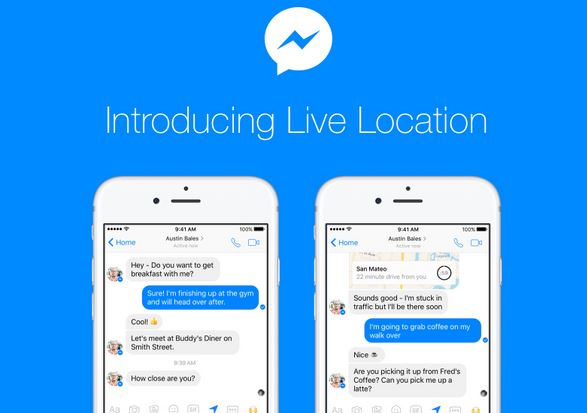

Facebook March 27 instituted a time limit of one hour on users disclosing their locations while deploying its Messenger application. The social network is calling it Live Location, and it is separate from the device’s location manager.
The main idea is that users now can share their locations with friends in real time to assist in meeting at specific places. It goes way further than simply looking at a map and texting friends as to when you expect to arrive at the meeting.
Live Location lasts up to 60 minutes but can be shut off at any time. The new feature is being launched globally and will be available on iOS and Android.
Live Location makes it easier for users to coordinate with as many people as a user wants. The feature will soon be accessible to about 1 billion people who use Facebook’s chat app at least once every month.
“We’ve been testing this for a little while, and people tell us that Live Location is helpful when trying to coordinate with friends, telling people how close you are when you’re on your way to an appointment, or even sharing where you are with your roommate when you’re on your way home at night,” Messenger Product Manager Selena Wang wrote in a blog post.
How Live Location Works
–To share Live Location in a message on iOS, users tap the Location icon or tap the More icon and then select Location.
–With the March 27 update, users will see a map of their current location and the option to tap a blue bar to share their Live Location.
–If they choose to share a Live Location, the person or people users share it with will be able to see where they are on a live map for the next 60 minutes.
–Users will be able to see an estimate of how long it would take to get to others’ locations by car. (The ETA is seen by the person with whom the location is shared.)
–Users can stop sharing Live Location at any time; they simply tap Stop Sharing to do so.
–A small clock in the lower right hand corner of the map will also let them know how much longer they are sharing your location.