BlackBerry Bold 9650 Solid but Uninspired

BlackBerry Bold 9650 Solid but Uninspired
Verfasst von
Andrew Garcia
Andrew Garcia
Published: Jun 3, 2010
Updated: Feb 2, 2021
2 minute read
eWeek Inhalte und Produktempfehlungen sind redaktionell unabhängig. Wir können Geld verdienen, wenn Sie auf Links zu unseren Partnern klicken. Mehr erfahren


BlackBerry Bold 9650 Solid but Uninspired

BlackBerry Bold 9650 Solid but Uninspired

by Andrew Garcia


Front
2

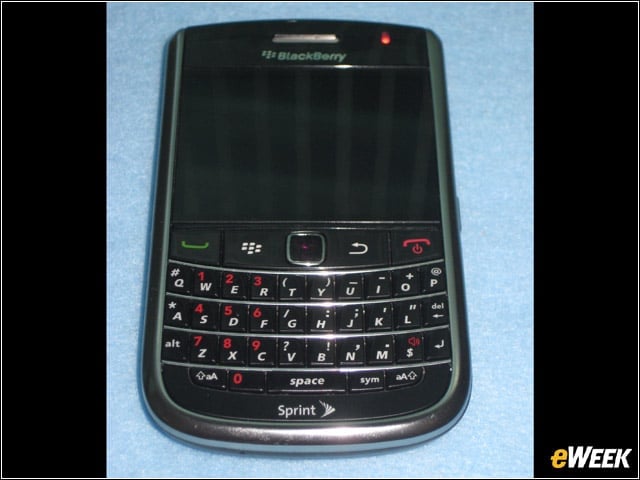
RIM’s BlackBerry Bold 9650 for Sprint is designed for CDMA/EVDO REV A. for domestic use, with support for GSM/GPRS/EDGE and UMTS (2,100MHz band) internationally.


Back
3

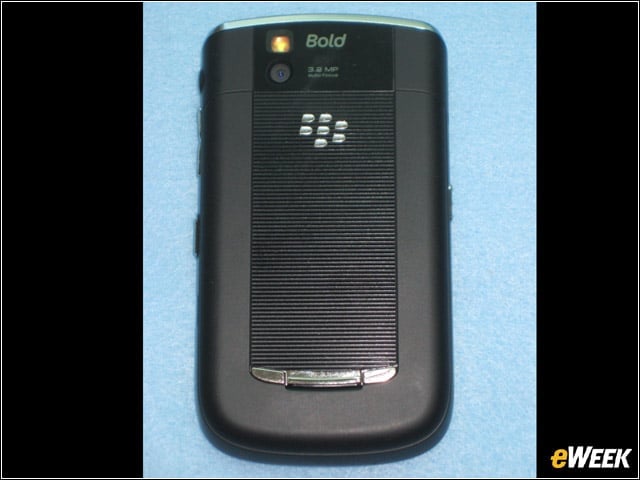
The backplate has the leatherette texture common to the Bold family of smartphones. The camera is for video and still pictures (3.2 MP), with an LED flash.


Inside
4

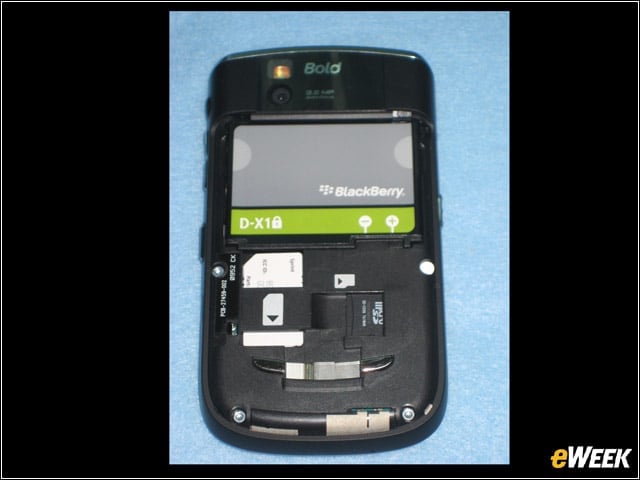
Beneath the backplate, the Bold 9650 looks a lot like the Tour. There is a SIM slot, prepopulated with a Sprint SIM for international usage, and a MicroSDHC slot with a 2GB card installed. The battery is 1,400 mAhr, rated for 5 hours of EVDO talk time.


5

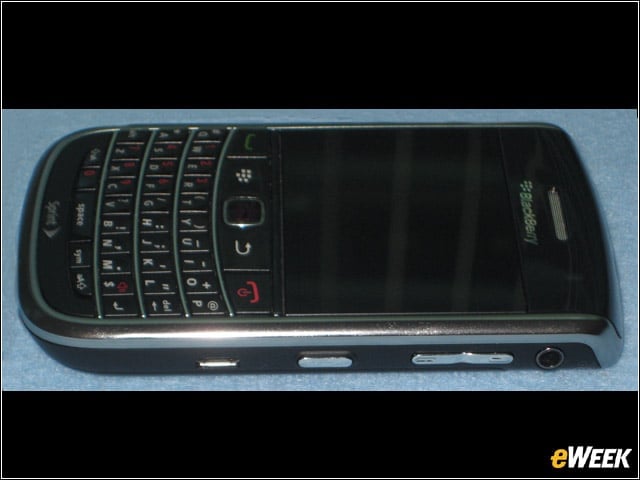
The right side houses the 3.5mm headset jack, volume controls, the MicroUSB port, plus a convenience key set to trigger the still camera.


Advertisement

Left

6

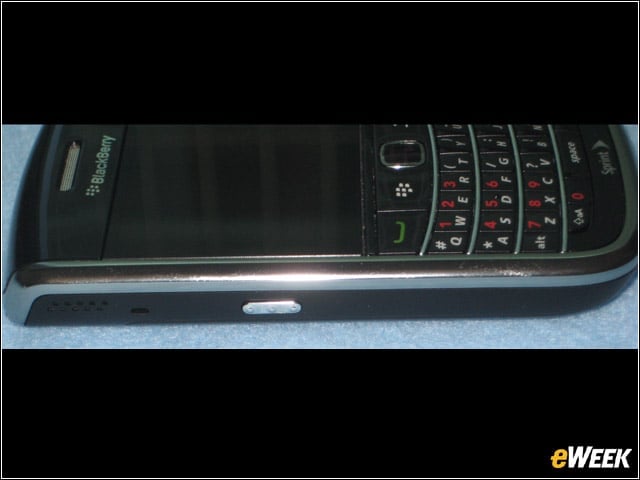
The left edge has one convenience key, preprogrammed from voice dialing. The speaker is also located here.


Top
7

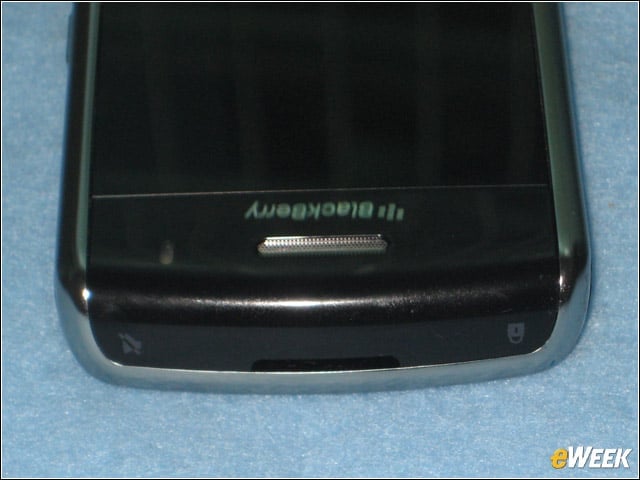
The top edge has buttons for mute and standby controls. The standby button both locks and puts the device in standby mode, a change RIM implemented within the last few months.


Zen
8

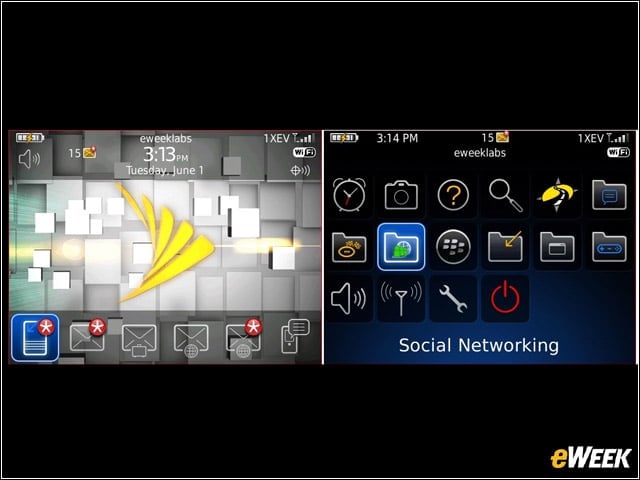
The Bold 9650 comes with the standard Zen theme common for BlackBerry smartphones released in the last couple years.


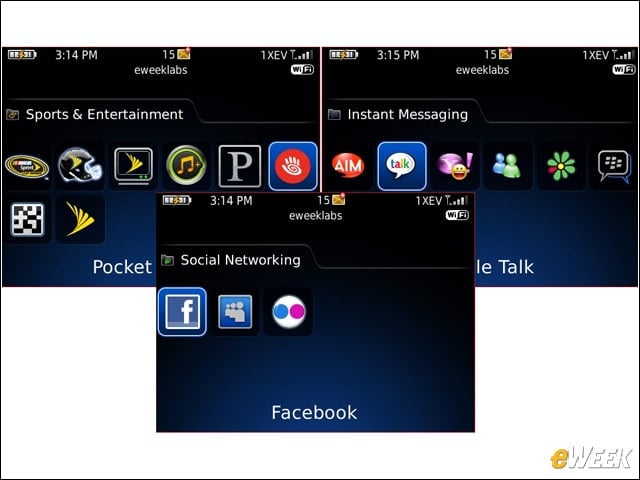
Virtual Preload
9

Most of the non-core software is not preintalled. Everything shown here needs to be downloaded and installed before use, save for BlackBerry Messenger.


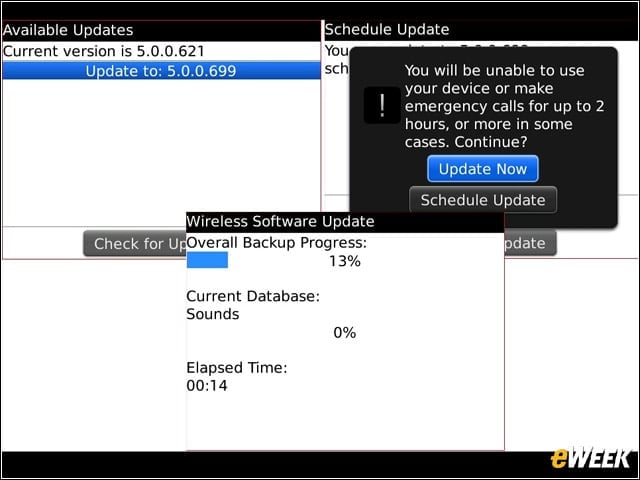
Update
10

Within days of product release, Sprint offered an OS update for the Bold 9650. I performed the over-the-air update, and was able to remain activated to our BES server.


Stats
11

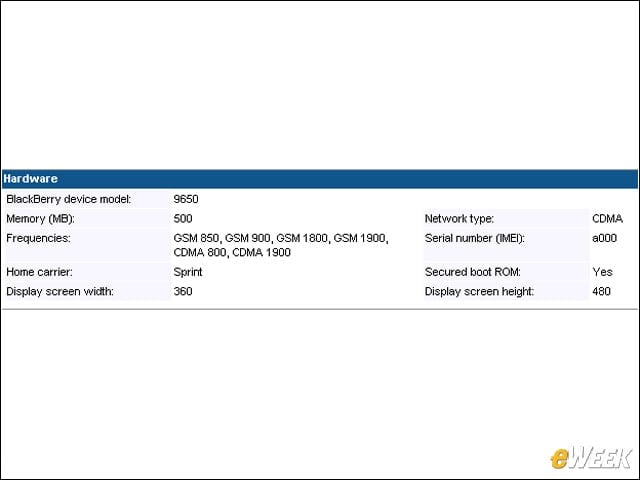
I added the Bold 9650 to our BES infrastructure so the device conformed to our security and network. Shown here, the BAS interface shows device statistics.


No Title

Andrew Garcia

Andrew cut his teeth as a systems administrator at the University of California, learning the ins and outs of server migration, Windows desktop management, Unix and Novell administration. After a tour of duty as a team leader for PC Magazine's Labs, Andrew turned to system integration - providing network, server, and desktop consulting services for small businesses throughout the Bay Area. With eWEEK Labs since 2003, Andrew concentrates on wireless networking technologies while moonlighting with Microsoft Windows, mobile devices and management, and unified communications. He produces product reviews, technology analysis and opinion pieces for eWEEK.com, eWEEK magazine, and the Labs' Release Notes blog. Follow Andrew on Twitter at andrewrgarcia, or reach him by email at agarcia@eweek.com.

eWeek Logo

eWeek has the latest technology news and analysis, buying guides, and product reviews for IT professionals and technology buyers. The site's focus is on innovative solutions and covering in-depth technical content. eWeek stays on the cutting edge of technology news and IT trends through interviews and expert analysis. Gain insight from top innovators and thought leaders in the fields of IT, business, enterprise software, startups, and more.

Eigentum von TechnologyAdvice. © 2026 TechnologyAdvice. Alle Rechte vorbehalten

Werbetreibenden-Offenlegung: Einige der auf dieser Website erscheinenden Produkte stammen von Unternehmen, von denen TechnologyAdvice eine Vergütung erhält. Diese Vergütung kann beeinflussen, wie und wo Produkte auf dieser Website erscheinen, einschließlich beispielsweise der Reihenfolge, in der sie erscheinen. TechnologyAdvice schließt nicht alle Unternehmen oder alle auf dem Marktplatz verfügbaren Produkttypen ein.