







- Google’s Android Studio Delivers a Full-Feature IDE for Mobile Apps
- Getting Started With Android Studio
- Creating a New Project
- Selecting a Project Layout
- Opting for a Full-Screen Layout
- Setting Up Log-In Activity
- Creating Data Management Apps
- Specifying Application Icons
- Icons Can Be Custom Designs or Simply Text
- Android Studio Includes High-Quality Code Editor
- App Designer Lets You Graphically Lay Out Screens
- Studio Console Detects Device Emulator
- Test App Runs Under VMware Player
Google’s Android Studio Delivers a Full-Feature IDE for Mobile Apps
by Jeff Cogswell
Getting Started With Android Studio
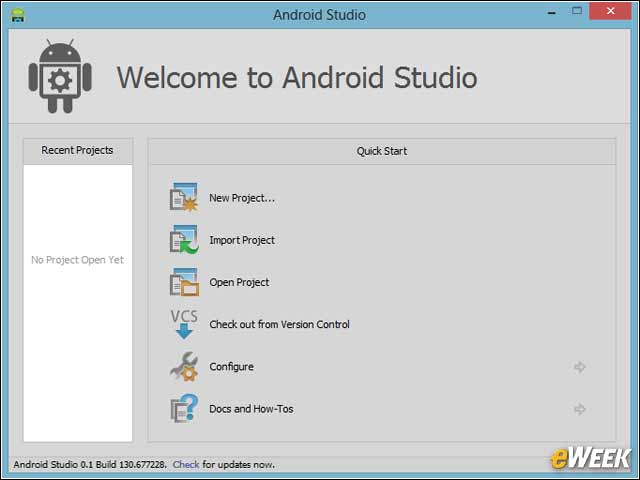
When Android Studio opens, a dialog box appears giving you several options, such as opening an existing project, importing a project or creating a new project.
Creating a New Project
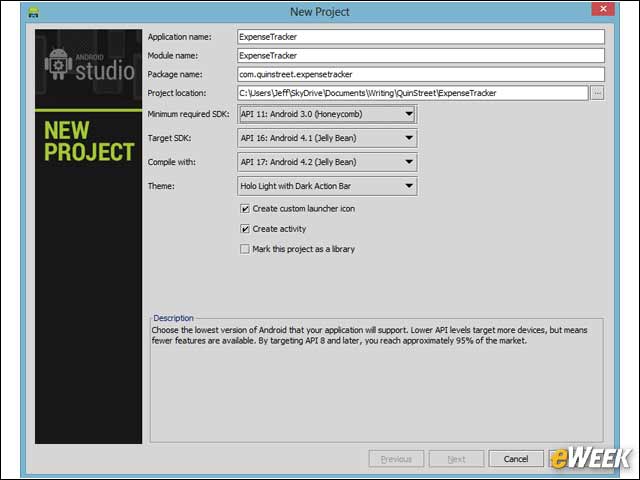
If you choose to create a new project, this wizard opens. You can specify the application, module and package names, and other project settings such as Android API version number.
Selecting a Project Layout
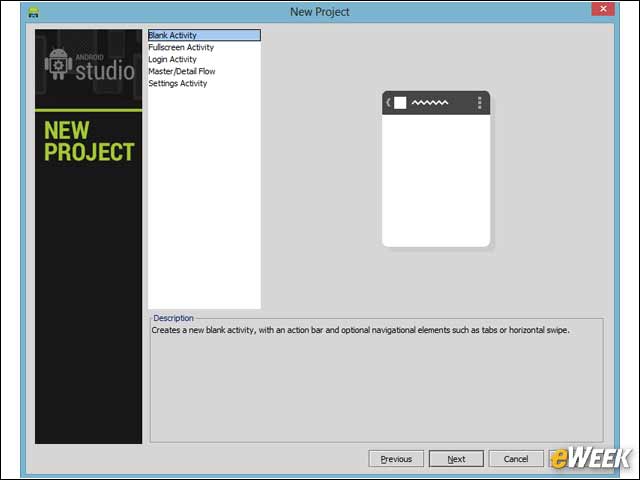
Next you can choose one of several types of layouts. Here is the basic “Blank” layout that provides a bare-bones starting point.
Opting for a Full-Screen Layout
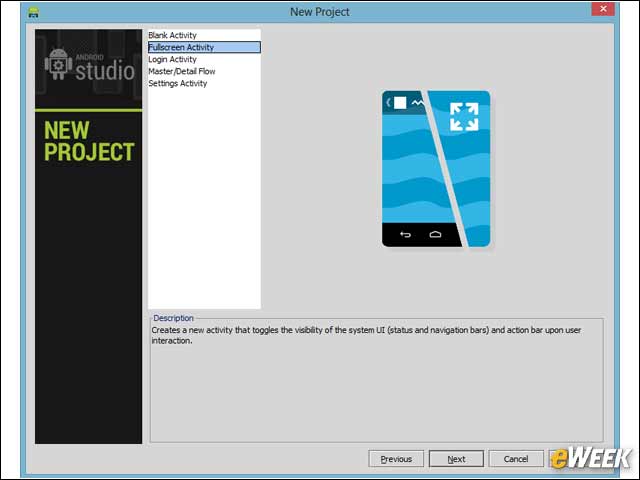
Another layout option is the full-screen activity for apps that require more screen real estate.
Setting Up Log-In Activity
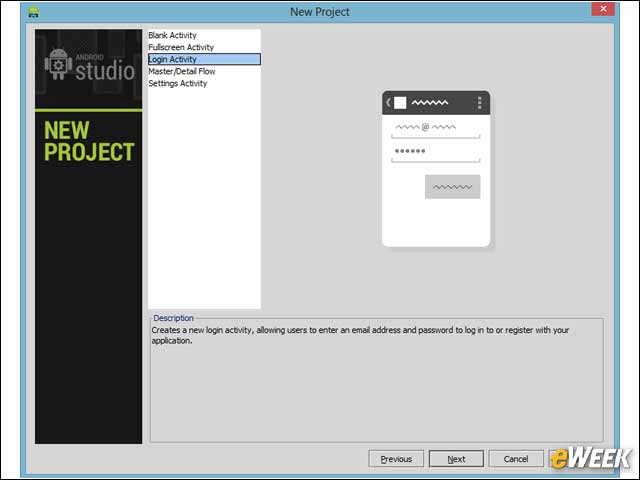
A log-in activity lets you create an application that requires the user to enter an email address and password before starting your app.
Creating Data Management Apps
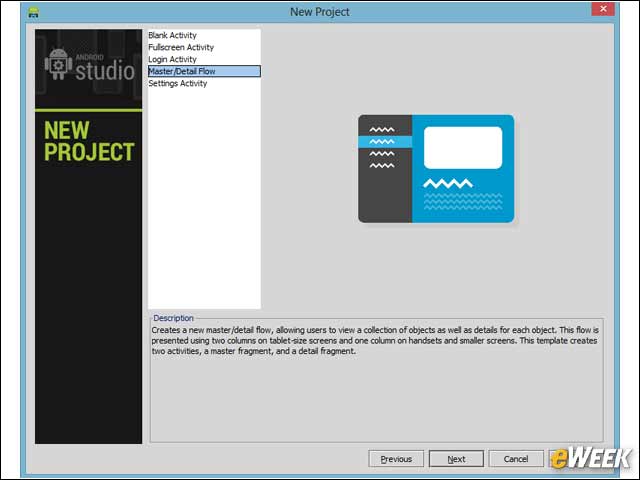
The master/detail option allows you to create an app that lets the user manage a list of data and details on individual items in the list.
Specifying Application Icons
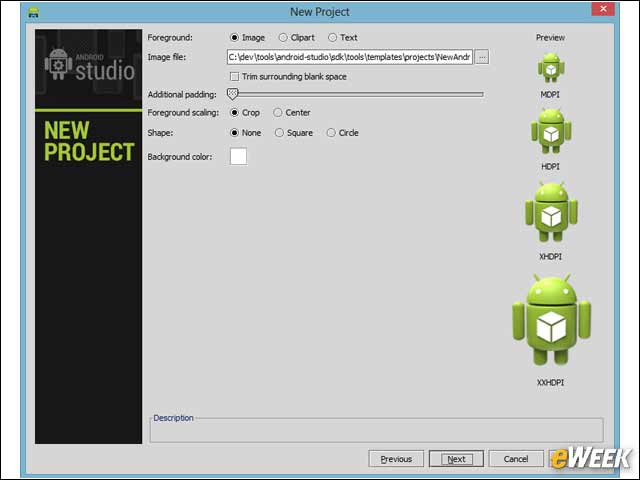
When configuring your application, you can specify an icon for the app. Here is the default green Android robot icon.
Icons Can Be Custom Designs or Simply Text
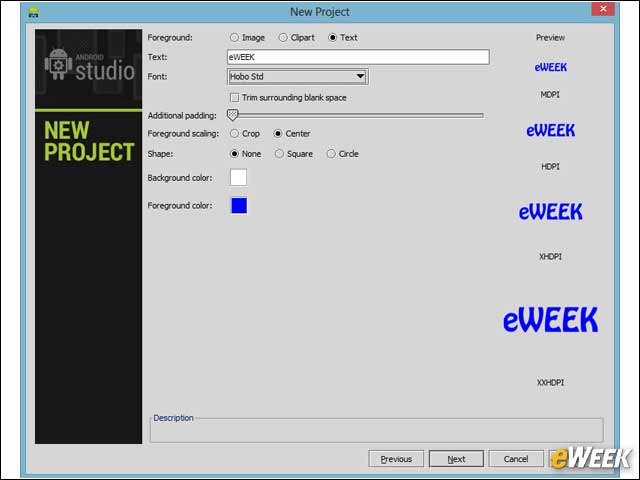
You can choose a custom icon that you create yourself or if you’re not graphically inclined, you can just specify some text. Android Studio will create an icon for you with that text.
Android Studio Includes High-Quality Code Editor
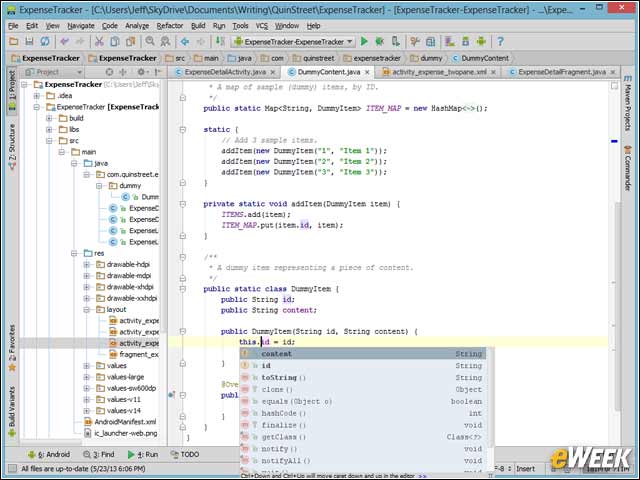
The code editor in Android Studio is top-notch, providing modern features such as syntax highlighting and autocomplete.
App Designer Lets You Graphically Lay Out Screens
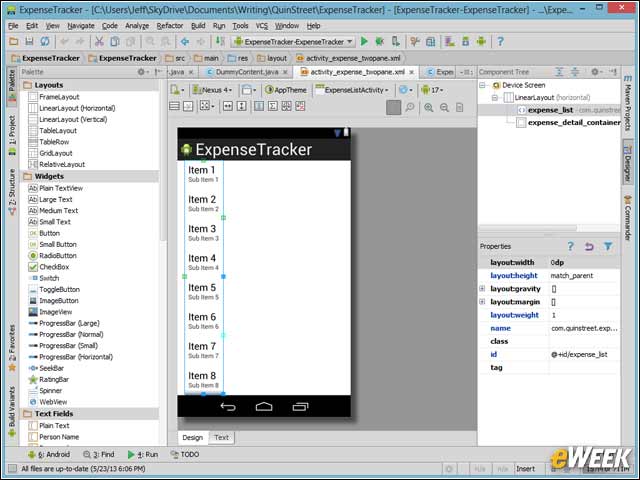
Android Studio includes a full-featured designer for graphically laying out your screens. The designer includes a large number of components and a properties screen.
Studio Console Detects Device Emulator
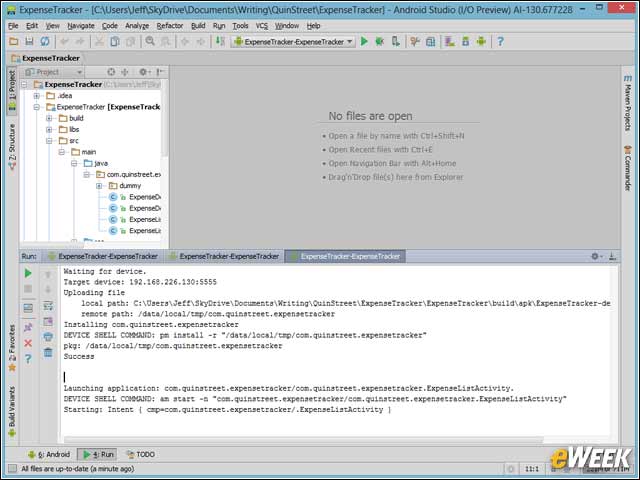
When connecting to a device or virtual device, the console detects that a device emulator or the ADB tool is running.
Test App Runs Under VMware Player
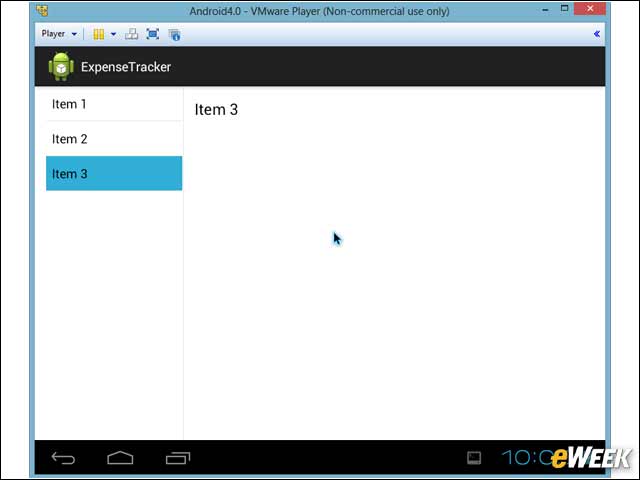
Here the app is running in Android under VMware Player. Android Studio works with the ADB to easily connect to real or virtual devices such as this.