








HTC One X, Home Screen

While on some previous HTC Android devices a user swipes away from a static screen to unlock the device, on the HTC One, running Android 4.0, the user swipes at an orb to unlock the phone. To open the phone directly into an app on the home screen, the user can drag that icon into the orb, saving a step.
HTC One X, Home Screen

The orb at the bottom of the screen, gliding up to unlock the phone, somehow feels like a particularly modern update. For users with a dongle on their HDTV, for connecting to the HTC One X, initiating the connection is as simple as swiping three fingers upward on the phone’s home screen.
HTC One X, Screen

The display of the One X, like the handset itself, is subtly curved. The display is viewable even at drastic angles, making it easy to share videos or photos.
Google Play

Particular bragging points for the One X are its audio capabilities (whether paired with a Beats Audio headset, BeatBox or not), its sharp high-definition display and the responsiveness enabled by its dual-core processor. Google Play offers apps for taking advantage of all three.
Camera

One annoying thing: When a right-handed person is taking a photo—holding the camera in the left hand to hit the shutter with the right—there’s a tendency to hit the very long volume bottom, which calls up a screen that gets in the way of the photo.
Speakers
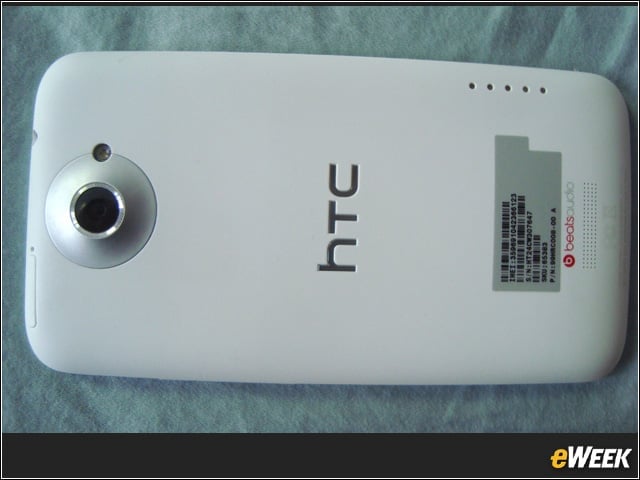
The HTC One X has speakers on its front and back. When listening to music, the phone’s sound quality is said to be nearer (than other phones) to the sound the artist intended.
Speakers

Speakers on the front of the HTC One X.
Applications
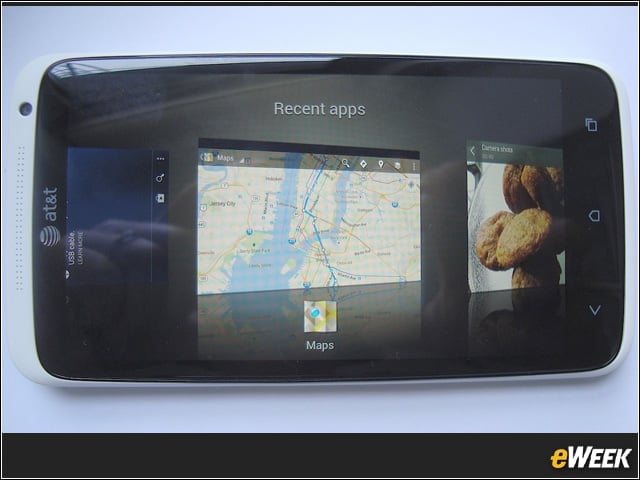
There are three dedicated buttons at the bottom of the phone: back, home and a button that takes you to recently used applications, arranged like a 3D stack of cards. It’s a nice time saver.
Camera

The camera and video camera each have easy-to-use editing tools. Photos are easy to share or delete, and the camera has a number of Instagram-like filters that can be applied to images. Here, a shot is shown as-taken, and then with filters called “Warm” and “Cinnamon.”
Camera

Are the filters so smart they consider context? Tinkering with this living room shot, the “Cinnamon” filter was nowhere in sight, but a “Pixel” filter was offered.