AeroHive Plans WiFi Networks for Free

AeroHive Plans WiFi Networks for Free

Verfasst von
Wayne Rash
Wayne Rash
Published: Sep 24, 2010
Updated: Feb 2, 2021
2 minute read
eWeek Inhalte und Produktempfehlungen sind redaktionell unabhängig. Wir können Geld verdienen, wenn Sie auf Links zu unseren Partnern klicken. Mehr erfahren


AeroHive Plans WiFi Networks for Free

1

by Wayne Rash


Test Floor Plan

2

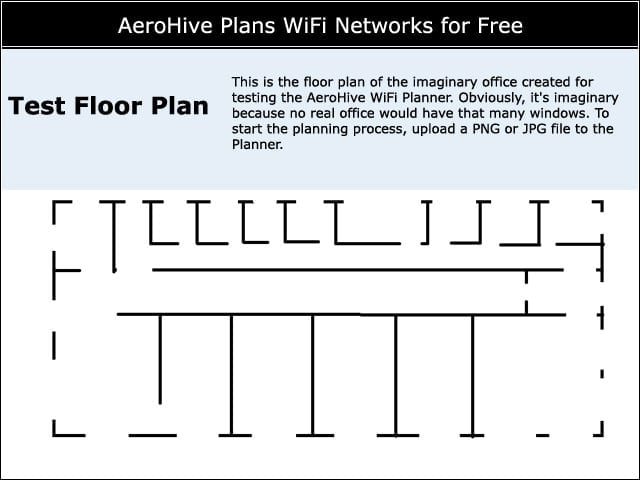
This is the floor plan of the imaginary office created for testing the AeroHive WiFi Planner. Obviously, it’s imaginary because no real office would have that many windows. To start the planning process, upload a PNG or JPG file to the Planner.


Mark Your Territory
3

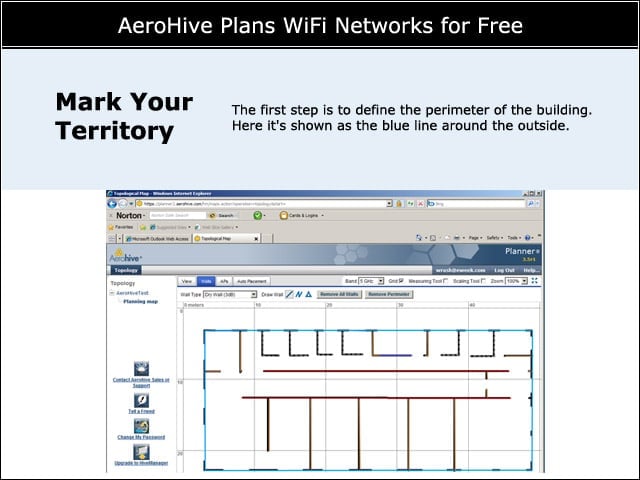
The first step is to define the perimeter of the building. Here it’s shown as the blue line around the outside.


Define Building Materials
4

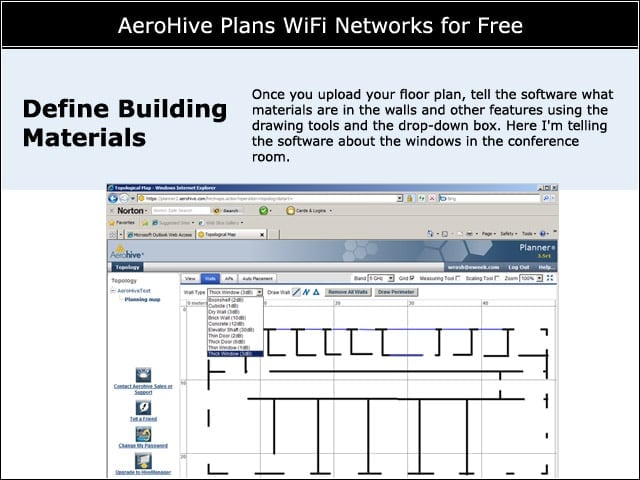
Once you upload your floor plan, tell the software what materials are in the walls and other features using the drawing tools and the drop-down box. Here I’m telling the software about the windows in the conference room.


Advertisement

Place the Access Points

5

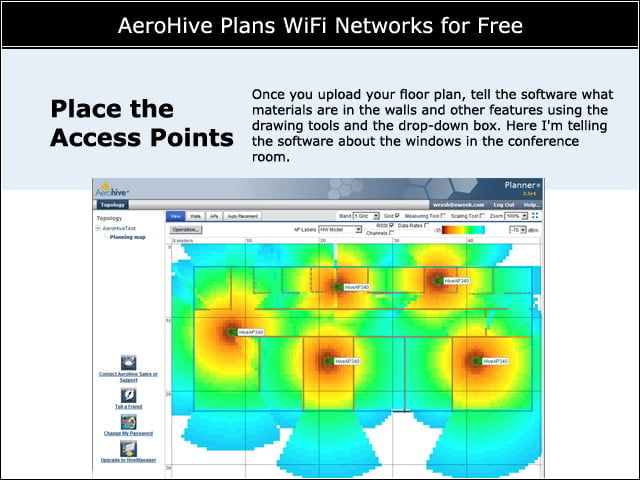
Once the software knows about the walls, it can automatically place the APs. Once that’s done, it only takes seconds to get a drawing like this, with the APs in place and their respective coverage patterns.


New Access Point
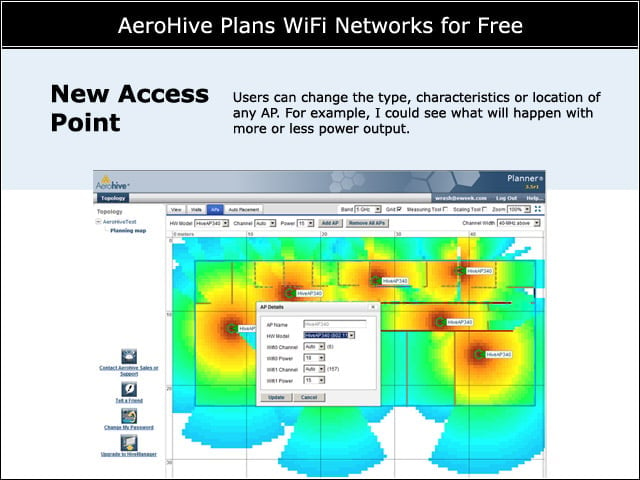
6

Users can change the type, characteristics or location of any AP. For example, I could see what will happen with more or less power output.


Revised Plan
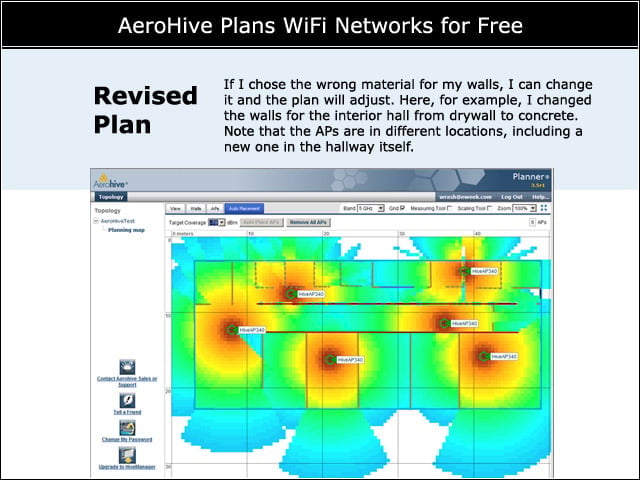
7

If I chose the wrong material for my walls, I can change it and the plan will adjust. Here, for example, I changed the walls for the interior hall from drywall to concrete. Note that the APs are in different locations, including a new one in the hallway itself.


PDF Report
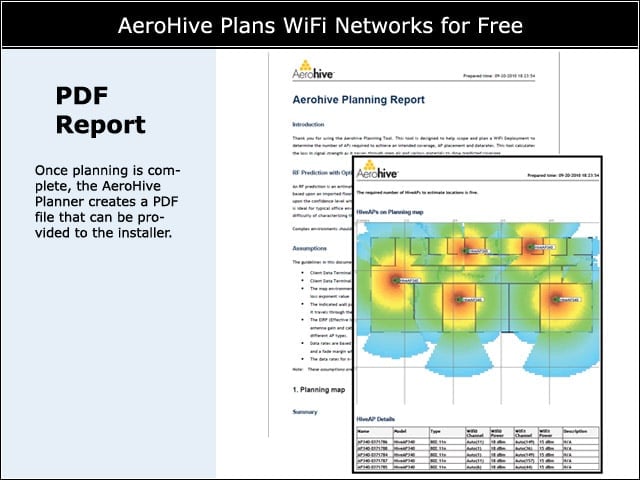
8

Once planning is complete, the AeroHive Planner creates a PDF file that can be provided to the installer.


No Title

Wayne Rash

Wayne Rash is a content writer and editor with a 35-year history covering technology. He’s a frequent speaker on business, technology issues and enterprise computing. He is the author of five books, including his most recent, "Politics on the Nets." Rash is a former Executive Editor of eWEEK and a former analyst in the eWEEK Test Center. He was also an analyst in the InfoWorld Test Center and editor of InternetWeek. He's a retired naval officer, a former principal at American Management Systems and a long-time columnist for Byte Magazine.

eWeek Logo

eWeek has the latest technology news and analysis, buying guides, and product reviews for IT professionals and technology buyers. The site's focus is on innovative solutions and covering in-depth technical content. eWeek stays on the cutting edge of technology news and IT trends through interviews and expert analysis. Gain insight from top innovators and thought leaders in the fields of IT, business, enterprise software, startups, and more.

Eigentum von TechnologyAdvice. © 2026 TechnologyAdvice. Alle Rechte vorbehalten

Werbetreibenden-Offenlegung: Einige der auf dieser Website erscheinenden Produkte stammen von Unternehmen, von denen TechnologyAdvice eine Vergütung erhält. Diese Vergütung kann beeinflussen, wie und wo Produkte auf dieser Website erscheinen, einschließlich beispielsweise der Reihenfolge, in der sie erscheinen. TechnologyAdvice schließt nicht alle Unternehmen oder alle auf dem Marktplatz verfügbaren Produkttypen ein.