







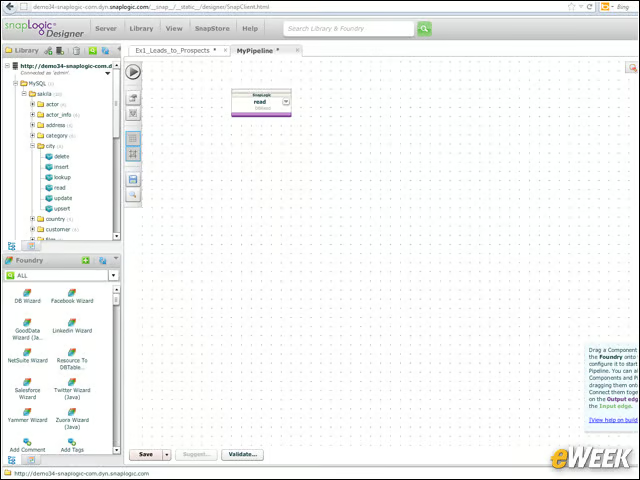
Designer Library

The Designer includes a section called the Library from which you can drag some predefined components or your own components, as well as from the Foundry, where you find all the available components. You simply drag the components onto the canvas.
Properties
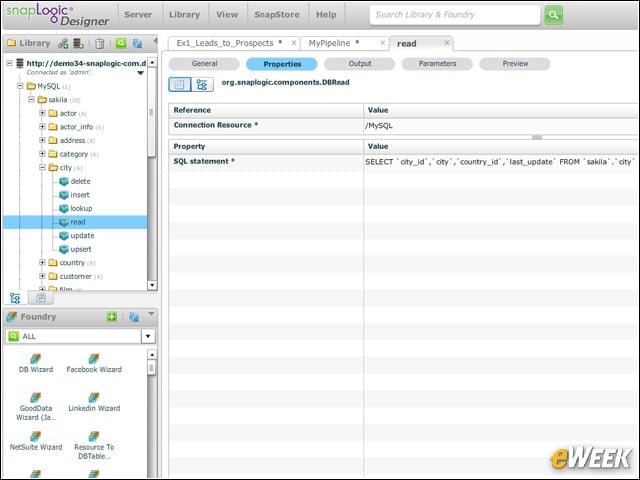
When you click on your component, you can open up its properties. In this case, the component is a MySQL-Read component for a particular table. The actual SELECT statement to be used is available and can be customized.
Modify Fields
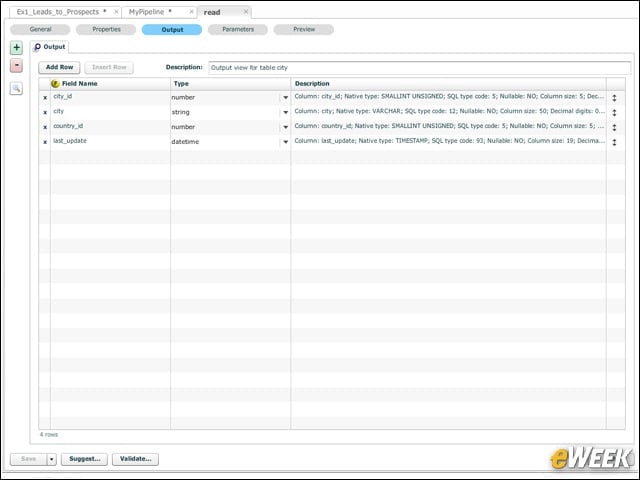
You can also modify the fields that the component will process. This MySQL_Read component will be reading four different fields, each representing a column in the original table. Here you can change the field selections and their types.
Component Process
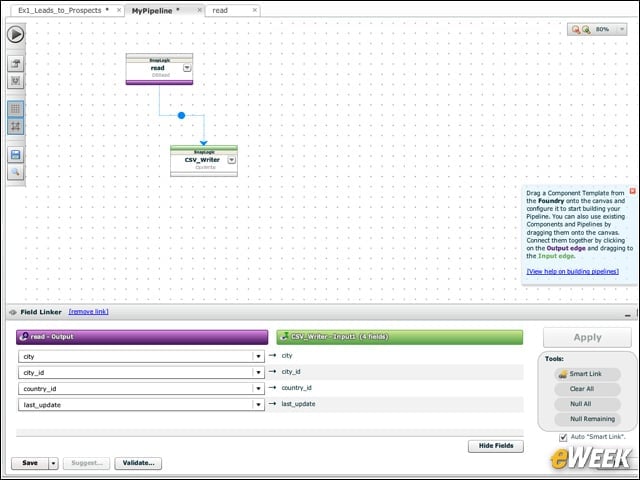
After dragging another component onto the canvas, in this case a CSV_Writer, you can connect the two. Data will feed from the MySQL_Read component to the CSV_Writer component. The MySQL_Read component will read data from a table and push it to the CSV_Writer component, which will, in turn, write out the data to a CSV file.
Pipeline Error
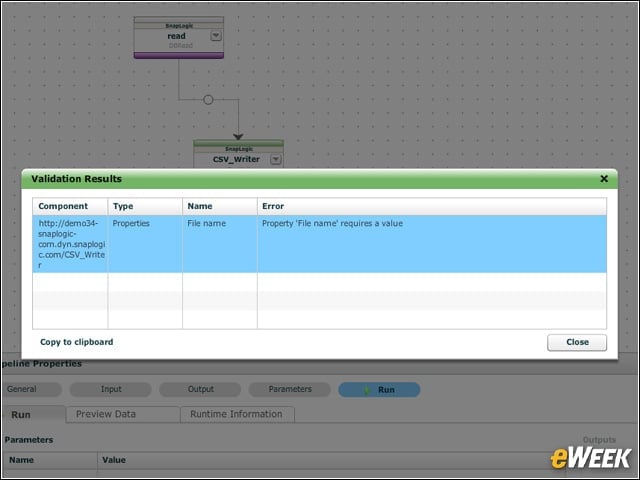
If you try to run the pipeline, but have an error, you’ll see an error message explaining exactly what’s wrong. Here the error is a missing file name in the CSV_Writer component.
Component Properties
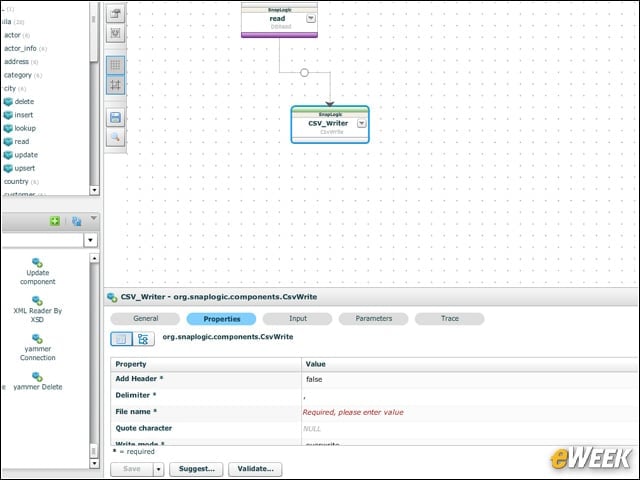
Returning to the component, you can set the CSV_Writer’s Filename property. Here the properties are being accessed at the bottom of the screen.
Error Fixing
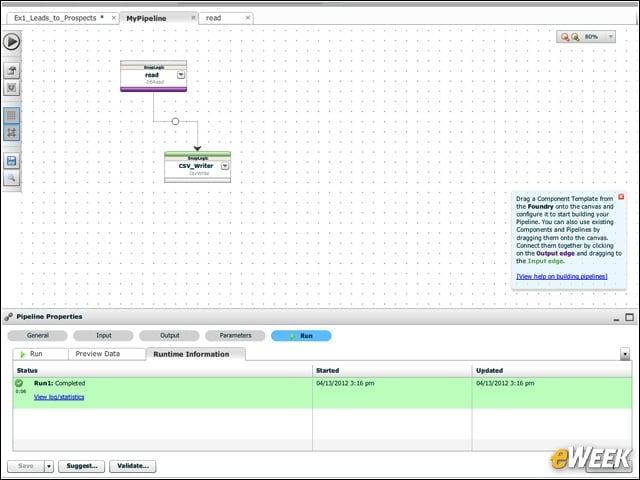
Now that the error is fixed, you can see the status at the bottom of the screen. The message states that the run was completed, the time it started and the time it ended.
Export to PDF
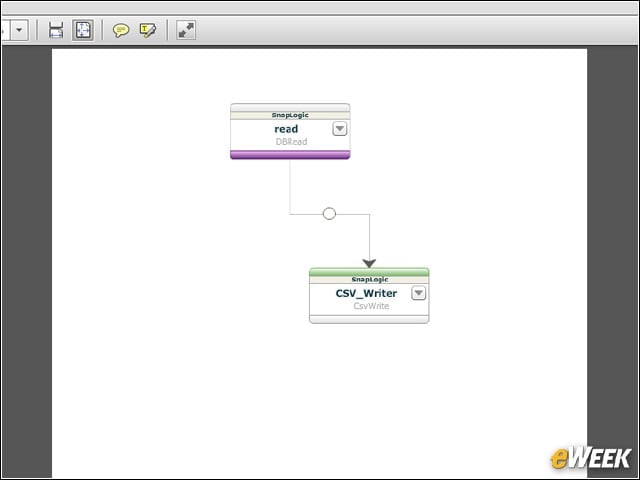
If you need to share the visual image of your design, there’s a handy Export to PDF function. Here the design was saved to a PDF file and opened up in Adobe Reader.
Big Data
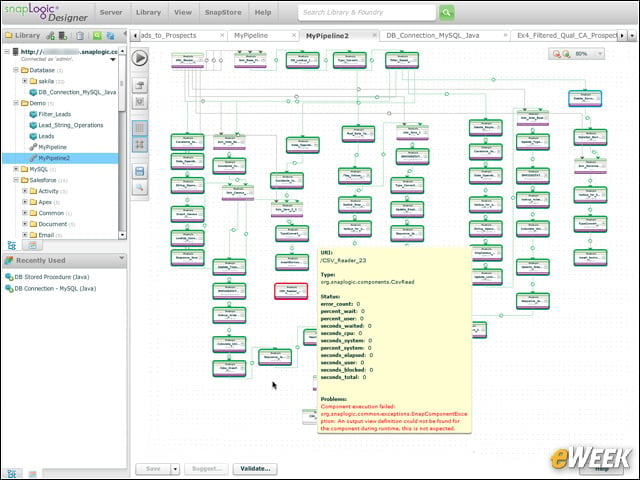
Your designs don’t need to be simple. You can create a pipeline that moves huge amounts of data through an enormous number of components. The Designer makes this easy without having to write the code yourself.