








- eWEEK Labs Walk-through: Cisco Smart Business Communications System
- eWEEK Labs Walk-through: Cisco Smart Business Communications System – Desk Phones
- eWEEK Labs Walk-through: Cisco Smart Business Communications System – Access Point
- eWEEK Labs Walk-through: Cisco Smart Business Communications System – WLAN
- eWEEK Labs Walk-through: Cisco Smart Business Communications System – Smartports
- eWEEK Labs Walk-through: Cisco Smart Business Communications System – Wi-Fi Phone
- eWEEK Labs Walk-through: Cisco Smart Business Communications System – Network Discovery
- eWEEK Labs Walk-through: Cisco Smart Business Communications System – Topology
- eWEEK Labs Walk-through: Cisco Smart Business Communications System – Audit
- eWEEK Labs Walk-through: Cisco Smart Business Communications System – System Health
- eWEEK Labs Walk-through: Cisco Smart Business Communications System – See More Slideshows Like This One
eWEEK Labs Walk-through: Cisco Smart Business Communications System
The 48-extension SBCS (Cisco Smart Business Communications System) I tested consisted of a voice controller (the UC520, shown) along with a 24-port Catalyst Express 520 switch uplinked via an expansion port.
eWEEK Labs Walk-through: Cisco Smart Business Communications System – Desk Phones
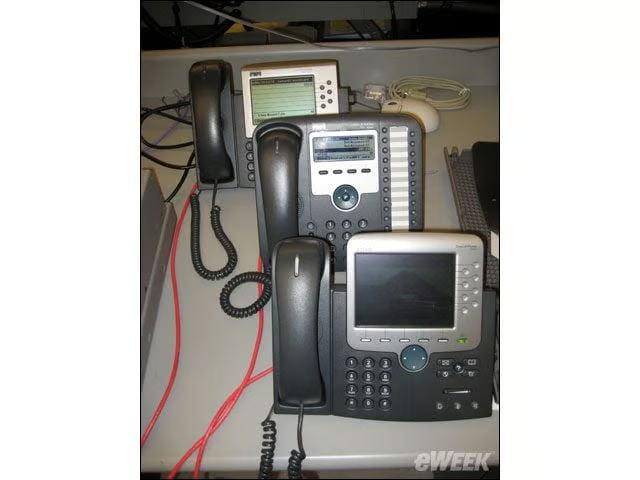
Each of the desktop IP phones I tested with–the 7931, 7961 and color-screen 7970–were detected automatically via Cisco Discovery Protocol and assigned extensions.
eWEEK Labs Walk-through: Cisco Smart Business Communications System – Access Point
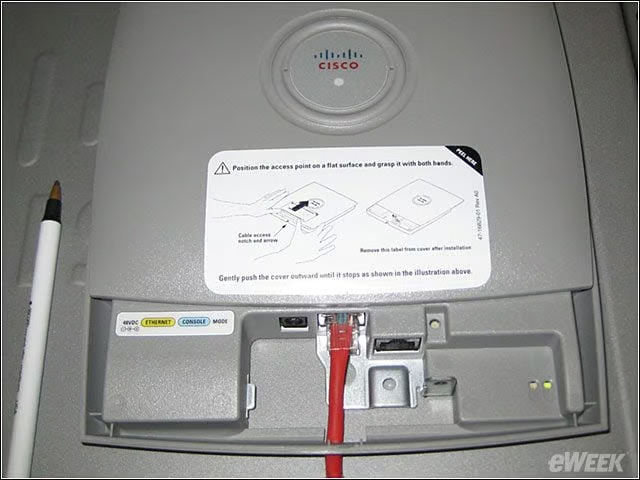
SBCS works with either individual Cisco access points (shown is the Cisco AP521) or with the Wireless LAN Controller 526 (for larger wireless LAN deployments).
eWEEK Labs Walk-through: Cisco Smart Business Communications System – WLAN
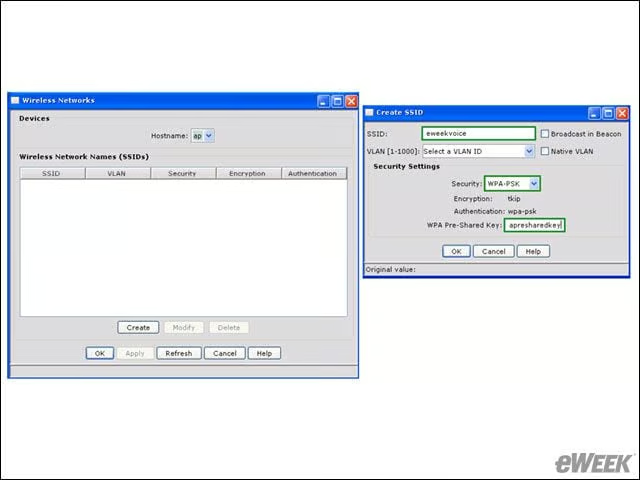
When a wireless infrastructure device is detected on the network, the CCA (Cisco Configuration Assistant) automatically adds wireless configuration options to the display. This allowed me to create SSIDs (service set identifiers), assign virtual LANs and
eWEEK Labs Walk-through: Cisco Smart Business Communications System – Smartports
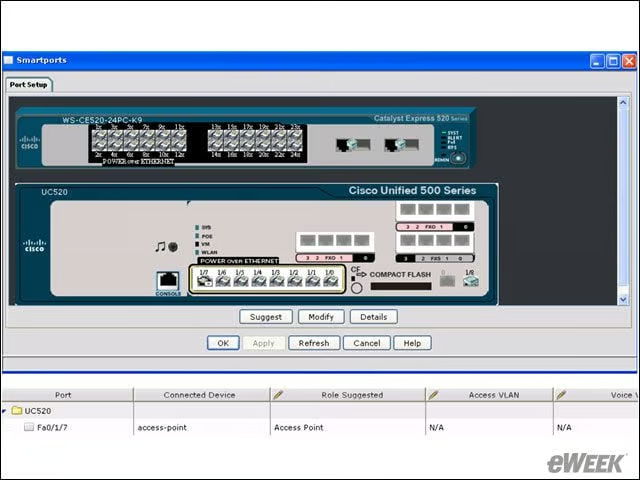
Individual ports on the UC520 or the Catalyst switch can be assigned specific roles according to the discovered attached device (access point, end-user device and so on) for easy system configuration.
eWEEK Labs Walk-through: Cisco Smart Business Communications System – Wi-Fi Phone
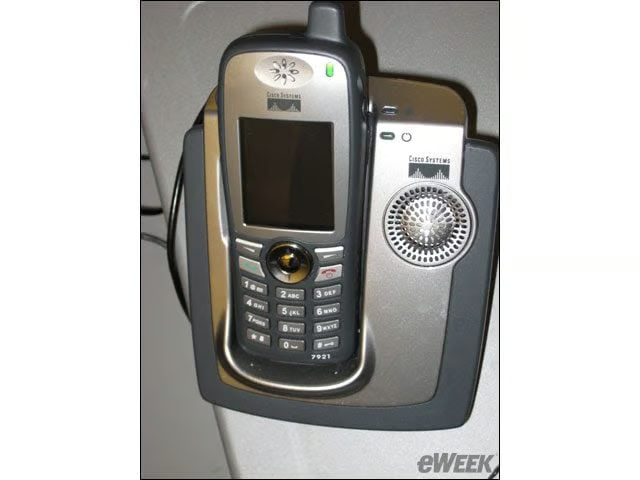
SBCS also automatically provisioned a Cisco Wi-Fi phone (the Cisco 7921) once I connected the device to a wireless LAN.
eWEEK Labs Walk-through: Cisco Smart Business Communications System – Network Discovery
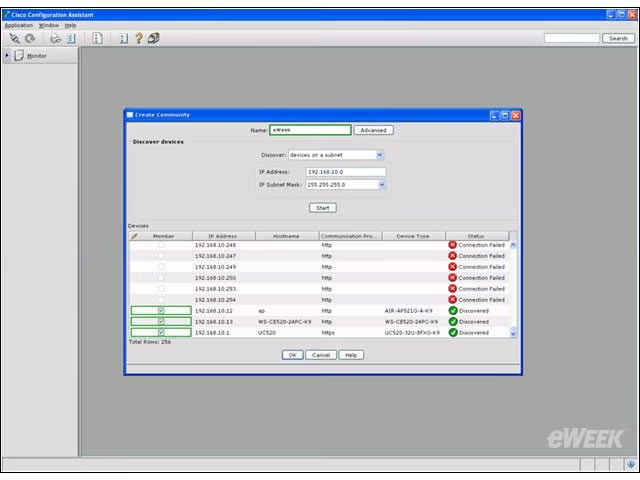
To help resellers manage multiple networks via the CCA, administrators create Communities consisting of every managed infrastructure device in the network (but not the phones).
eWEEK Labs Walk-through: Cisco Smart Business Communications System – Topology
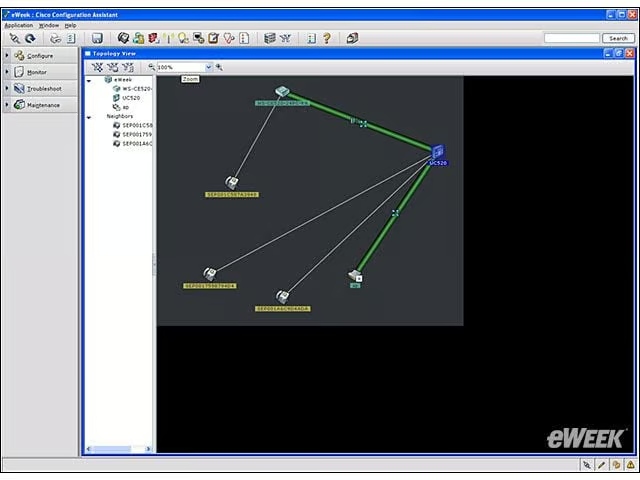
The CCA automatically creates a topology map of the all the detected infrastructure components in a Community, plus the attached devices.
eWEEK Labs Walk-through: Cisco Smart Business Communications System – Audit
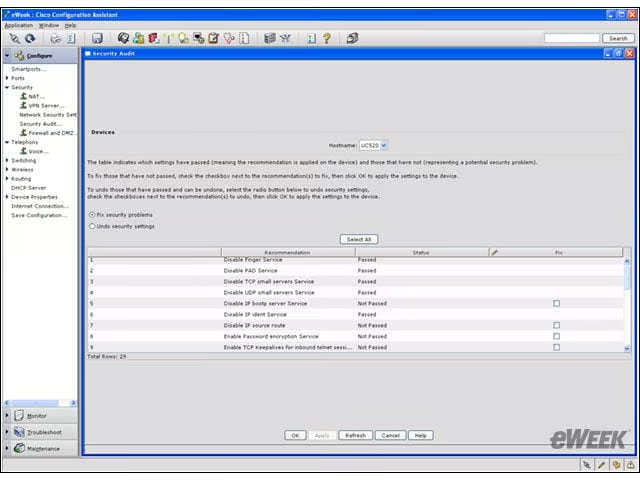
The CCA includes an audit tool to help VARs identify any unnecessary running processes or services.
eWEEK Labs Walk-through: Cisco Smart Business Communications System – System Health
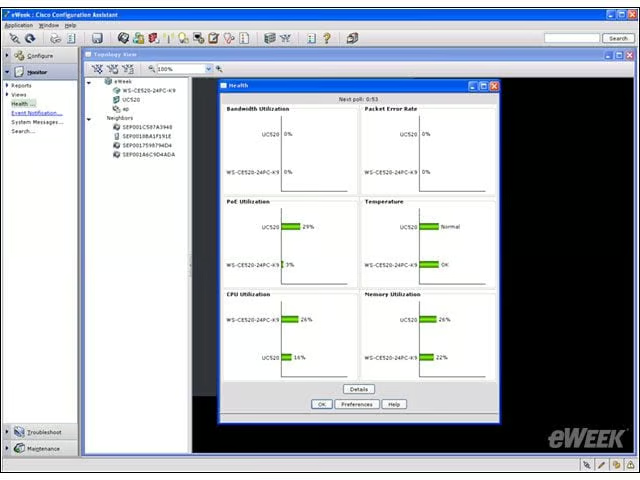
The CCA provides at-a-glance insight into the current utilization among the devices in a Community.
eWEEK Labs Walk-through: Cisco Smart Business Communications System – See More Slideshows Like This One
- ShadowProtect Provides Ghost-Like Images for Windows
- eWEE