







- ScreenConnect Brings Web Meetings Back Inside the Firewall
- Starting a Support Session
- Guest Access Connection Options
- Running Multiple Sessions
- Multiple Paths for Support
- ScreenConnect Delivers Cross-OS Compatibility
- Simple Meetings, Quick and Easy
- Deploying Remote Control
- Launching Remote Access Sessions
- Meeting Controls
- Tools Available During Online Sessions
ScreenConnect Brings Web Meetings Back Inside the Firewall
by Frank Ohlhorst
Starting a Support Session
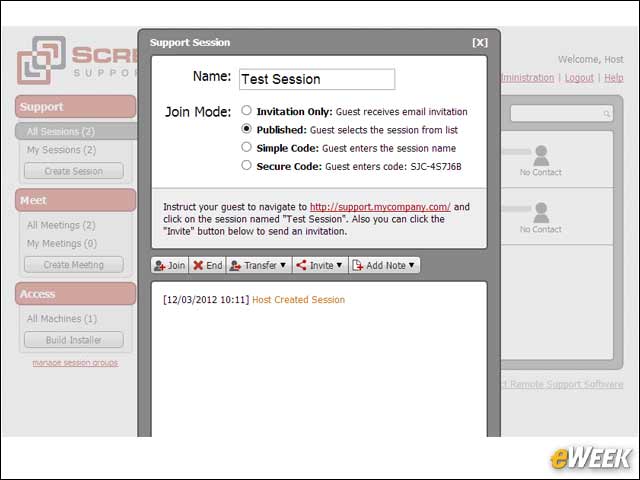
Beginning a support session takes just a few mouse clicks from the host, allowing for almost instantaneous problem resolution.
Guest Access Connection Options
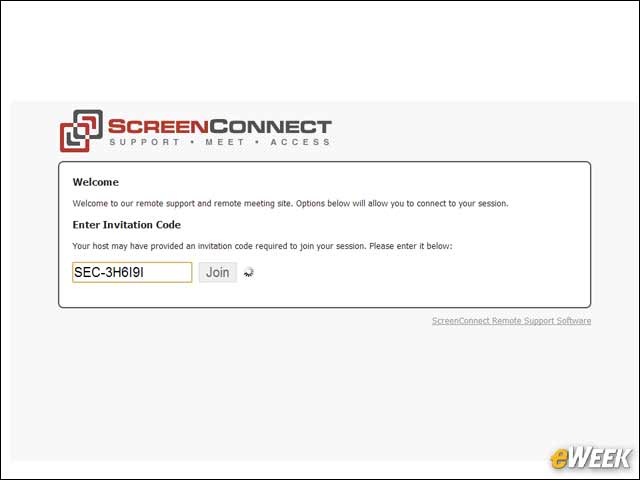
For support, the end user can connect in multiple ways; one of the simplest is by just entering a code provided by the help desk.
Running Multiple Sessions
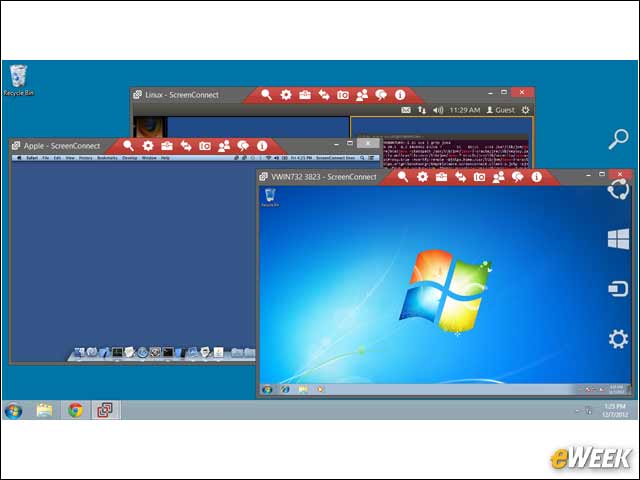
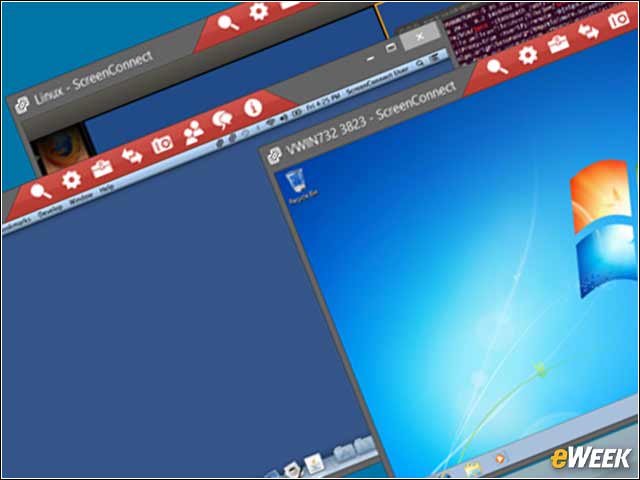
An administrator can support multiple client systems concurrently, allowing for full monitoring of activity between systems during patching or other updates.
Multiple Paths for Support
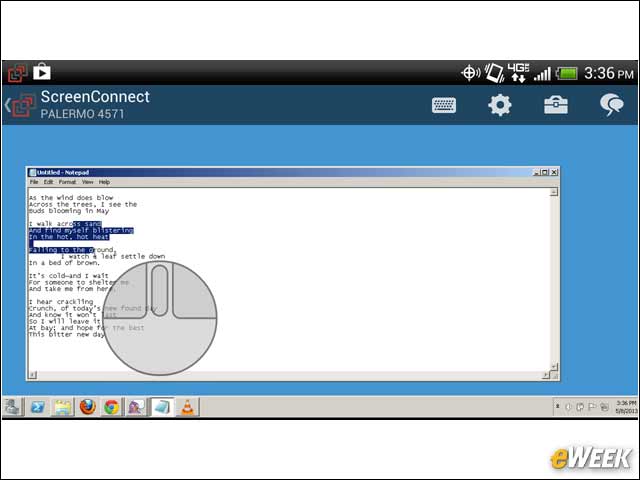
Support across operating systems or platforms allows dissimilar systems to interact. Here, an administrator is shown supporting a Windows user with an Android host.
ScreenConnect Delivers Cross-OS Compatibility
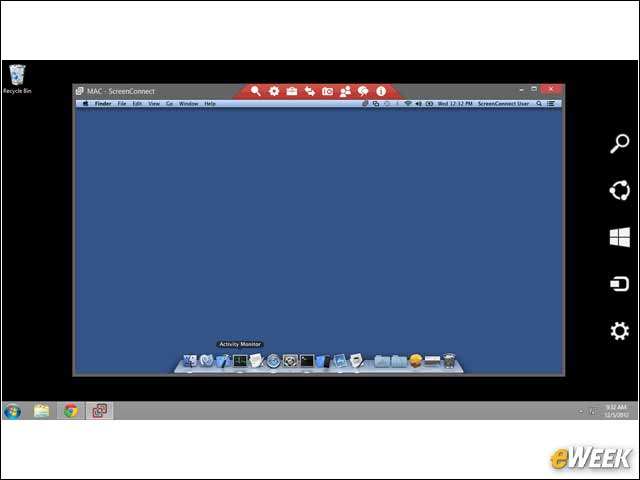
Administrators on Windows hosts can support most any endpoint computer. Here, an administrator is able to troubleshoot an Apple Macintosh OS X device.
Simple Meetings, Quick and Easy
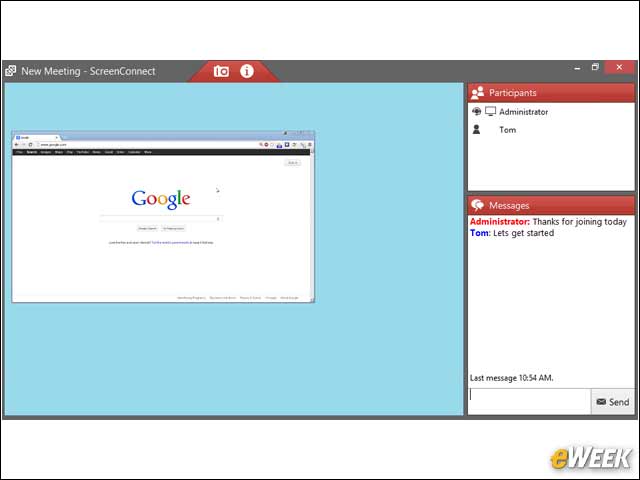
The meeting interface is easy to navigate and covers all the basics quite well.
Deploying Remote Control
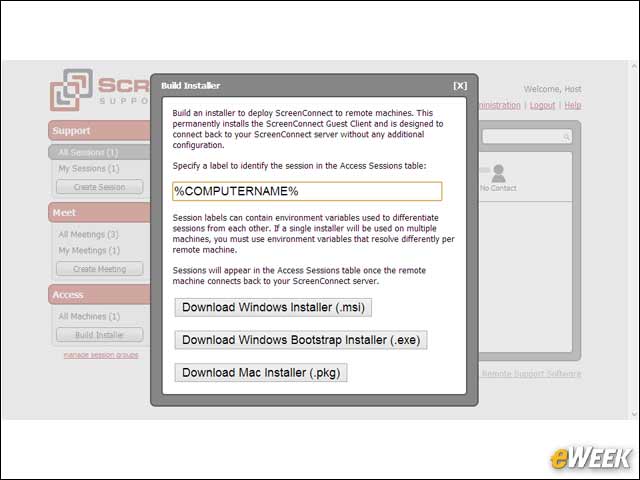
Deploying an automated remote-control installer can be accomplished from within the management console.
Launching Remote Access Sessions
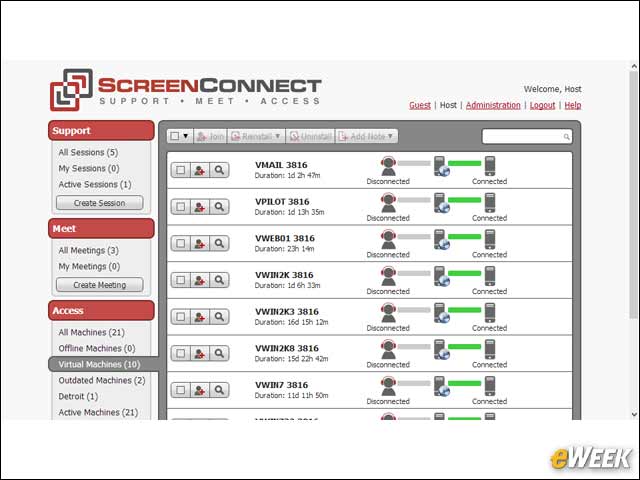
Remotely accessing a system is simplified, thanks to this list of available systems that can be clicked on to launch a remote-control session.
Meeting Controls
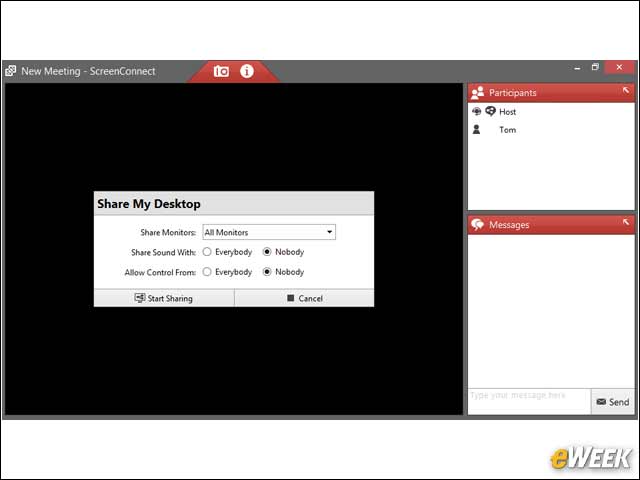
Meeting hosts can share multiple monitors and select which desktops to share.
Tools Available During Online Sessions
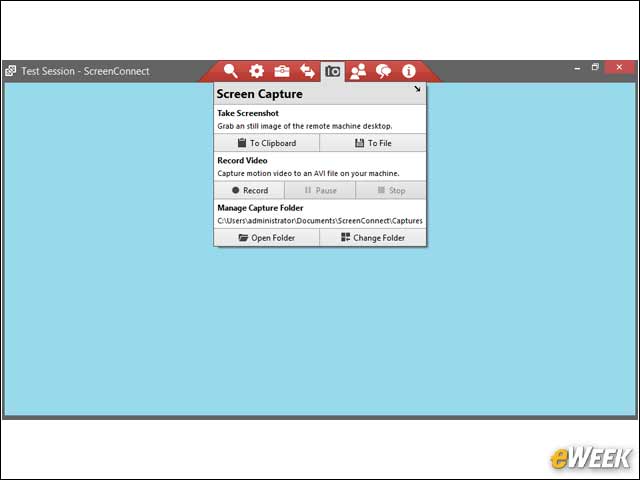
Several tools are available during a session, including capturing sessions, file transfers, reboots and so on.