







- Implement Data-Leak Prevention
- Encrypt Data in Transit and at Rest
- Provide HIPAA Training
- Use Two-Factor Authentication
- Hire a Chief Privacy Officer
- Perform Security Risk Assessments
- Update Policies for Mobile Devices
- Limit Local Laptop Storage
- Maintain Policies on Social Media
- Use a Certified EHR Application
Implement Data-Leak Prevention
Since data breaches are costly and damaging to any organization’s reputation, health care providers should implement data-leak prevention (DLP) measures to prevent unauthorized leaks of sensitive patient information, Justin Pirie, vice president of cloud strategy at email management firm Mimecast, told eWEEK. Health care providers need to consider deploying a DLP gateway to manage the flow of data in and out, he said. “By implementing a DLP gateway for email, you significantly reduce risks of patient email data leaking,” said Pirie.
Encrypt Data in Transit and at Rest
With mobile devices in doctors’ pockets, sharing patient data is too easy these days, but encryption is essential. “You don’t want to send off patient data over the Internet,” said Pirie. “Email is like a postcard: Anybody can read it unless you encrypt it.” If doctors are using an email management service like Mimecast, they should encrypt email data to avoid packets of information being “sniffed,” he said.
Provide HIPAA Training
Rules such as the Health Insurance Portability and Accountability Act (HIPAA) govern the release of patient information and the more stringent rules for reporting breaches enacted under the 2009 Health Information Technology for Economic and Clinical Health Act. For this reason, health care providers need to provide training for their clinical staff on how to work with data to avoid penalties, Lisa A. Gallagher, senior director for privacy and security at the Healthcare Information and Management Systems Society (HIMSS), told eWEEK in an email. HIMSS is an organization that provides this training to health care providers and security officers.
Use Two-Factor Authentication
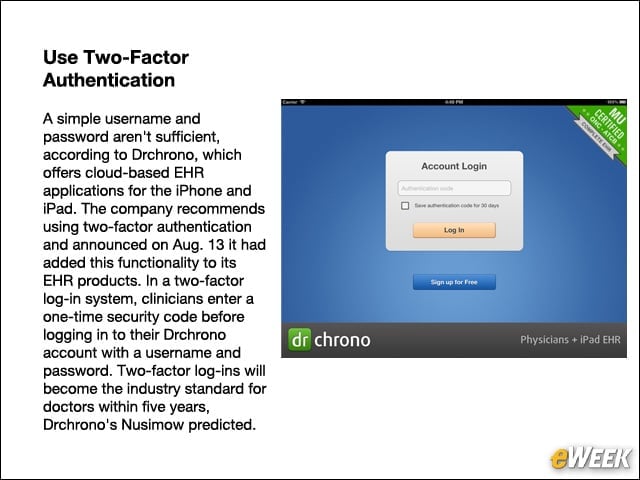
A simple username and password aren’t sufficient, according to Drchrono, which offers cloud-based EHR applications for the iPhone and iPad. The company recommends using two-factor authentication and announced on Aug. 13 it had added this functionality to its EHR products. In a two-factor log-in system, clinicians enter a one-time security code before logging in to their Drchrono account with a username and password. Two-factor log-ins will become the industry standard for doctors within five years, Drchrono’s Nusimow predicted.
Hire a Chief Privacy Officer
Health care organizations should add the role of a chief privacy officer (CPO), said Jared Rhoads, a senior research specialist with CSC’s Global Institute for Emerging Healthcare Practices. The CPO would monitor IT systems, establish privacy policies and provide training on maintaining secure data. “A lot of places don’t have a single person whose job it is to oversee this,” Rhoads told eWEEK. The responsibility often lies with the IT department rather than a C-level office, he said. “It’s important when you’re considering changing your health IT environment,” said Rhoads. “By naming a chief privacy officer, you can keep privacy at the forefront, and it’s easy to make privacy and security always part of the discussion.”
Perform Security Risk Assessments
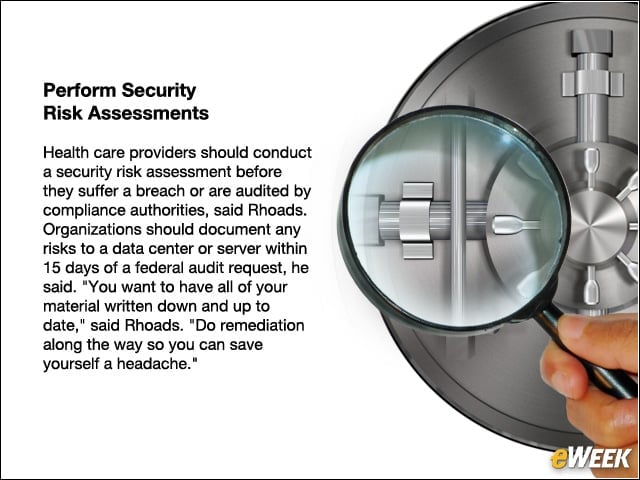
Health care providers should conduct a security risk assessment before they suffer a breach or are audited by compliance authorities, said Rhoads. Organizations should document any risks to a data center or server within 15 days of a federal audit request, he said. “You want to have all of your material written down and up to date,” said Rhoads. “Do remediation along the way so you can save yourself a headache.”
Update Policies for Mobile Devices
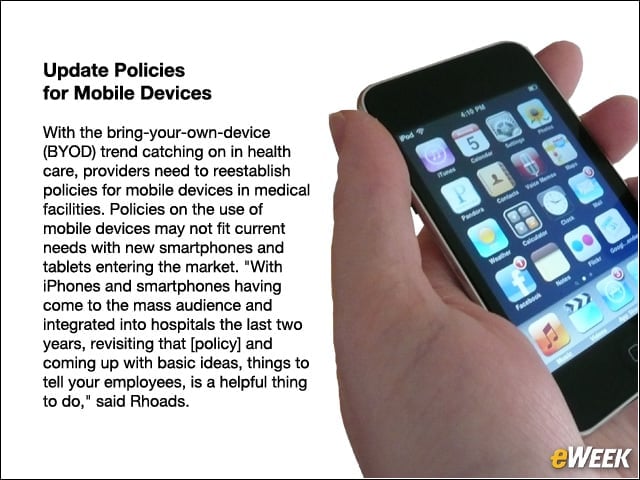
With the bring-your-own-device (BYOD) trend catching on in health care, providers need to reestablish policies for mobile devices in medical facilities. Policies on the use of mobile devices may not fit current needs with new smartphones and tablets entering the market. “With iPhones and smartphones having come to the mass audience and integrated into hospitals the last two years, revisiting that [policy] and coming up with basic ideas, things to tell your employees, is a helpful thing to do,” said Rhoads.
Limit Local Laptop Storage
“You can limit certain things on the laptop side,” said Rhoads. He advised using technology that can limit the number of records stored locally. “There isn’t a whole a lot of reason for a nurse to come home with protected health information anyway,” he said.
Maintain Policies on Social Media
Without a clear policy on social media, patient data could end up on Facebook, Twitter or YouTube, Rhoads noted. Health organizations must establish a policy on use of social media. Gossip about patients and bad days at the office doesn’t belong on public online forums, advised Jordan Battani, managing director of CSC’s Global Institute for Emerging Healthcare Practices Group.
Use a Certified EHR Application
When implementing EHR software, providers should use an EHR certified by the Department of Health and Human Services, said Mac McMillan, CEO of CynergisTek, a health care security firm and a former director of security at the Defense Department. For a list of EHRs on the Certified HIT Product List (CHPL), go to HealthIT.HHS.gov.