








MacBook Neo Cheat Sheet: Everything to Know About Apple’s Budget Mac
For years, the budget Mac was a ghost. You either bought a three-year-old Air on sale or took a gamble on the refurbished market. But the game has changed.
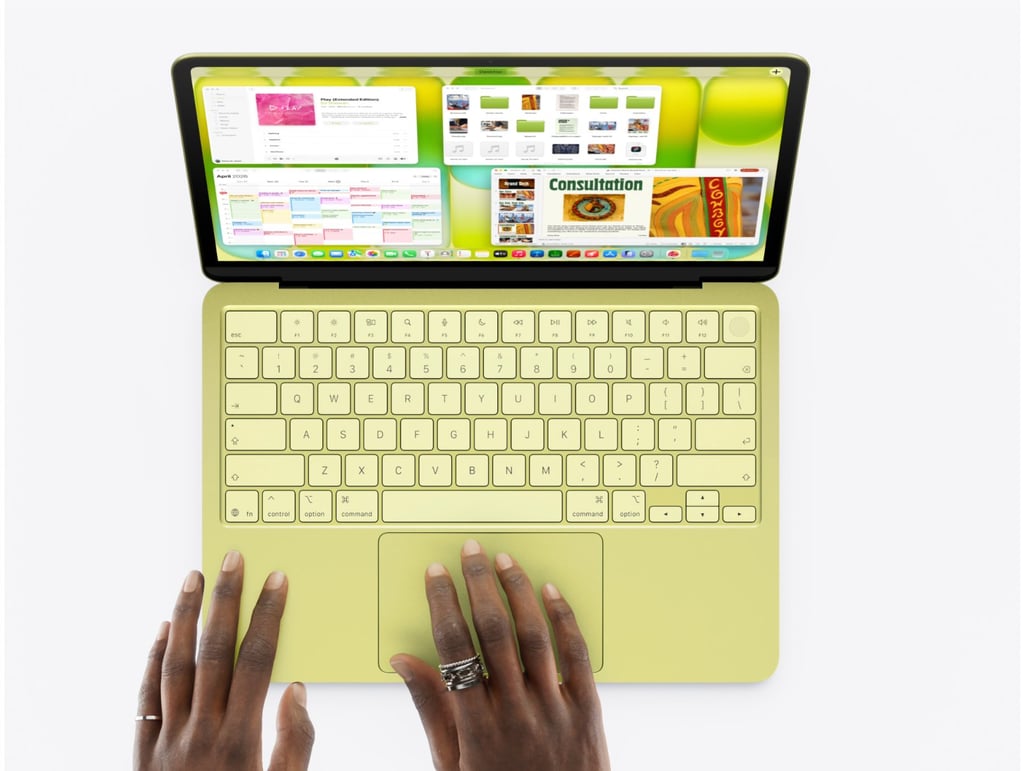
Apple’s new MacBook Neo is a sleek, colorful, and surprisingly capable Mac with AI features. It is aimed at everyday users. Starting at just $599, the device blends premium design with scaled-back hardware, making it one of the most accessible Macs ever released.
After spending years watching Apple iterate, it’s rare to see them move backward in price while moving forward in design. By taking the A18 Pro chip, the same powerhouse found in the iPhone 16 Pro, and wrapping it in a vibrant, all-aluminum chassis, Apple has created a device that isn’t just for students; it’s for anyone who thought they were priced out of the ecosystem.
However, the $599 price tag does come with a few quirks you’ll need to navigate. There’s no keyboard backlight, and one of the two USB-C ports is surprisingly slow. Is it still the best value in tech? Let’s dive into the details.
MacBook Neo at a glance: Full specifications
| Price | $599 (base), $699 (512GB + Touch ID), $499 education |
|---|---|
| Processor | Apple A18 Pro — 6-core CPU, 5-core GPU, 16-core Neural Engine |
| Memory | 8 GB unified memory (not upgradable) |
| Storage | 256 GB SSD (base) or 512 GB SSD ($699 config) |
| Display | 13-inch Liquid Retina, 2408 × 1506, 500 nits, 60 Hz, 1 billion colors |
| Camera | 1080p FaceTime HD. No Center Stage. No notch |
| Audio | Dual side-firing speakers. Spatial Audio. Dolby Atmos. Dual mics |
| Battery | Up to 16 hrs |
| Connectivity | 2× USB-C (left side only). 3.5 mm headphone jack |
| USB Speeds | Rear port: USB 3.2 Gen 2 (10 Gb/s). Front port: USB 2.0 (480 Mb/s) |
| Wireless | Wi-Fi 6E. Bluetooth 6 |
| Display Output | DisplayPort 1.4 via rear USB-C. Up to 4K. No Thunderbolt |
| Keyboard | Magic Keyboard. Color-matched keys. No backlighting |
| Touch ID | $699 config only (Apple Watch alternative works on base model) |
| Trackpad | Multi-Touch · Mechanical click (not Force Touch haptic) |
| Cooling | Fanless — completely silent |
| Dimensions | 0.5 × 11.7 × 8.1 inches |
| Weight | 2.7 lbs (1.22 kg) |
| Colors | Blush, Indigo, Silver, and Citrus |
| Recycled Content | 60% overall · 90% recycled aluminum · 100% recycled cobalt (battery) |
| Operating System | macOS Tahoe with Apple Intelligence |
| Charger | 20W USB-C (same as iPad) · Either port charges |
Color options
It comes in four colors that actually look fun: Blush (think soft pink), Indigo (deep blue), Silver (classic), and Citrus (a bright greenish-yellow). Color-matching extends to keyboard keys (in lighter shades), rubber feet on the bottom, desktop wallpapers, and macOS interface accents like scroll bars and confirmation buttons.
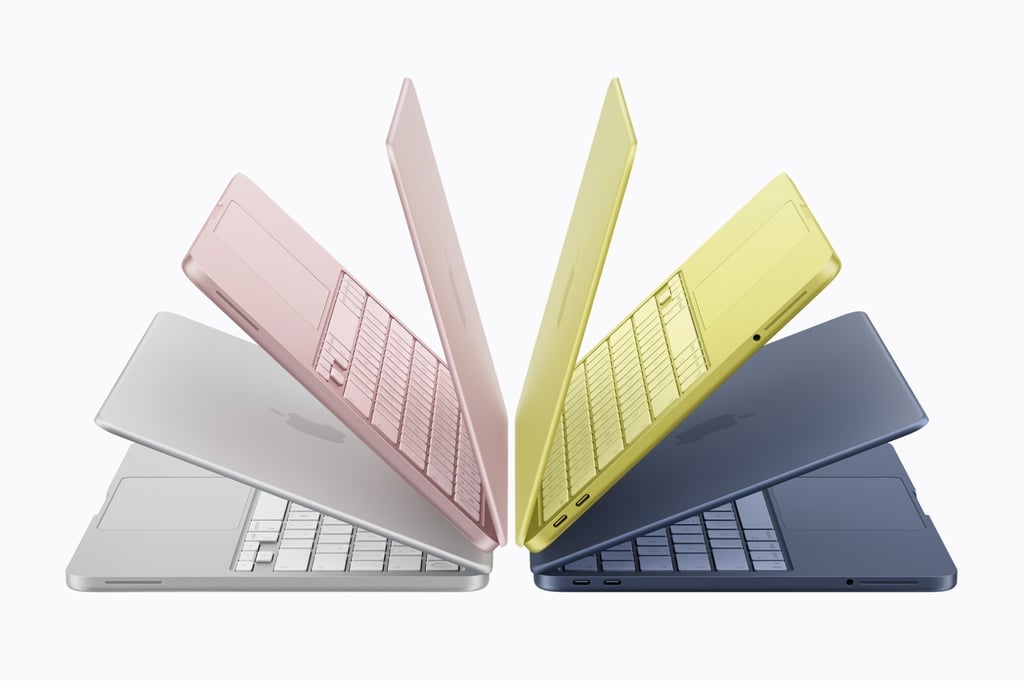
Image: Apple
Display deep dive
The 13-inch Liquid Retina panel is the Neo’s biggest surprise. At this price, most Windows laptops ship with 250–300 nit, 1080p screens that look washed out next to anything Apple makes. The Neo’s display hit 500 nits and covers 96% of the sRGB gamut with 10-bit color depth. That last part is remarkable; 10-bit panels are usually reserved for laptops north of $1,000.
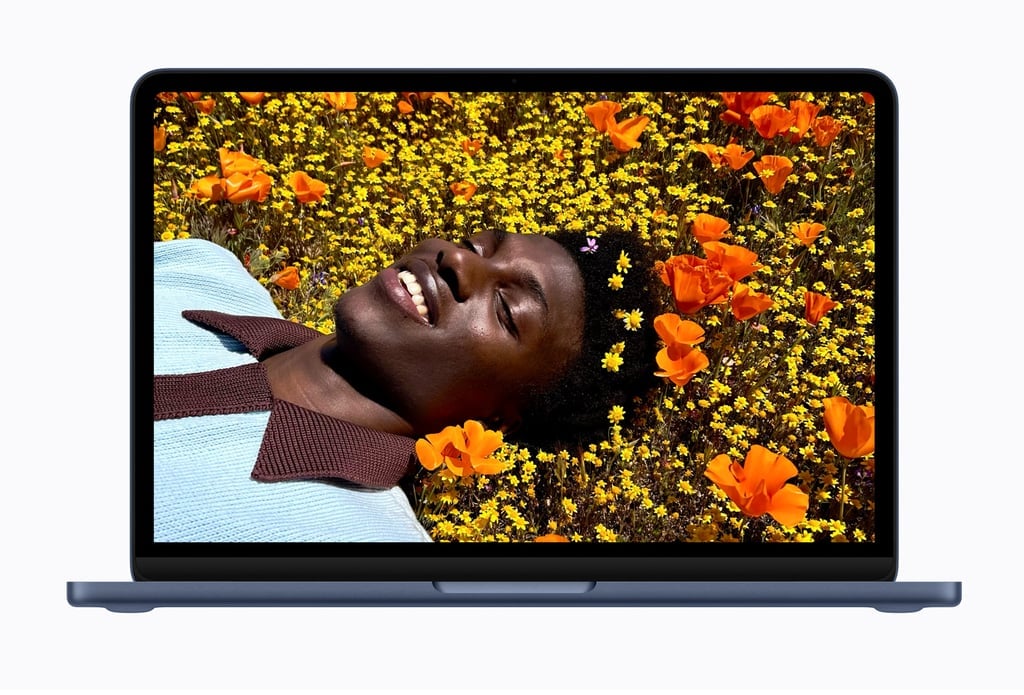
Image: Apple
What did Apple cut to hit $599? HDR support is gone. True Tone automatic color adjustment is absent. The nano-texture anti-reflective option isn’t available. And the screen refreshes at a standard 60 Hz, not the smoother 120 Hz ProMotion found on the MacBook Pro. For a student watching lectures or a writer staring at documents all day, none of these omissions will register. For video editors or graphic designers, the MacBook Air remains the right call.
Performance: What the A18 Pro actually does
The A18 Pro is the same chip inside the iPhone 16 Pro, and Apple has confirmed that the Neo’s chips are likely binned, processors produced during iPhone manufacturing that fully function but have one GPU core that didn’t meet the tightest specifications. The result is a 5-core GPU instead of the iPhone’s 6-core version. In practice, this is largely undetectable for everyday workloads.
For browsing, writing, streaming, photo editing, and light multitasking, the A18 Pro handles everything without breaking a sweat. Gaming tells an interesting story. The Neo won’t run demanding AAA titles at high frame rates. Apple Arcade and App Store games built for the A18 Pro run beautifully. For casual gaming, it’s adequate.
Ports and connectivity
This is where the Neo’s budget compromises are most visible. Two USB-C ports, both on the left side, are the entire wired connectivity story. There’s no Thunderbolt support, a meaningful limitation if you use docking stations or external displays designed for MacBook Airs or Pros.
The two ports are not equal. The rear port (closer to the hinge) supports USB 3.2 Gen 2 at 10 Gb/s and serves as the display output via DisplayPort 1.4. The front port is USB 2.0 — 480 Mb/s, which is slow enough that macOS will pop up a warning if you connect something demanding to it. Both ports can charge the laptop.
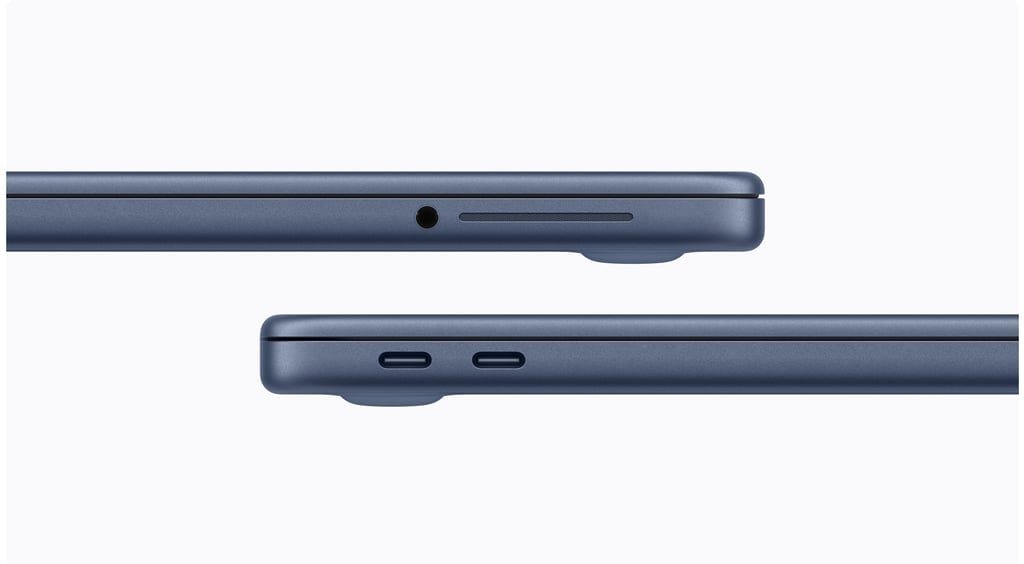
Image: Apple
The practical advice: always connect your display to the rear port. Use a USB hub if you need more connections. Wireless fills in the rest: Wi-Fi 6E is fast and broadly supported, and Bluetooth 6 keeps peripherals reliable.
Strengths and trade-offs
| What’s outstanding | What you’re giving up |
|---|---|
| Full aluminum body at this price — no plastic anywhere | No keyboard backlighting — a real issue for night workers |
| Display outclasses almost every competitor under $600 | Touch ID costs an extra $100 (base model has none) |
| Battery life of 13–15+ hours is genuinely exceptional | No Thunderbolt — can’t use most docking stations |
| A18 Pro blows away Intel Core Ultra 5 laptops in daily tasks | Front USB port is USB 2.0 — painfully slow for storage |
| Completely fanless — runs totally silent under load | Just 8 GB RAM — can’t upgrade, ever |
| Four fun, distinctive colors with coordinated design details | Force Touch haptic trackpad replaced by mechanical click |
| Side-firing speakers punch above their weight class | No HDR, True Tone, or ProMotion on the display |
| Apple Intelligence and on-device AI included | Video transcoding is noticeably slower than the MacBook Air |
| Seamless iPhone integration out of the box | No Center Stage on the webcam |
MacBook Neo vs MacBook Air M5: Side-by-side
| Features | Neo ($599) | Air M5 ($1,099) |
|---|---|---|
| Display size | 13 in | 13.6 in |
| Display brightness | 500 nits | 500 nits |
| Chip | A18 Pro | M5 |
| RAM | 8 GB | 16 GB |
| Base storage | 256 GB | 512 GB |
| Battery | Up to 16 hours | Up to 18 hours |
| Keyboard backlight | No | Yes |
| Touch ID (base) | No (+$100) | Yes |
| Thunderbolt | No | Yes |
| Ports | 3 ports. USB 3 (USB‑C), USB 2 (USB‑C), 3.5 mm headphone jack | 4 ports, 2x Thunderbolt 4 (USB-C), 3.5 mm headphone jack, MagSafe 3 |
| Trackpad type | Mechanical click | Force Touch haptic |
| Camera | 1080p | 12 MP Center Stage |
| Speakers | 2-speaker | 4-speaker |
| Wi-Fi | Wi-Fi 6E | Wi-Fi 7 |
| Cooling | Fanless | Fanless |
| Weight | 2.7 lbs | 2.7 lbs |
| Colors | 4 (inc. Citrus) | 4 |
| Price difference | Save $500 | Spend $500 more |
The call: If you primarily browse, write, watch content, and handle everyday tasks, the Neo is genuinely all you need. If you edit video, juggle many apps simultaneously, need a proper dock, or want the absolute best camera, pay the extra $500 for the Air. But for most people, most of the time, the Neo does the job magnificently.
First-day setup: 9 changes to make immediately
These adjustments take about 15 minutes and meaningfully improve the experience.
- Enable automatic updates: Make sure your Mac always has the latest security patches. Turn on all toggles here. System Settings > General > Software Update > Auto Updates > (i)
- Turn on FileVault: Encrypts your files so even a lost laptop can’t be read. Write down your recovery key. System Settings > Privacy & Security > FileVault
- Allow outside App Store apps: Let macOS install apps from verified developers, not just the App Store. Privacy & Security > Security > “App Store and Known Developers”
- Enable optimized battery charging: Learns your routine and charges at optimal times to protect long-term battery health. System Settings > Battery > Charging > (i)
- Set up night shift: Warms your screen colors at night to reduce eye strain. Use Sunset to Sunrise schedule. System Settings > Displays > Night Shift > Schedule
- Configure hot corners: Assign instant actions to screen corners — Lock Screen, Mission Control, Desktop, Quick Note. System Settings > Desktop & Dock > Hot Corners
- Enable three-finger drag: Move windows and drag files with three fingers, no clicking. One of the best trackpad settings. System Settings > Accessibility > Pointer Control > Trackpad Options
- Show Finder Path Bar: Adds a breadcrumb trail at the bottom of Finder — always know exactly where you are. Finder > View menu > Show Path Bar
- Set up Time Machine: Connect an external drive and enable automatic backups. Protect everything from day one. System Settings > General > Time Machine > Add Backup Disk
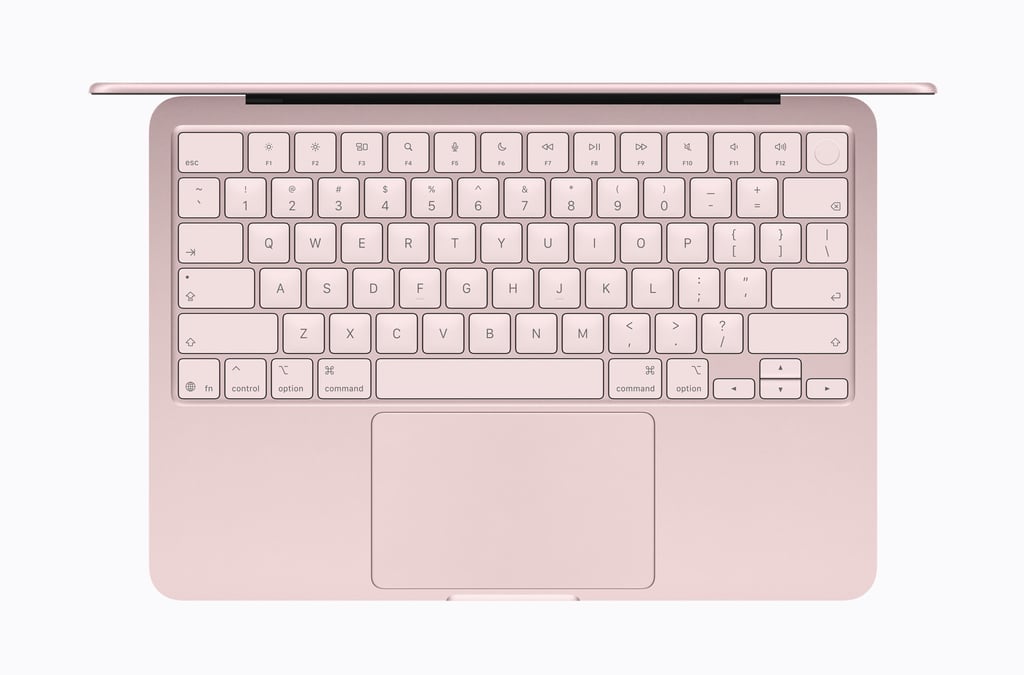
Image: Apple
Essential keyboard shortcuts
- ⌘ Space: Open Spotlight — Search, launch apps, do math, convert units.
- ⌘ Tab: Switch between open apps — hold ⌘, tap Tab to cycle
- ⌘ C: Copy selected item to clipboard
- ⌘ V: Paste clipboard contents
- ⌘ X: Cut selected item
- ⌘ Z: Undo — add ⇧ to redo
- ⌘ F: Find/search in current document or window
- ⌘ S: Save current document
- ⌘ P: Print current document
- ⌘ Q: Quit the current app completely
- ⌘ N: Open a new document or window
- ⌘ M: Minimize front window to Dock
- ⌘⇧ 5: Screenshot/screen record toolbar — all options in one place
- ⌃⌘ Q: Lock screen instantly — walk away safely
- ⌘ `: Switch between windows of the same app
- Space: Quick Look — preview any selected file without opening it
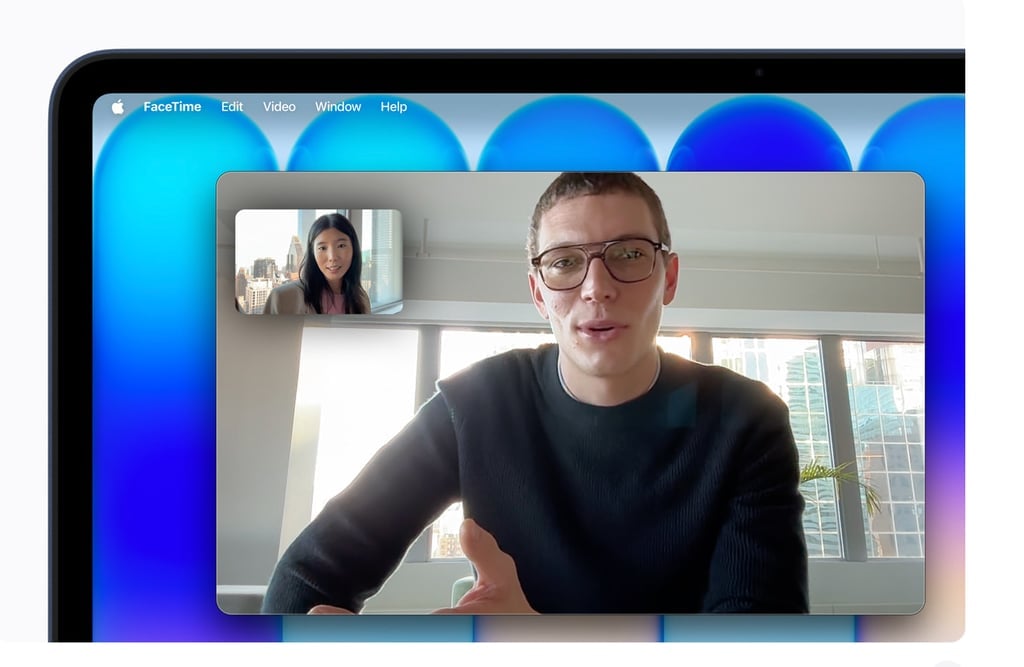
Image: Apple
9 power tricks worth knowing
Use your iPhone as a better webcam
macOS Continuity Camera lets you tap into your iPhone’s camera for video calls, with significantly better image quality than the built-in 1080p lens. Follow Apple’s setup guide in System Settings. Consider a desk mount for stable positioning.
Spotlight does math and conversions
Press ⌘ Space and type “30*30” for instant math, “599 USD to EUR” for currency, or “100 miles in km” for unit conversion. You’ll never open the Calculator app again. In macOS Tahoe, Spotlight also tracks your clipboard history.
Apple Watch unlocks the base model
No Touch ID on the $599 model. If you wear an Apple Watch, it can auto-unlock your Neo when you’re wearing it, just like Touch ID. Go to System Settings, search “Apple Watch,” and enable the unlock toggle. Both devices need to share the same Apple Account.
Activity monitor kills hungry apps
Open Activity Monitor (search it in Spotlight) to see which apps are eating CPU, memory, or energy. With only 8 GB of RAM, monitoring memory usage is more important on the Neo than on other Macs. Force quit anything that’s misbehaving.
Switch to Safari or Firefox
Chrome is a known memory hog. With 8 GB of RAM, the Neo benefits noticeably from a lighter browser. Safari is Apple-optimized and the most efficient option. Firefox is a solid alternative if you need a large extension library. Check the Memory tab in Activity Monitor to see the difference.
Manage storage proactively
The Neo uses SSD storage as overflow RAM (called swap). If you fill 256 GB to the brim, the system slows down noticeably. Keep at least 20–30 GB free. Audit what’s using space under System Settings > General > Storage. Consider an external USB-C SSD for large files.
Low power mode extends battery further
Set Low Power Mode to activate whenever you’re on battery, not just when the battery is low. Click the battery icon in the menu bar > Low Power Mode, or go to System Settings > Battery. You’ll see slightly reduced performance but meaningfully longer run time.
Use a hard surface for heavy tasks
The Neo is fanless, so heat exits through the chassis. Using it on your lap (soft fabric) traps heat and causes the A18 Pro to throttle performance. For demanding tasks such as gaming, rendering, and long video calls, use a desk or a cooling pad with built-in fans.
iPhone Mirroring lives in the dock
The iPhone Mirroring app lets you see and interact with your entire iPhone directly on your Mac screen. Receive notifications, use apps, and run your phone, all without touching it. Find it pre-installed in the Dock or Applications folder.
Environmental credentials
Apple describes the MacBook Neo as its lowest-carbon MacBook to date. The laptop contains 60% recycled content overall, the highest of any Apple product, including 90% recycled aluminum and 100% recycled cobalt in the battery.
The enclosure manufacturing process uses 50% less aluminum than traditional machining. Apple says 45% of the electricity used in the Neo’s supply chain comes from renewable sources, and all paper packaging is 100% fiber-based and recyclable.
The bottom line
Every major reviewer who has tested the MacBook Neo landed in the same place.
The consensus is consistent: at $599, nothing else comes close. You get a machine that most people thought only existed above $1,000: aluminum all the way through, a display that’s genuinely a pleasure to look at, battery life measured in real-world hours rather than marketing claims, and a chip fast enough to handle anything a typical user will actually do.
The cuts are real: no keyboard backlight, no Thunderbolt, no Touch ID on the base model, and 8 GB of RAM that cannot be upgraded. These aren’t invisible compromises; they will matter to some buyers. But for students, first-time Mac users, people upgrading from aging Windows laptops, or anyone who has wanted a MacBook but couldn’t stomach the four-figure price tag, the Neo is the answer they’ve been waiting for.
Also read: Our Apple Intelligence guide breaks down how Apple is bringing AI features to the iPhone, iPad, and Mac.