








Tencent is now rolling out its self-built AI agent to global users in a limited beta, stripping away the complex setup that once made AI agents exclusive to technical users.
The move signals an effort to democratize agentic AI, but for now, only 20,000 users across five markets can get in. While early versions always required API keys, extensive cloud configuration, and developer-level knowledge, QClaw’s public rollout asks users for just a phone, its camera, a desktop download, user registration, and a QR code scan.
What’s actually happening with the global rollout
Weeks after launching and scaling its beta in China to 1 million users within 10 days, Tencent says it “delivered more than 80 feature iterations.” And now, the company is taking QClaw to the global stage.
According to the company, the international version runs natively on Windows and Mac without technical configurations, potentially allowing millions of everyday users to deploy AI agents. However, the rollout starts tight: 20,000 slots spread across the US, Canada, Japan, South Korea, and Singapore.
Launching to the global stage is one thing; launching a self-building tool is another. According to Forbes, “the product was built by the product,” with 99% of the international version built by the agent in five days.
What can QClaw do
Before setting up QClaw, you need to understand how to maximize its agentic ability to serve your needs. Whether you are using it for personal or business purposes, QClaw has a use case tailored exactly for you. And the best part? You may never need to make extra setups.
QClaw is built preconfigured with three AI agent modes. Switching to any of these modes guides the tool on how to respond to your request.
- QClaw It: Designed for task execution, including routine administrative work.
- QClaw Daily: Designed for everyday planning and personal organization.
- QClaw Up: Designed for more complex productivity tasks that involve multiple steps.
QClaw runs locally on your computer. Plus, it supports custom large language models (LLMs) integrations on top of the ones it comes with by default. Doing that will simply require the user to obtain an API key from their preferred LLM platform and add it to their QClaw account.
The desktop app connects to several messaging platforms, including iMessage, WhatsApp, Telegram, and WeChat. This allows users to send commands as normal chats from these platforms to their QClaw agent. The QClaw app essentially serves as a local server, with the user’s phone as the endpoint.
How to set it up
If you are in one of the five markets listed for QClaw’s first global rollout, you need to be among the first 20,000 to get in. If you are not in the starting market or missed out, you can sign up for the waitlist.
Once in, follow the setup prompts on your screen to link the app to your preferred messaging platforms. Send commands from there, and the agent executes on your computer. Setups such as creating a new agent and adding extra LLMs are available but optional.
To sign up for the waitlist, head over to the tool’s landing page here.
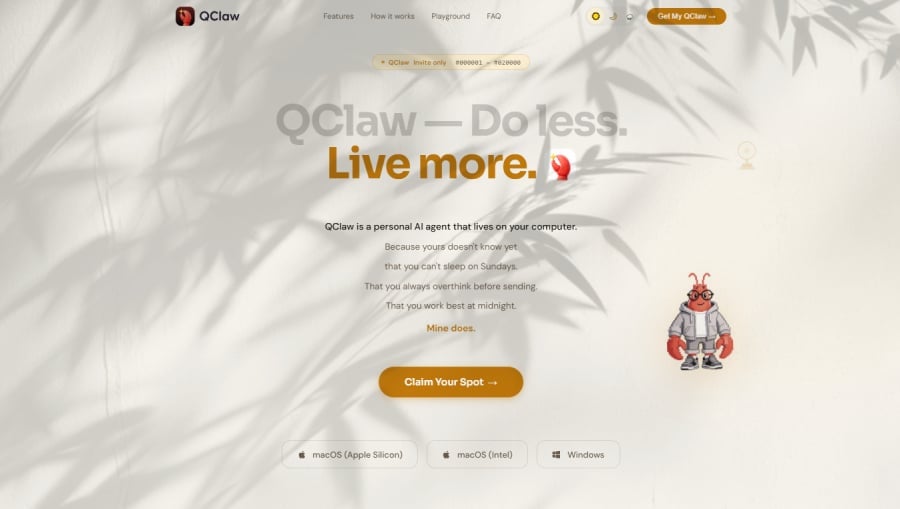
On the landing page, you should do two things: click on the “Claim Your Spot” button to sign up for the waitlist and/or simply download the desktop application. Support is currently available for Windows computers running versions 10 and 11 and Macs running Intel-based processors and Apple Silicon.
Agentic AI for anyone
QClaw’s ambition to democratize agentic AI isn’t an outlier. Since 2022, when ChatGPT launched to the public, several platforms have built and even open-sourced AI tools. Two of them are OpenClaw, from which QClaw came, and DeepSeek, a Chinese rival to the biggest AI companies.
On the agentic side, Perplexity has since launched an agentic browser, Comet, while many AI chatbots have integrated some sort of agentic abilities into their tools.
The direction is clear: agentic AI is rapidly taking over software tasks, while robotics handles physical ones.
The combination of these AI forms signals an imminent disruption that humans may have never witnessed before.