







- Windows 7 RC Features Many Small but Useful Enhancements
- Windows 7 RC 7100
- ISO Burn
- Boot Partition
- Control Panel Jump List
- InPrivate Jump
- Taskbar Thumbnails
- UAC Lockdown
- Power Plans
- Magnifier
- Adobe Oddity
- AppLocker Audit
- AppLocker Default Rules
- AppLocker Rules
- BitLocker Without TPM
- BitLocker ToGo
- BitLocker ToGo Legacy Support
Windows 7 RC Features Many Small but Useful Enhancements
Windows 7 RC 7100
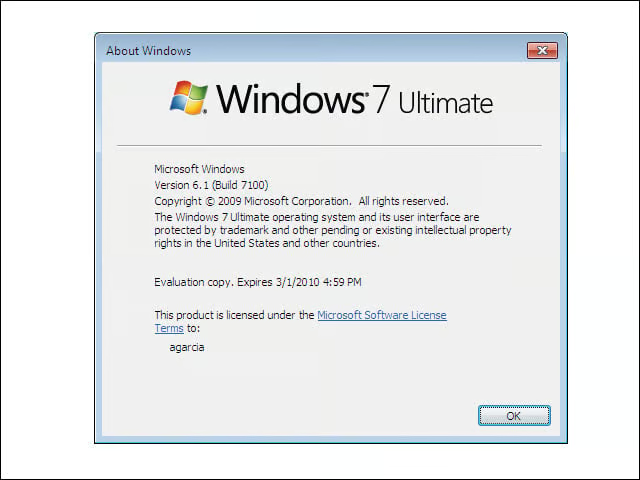
The Release Candidate of Windows 7 will be available to MSDN and Technet users on April 30. I tested the x86 version of the RC (otherwise known as Build 7100), the image of which was 2.35GB.
ISO Burn
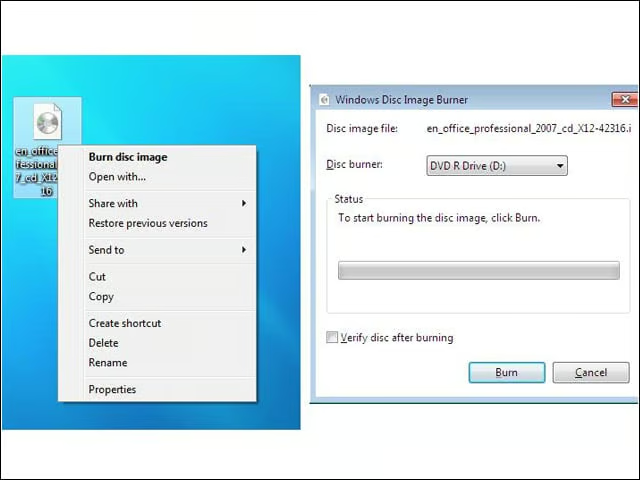
Windows 7 lets users burn CDs or DVDs from ISO images with a simple right click. Tragically, the new OS still does not natively support ISO mounting—an oversight that flies in the face of all the “green” hype surrounding Windows 7.
Boot Partition
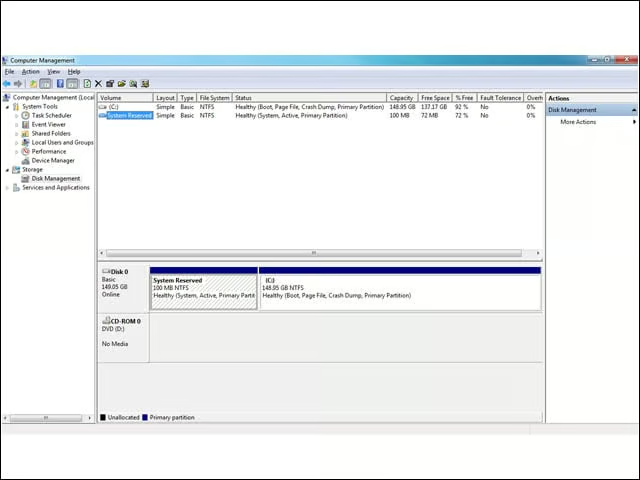
Unlike Windows Vista, Windows 7 automatically creates a small boot partition upon install to ease BitLocker full-disk encryption down the road. With Build 7100, the boot partition slimmed down by half—from 200MB to 100MB.
Control Panel Jump List
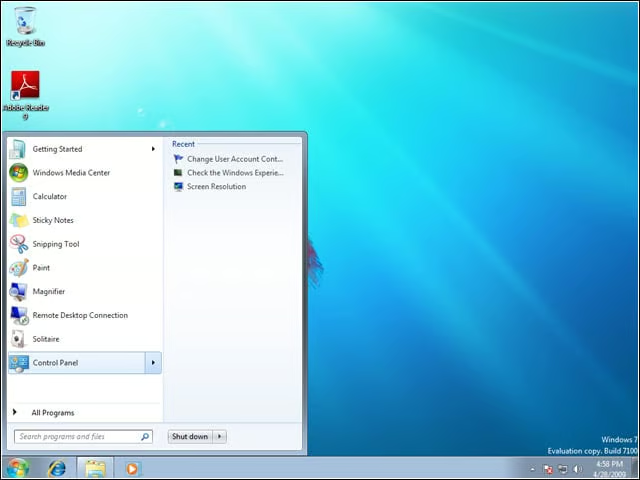
Build 7100 beefs up a few jump lists from the Start Menu. For instance, the Control Panel jump list now shows a list of recently used applets.
InPrivate Jump
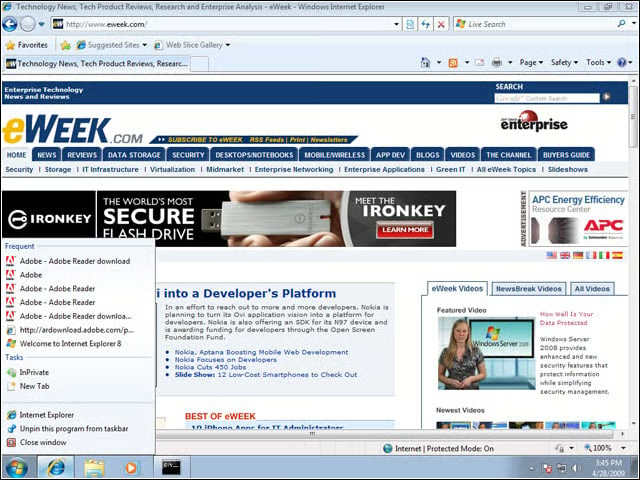
Users can now easily trigger Internet Explorer 8’s InPrivate mode for secure browsing, right from the jump list.
Taskbar Thumbnails
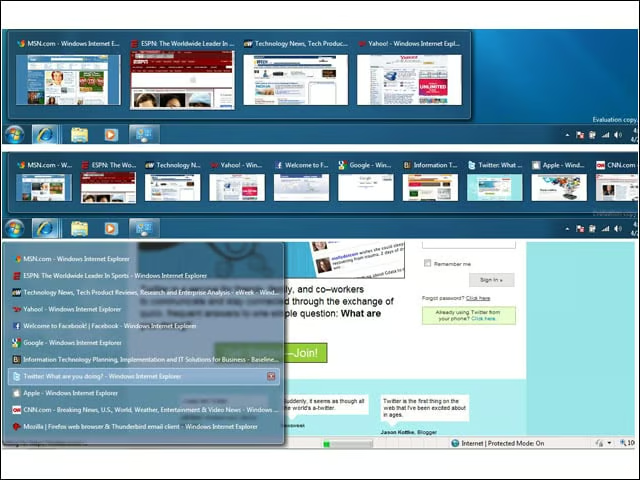
Build 7100 enhances taskbar thumbnail functionality. Once the threshold of thumbnail images is hit and the view switches to List mode (bottom), users can still quickly delete open windows or view the window in the background.
UAC Lockdown
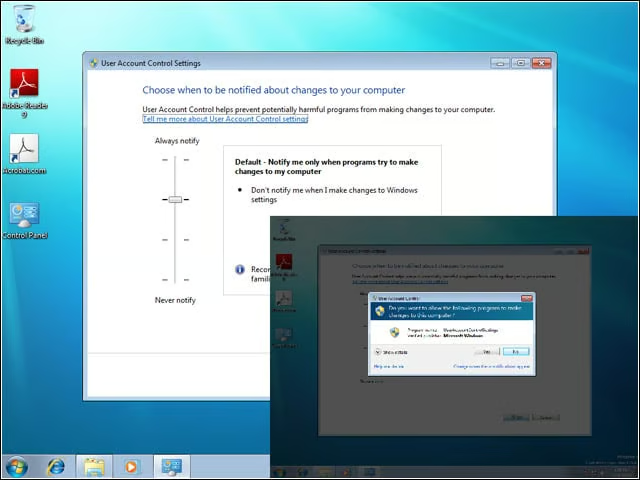
Reflecting a policy change made shortly after the beta came out in January, Build 7100 triggers a UAC prompt if the default UAC behavior is changed.
Power Plans
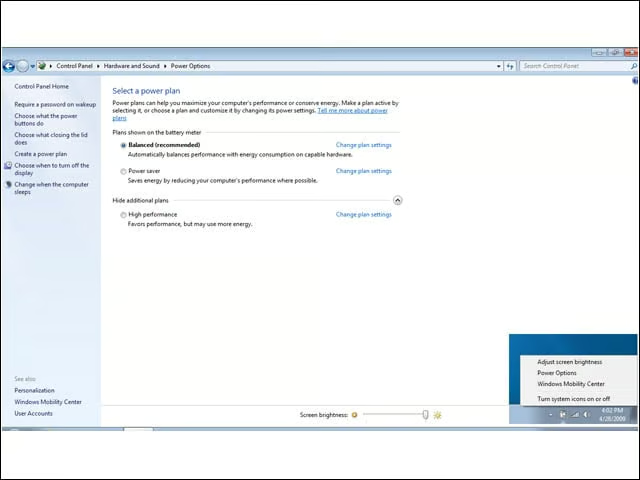
Users can access laptop power settings by right clicking in the System Tray. Windows 7 comes with three power plans by default.
Magnifier

Build 7100 by default gives the Magnifier prominent placement in the Start menu—presumably to help everyone read EULAs more closely.
Adobe Oddity
I don’t recall this being a problem with the Windows 7 beta code, but Build 7100 seems to be incorrectly recognized on occasion. For instance, Adobe tried to tell me I needed Adobe Reader 7.
AppLocker Audit
AppLocker, Windows 7’s built-in application whitelisting tool, offers enforcement and audit-only modes.
AppLocker Default Rules
AppLocker’s easily configured default rules make a nice complement to UAC. AppLocker says standard users can run only executables (or installers or scripts) found in the Program Files and Windows directories, while UAC says the same standard users cannot write to either of those directories. Therefore, standard users can only run applications installed by an administrator.
AppLocker Rules
Companies wanting more granular application permissions can also automatically create rule sets based on file hashes or paths.
BitLocker Without TPM
BitLocker, Windows 7’s built-in full-disk encryption tool, wants to write the encryption keys to the computer’s TPM chip. If no TPM is present, users need to change some group policy settings so they can write the key to a USB stick.
BitLocker ToGo
Windows 7 can encrypt USB drives, requiring users to input a password to decrypt and view the drive contents.
BitLocker ToGo Legacy Support
When a BitLocker ToGo USB drive is inserted in a Windows 7-enabled PC, users only need to input the password to decrypt. Users still on Vista or XP, on the other hand, must run the small executable found on the USB drive, using the tool to extract and decrypt the data.