







Exposing How Rogue Antivirus Sites Snag Victims
by Brian Prince
It Begins With Poisoned Google Searches
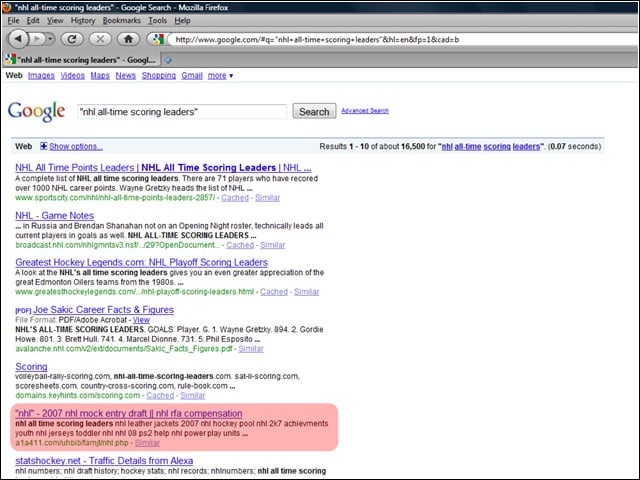
One of the ways purveyors of bogus antivirus tools rope users in is by poisoning Google search results. In the case here highlighted by eSoft, a search with the terms “nhl all-time scoring leaders” brought back more than just information about the National Hockey League. The fifth, sixth, seventh, eighth and tenth results led to malicious Websites where users were hit with fake warnings that their systems were infected, as well as a supposed cure.
How the Search Results Are Poisoned
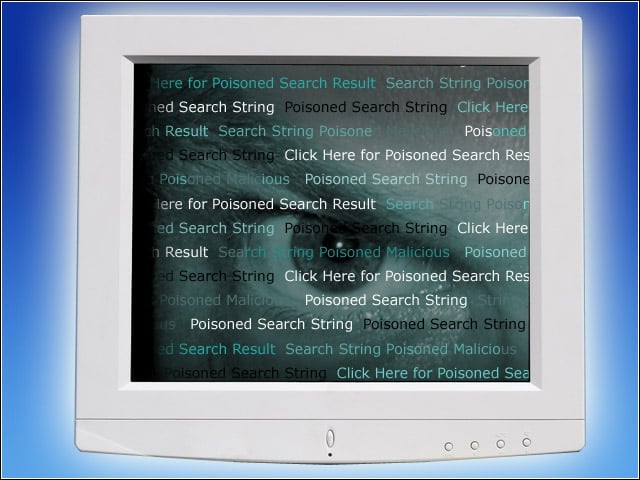
According to eSoft, the compromised sites have a massive listing of search strings with the same keyword. For example, one compromised site harbored a number-related search terms, such as ‘Windows XP double height taskbar’ and ‘taskbar items disappear XP.’ At the bottom of the page there are generally links to other similar php pages with the same characteristics but a different keyword. The massive amounts of keywords and the links increase the page rank, eSoft explained.
Dirty Dancing with Malware
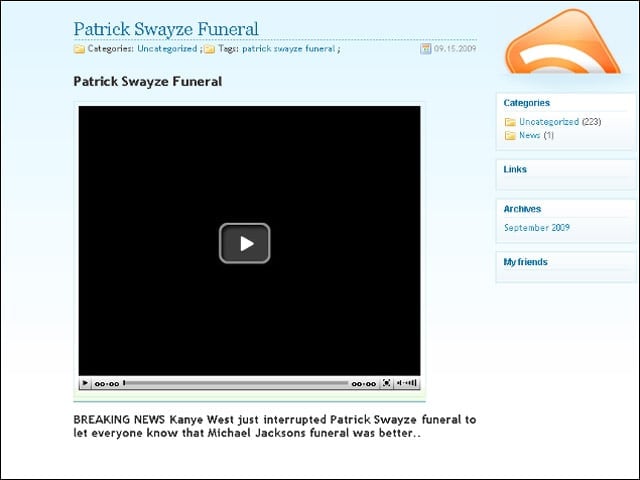
Sometimes these Google searches are abused by attackers toting promises of newsworthy exclusives. Such was the case when actor Patrick Swayze died last week. In this incident, some people searching for info about the actor’s funeral found links leading to a site with a supposed video of rapper Kanye West interrupting Swayzes funeral as he interrupted MTV Video Music Awards show. Those who clicked on the video were led to yet another site that promises the video, but in fact gives them rogue AV.
A Look at a Cyber-criminal’s Management Server
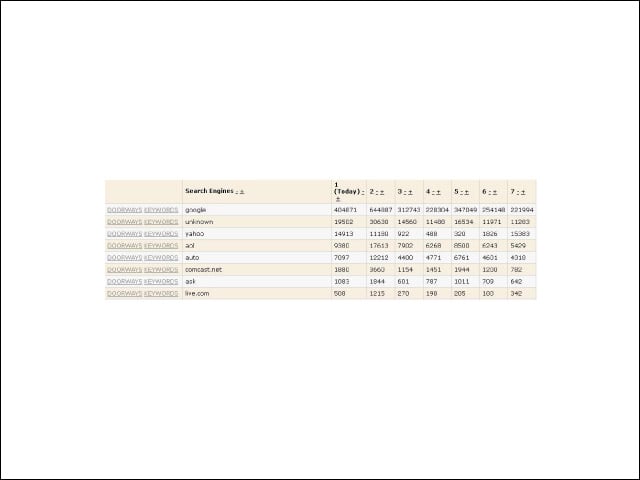
This is a screenshot taken from a traffic management server controlled by cyber-criminals. The data demonstrates the success of a search engine poisoning campaign studied by Finjan earlier this year. The SEO-targeted technique led to hundreds of thousands of Google searches taking users to compromised sites. “The secret of its success is the fact that the use of such an SEO technique increases the infection volume dramatically,” researchers wrote in the first issue of Finjan’s ‘Cyber Intelligence Report for 2009’. “In comparison, if cyber-criminals would focus on simply attacking one large site, the breach would quite likely be detected and fixed long before similar numbers could be reached.”
The Warning
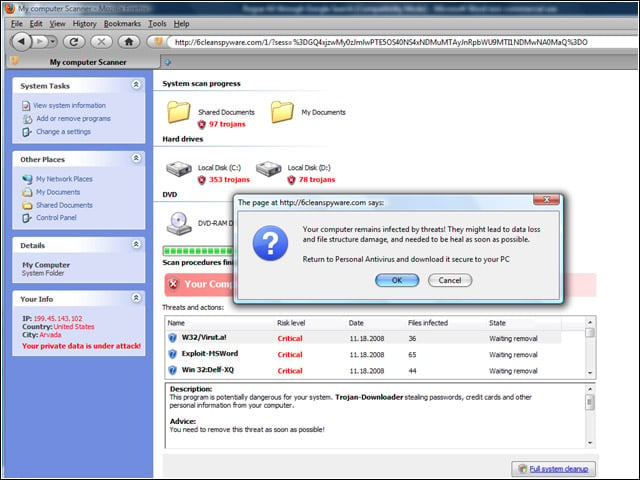
The bogus warnings typically tell users their Windows system is infected with a number of different viruses or spyware. Here is an example of what some of the warnings look like.
Finding Threats
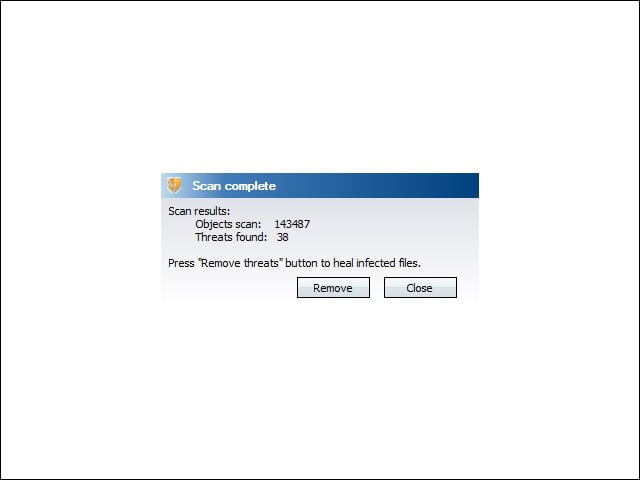
In the image here, the installed rogueware has reported finding 38 threats. The problem—this was on a brand new install of Windows Vista. To get rid of it, of course, all the user had to do is pay to activate their copy of the fake AV. In the case of this particular scam, if users do not activate the software immediately, they are served at random intervals with additional messages about problems with their system. If they hit the -Block button, they are again barraged with prompts to pay for the software.
Antivirus—Not Quite
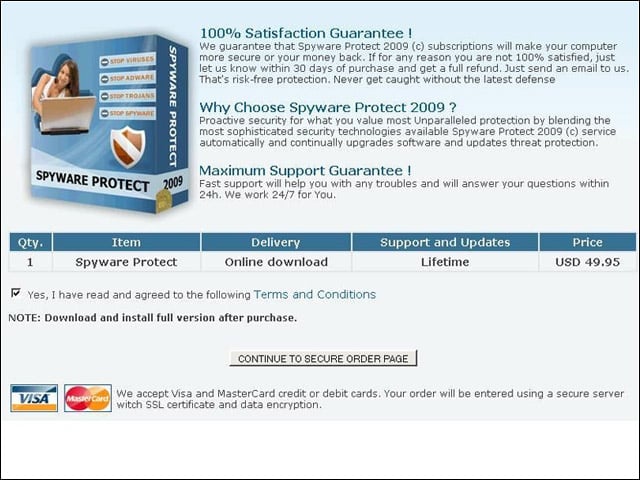
One of the interesting twists in the saga of the infamous Conficker worm was its involvement in a bogus antivirus scam. When the worm first appeared, it was used as part of a scheme to get users to download fake programs. Later, computers with Conficker.C also got roped in. Those users were getting rogue AV believed by Kaspersky Lab to have originated on sites located in Ukraine. “Once its run, you see the app interface, which naturally asks if you want to remove the threats its ‘detected’,” wrote Aleks Gostev, Kasperskys director of Global Research & Analysis Team. “Of course, this service comes at a price – $49.95.”