







LABS GALLERY: SocialPET Lets Businesses Phish Their Own Employees to Test Security Smarts
by Jim Rapoza
Setup
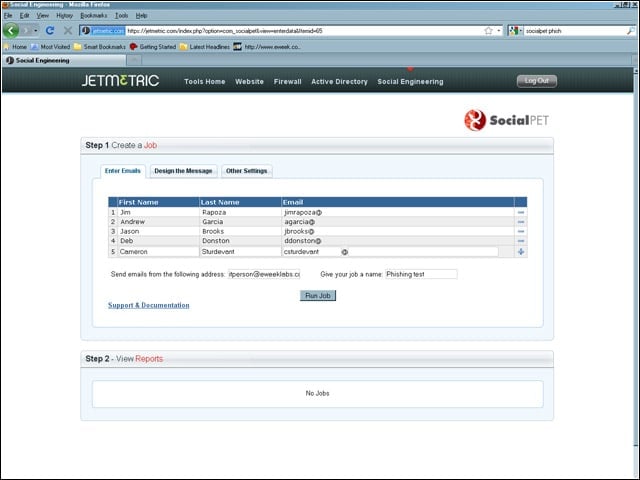
To get started with SocialPET, you add the names and e-mails of the users who will receive the test phishing e-mail and create a false e-mail to send the message from.
Templates
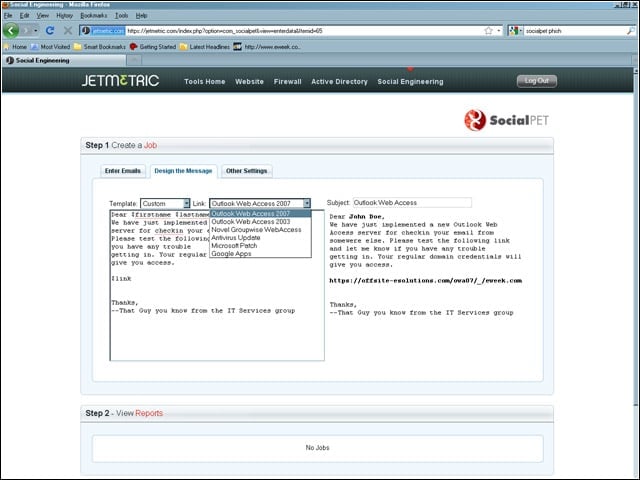
SocialPET includes a number of templates for different security tests, including sending info on a new Web mail interface and information on a required system patch. The templates create basic e-mail text that can be edited.
The Phish
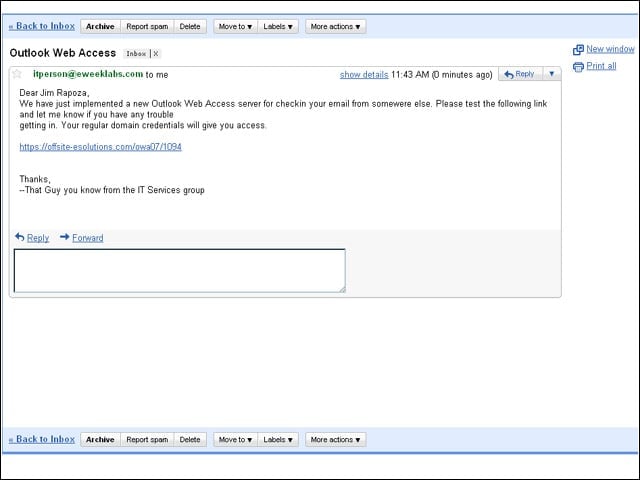
Once a SocialPET test has been activated, users receive a phishing e-mail directing them to a fraudulent Website.
The Response
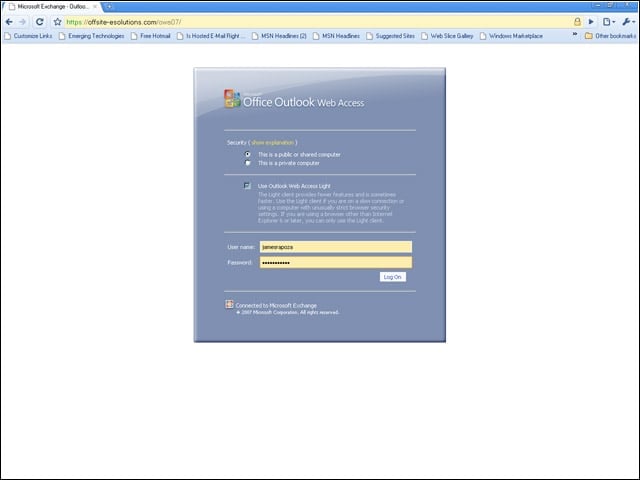
In this test, users are sent to a fake Outlook Web Access page. No matter what log-in is used, the page will fail to load and will return to the log-in page.
Fake Patch Page
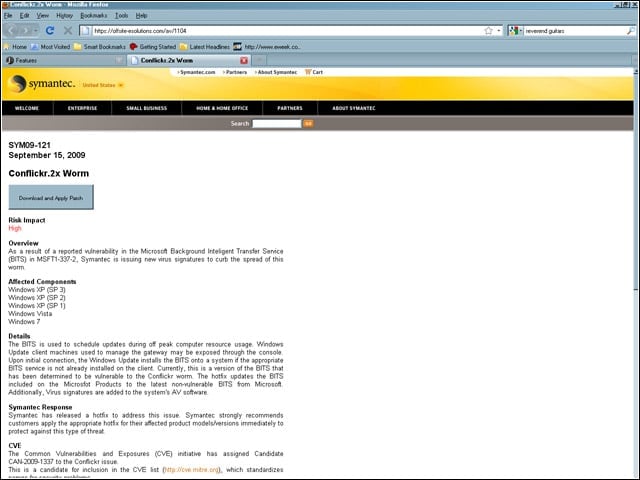
Other phishing tests include fake patches and fake anti-virus pages. On this page, clicking on the Download and Apply Patch button will do nothing (except notify the admin that the employee has failed the test).
Basic Reports
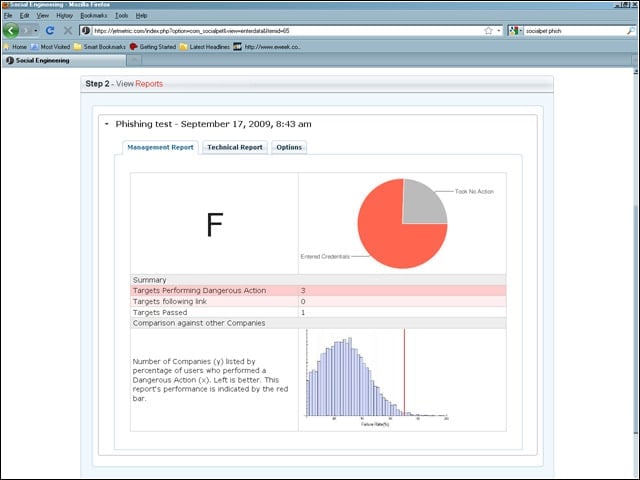
Once a phishing test is completed, SocialPET provides basic reports that show how employees fared on the test. The report also displays a graph comparing your company’s score against other companies’.
Report Details
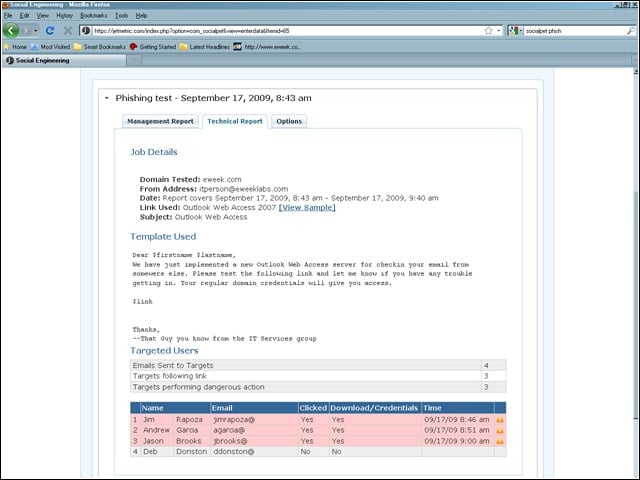
Additional reports include details about what individual employees did during the phishing test. SocialPET can also generate a PDF report.