







- NCP Virtual Private Network Client Supports Android BYOD Security
- Here Is the Main VPN Screen
- Android Prompts You to Grant Permission to Run a VPN Client
- Creating a Profile
- VPN Client Supports Split Tunneling
- Setting VPN Key Exchange Strength
- You Can Choose the Internet Key Exchange Type as Well
- Extended Authentication Is an Option
- Imparting VPN Configurations
- Monitor Shows VPN Connection Statistics
- VPN Client Lets You Turn Off Statistics Display
- Accessing VPN Activity Logs
NCP Virtual Private Network Client Supports Android BYOD Security
by Jeff Cogswell
Here Is the Main VPN Screen
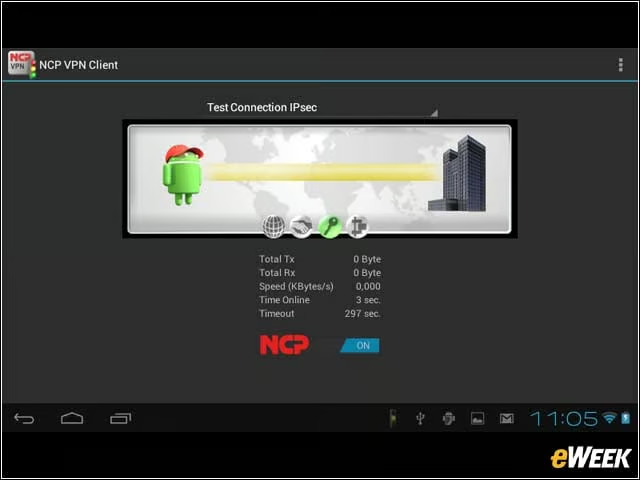
When a connection is active, the main GUI screen shows that the VPN is on, and how many total bytes have been transmitted and received.
Android Prompts You to Grant Permission to Run a VPN Client
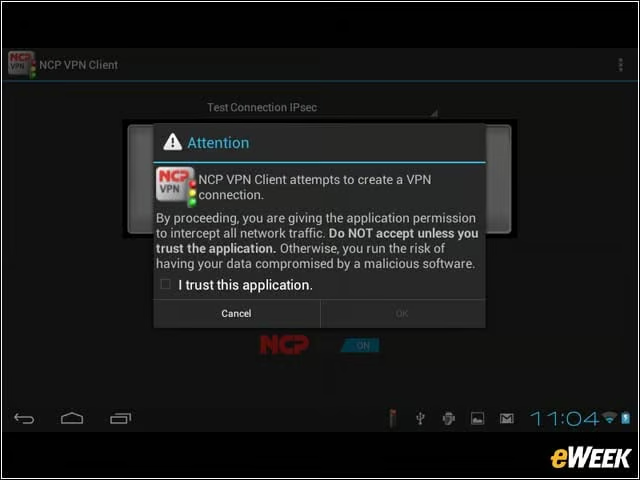
Android has native VPN capabilities available (as long as the manufacturer includes it with the particular device). As such, Android displays a warning before the client runs and requires you to grant permission. You only need to grant permission for the application once.
Creating a Profile
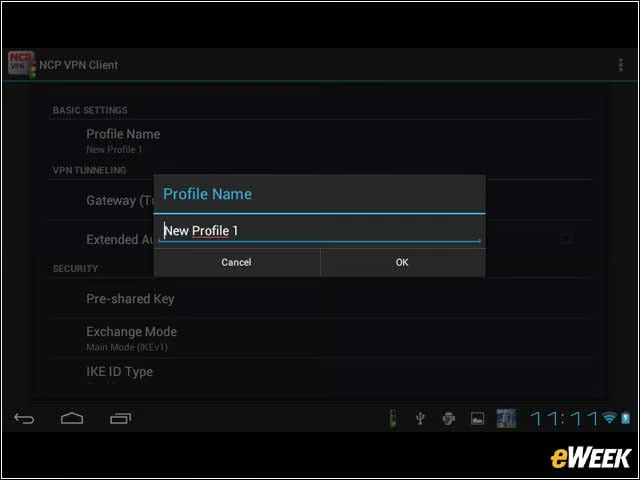
Creating a profile is as simple as filling in the name.
VPN Client Supports Split Tunneling
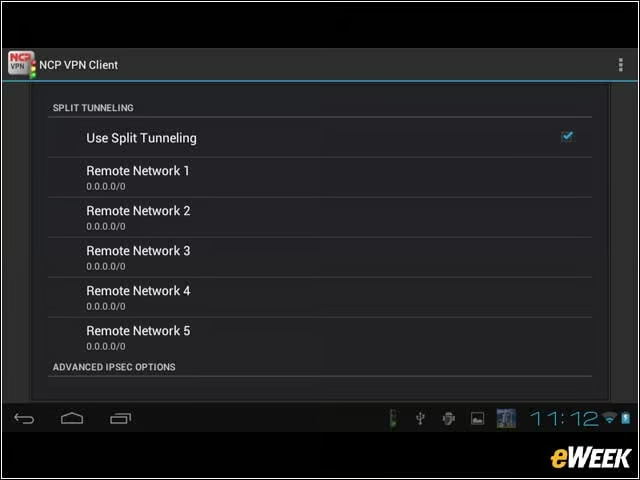
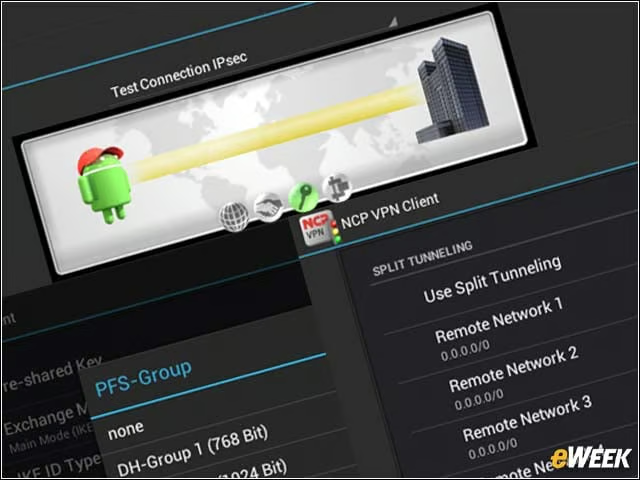
Like the VPN clients that are available for desktop operating systems, this client supports split tunneling.
Setting VPN Key Exchange Strength
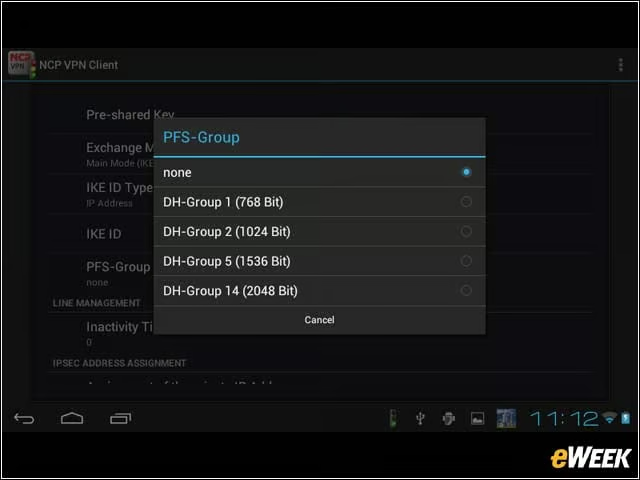
PFS group setting lets you choose the strength of the Diffie-Hellman key exchange, ranging from 768 bits up to 2,048 bits.
You Can Choose the Internet Key Exchange Type as Well
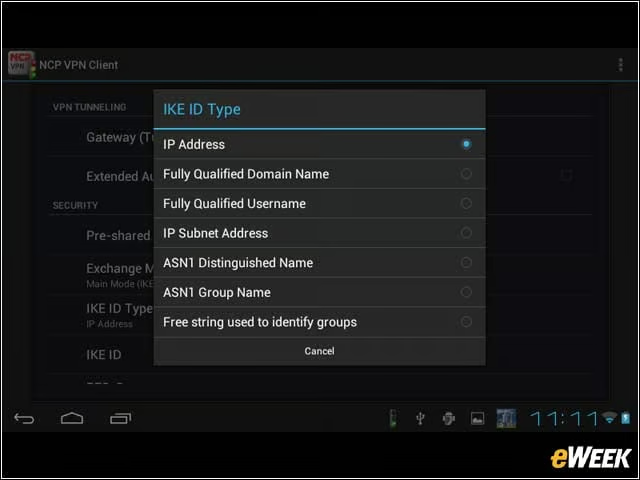
The client allows you to choose the Internet Key Exchange (IKE) type. The basic version supports IKEv1, while the premium version supports both IKEv1 and IKEv2.
Extended Authentication Is an Option
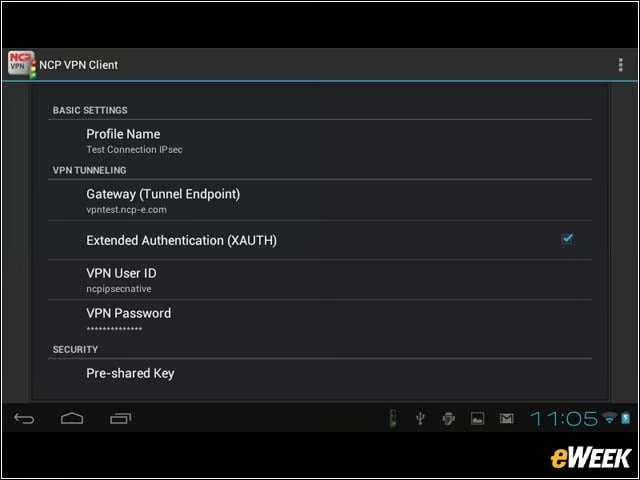
XAUTH (extended authentication) is available as an option in your profiles.
Imparting VPN Configurations
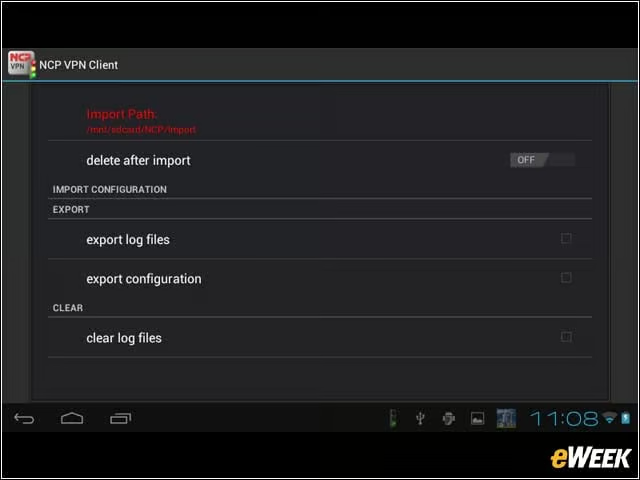
If you need to import a configuration, you can do so by saving it on the SD card in the appropriate path and then importing it. You also have the option of automatically deleting the configuration from the SD card.
Monitor Shows VPN Connection Statistics
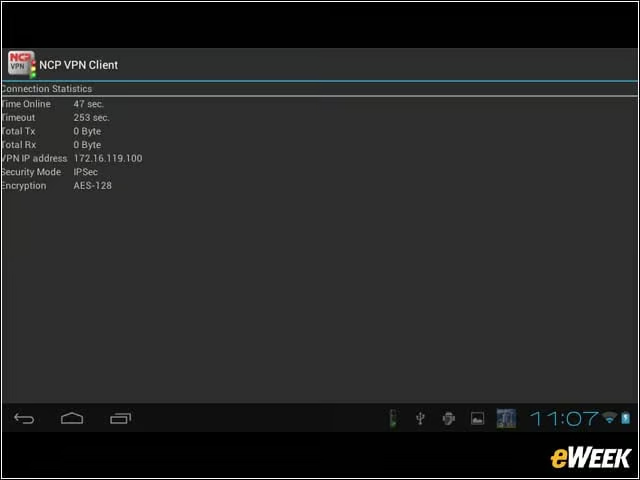
From within the GUI, you can at any time open up a monitor to show you the connection statistics, including total bytes transmitted and received, the security mode, and the IP address.
VPN Client Lets You Turn Off Statistics Display
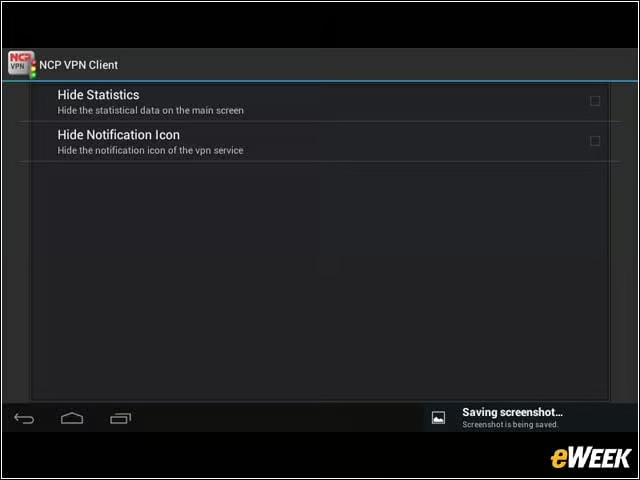
You can optionally turn off the statistics from the main GUI screen as well as hide the icon from the Android notification area.
Accessing VPN Activity Logs
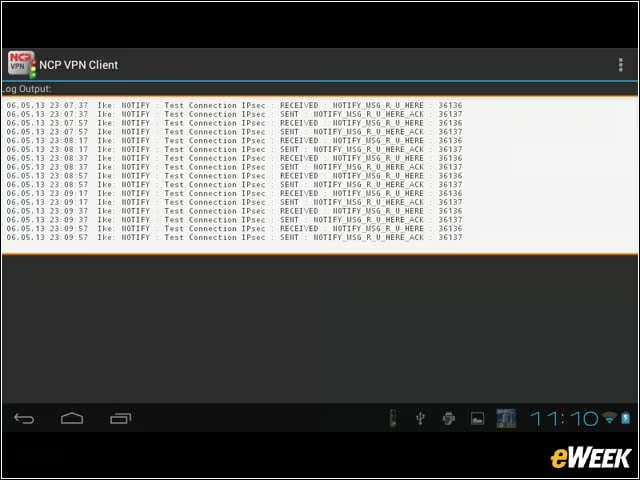
Full logs are available. This can be handy for the IT staff to determine if there are any problems.