







- Here’s SkyDrive’s Web Interface With a Windows 8 Look
- Click on Folders to Access Data Files
- Open Files in the Web or Desktop Version of Microsoft Office
- SkyDrive Keeps Data Folders Synchronized
- Accessing SkyDrive Settings
- Troubleshooting Data Upload Problems
- Working With the Settings Menu
- Controlling Folder Synchronization
- Managing Storage From the SkyDrive Web Interface
- You Can Always Pay for More Storage Capacity
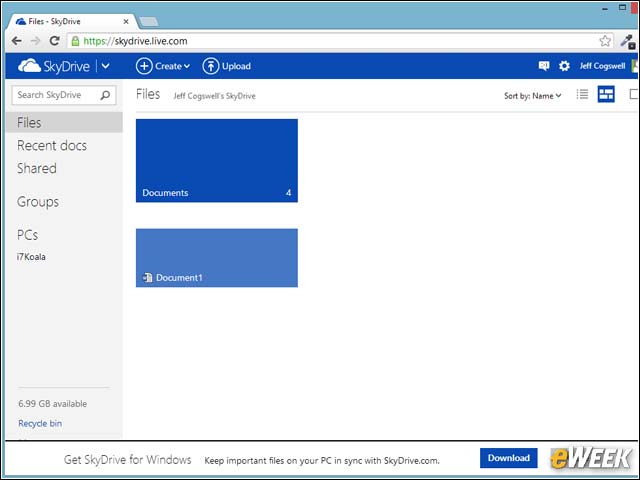
Here’s SkyDrive’s Web Interface With a Windows 8 Look
SkyDrive can be accessed through a nice Web interface that, like many of Microsoft’s online properties today, has a general Windows 8 look to it. The interface shows you your folders and files.
Click on Folders to Access Data Files
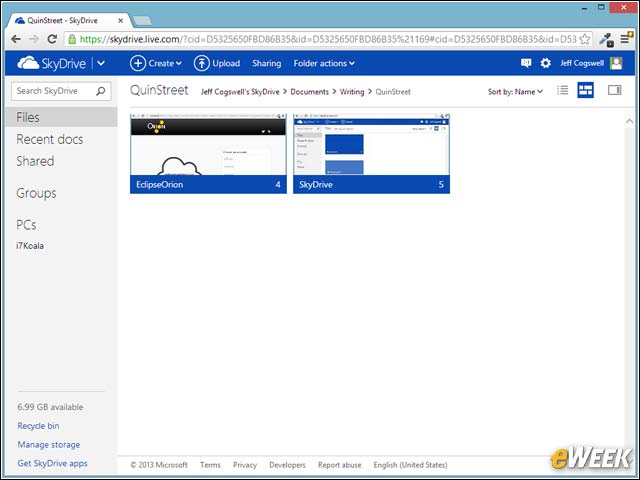
Within the Web interface, you can click on the folders to access the files inside the folders.
Open Files in the Web or Desktop Version of Microsoft Office
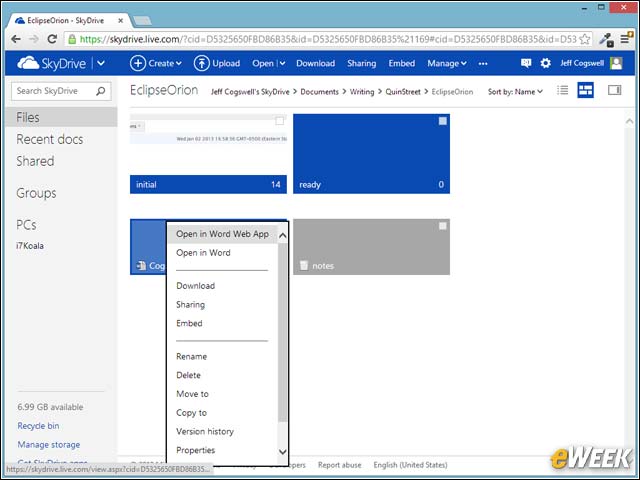
Right-clicking on the files gives you an option to open them. For Office files, you’re given the option to open them either in the online Web version of Office, or the local desktop version of Office.
SkyDrive Keeps Data Folders Synchronized
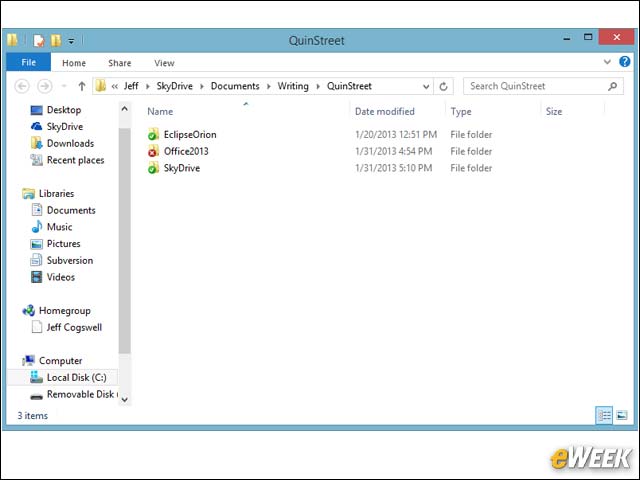
From the local end, the files and folders look like just any other files and folders. However, SkyDrive is aware of these folders and keeps them synchronized.
Accessing SkyDrive Settings
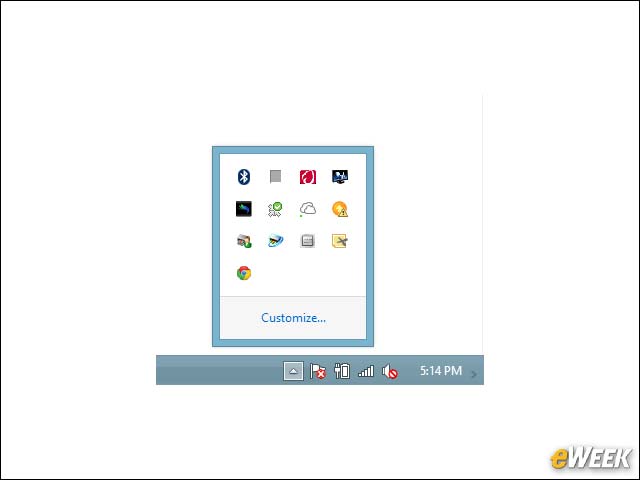
To access SkyDrive settings, a tray icon is provided. It’s the one that looks like two clouds. The one next to it, incidentally, is the Microsoft Office Upload Center, which also handles the data uploading to SkyDrive, but only for Office documents.
Troubleshooting Data Upload Problems
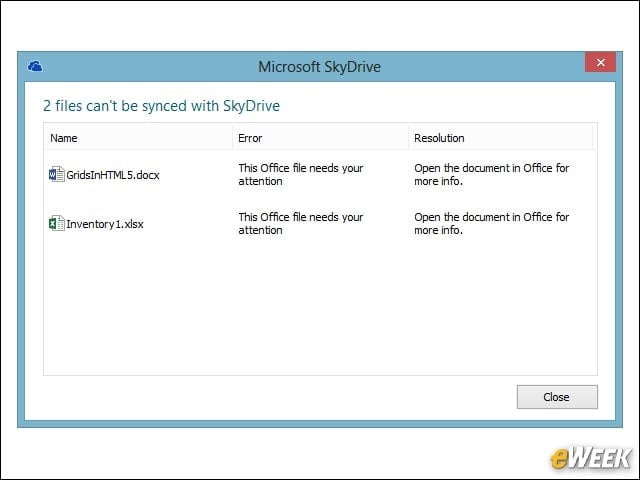
If there are any problems, such as a connection difficulty, SkyDrive will provide you with a list of files that weren’t uploaded. You can access this list by clicking the tray icon and then clicking on “view sync problems” in the menu.
Working With the Settings Menu
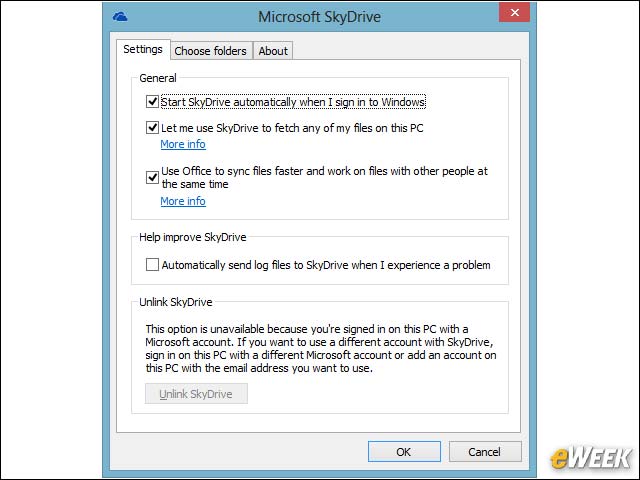
When you click on the tray icon, you can also select “settings” from the menu, which allows you to control such settings as whether to start SkyDrive when Windows starts or whether you want to be able to access your local files remotely.
Controlling Folder Synchronization

From the settings, you can also control which folders to synchronize with SkyDrive. But this pertains only to data folders within the main SkyDrive user folder.
Managing Storage From the SkyDrive Web Interface
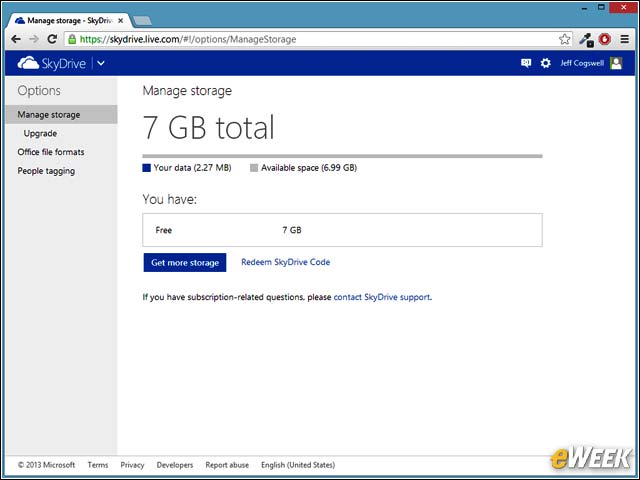
You can manage your storage from the SkyDrive Web interface. From this screen, you can see how much you’ve used and how much space you have left.
You Can Always Pay for More Storage Capacity
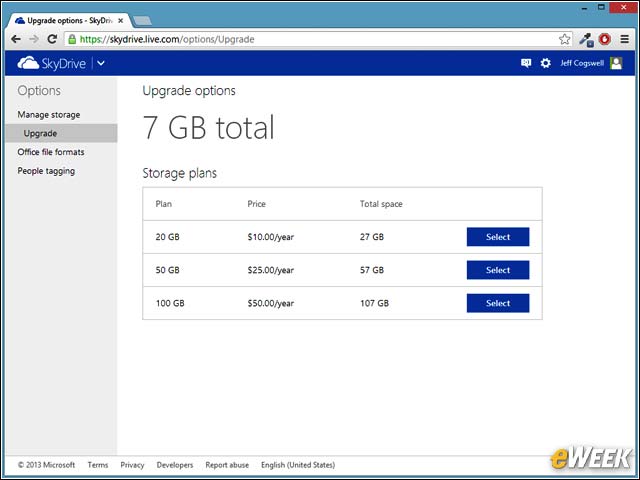
If 7GB of storage isn’t enough, you can purchase more by paying an annual fee to Microsoft.