







HP LeftHand Starter SAN Provides Flexibility, Robust Storage Capabilities
Read the full review here.
HP LeftHand Combo
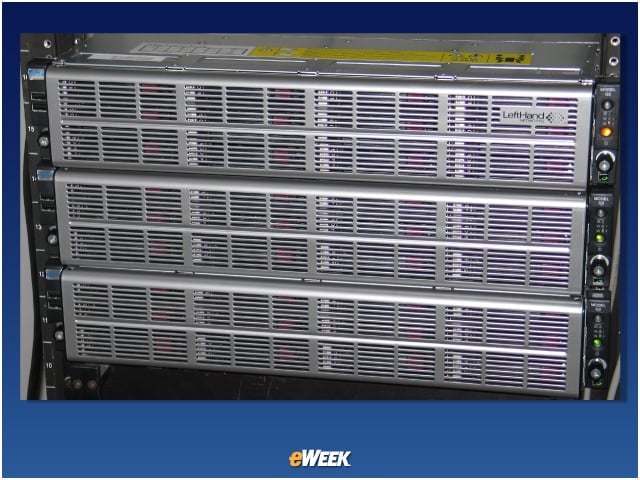
eWEEK Labs tested the HP LeftHand P4300 4.8TB SAS Starter SAN Solution.
Centralized Management Console
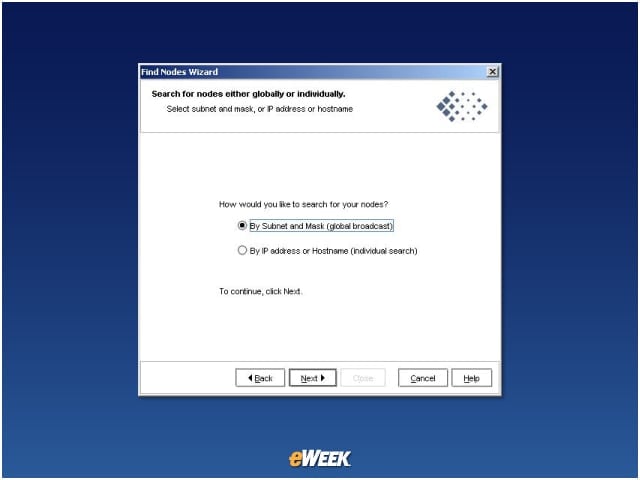
The first time I launched the SAN/iQ Centralized Management Console, the Find Nodes Wizard ran to help me import new storage nodes.
Find Nodes Wizard
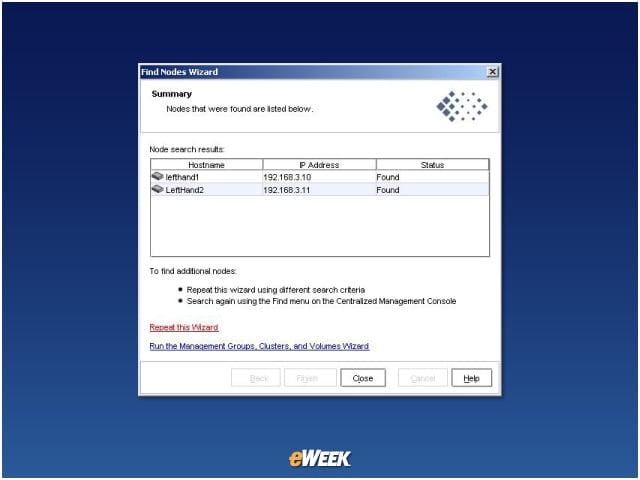
After the Find Nodes Wizard ran, I could see the storage nodes that I had connected earlier. From here, bringing nodes under management or searching again is only a click away.
Permission Levels
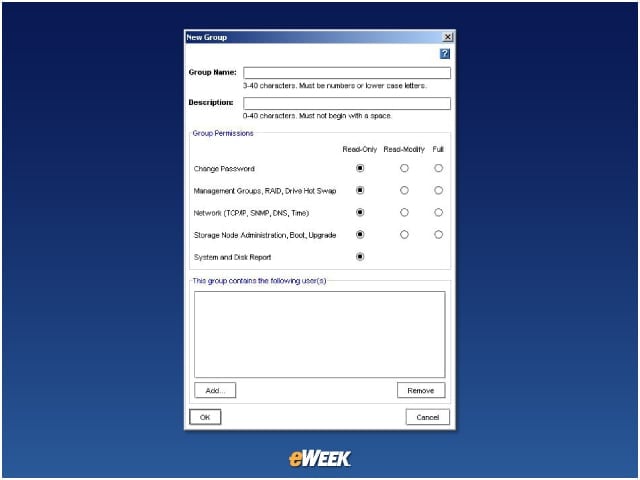
Management groups and administrators can have different levels of permissions across different storage assets.
Bonded NICs
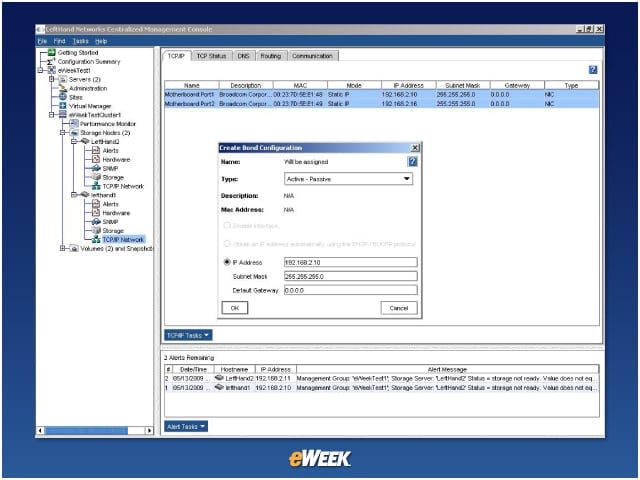
Under the TCP/IP Network branch below each storage node, you can bond NICs to load-balance network traffic to/from that storage node. You’ll notice an immediate increase in throughput.
Information Rich
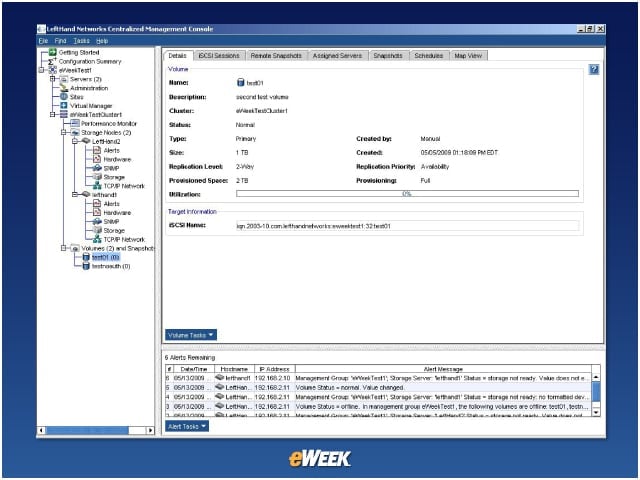
After creating a volume, full information can be viewed and options set for local and remote snapshots, servers, scheduled snapshots and iSCSI sessions.
Management Console
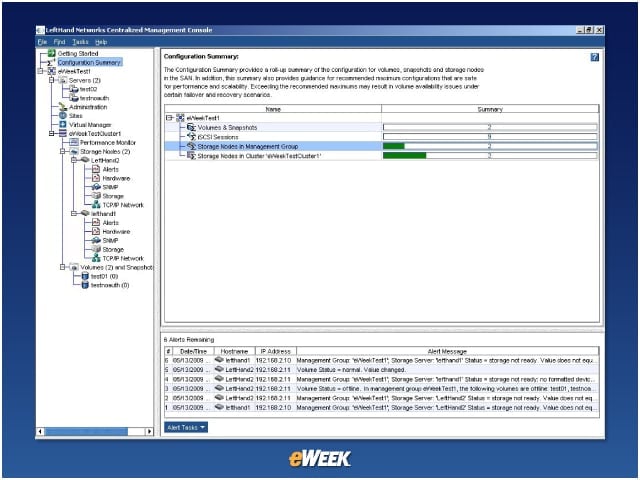
This is the main page for the management console. Here you can see summary statistics and alert conditions.
Storage Use by Cluster
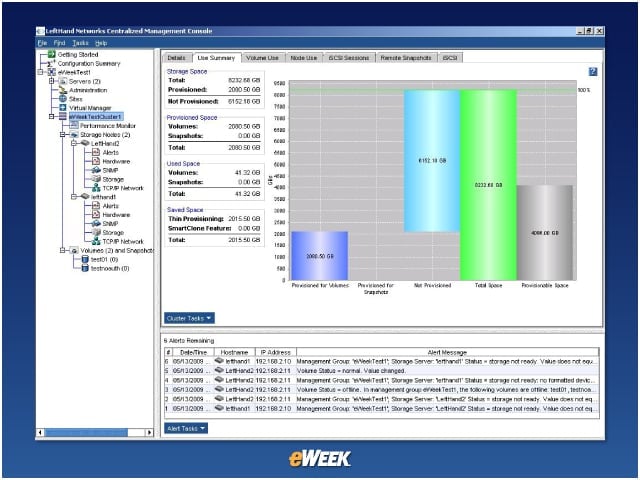
This attractive report shows storage use by cluster. Note that the difference between Provisioned Space and Used Space is reported under Saved Space due to thin provisioning.
Stats
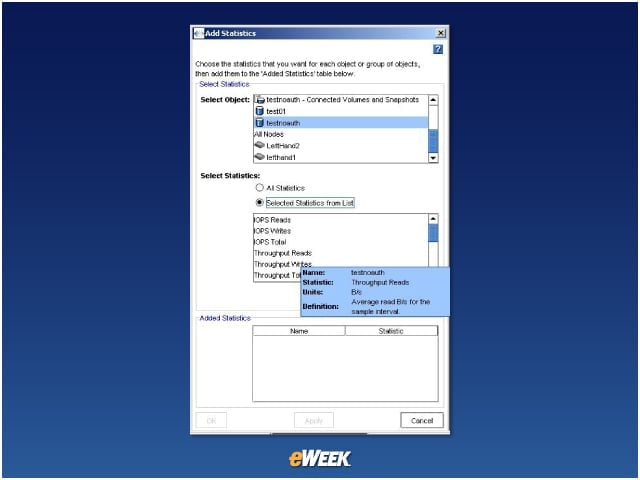
From the performance monitor, it is easy to add as many stats as you want. Each stat has a pop-up description.
Table-Only Mode
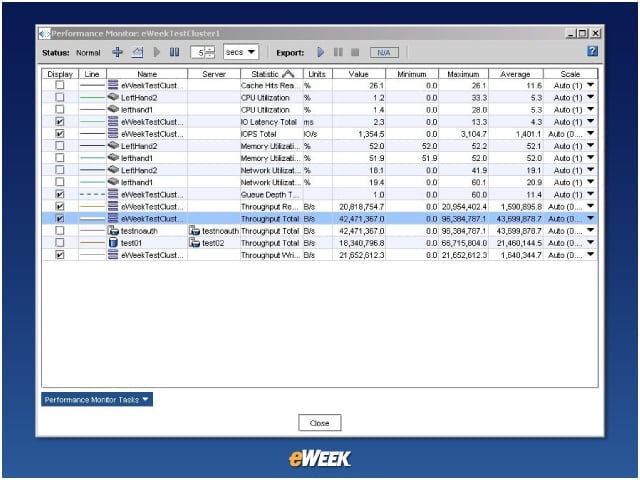
Sometimes a graph makes things too crowded. Here’s the performance monitor in table-only mode. This way I could track more statistics at once.