LABS GALLERY: VMware View 4 Provides Rich Virtual Desktop Experience

LABS GALLERY: VMware View 4 Provides Rich Virtual Desktop Experience
Published: Jan 21, 2010
Updated: Feb 2, 2021
1 minute read
eWeek Inhalte und Produktempfehlungen sind redaktionell unabhängig. Wir können Geld verdienen, wenn Sie auf Links zu unseren Partnern klicken. Mehr erfahren


1

LABS GALLERY: VMware View 4 Provides Rich Virtual Desktop ExperienceBy Cameron Sturdevant


Multiple Monitors
2

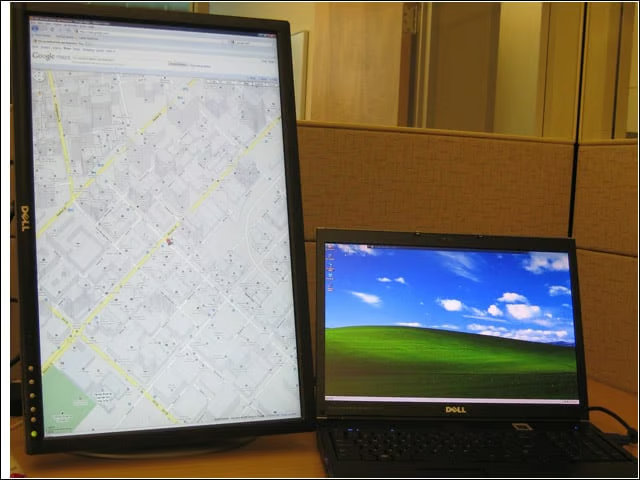
Tapping PCoIP, VMware View 4 desktop virtualization is seen here supporting two high-resolution monitors (1,900 by 1,200) in two different orientations. The larger, 24-inch external monitor is displaying a Google map image in portrait mode, while the notebook screen shows the virtual Windows XP desktop.


Thin Clients at Work
VMware Obtains Another SDN Option with PLUMgrid Buy

Here you see the IGEL and HP thin-client devices that were part of my VMware View 4 test bed.


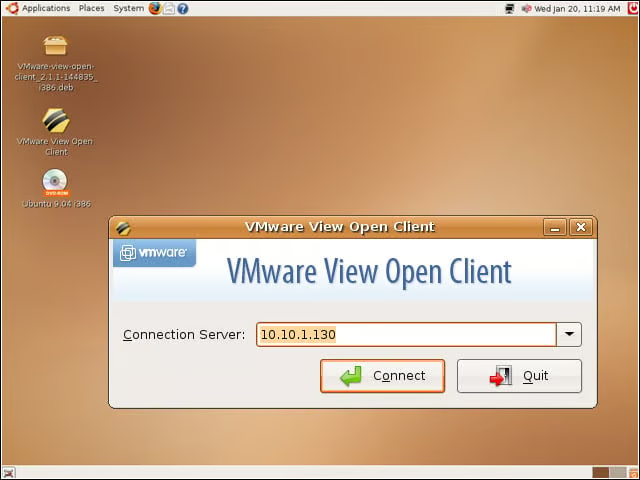
Windows on Linux
4

I used the VMware View Open Client to access the virtual desktops in my test bed. The sessions worked without a hitch.


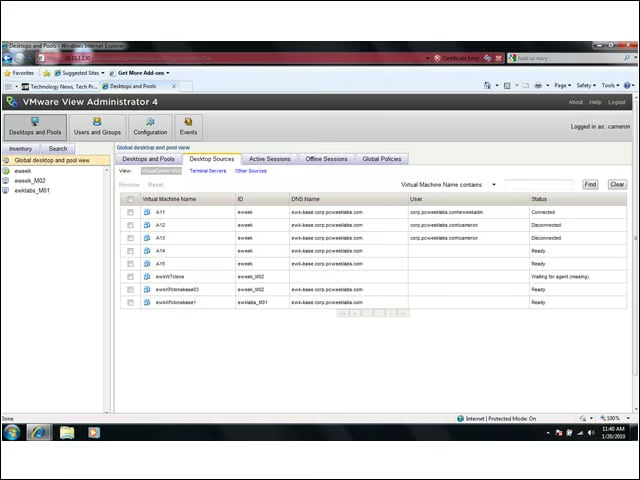
VMware View 4 Administration
5

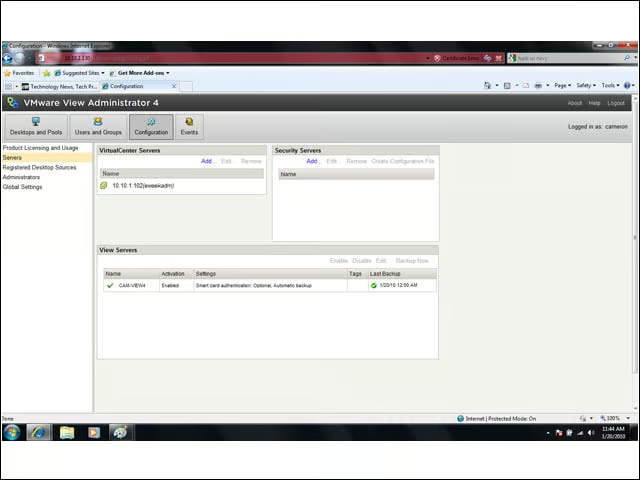
Here you see the main Web-based administration interface for VMware View 4. The uncluttered management console made it easy to create and track virtual desktop resource pools during my tests.


Advertisement

Basic Infrastructure

6

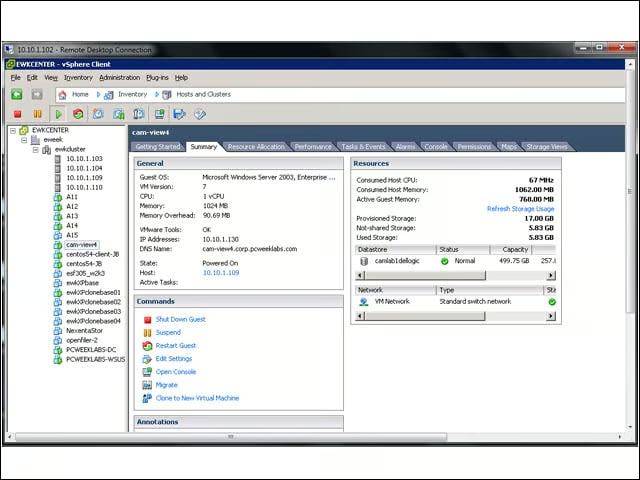
At mid-upper-left, you see the eWEEK Labs VMware View 4 Connection Server (cam-view4) in operation.


Overall View
7

From the VMware vSphere Client, you can see a number of components on this screen. Starting at upper-left, notice the VMs labeled A11-A15, which are the virtual desktops. Moving clockwise, you see that the VMware View 4 Connection Server is itself a virtual machine running the Windows Server 2003 Enterprise operating system.


No Title

Cameron Sturdevant

Cameron Sturdevant is the executive editor of Enterprise Networking Planet. Prior to ENP, Cameron was technical analyst at PCWeek Labs, starting in 1997. Cameron finished up as the eWEEK Labs Technical Director in 2012. Before his extensive labs tenure Cameron paid his IT dues working in technical support and sales engineering at a software publishing firm . Cameron also spent two years with a database development firm, integrating applications with mainframe legacy programs. Cameron's areas of expertise include virtual and physical IT infrastructure, cloud computing, enterprise networking and mobility. In addition to reviews, Cameron has covered monolithic enterprise management systems throughout their lifecycles, providing the eWEEK reader with all-important history and context. Cameron takes special care in cultivating his IT manager contacts, to ensure that his analysis is grounded in real-world concern. Follow Cameron on Twitter at csturdevant, or reach him by email at cameron.sturdevant@quinstreet.com.

eWeek Logo

eWeek has the latest technology news and analysis, buying guides, and product reviews for IT professionals and technology buyers. The site's focus is on innovative solutions and covering in-depth technical content. eWeek stays on the cutting edge of technology news and IT trends through interviews and expert analysis. Gain insight from top innovators and thought leaders in the fields of IT, business, enterprise software, startups, and more.

Eigentum von TechnologyAdvice. © 2026 TechnologyAdvice. Alle Rechte vorbehalten

Werbetreibenden-Offenlegung: Einige der auf dieser Website erscheinenden Produkte stammen von Unternehmen, von denen TechnologyAdvice eine Vergütung erhält. Diese Vergütung kann beeinflussen, wie und wo Produkte auf dieser Website erscheinen, einschließlich beispielsweise der Reihenfolge, in der sie erscheinen. TechnologyAdvice schließt nicht alle Unternehmen oder alle auf dem Marktplatz verfügbaren Produkttypen ein.