Apple iWork 09 Looks Slick, Adds Useful Features

Apple iWork 09 Looks Slick, Adds Useful Features
Published: Apr 8, 2009
Updated: Feb 2, 2021
2 minute read
eWeek Le contenu et les recommandations de produits sont indépendants de la rédaction. Nous pouvons gagner de l'argent lorsque vous cliquez sur des liens vers nos partenaires. En savoir plus


Apple iWork 09 Looks Slick, Adds Useful Features

1

by Cameron Sturdevant


Keynote Magic Move

Here, you see a demonstration of the Magic Move transition effect, going from one slide to the next by sliding a graphic element between the two slides.


Keynote Text Transition

Here, I’ve used the Anagram transition to go from one thought to the next using two slides.


Keynote Graphic Transition

This graphic transition is eye candy, but it’s cool eye candy.


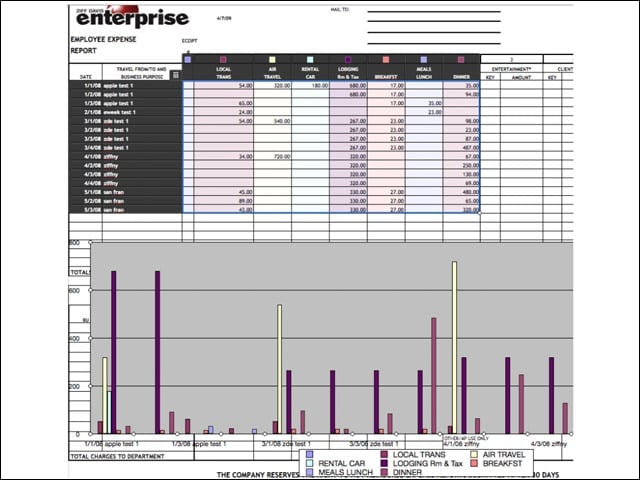
Numbers 09 Data with Chart
5

A dummy eWEEK expense form is used to create a chart that shows expenses over time.


Numbers 09 File Ready to Mail
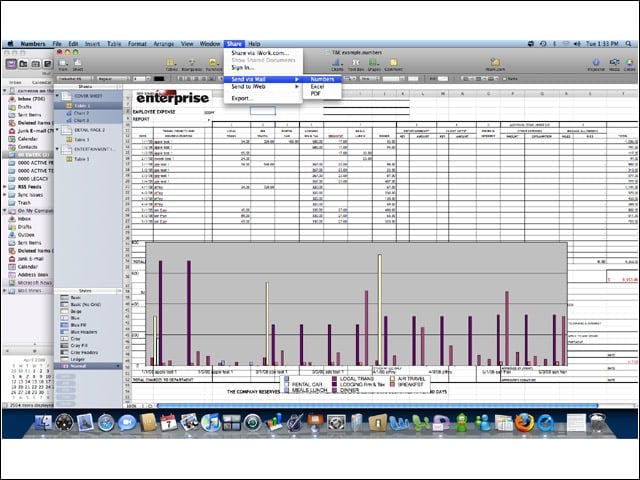
6

In the upper center screen, note that I am now able to e-mail this Numbers file.


New Numbers Templates
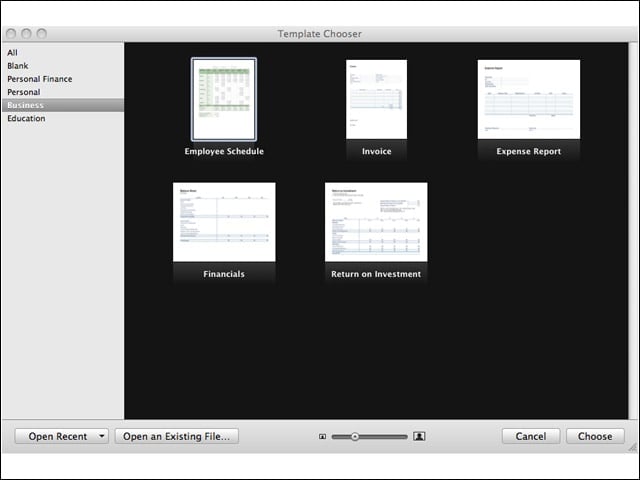
7

For businesses, only five templates are included with the product. There are several templates for personal finance and educational purposes.


Advertisement

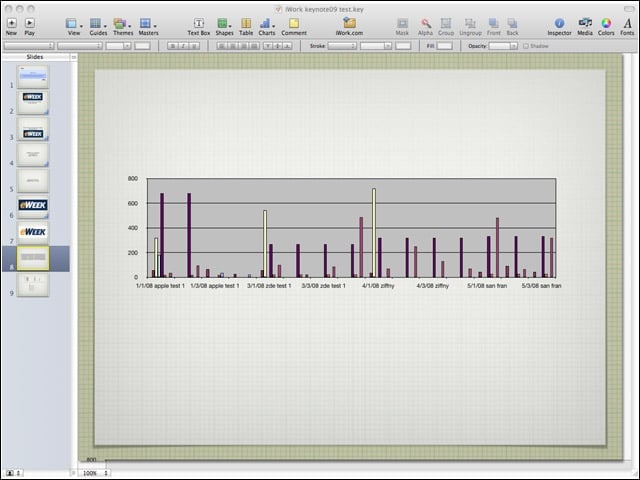
Chart Linked to Keynote

8

Here, the expense report chart is now linked to a slide in Keynote.


Chart Linked to Keynote Matching Style
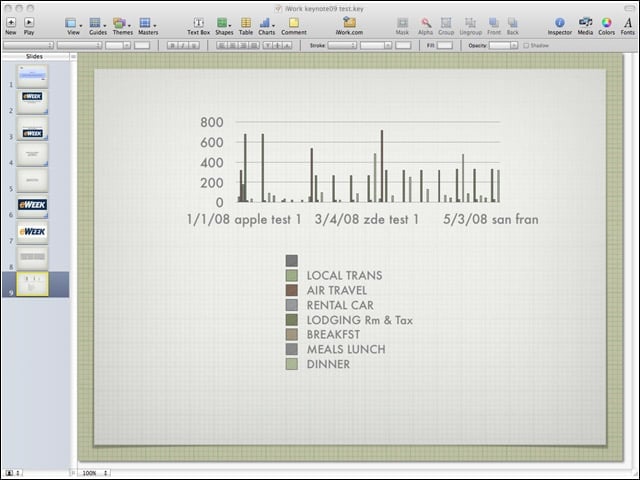
9

The same expense report chart now linked to a slide in Keynote matches the style template of the Keynote presentation. Some of the data is truncated. I probably could have fixed this, but it’s how it came across by default.


Pages Full Screen
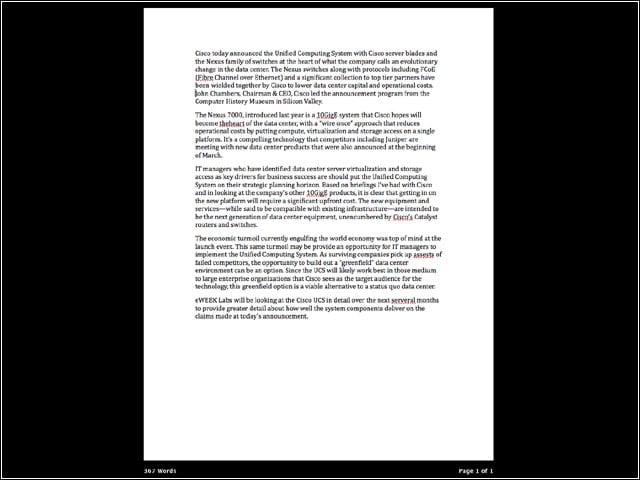
10

Here, you see all distractions and clutter removed from the desktop so that the Pages document is placed at the center of attention. This is a nice way to really focus on a project.


Pages in Outline Mode
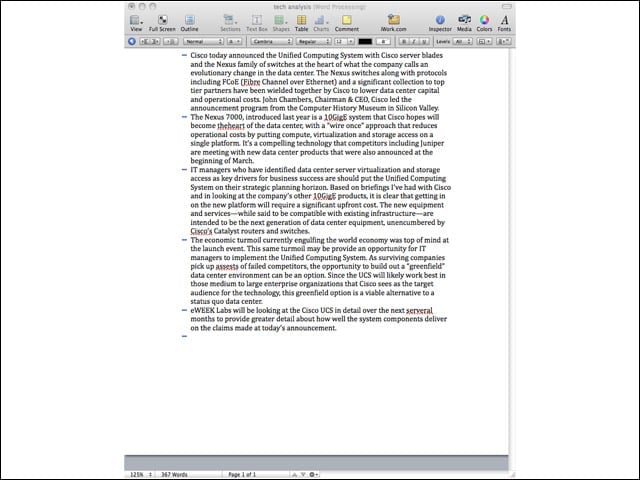
11

Here is the same Pages document in outline mode. Although a more complex outline might have been more impressive, this simple example actually illustrates the outline function and worked well for me on this particular story about Cisco.

Cameron Sturdevant

Cameron Sturdevant is the executive editor of Enterprise Networking Planet. Prior to ENP, Cameron was technical analyst at PCWeek Labs, starting in 1997. Cameron finished up as the eWEEK Labs Technical Director in 2012. Before his extensive labs tenure Cameron paid his IT dues working in technical support and sales engineering at a software publishing firm . Cameron also spent two years with a database development firm, integrating applications with mainframe legacy programs. Cameron's areas of expertise include virtual and physical IT infrastructure, cloud computing, enterprise networking and mobility. In addition to reviews, Cameron has covered monolithic enterprise management systems throughout their lifecycles, providing the eWEEK reader with all-important history and context. Cameron takes special care in cultivating his IT manager contacts, to ensure that his analysis is grounded in real-world concern. Follow Cameron on Twitter at csturdevant, or reach him by email at cameron.sturdevant@quinstreet.com.

eWeek Logo

eWeek has the latest technology news and analysis, buying guides, and product reviews for IT professionals and technology buyers. The site's focus is on innovative solutions and covering in-depth technical content. eWeek stays on the cutting edge of technology news and IT trends through interviews and expert analysis. Gain insight from top innovators and thought leaders in the fields of IT, business, enterprise software, startups, and more.

Propriété de TechnologyAdvice. © 2026 TechnologyAdvice. Tous droits réservés

Divulgation publicitaire : Certains des produits qui apparaissent sur ce site proviennent d'entreprises dont TechnologyAdvice reçoit une compensation. Cette compensation peut influencer la façon dont les produits apparaissent sur ce site, notamment l'ordre dans lequel ils apparaissent. TechnologyAdvice n'inclut pas toutes les entreprises ou tous les types de produits disponibles sur le marché.