







Google TV Logitech Revue Setup Is Lengthy but Easy
by Clint Boulton
Hardware
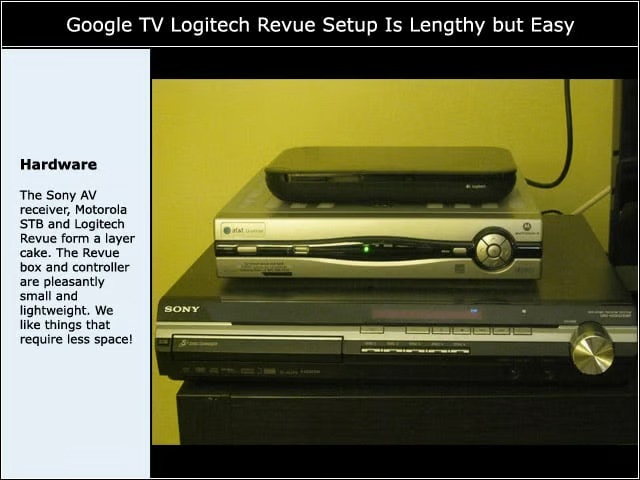
The Sony AV receiver, Motorola STB and Logitech Revue form a layer cake. The Revue box and controller are pleasantly small and lightweight. We like things that require less space!
Powering Up
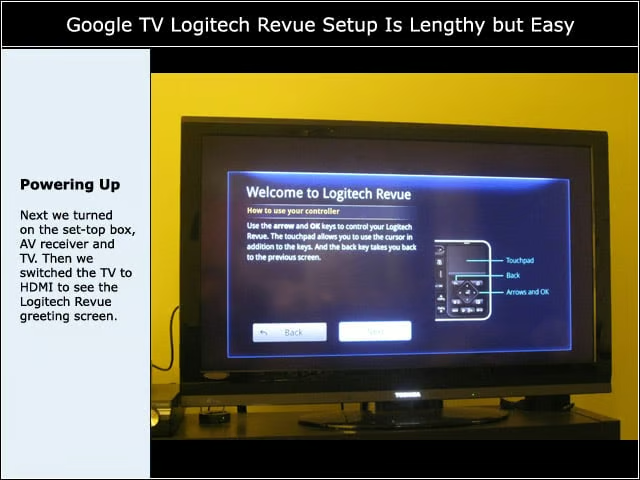
Next we turned on the set-top box, AV receiver and TV. Then we switched the TV to HDMI to see the Logitech Revue greeting screen.
Controller Tips
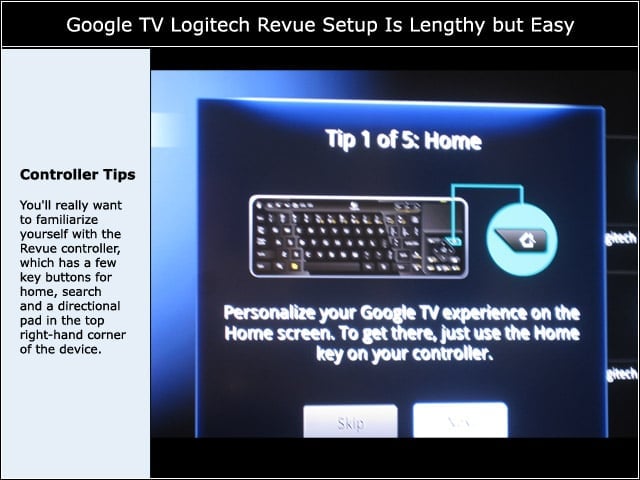
You’ll really want to familiarize yourself with the Revue controller, which has a few key buttons for home, search and a directional pad in the top right-hand corner of the device.
Screen Sizing
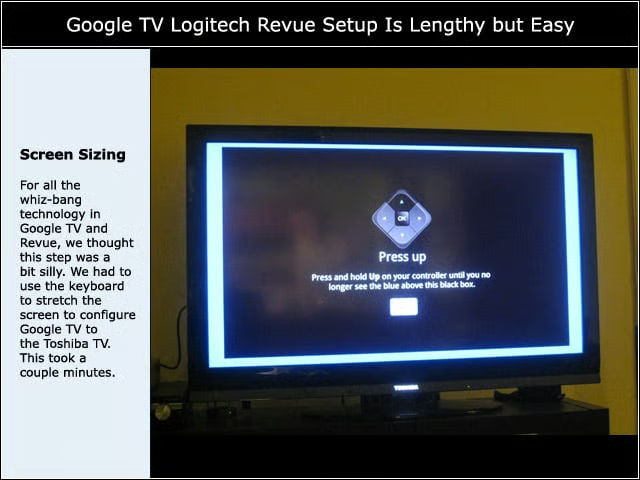
For all the whiz-bang technology in Google TV and Revue, we thought this step was a bit silly. We had to use the keyboard to stretch the screen to configure Google TV to the Toshiba TV. This took a couple minutes.
Google Account
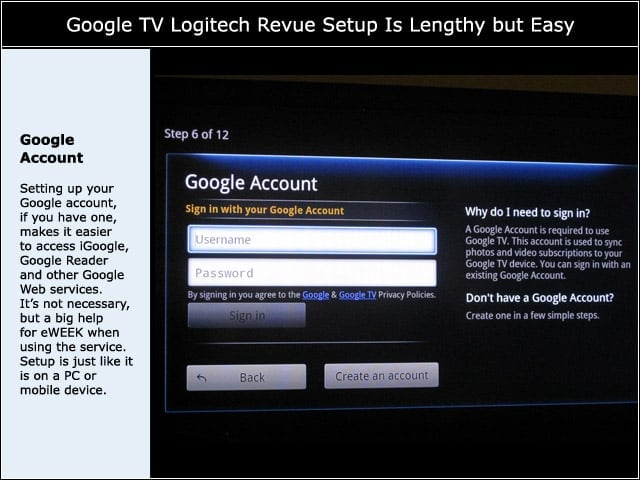
Setting up your Google account, if you have one, makes it easier to access iGoogle, Google Reader and other Google Web services. Its not necessary, but a big help for eWEEK when using the service. Setup is just like it is on a PC or mobile device.
Usage Statistics
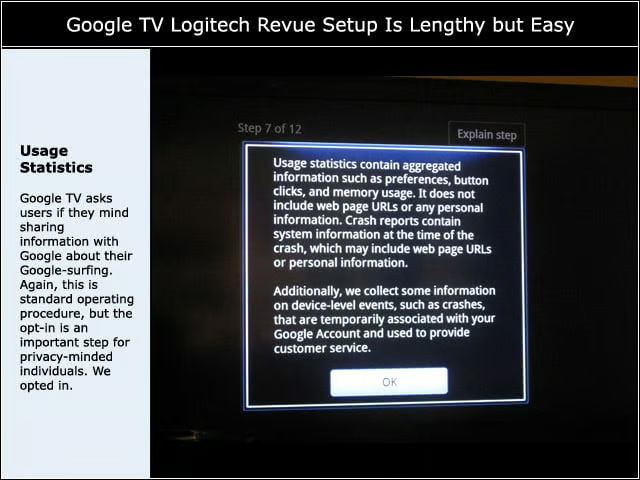
Google TV asks users if they mind sharing information with Google about their Google-surfing. Again, this is standard operating procedure, but the opt-in is an important step for privacy-minded individuals. We opted in.
Entering Zip Codes
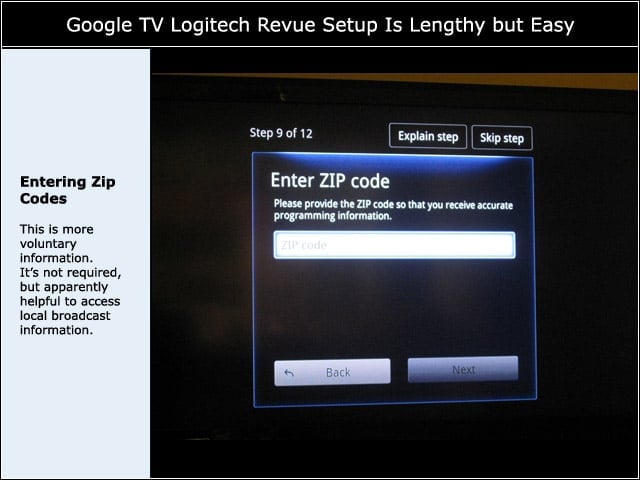
This is more voluntary information. Its not required, but apparently helpful to access local broadcast information.
Setting Up TV
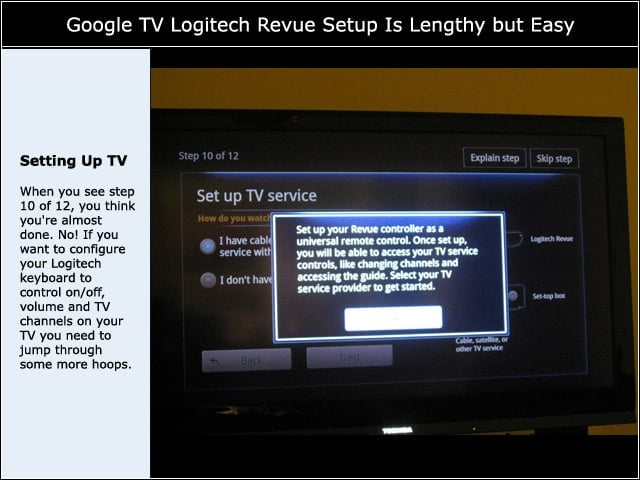
When you see step 10 of 12, you think you’re almost done. No! If you want to configure your Logitech keyboard to control on/off, volume and TV channels on your TV you need to jump through some more hoops.
TV Service
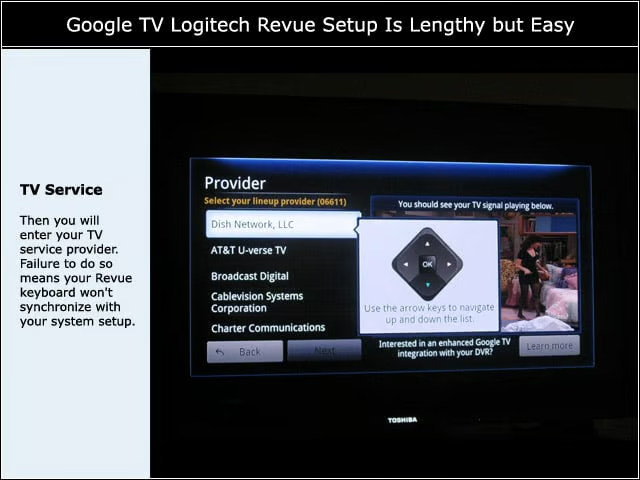
Then you will enter your TV service provider. Failure to do so means your Revue keyboard won’t synchronize with your system setup.
Set-top Box Setup
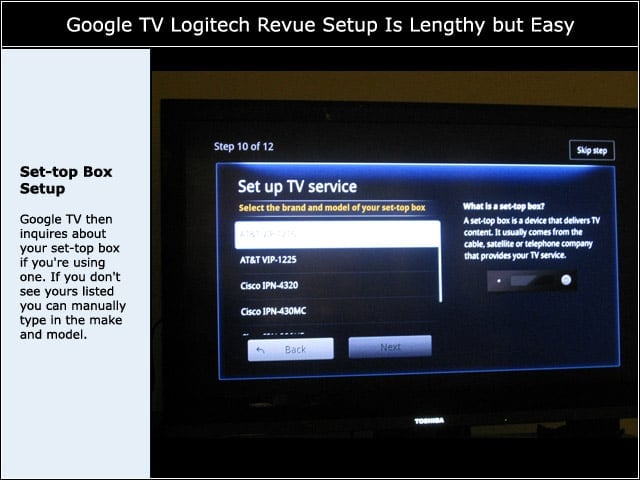
Google TV then inquires about your set-top box if you’re using one. If you don’t see yours listed you can manually type in the make and model.
Channels Selections
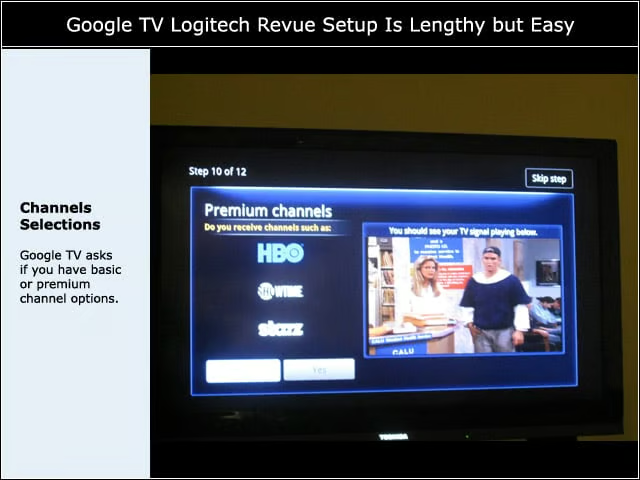
Google TV asks if you have basic or premium channel options.
TV Model Entry
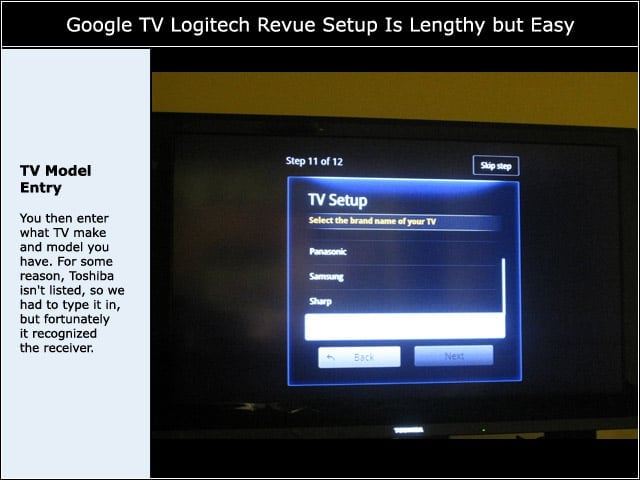
You then enter what TV make and model you have. For some reason, Toshiba isn’t listed, so we had to type it in, but fortunately it recognized the receiver.
TV Model Number
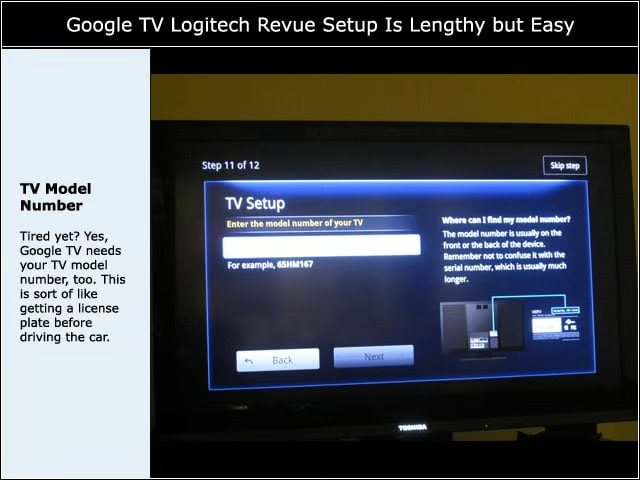
Tired yet? Yes, Google TV needs your TV model number, too. This is sort of like getting a license plate before driving the car.
AV Setup
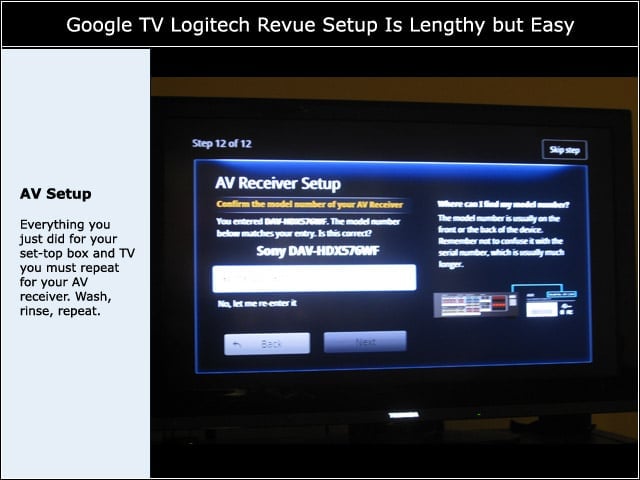
Everything you just did for your set-top box and TV you must repeat for your AV receiver. Wash, rinse, repeat.
Finally, Ready to Watch TV
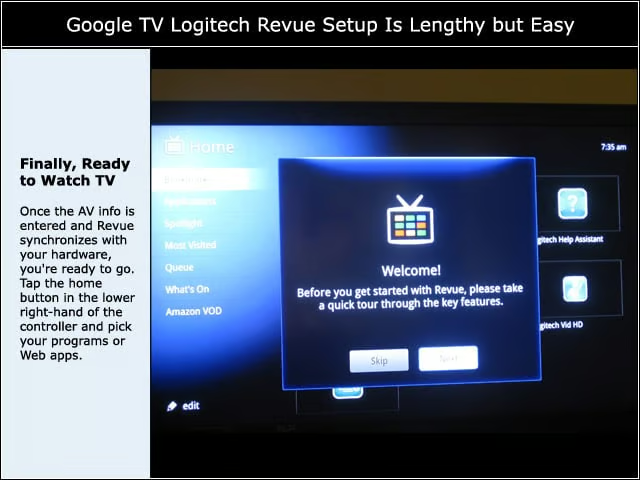
Once the AV info is entered and Revue synchronizes with your hardware, you’re ready to go. Tap the home button in the lower right-hand of the controller and pick your programs or Web apps.