







- eWEEK Labs Walk-Through: Dabble DB SAAS Database
- Creating a New Category
- The Data Set
- First Crack at an Import
- Import Troubles
- Light Data Adjustment in Calc
- Import Back on Track
- Create a View
- Derived Columns Made Easy
- Save Your View
- Freshening Your Data
- Navigating Through Your Application
- Editing Your Entries
- Charting a Course
- No Title
eWEEK Labs Walk-Through: Dabble DB SAAS Database
by eWEEK Labs
Creating a New Category
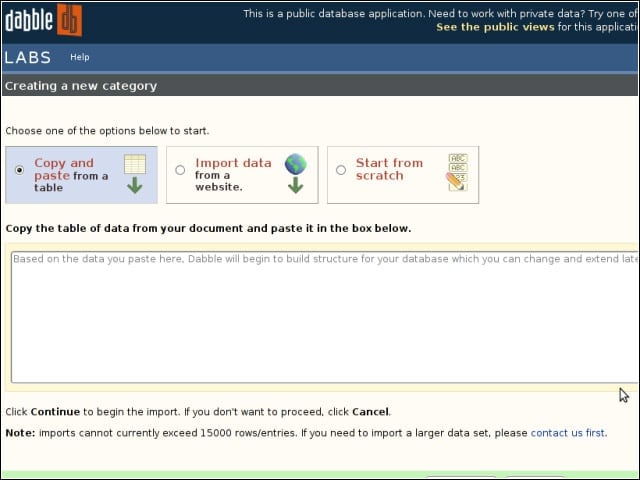
In Dabble DB parlance, tables are known as “categories.” You begin your category building through cut and paste, importing from a Web source, or creating and populating fields by hand.
The Data Set
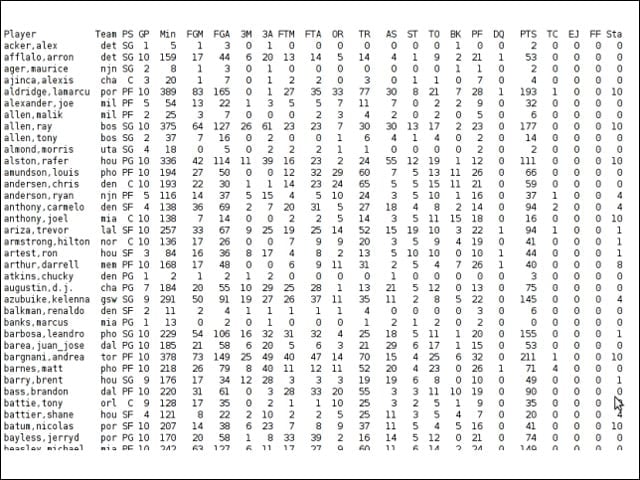
I tested Dabble DB with NBA stats for my fantasy basketball league. The source I use comes formatted for fixed-width column import in Excel or Openoffice.org Calc.
First Crack at an Import
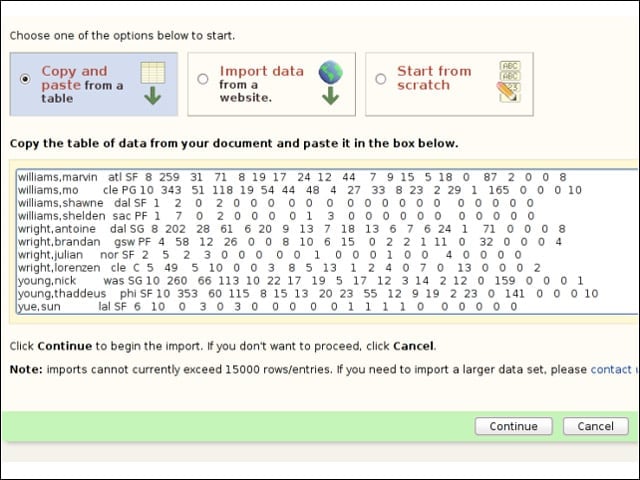
I copied the data into Dabble DB, and I also tried importing via URL.
Import Troubles
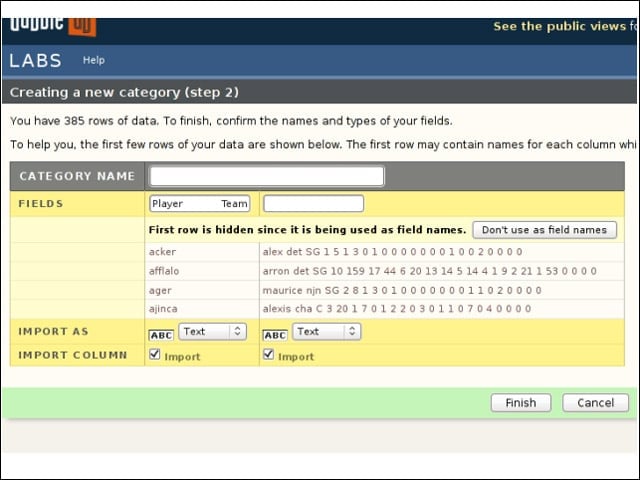
As I could see from the import preview, Dabble DB wasn’t going to parse the fixed-width formatting correctly.
Light Data Adjustment in Calc
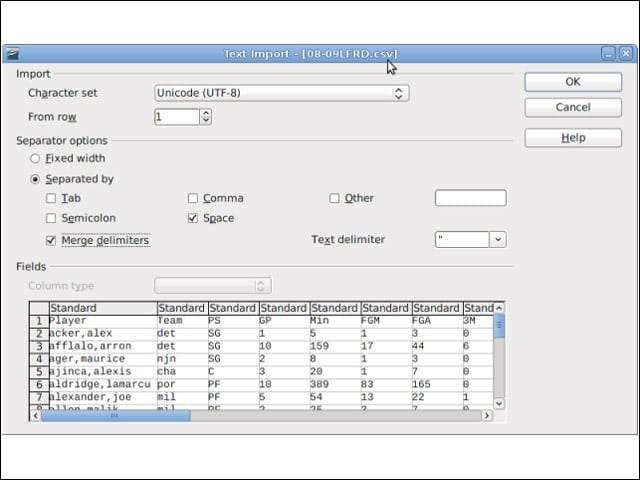
I used OpenOffice.org Calc to whip my stats into shape for Dabble. I also could have written a script to strip out redundant spaces.
Import Back on Track
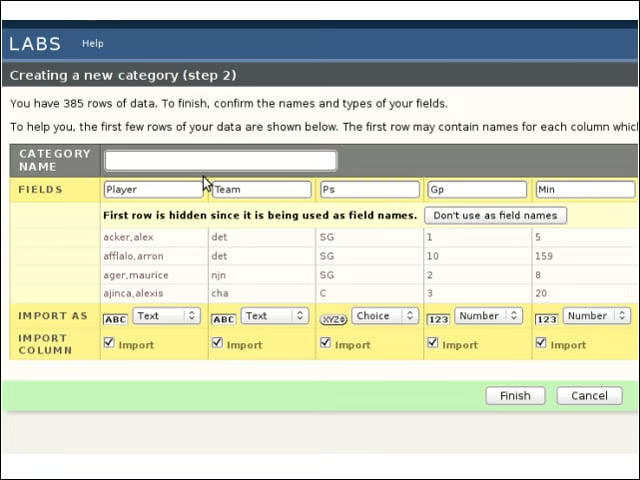
Once massaged a bit, my data proved more palatable to Dabble DB, and I was able to check out (and correct, if needed) the service’s automatic data type detection.
Create a View
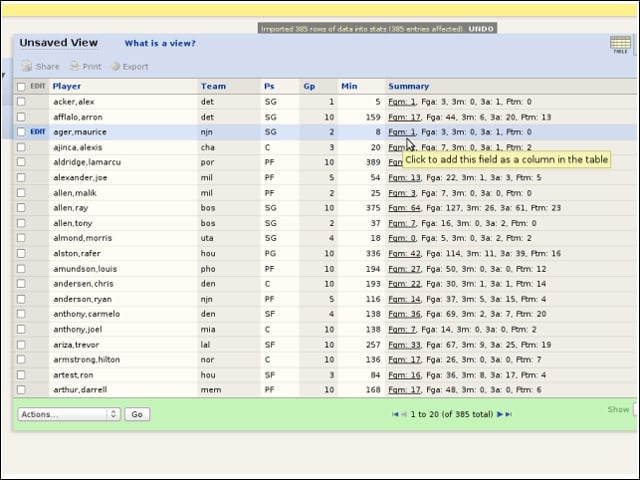
With my new category created, Dabble DB dropped me off at its view-creation interface, where all the real dabbling occurs.
Derived Columns Made Easy
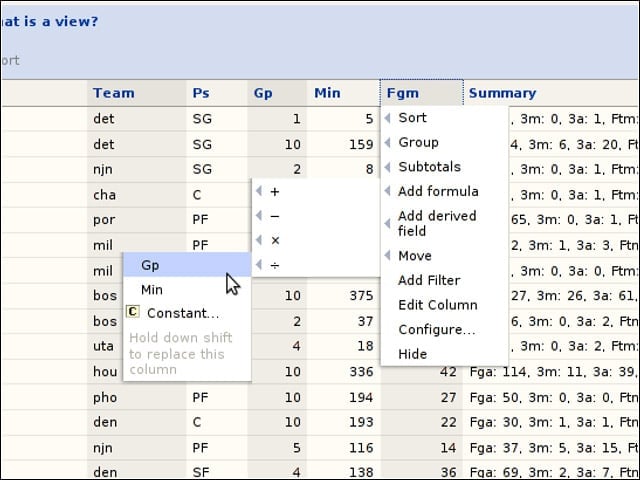
I clicked my way through the process of creating a bunch of derived columns that I needed in order to calculate my player rankings.
Save Your View
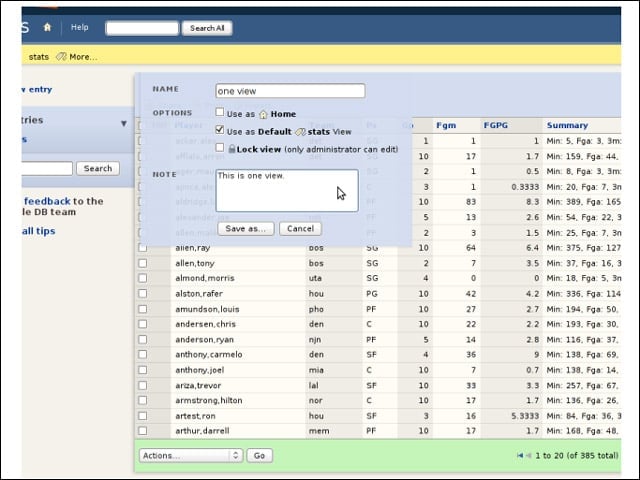
Once you arrive at the views you desire, you must save before exporting your data in one of the RSS, Excel, CSV (comma-separated values), plain text or JSON formats that Dabble DB supports.
Freshening Your Data
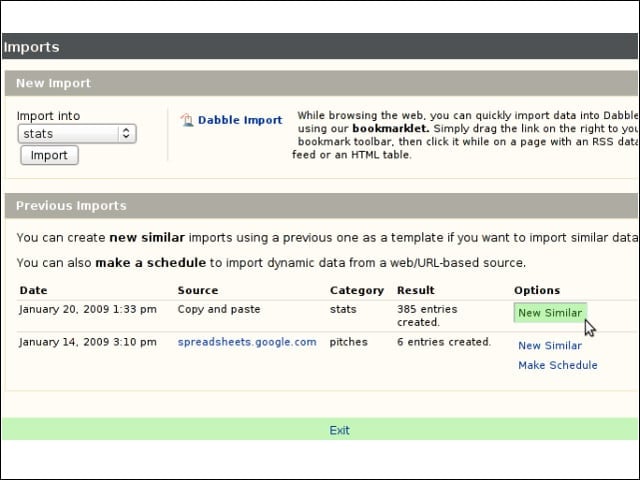
For future daily stats updates, I chose “new similar” from the Dabble DB import page to conduct an update operation using the same settings.
Navigating Through Your Application
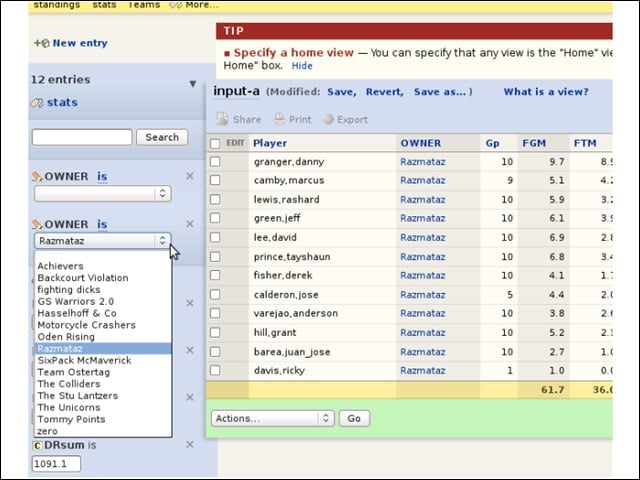
Dabble DB offers good facilities for sorting and filtering through your stored data, but the speed penalties associated with a Web application prompted me to use Dabble alongside my local spreadsheet, rather than in lieu of it.
Editing Your Entries
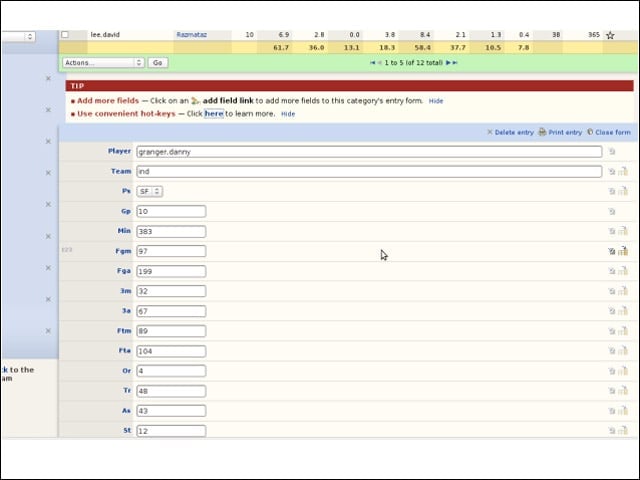
I could step into my data to make changes, and Dabble’s knack for sussing out list-based data types came in handy while editing data.
Charting a Course
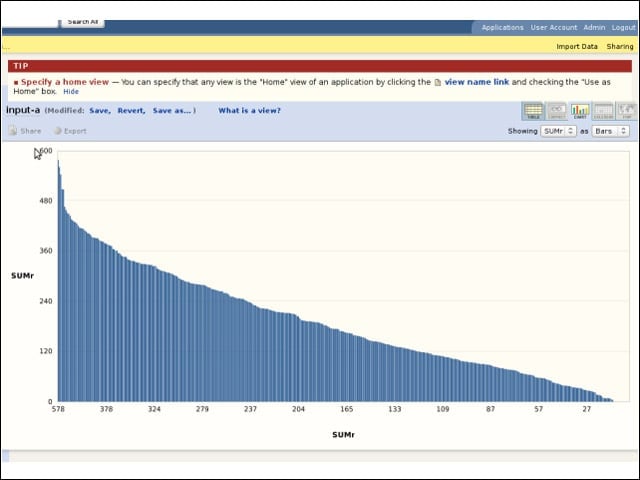
Dabble DB offers some facilities for visualizing your data. This bar chart is based on the player rating I used Dabble DB to help calculate.
