LABS GALLERY: Intel Parallel Studio Helps Make the Most of Multiple Cores

LABS GALLERY: Intel Parallel Studio Helps Make the Most of Multiple Cores
Écrit par
Jeff Cogswell
Jeff Cogswell
Published: Jul 23, 2009
Updated: Feb 2, 2021
1 minute read
eWeek Le contenu et les recommandations de produits sont indépendants de la rédaction. Nous pouvons gagner de l'argent lorsque vous cliquez sur des liens vers nos partenaires. En savoir plus


1

Add-ins

2

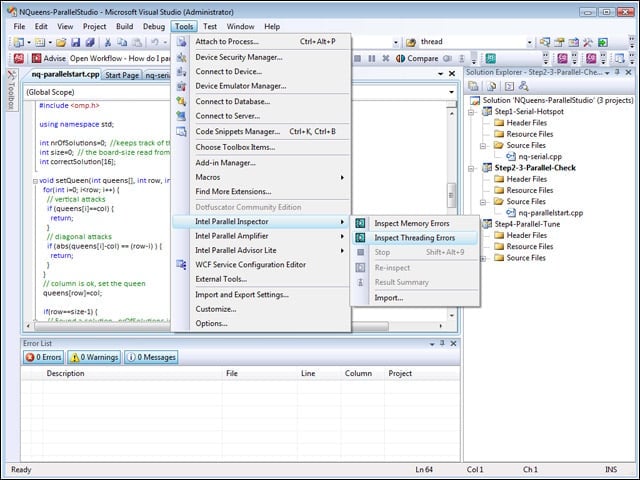
Intel Parallel Studio installs right into Microsoft Visual Studio as a set of add-ins that include menu items and tool bars to assist in parallel coding.


Parallel Inspector
3

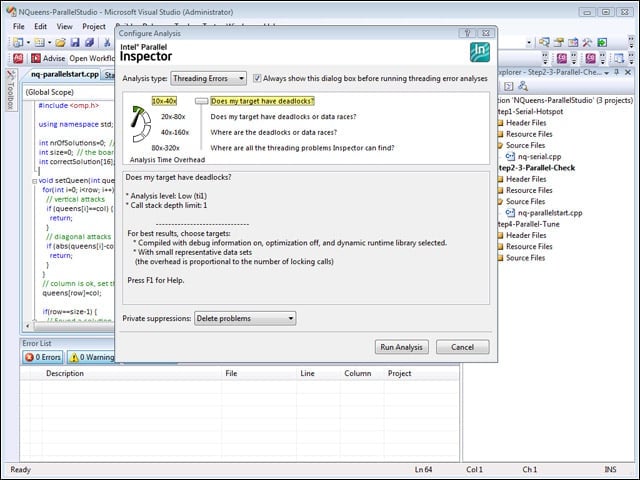
The Parallel Inspector tool lets you look for deadlocks, data races and other common problems.


Parallel Inspector Results
4

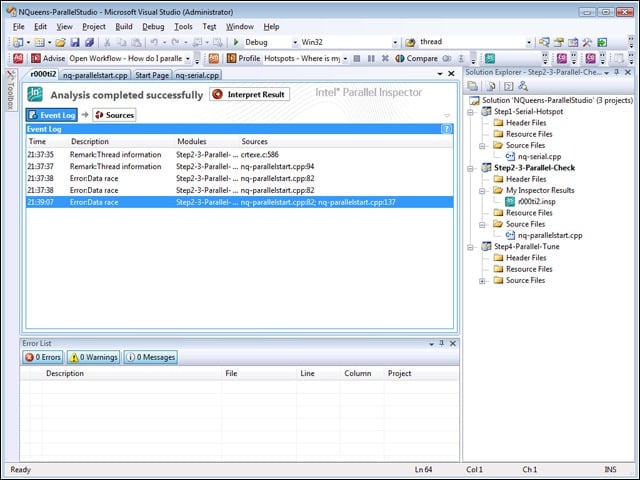
The results from Parallel Inspector show up in a document window inside Visual Studio. In this example, data races are found.


Error Info
5

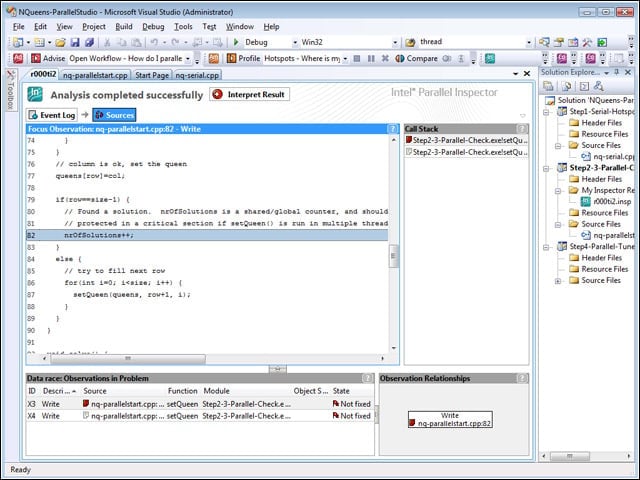
Clicking on an error opens up another document that gives further information about a particular error.


Parallel Amplifier
6

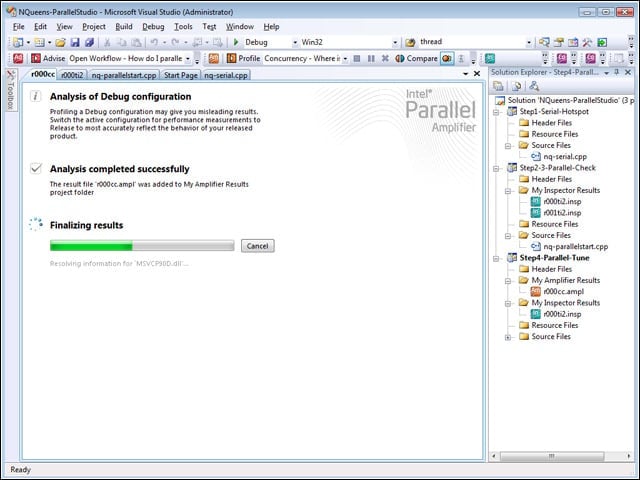
Parallel Amplifier runs your program and then performs an analysis to determine where the app can be tuned for multiple cores.


Advertisement

Detailed Report

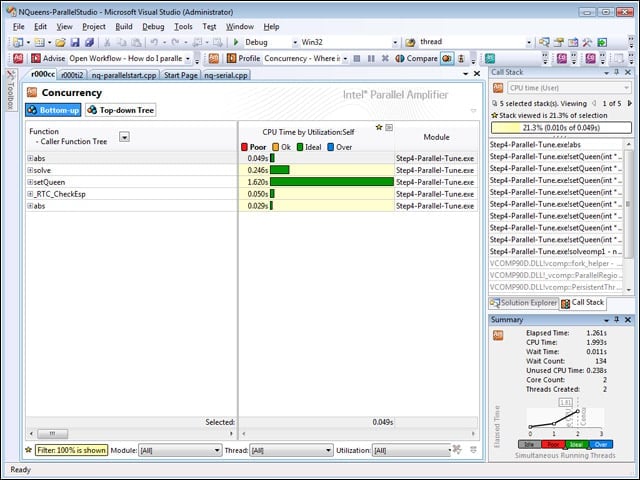
7

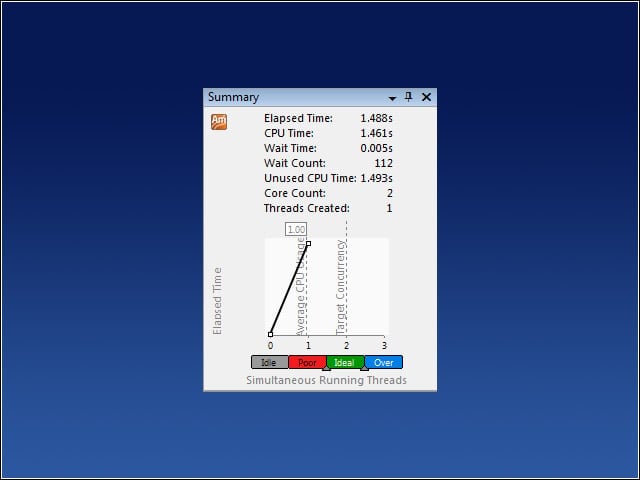
After Parallel Amplifier performs its analysis, it provides a detailed report of how your program runs on multiple cores. The line chart at lower right shows whether your program is making optimal use of the cores.


In Need of Tuning
8

This line chart shows an application with poor concurrency. Such an application could be tuned to make use of multiple cores.


Parallelization Problems
9

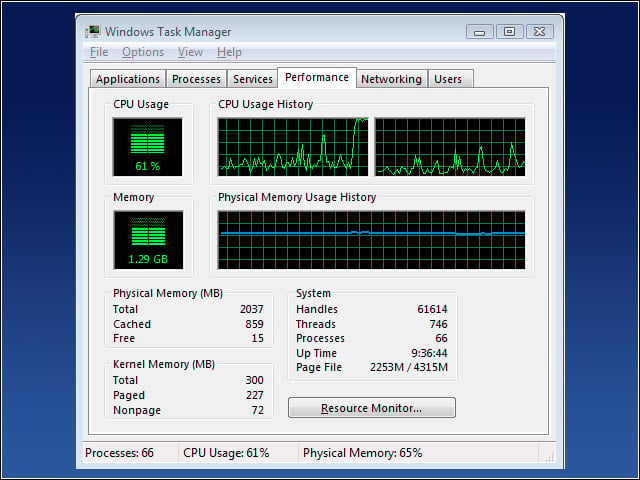
A typical program that could benefit from parallelization causes problems like this. Notice in CPU Usage History the left core is running at 100 percent while the right core is barely being used. A lot of software suffers from this kind of problem.


No Title

Jeff Cogswell

Jeff Cogswell is the author of Designing Highly Useable Software (http://www.amazon.com/dp/0782143016) among other books and is the owner/operator of CogsMedia Training and Consulting.Currently Jeff is a senior editor with Ziff Davis Enterprise. Prior to joining Ziff, he spent about 15 years as a software engineer, working on Windows and Unix systems, mastering C++, PHP, and ASP.NET development. He has written over a dozen books.

eWeek Logo

eWeek has the latest technology news and analysis, buying guides, and product reviews for IT professionals and technology buyers. The site's focus is on innovative solutions and covering in-depth technical content. eWeek stays on the cutting edge of technology news and IT trends through interviews and expert analysis. Gain insight from top innovators and thought leaders in the fields of IT, business, enterprise software, startups, and more.

Propriété de TechnologyAdvice. © 2026 TechnologyAdvice. Tous droits réservés

Divulgation publicitaire : Certains des produits qui apparaissent sur ce site proviennent d'entreprises dont TechnologyAdvice reçoit une compensation. Cette compensation peut influencer la façon dont les produits apparaissent sur ce site, notamment l'ordre dans lequel ils apparaissent. TechnologyAdvice n'inclut pas toutes les entreprises ou tous les types de produits disponibles sur le marché.