







- Microsoft LightSwitch: 15 Reasons Non-Programmers Should Try It Out
- LightSwitch Is Just Plain Easy
- Easy to Add Data
- Simplified Design
- Shortcuts to Productivity
- Easy-to-Use and Choose Templates
- Easy Edits
- Familiar Look and Feel
- Automated Input
- No Code Necessary
- Easy Export
- Easy Lookup
- Simplified SharePoint Integration
- High Quality
- Easy Customization
- Multidevice Support, Including Support for Multitouch and Touch-Screen Devices
Microsoft LightSwitch: 15 Reasons Non-Programmers Should Try It Out
by Darryl K. Taft
LightSwitch Is Just Plain Easy
As Dave Mendlen, senior director of Developer Marketing at Microsoft, says, “Using LightSwitch is almost as simple as flipping on a light switch.” LightSwitch is a standalone Visual Studio product that, via the use of templates, enables users to create apps in Visual Basic or C#.
Easy to Add Data
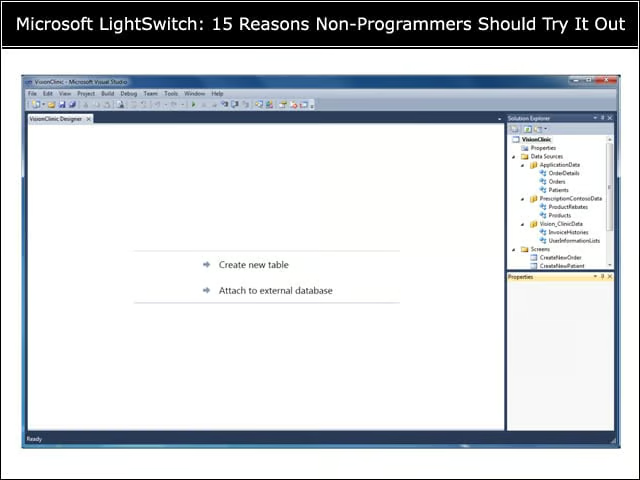
Add a Data Source—choose from creating a new table for the data model, or retrieving data from SQL Server, SQL Azure, SharePoint or any data source with a Windows Communication Foundation (WCF) Rich Internet Application (RIA) Services wrapper.
Simplified Design
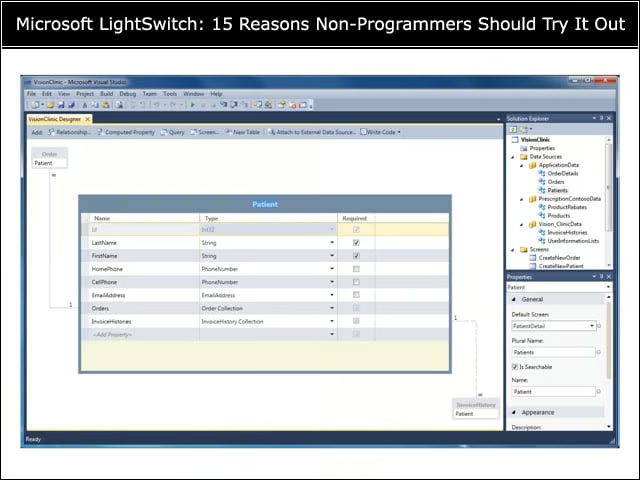
Developers can design an entity model for local data, using business friendly data types such as EmailAddress and PhoneNumber.
Shortcuts to Productivity
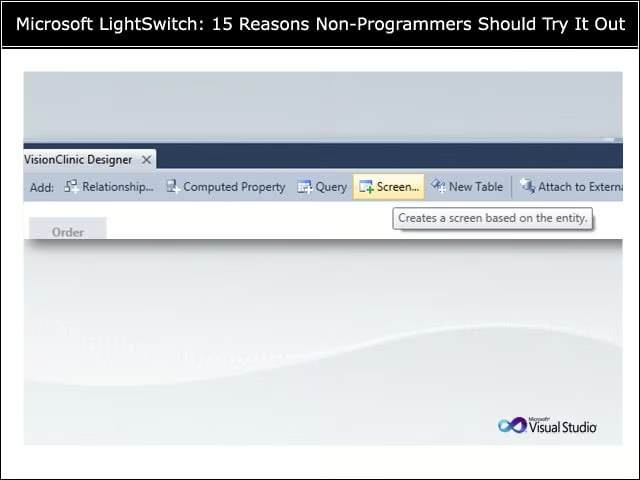
Using LightSwitch, non-programmers can create screens for your data quickly with common shortcuts on the action bar.
Easy-to-Use and Choose Templates
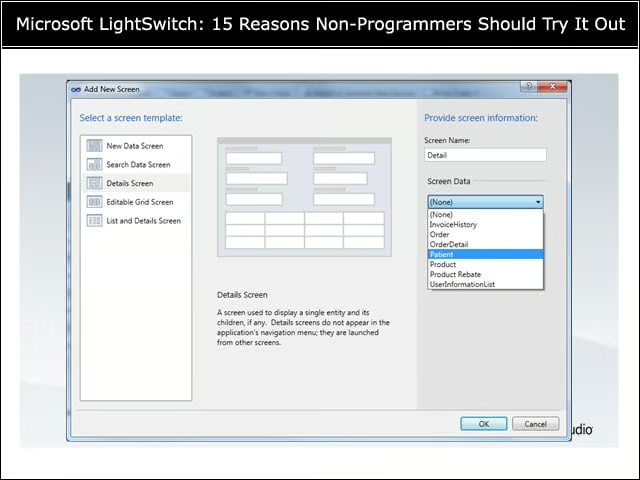
Developers can choose from common screen templates, and match the screen to the appropriate data source.
Easy Edits
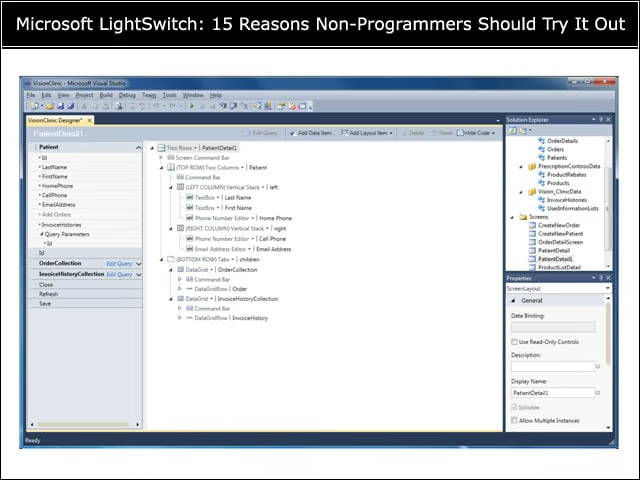
An example of an Edit screen layout using a tree control.
Familiar Look and Feel
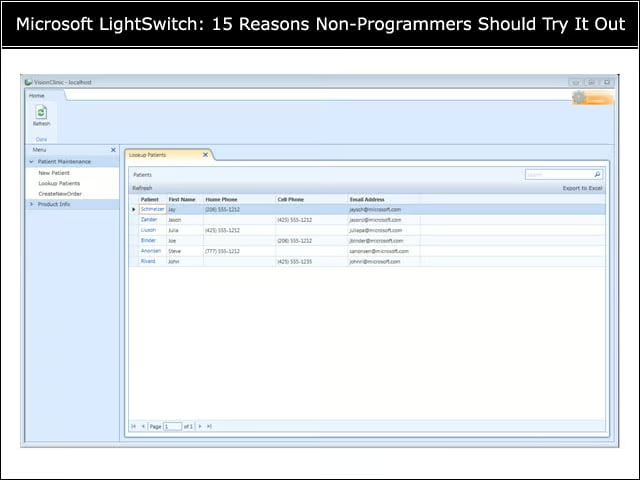
LightSwitch applications use a familiar, professional look and feel—navigation to the left, data views on the right.
Automated Input
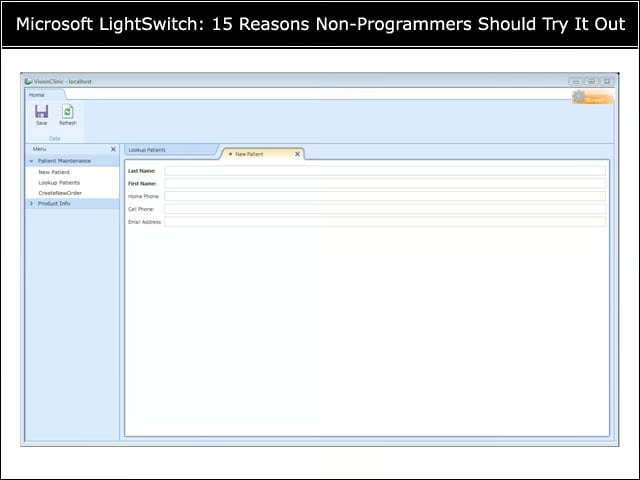
Screens automatically create input field for the entity model they are matched to.
No Code Necessary
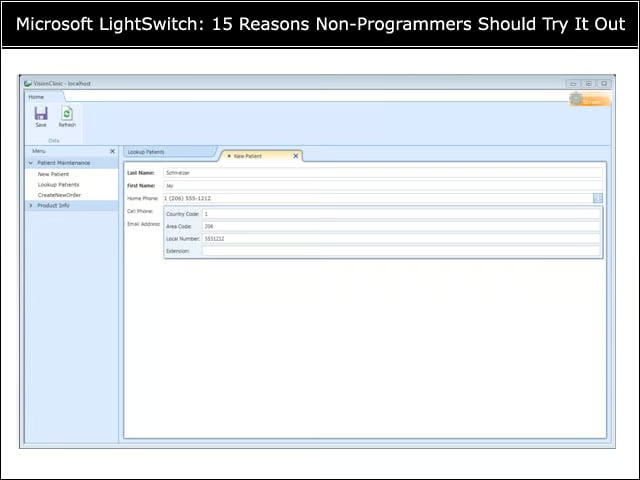
Business data types enable additional validation and functionality with no code necessary.
Easy Export
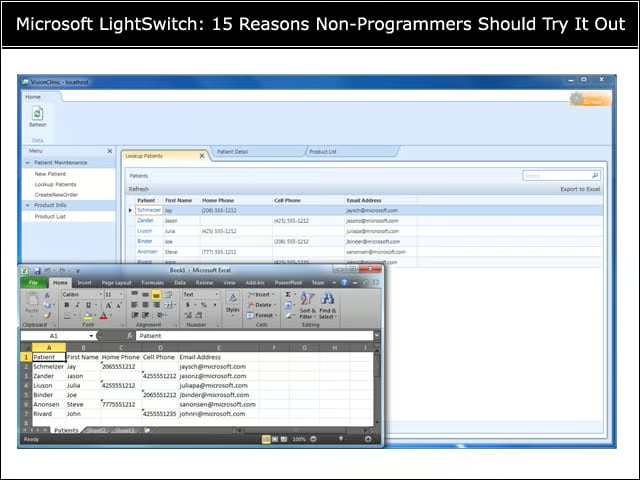
Export to Microsoft Excel is included in all LightSwitch applications—with no coding necessary.
Easy Lookup
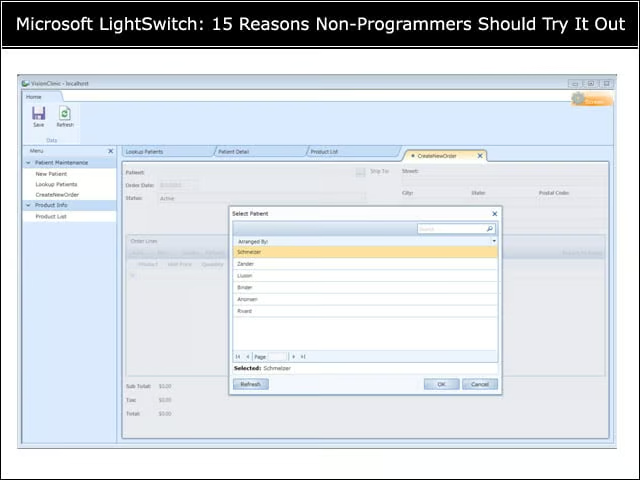
Look-up dialogs for known entity types provided automatically.
Simplified SharePoint Integration
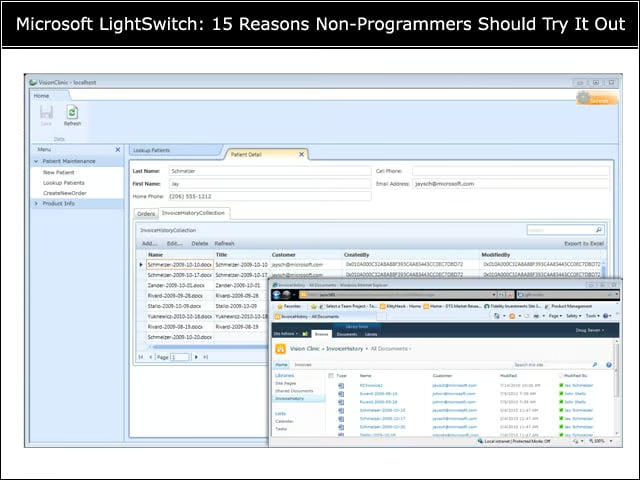
Easily pull data from SharePoint lists, and relate the list data to other entities in your application, without writing any code.
High Quality
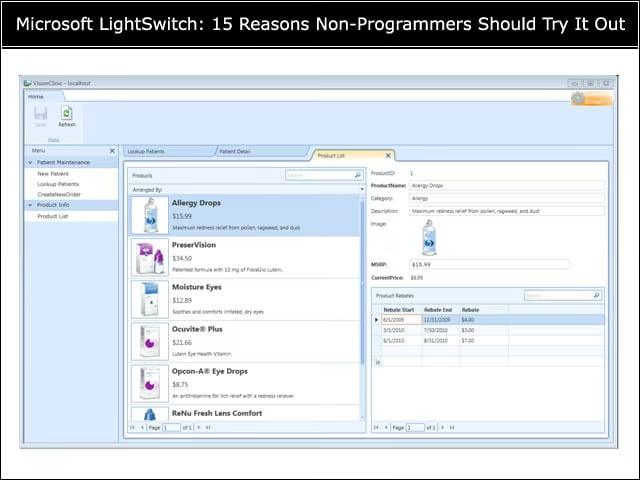
LightSwitch enables non-programmers to develop professional, quality business applications such as this example easily.
Easy Customization
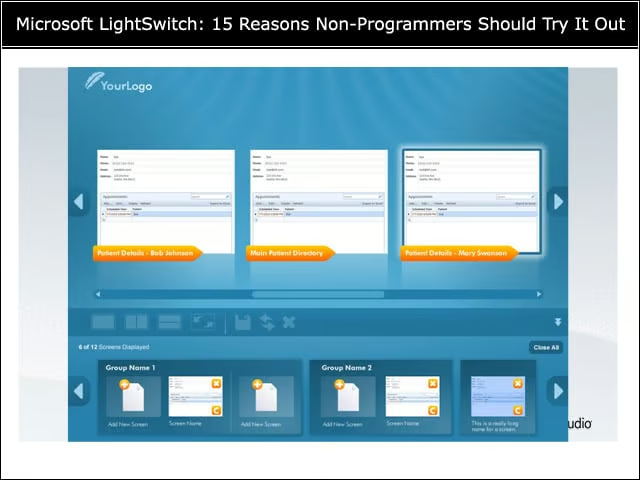
With LightSwitch, customizable templates enable new and creative user experiences.
Multidevice Support, Including Support for Multitouch and Touch-Screen Devices
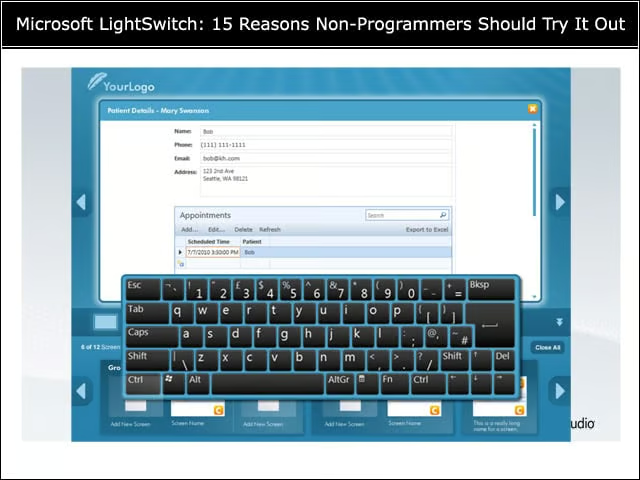
LightSwitch features support for many devices—including touch-screen support—is built in.