







- Microsoft Showcases Visual Studio Online, Visual Studio 2013, Monaco
- Visual Studio Online
- Work Item Charting
- Agile Portfolio Management
- Iteration Planning
- Team Rooms
- Kanban Board
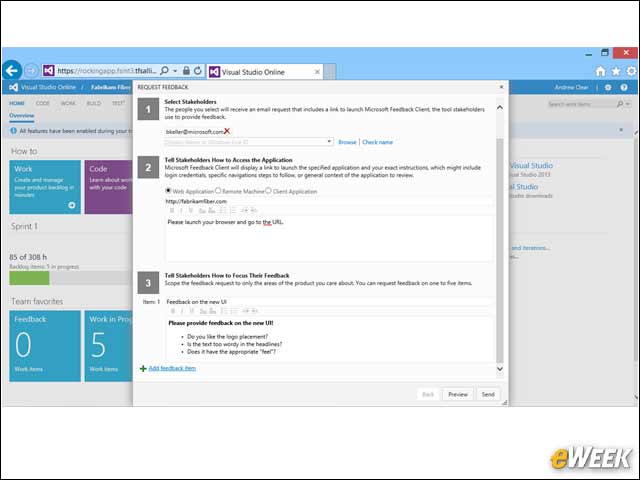
- Feedback Requests
- Product Backlog
- Manual Queuing
- MonacoJSOpen
- MonacoSearch
- Monaco Split View
- Monaco Quick Navigate
- Browser Link
- Peek Definition
- Feedback Client
- CI in Visual Studio 2013
- VS Release Management
- Visual Studio Release Path
Microsoft Showcases Visual Studio Online, Visual Studio 2013, Monaco
by Darryl K. Taft
Visual Studio Online
With Visual Studio Online, Microsoft is extending the Visual Studio IDE with a collection of developer services, hosted in Windows Azure, which offers an integrated end-to-end development experience for modern applications.
Work Item Charting
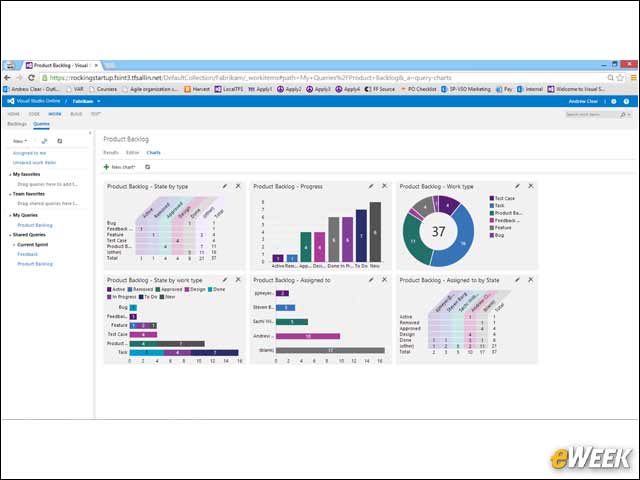
Work Item Charting in Visual Studio Online enables developers to quickly create multiple charts, including pivot tables, to visualize data from work item queries. These charts can be created with just a few clicks and refresh automatically as data is updated.
Agile Portfolio Management
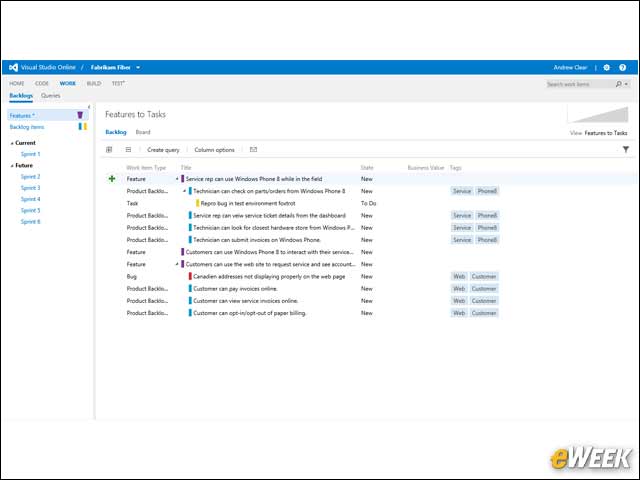
With Visual Studio Online and Agile Portfolio Management, a team can manage work in a portfolio backlog that provides insight into projects across several agile teams. A management team defines the backlog with goals, features, scenarios and user stories, and can then trace these relationships.
Iteration Planning
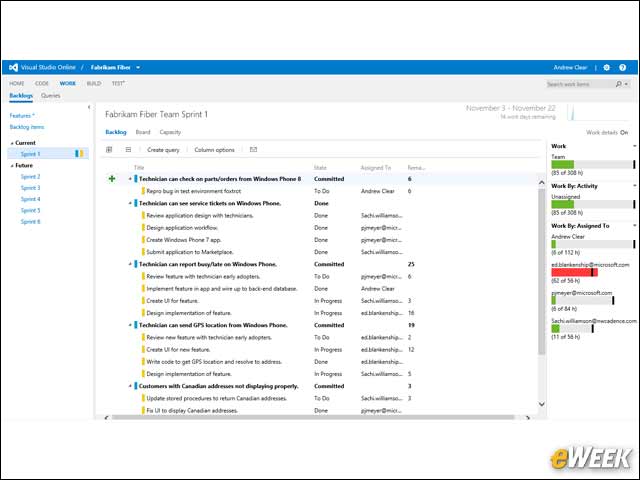
Visual Studio Online provides development teams with a Kanban board for planning, managing tasks and tracking the flow of a project. This iteration board provides insight into the flow of various tasks for product backlog items and bugs.
Team Rooms
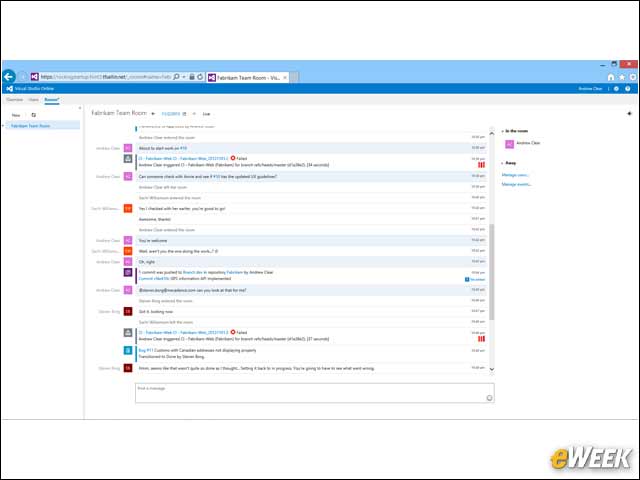
Team Rooms provide a forum for all team members to share information and collaborate. Development teams can discuss work in progress, link directly to work items, and view live events like build completions or feedback responses. Team Rooms are great for connecting with remote team members and a durable record of project activity.
Kanban Board
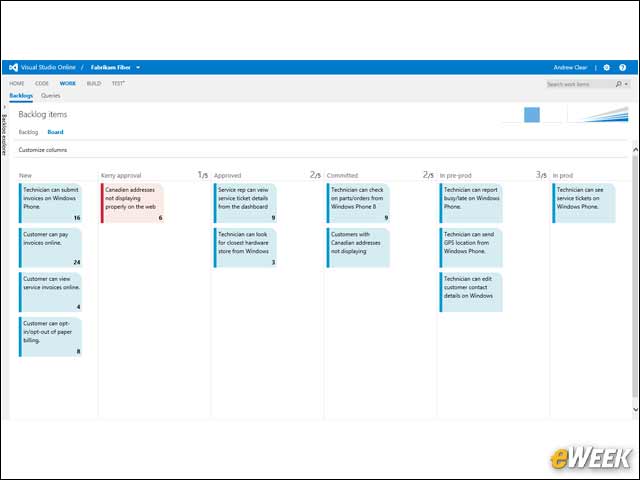
Development teams can use the customizable Kanban board to manage the product backlog and track work items across columns.
Feedback Requests
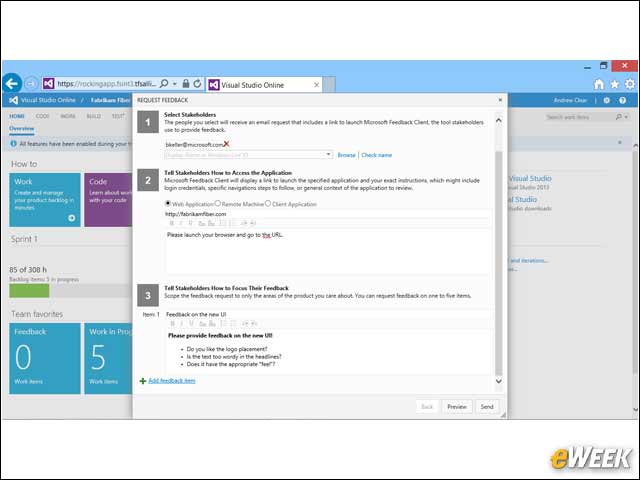
Feedback requests make it easy for stakeholders to remain informed and involved in a development project through Visual Studio Online. Integrated feedback requests give stakeholders an easy way to provide rich feedback, including annotated screenshots, directly to the development team.
Product Backlog
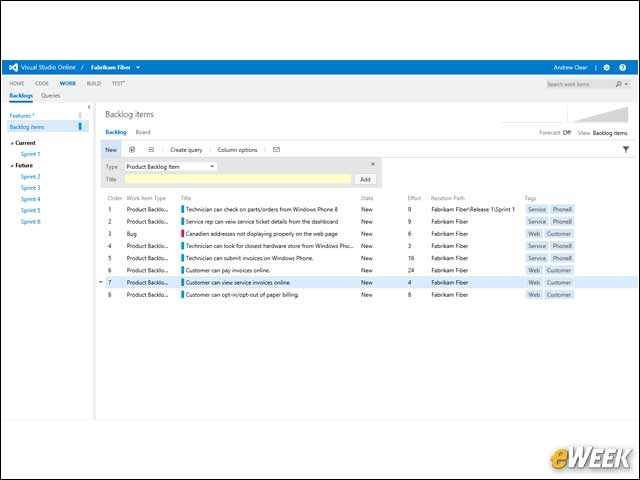
The product backlog defines the work that needs to be done. Once defined, teams use the backlog to manage and prioritize work items. Development teams also track acceptance tests, check-ins and other work items that each backlog item depends on.
Manual Queuing
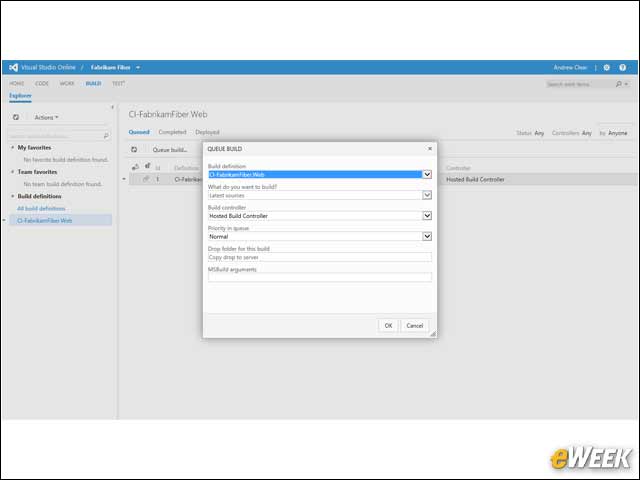
This image shows the manual queuing of a continuous integration build in Visual Studio Online.
MonacoJSOpen
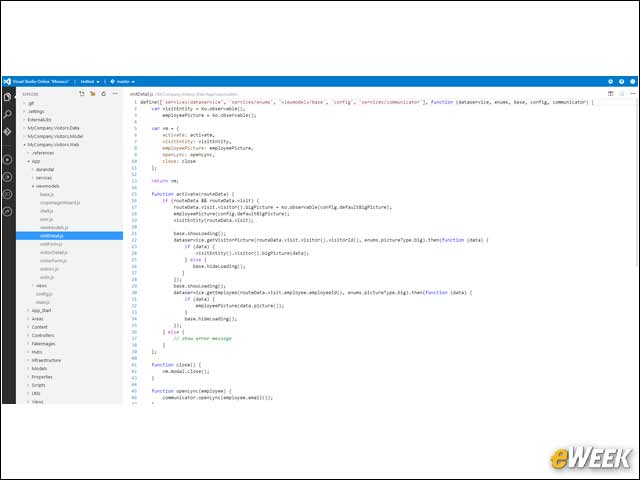
“Monaco” complements the Visual Studio IDE as a low-friction means of getting started building or making changes to an existing cloud service. With this preview release, developers can make live edits directly to Windows Azure Websites from the browser on any modern device.
MonacoSearch
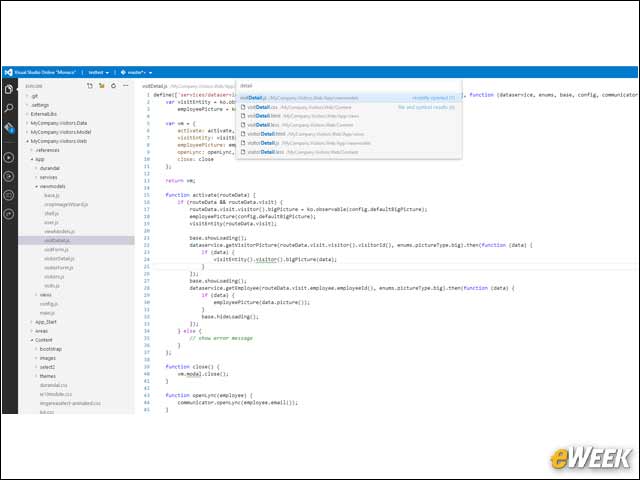
Monaco enables developers to quickly edit cloud services and Websites using standards-based HTML and JavaScript.
Monaco Split View
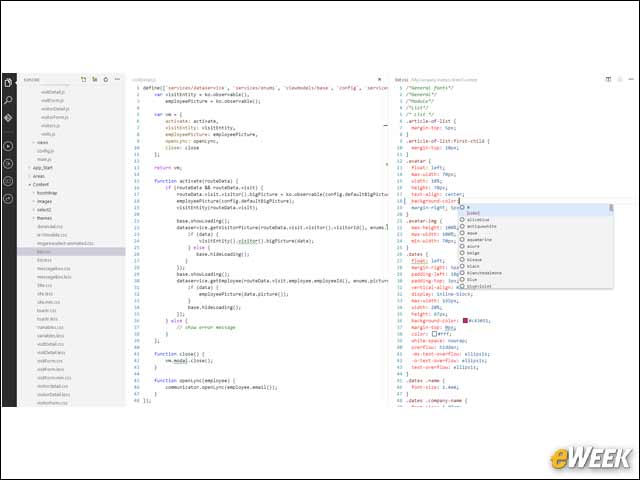
This Monaco split view shows Cascading Style Sheets (CSS) and JavaScript being edited side-by-side.
Monaco Quick Navigate
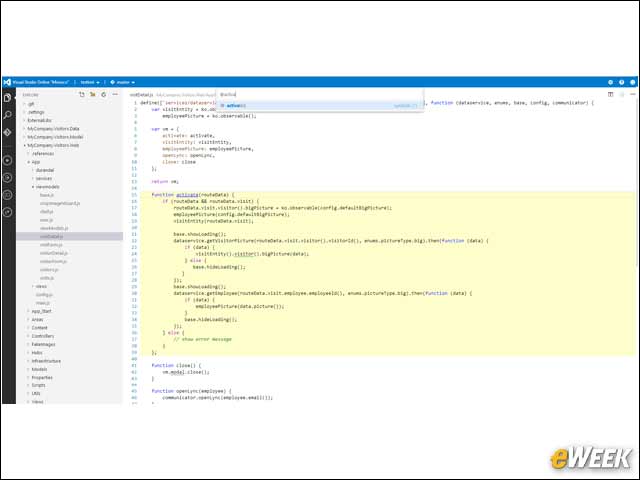
This Monaco quick navigate image shows how a developer can find code.
Browser Link
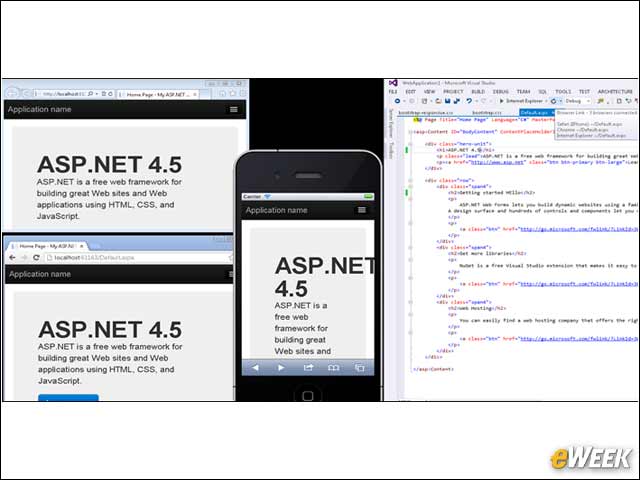
Visual Studio 2013 includes new capabilities such as Browser Link, which synchronizes changes between the code editor and multiple browser windows. Browser Link gives developers the ability to test apps across modern platforms in real time. Visual Studio includes full support for JavaScript and jQuery to create modern, interactive Web applications.
Peek Definition
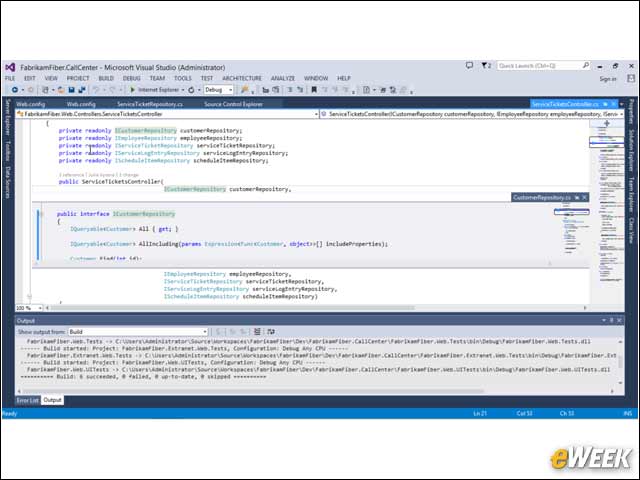
The enhanced coding experience in Visual Studio includes the new Peek Definition feature, enabling developers to view and edit code definitions in other files without losing context. Peek Definition gives developers the option of viewing the file defining the target symbol as an in-line element of the current document.
Feedback Client
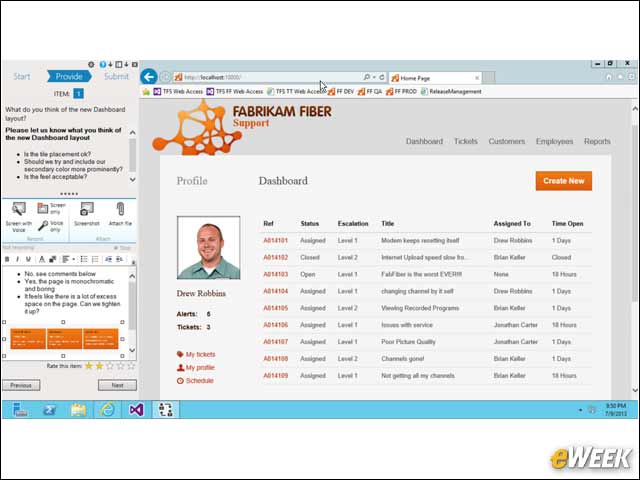
Visual Studio Test Professional 2013 enables development teams to gain targeted feedback from stakeholders using the Feedback Client. The Feedback Client captures rich feedback, including screenshots, audio, video and attachments.
CI in Visual Studio 2013
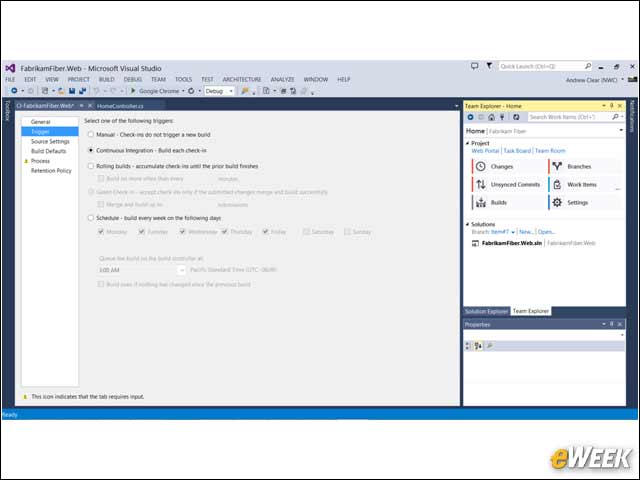
This image illustrates the continuous integration setup in Visual Studio 2013.
VS Release Management
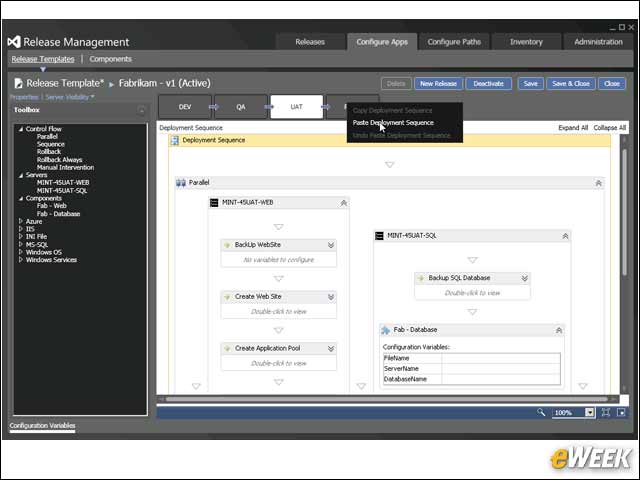
With Visual Studio Release Management, Microsoft continues to deliver increased DevOps functionality, including automated deployment for production use.
Visual Studio Release Path
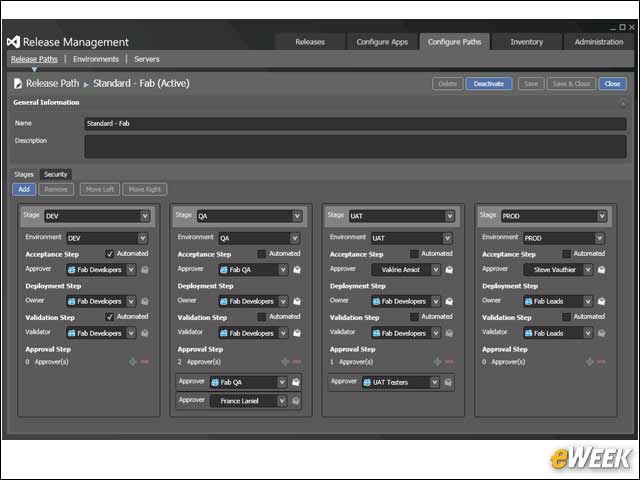
This image of Visual Studio Release Management shows the release path.