







- A First Look at Office for Mac 2011
- Web Apps for Mac People
- Conditional Formatting Overhauled in Excel for Mac
- Edit Photos Within an Office Application
- Sort Your E-Mails by Conversation
- Redesigned Template Gallery
- VBA Returns to Office for Mac
- Dynamic Reordering Eases Work with Multilayer Documents
- View Calendar When Scheduling from an E-Mail
- It’s All in the Box
A First Look at Office for Mac 2011
by P. J. Connolly
Web Apps for Mac People
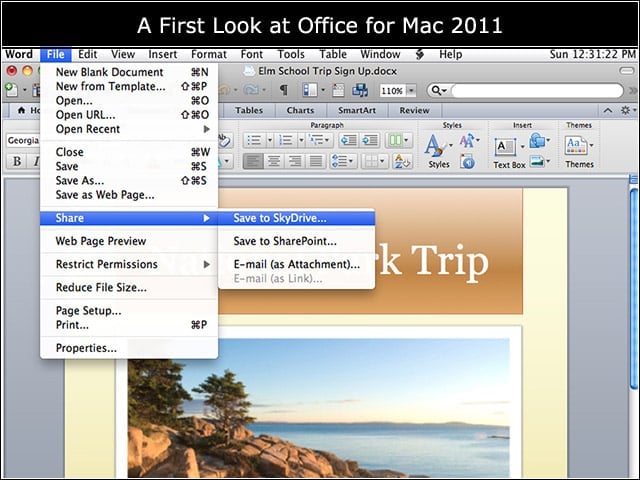
Office Web Apps are available to both personal and small business users via Windows Live, and enterprise customers that use SharePoint; files can be hosted on Microsofts SkyDrive service or on a SharePoint site.
Conditional Formatting Overhauled in Excel for Mac
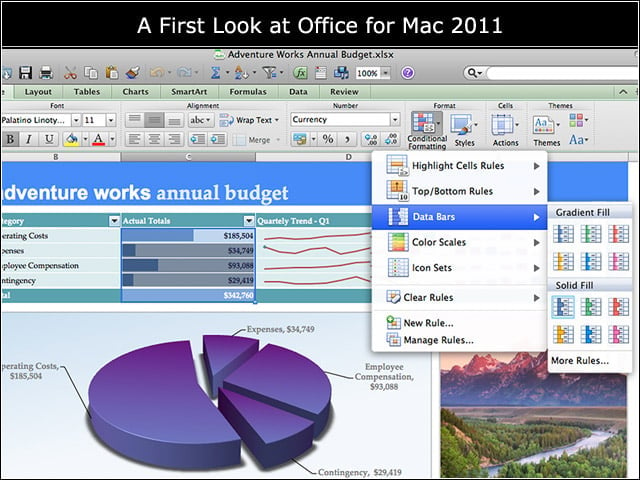
Excels reworked tools allow users to add useful visual cues to spreadsheets and other reports, and new quick-select rules allow users to easily include icons and data bars within a document.
Edit Photos Within an Office Application
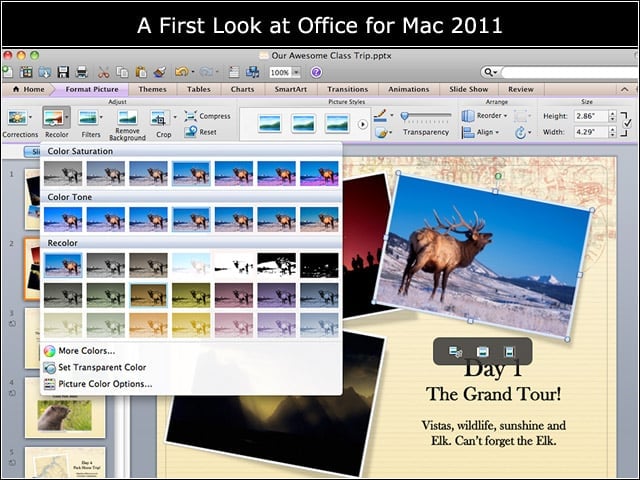
The core Office for Mac applications—Word, Excel and PowerPoint—now offer powerful photo editing capabilities, which can be accessed without ever leaving your document.
Sort Your E-Mails by Conversation
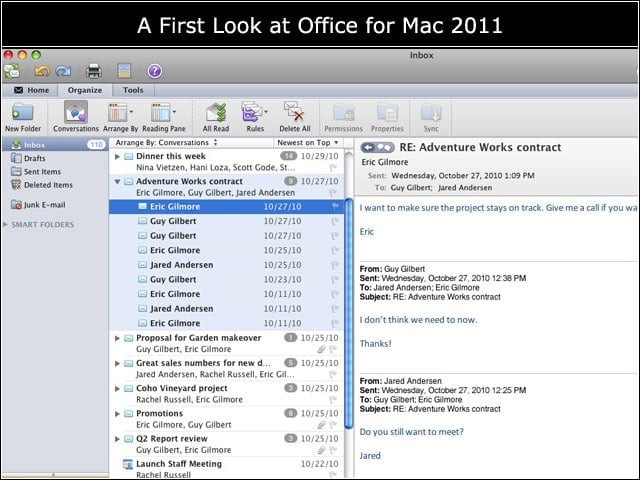
Much of e-mail is a volley of messages within a group, and Outlook for Mac 2011 automatically condenses those conversational volleys down to a single line in the Inbox.
Redesigned Template Gallery
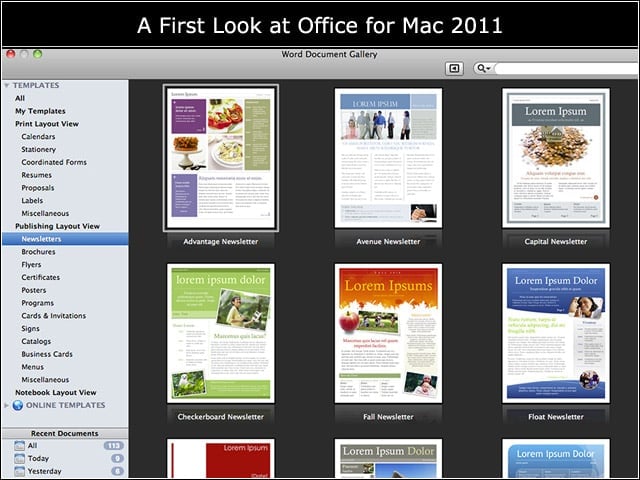
The newly redesigned Template Gallery functions in Word, Excel and PowerPoint allow users to customize document templates from the gallery and preview changes before using.
VBA Returns to Office for Mac
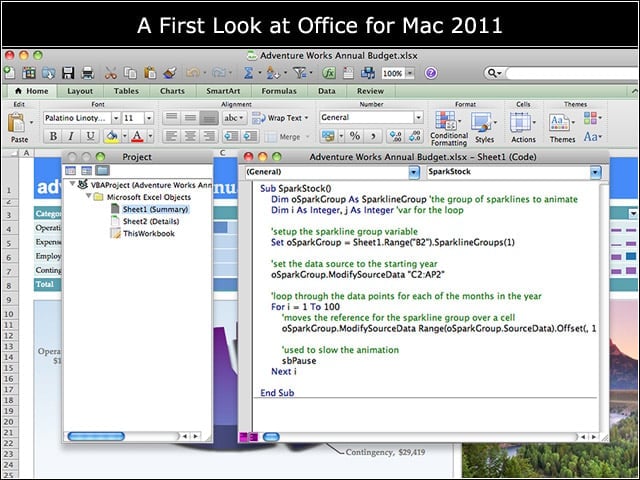
Visual Basic for Applications returns to the Mac platform by popular demand, and allows the automation of awkward or repetitive tasks; these automations can be shared with other Office users.
Dynamic Reordering Eases Work with Multilayer Documents
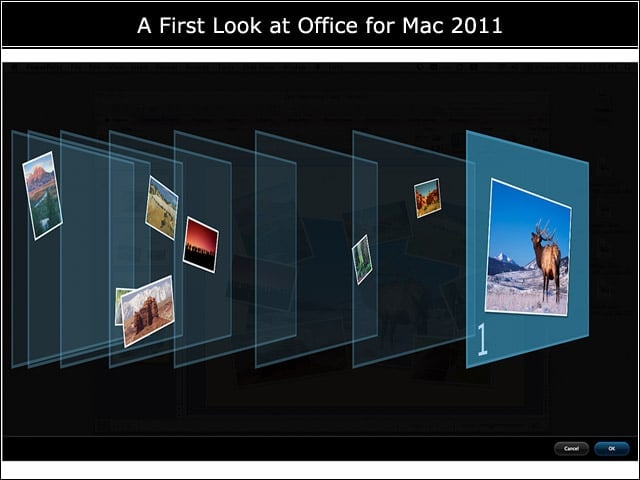
The new dynamic reordering tools in Word and PowerPoint make it simple to manage layered content, and offer a 3D view of document layers.
View Calendar When Scheduling from an E-Mail
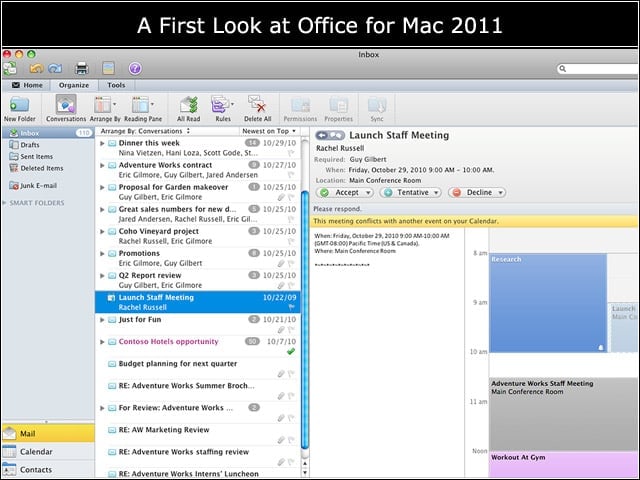
Accepting meeting invitations used to require switching back and forth between e-mail and calendaring tools; Outlook 2011 provides a view of ones calendar from within the invitation.
It’s All in the Box
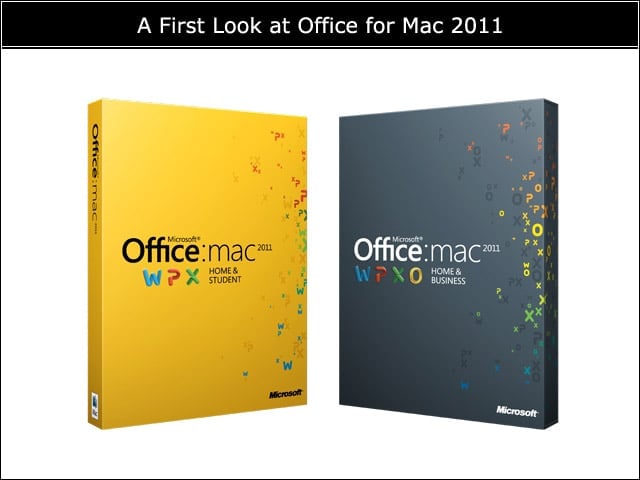
Office for Mac 2011 will launch on Oct. 26 and is available in a Home and Student edition made up of Word, Excel and PowerPoint, as well as the Home and Business edition, which adds Outlook.