







How to Migrate to Google Apps from Microsoft Exchange, Lotus Notes
by Clint Boulton
Google Apps Migration for Microsoft Exchange

This is the latest in a line of tools created to help attract more users to Google Apps.
Tool Summary
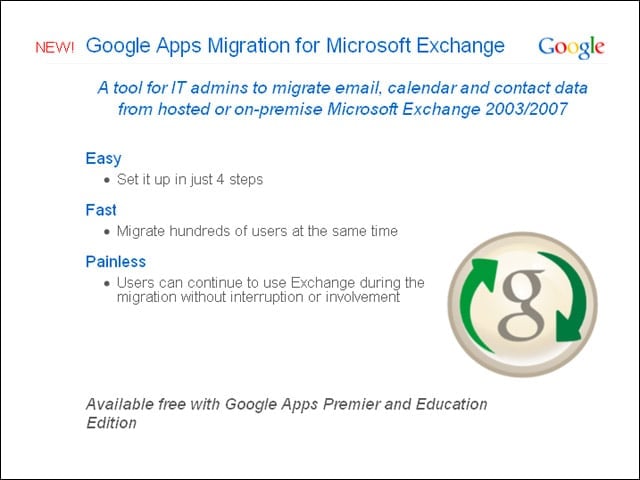
IT administrators can migrate e-mail, calendar and contact data from hosted or on-premises Microsoft Exchange 2003 and 2007.
Step 1
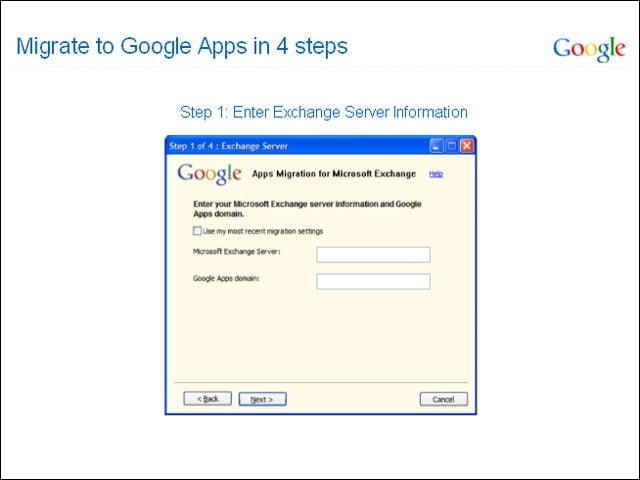
The administrator enters an Exchange Server name and Google Apps Domain Name.
Step 2
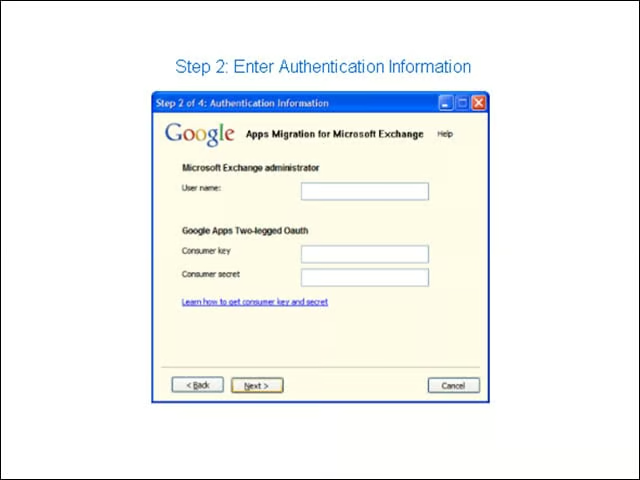
Next, the administrator types in the user name for the Exchange administrator as well as Google Apps credentials in the so-called “two-legged” authentication screen, which is a simple way of accessing user mailboxes.
Step 3
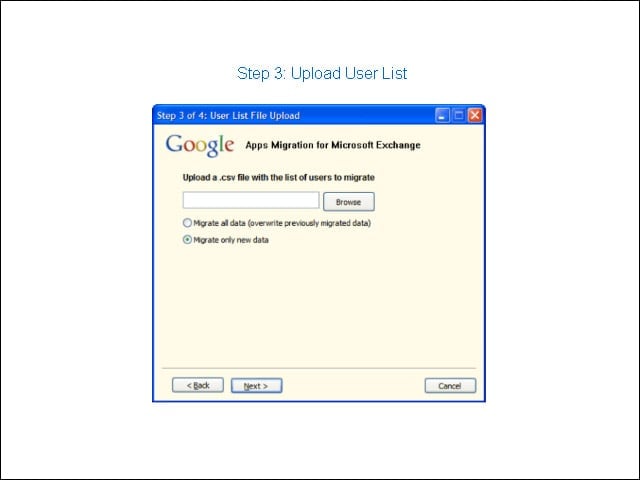
The administrator creates and uploads a CSV file listing the users that are migrating to Google Apps.
Step 4
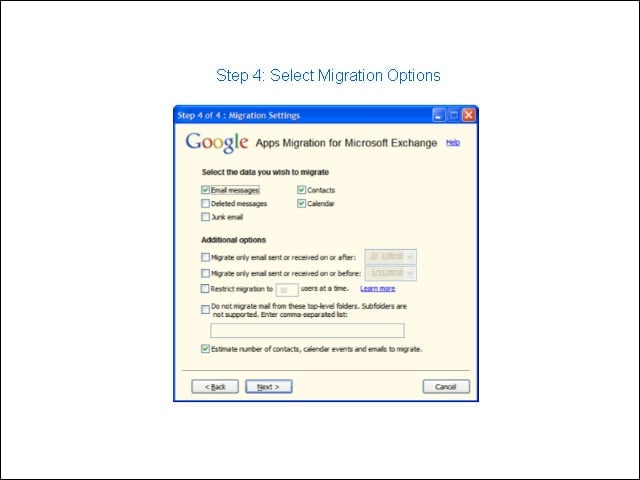
The administrator checks the boxes indicating whether to migrate e-mail, contacts or all data.
Finito!
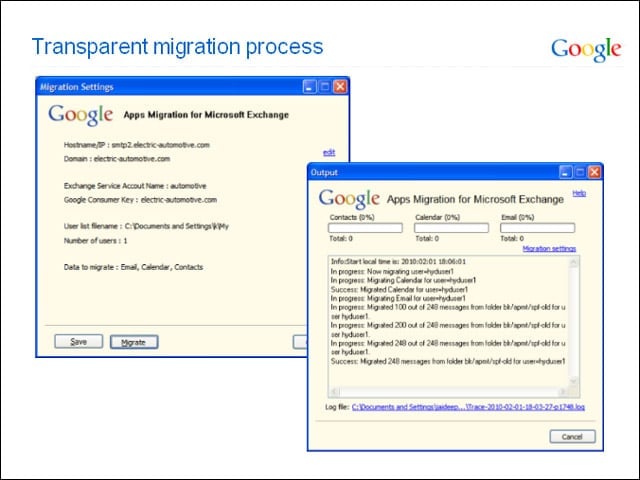
The migration is complete.
Other Google Apps Migration Tools
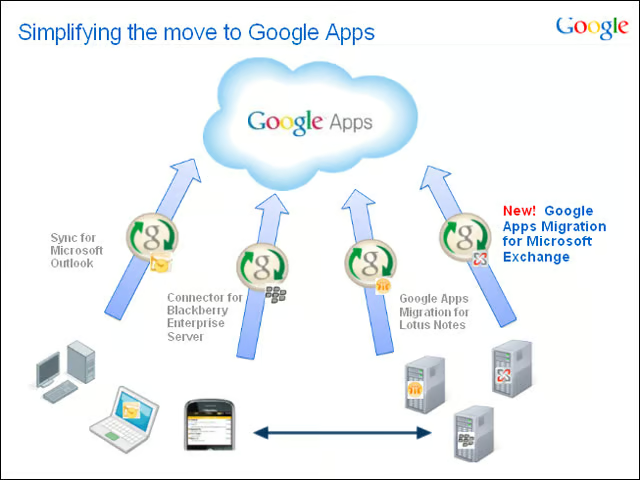
Google Apps Migration for Microsoft Exchange follows three existing migration tools for moving users to Google Apps, including Google Apps Migration for Lotus Notes, which we look at next.
Google Apps Migration for Lotus Notes
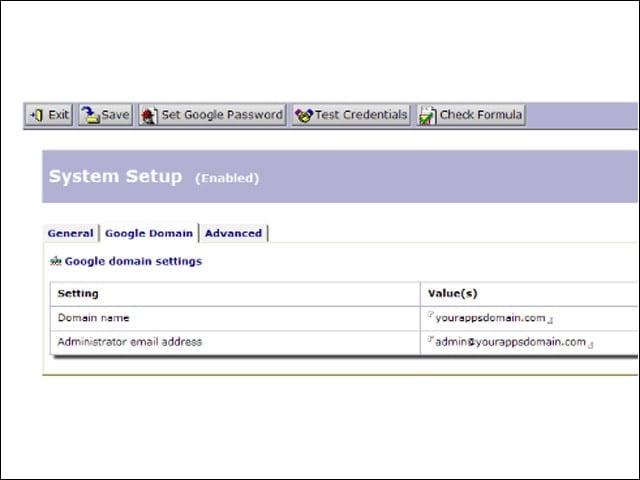
The user interface for this migration tool lives within Lotus Notes, though the steps are similar to Google Apps Migration for Microsoft Exchange. First, the administrator enters the Apps domain details.
Time to Configure
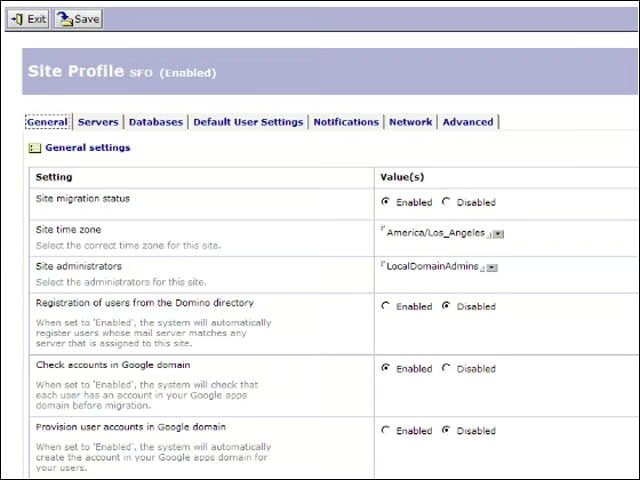
The administrator configures the Lotus Domino sites to be migrated to Google Apps.
Register Users
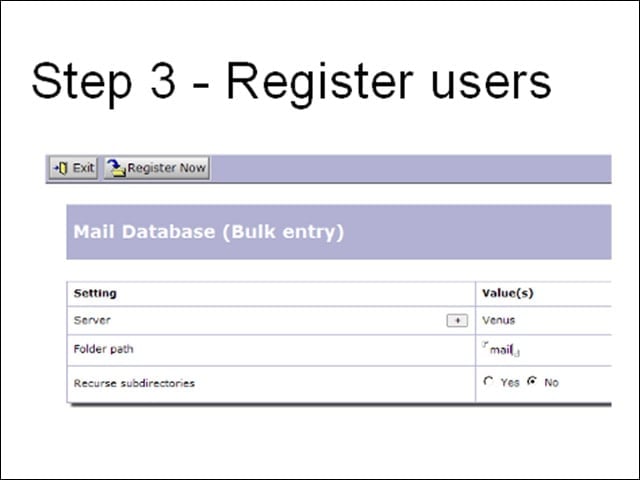
Next, the administrator registers the users moving to Google Apps.
See the Results
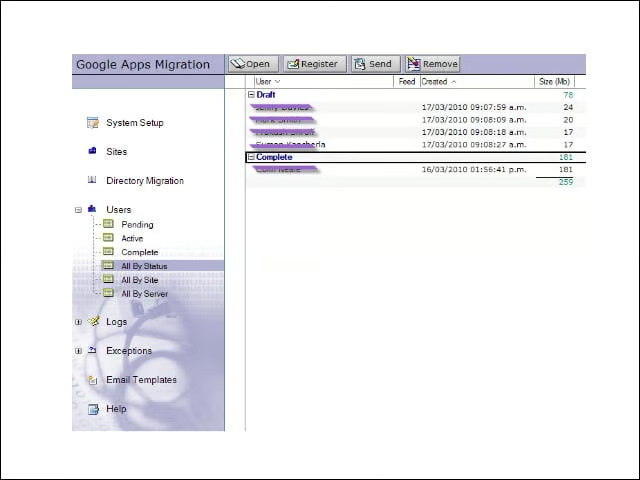
View the server migration process from the administrator’s console.
Finally
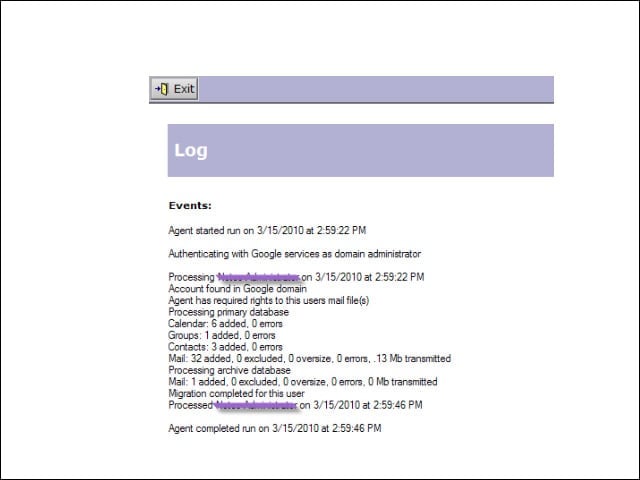
Administrators can check the migration logs when they’re done.