







Microsoft Office 2010 Rolls Out New Features, New Platforms
by Jason Brooks
Back Stage Area
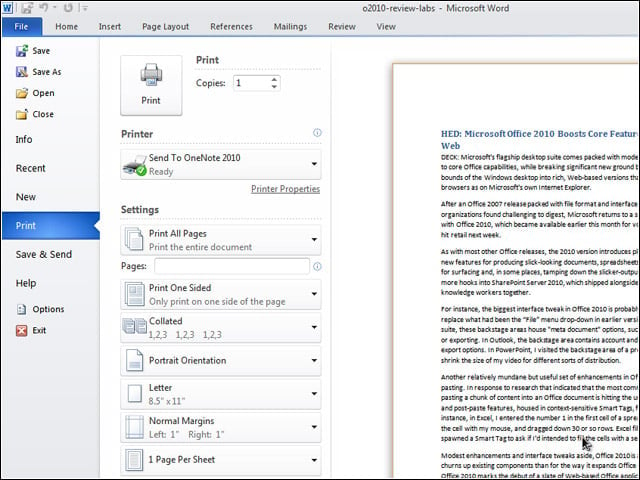
The biggest interface tweak in Office 2010 is probably the addition of a backstage area to replace what had been the File menu drop-down in earlier versions of Office. In each application in the suite, these backstage areas house “meta document” options, such as those for saving, opening, printing or exporting.
Cut and Paste
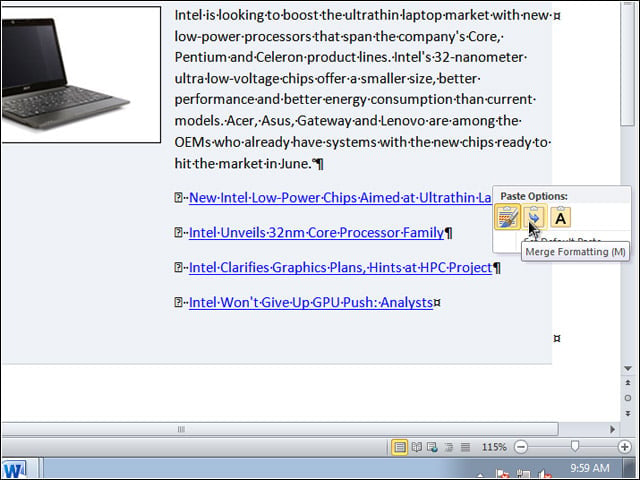
In response to research that indicated that the most common action that users take after pasting a chunk of content into an Office document is hitting the undo button, the team added new pre- and post-paste features, housed in context-sensitive Smart Tags, for reducing the need to hit undo.
Office Without Windows
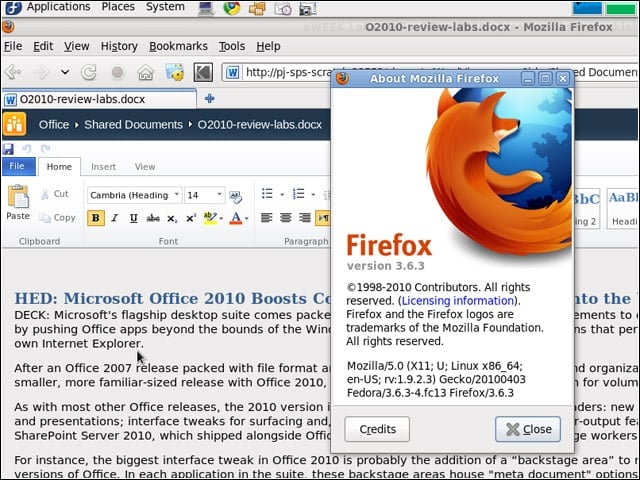
Office Web Apps boast uncharacteristically broad support for non-Microsoft products-the apps support Mozillas Firefox, Apples Safari and Googles Chrome Web browsers nearly as well as Microsofts own Internet Explorer.
Format Fidelity
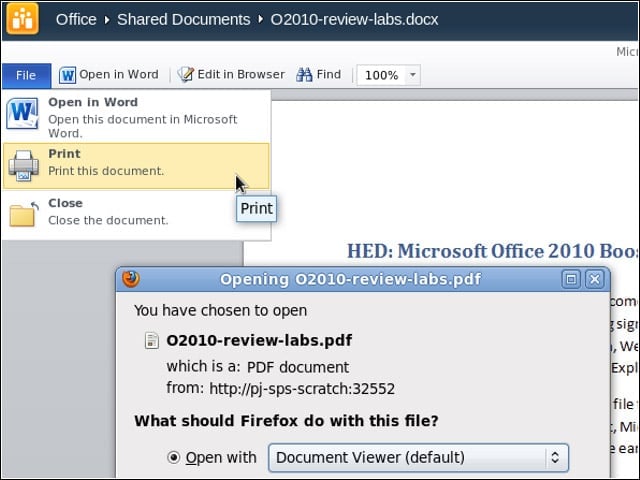
The Word, Excel and PowerPoint documents I tested with rendered well in my test browsers, offering the best route Ive seen for viewing an Office document as intended without having a copy of Office installed. In addition, the print function in the Web Apps does an excellent job converting Office documents to PDF format.
Silverlight Assist
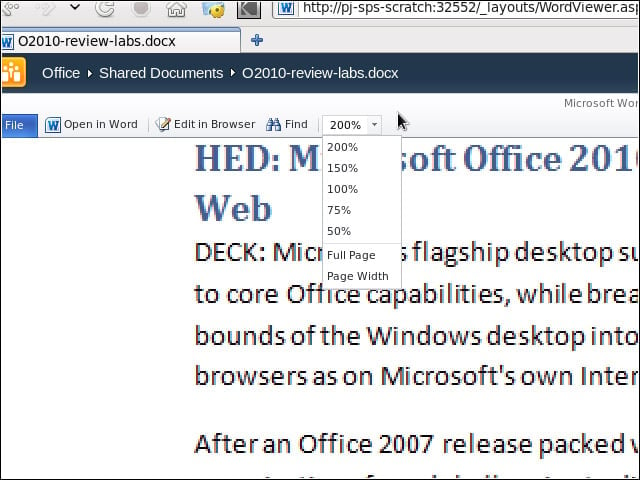
The Word Web App promised improved performance and rendering if I installed Silverlight, which I did while testing with Internet Explorer 8. Without the plug-in, zoomed-in documents appeared somewhat jagged-looking.
Office Web Apps and SharePoint
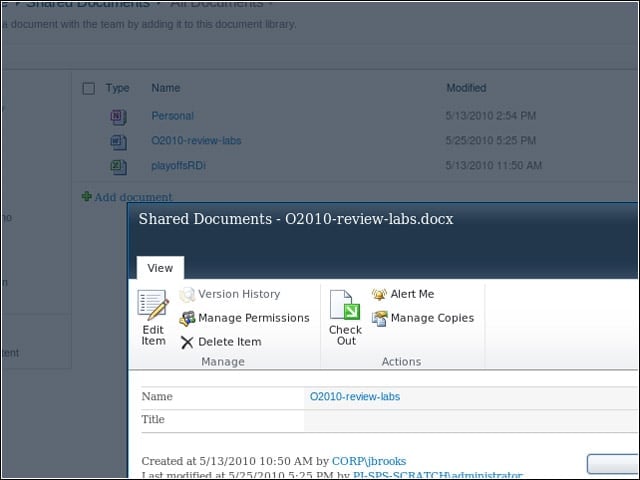
I tested the Office Web Apps from a SharePoint Server 2010 instance running in our lab, and from a test version of Microsofts Windows Live service.
Navigation Pane
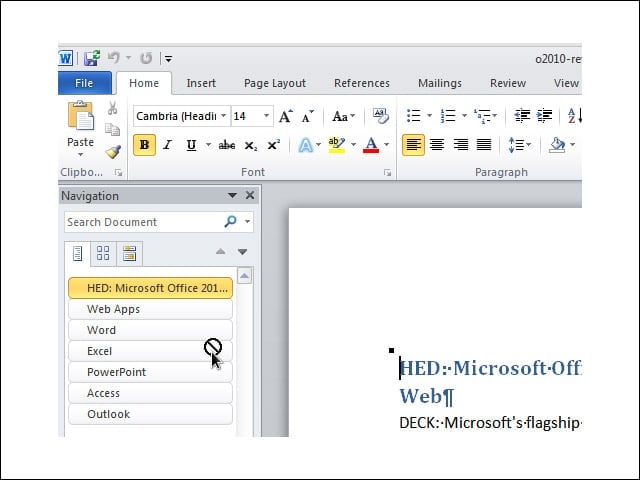
I used the Navigation Pane to traverse Word documents by jumping from heading to heading. I liked the way I could reorganize topics within a document by dragging the headings around within the pane.
Slicer
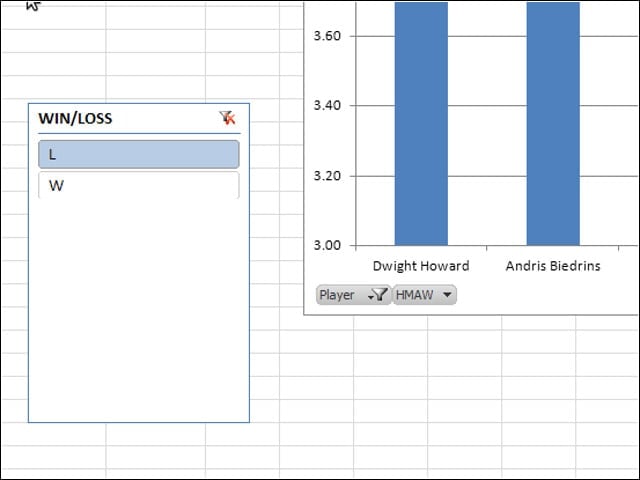
Excel 2010 packs a handful of interesting tweaks into its PivotTable and PivotChart features, such as the Slicer-a graphical element that allows users to modify data under analysis by slicing it up by particular categories.
Sparklines
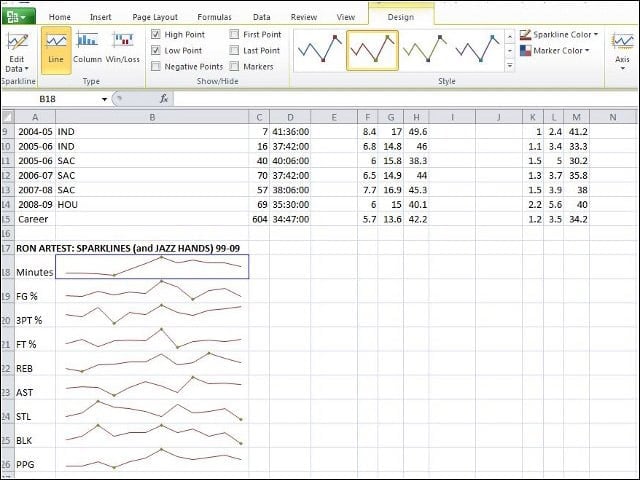
In Excel, I could easily visualize data in compact, single-cell charts called sparklines. I could add detail to my sparkline charts, highlighting, for instance, the high and low points on the curve.
Screenshots
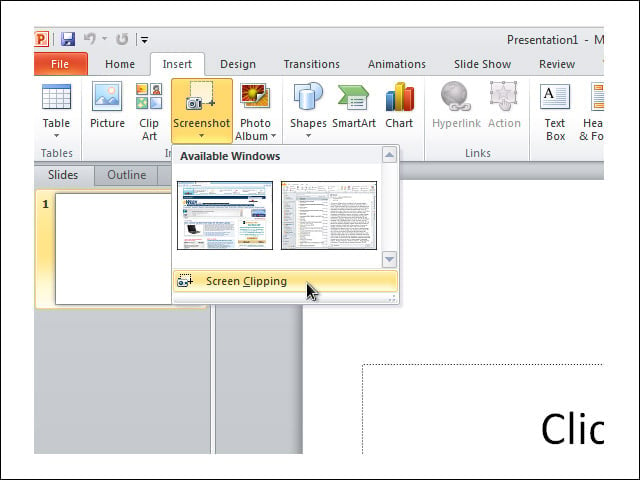
PowerPoint and Word both have an option embedded in their Ribbons for inserting screenshots of active windows into documents or presentations. Choosing this option spawned a dialog with thumbnails of all the open windows on my test machine.
Background Removal
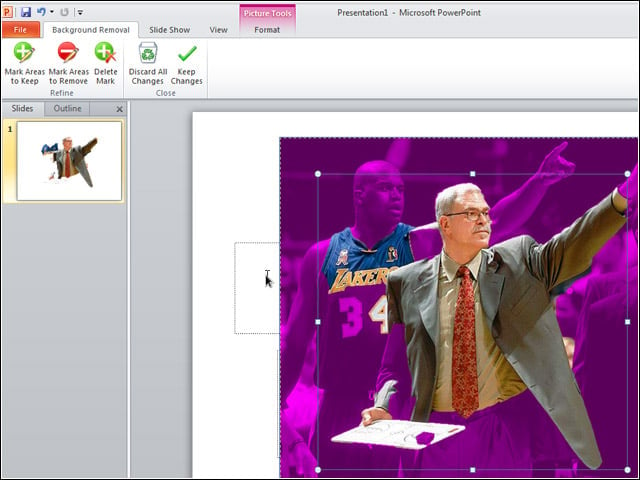
With the Background Removal tool in PowerPoint and Word, I was able to click on a person in the foreground area of an image and direct the application to swap out my picture’s background for a transparent one.
Outlook Ribbon
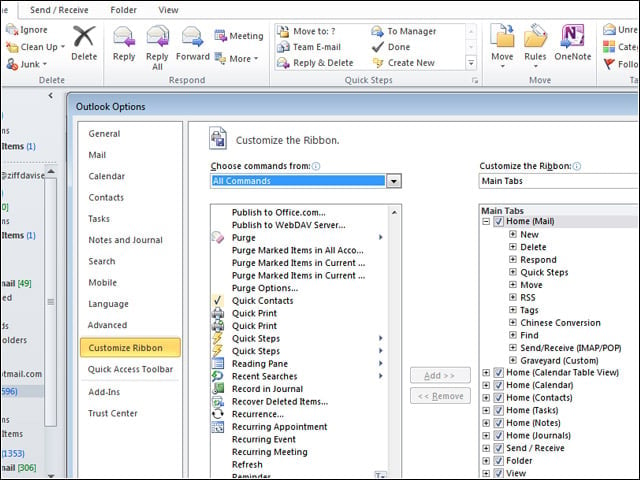
When Microsoft rolled out its new Ribbon UI in Office 2007, Outlook was left Ribbon-free. In Office 2010, Outlook has joined its officemates in taking on the new UI.
Quick Steps
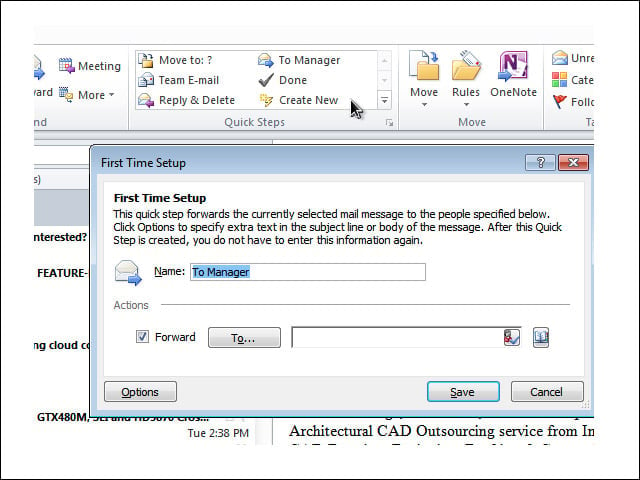
Outlook includes a new feature called Quick Steps, which offers up some common multistep processes, such as forwarding to ones manager or responding and deleting the original message, as well as a means of creating new Quick Steps.