Running on Windows 8

Running on Windows 8
Écrit par
Nathan Eddy
Nathan Eddy
Published: Feb 29, 2012
Updated: Feb 2, 2021
2 minute read
eWeek Le contenu et les recommandations de produits sont indépendants de la rédaction. Nous pouvons gagner de l'argent lorsque vous cliquez sur des liens vers nos partenaires. En savoir plus


Running on Windows 8

Running on Windows 8

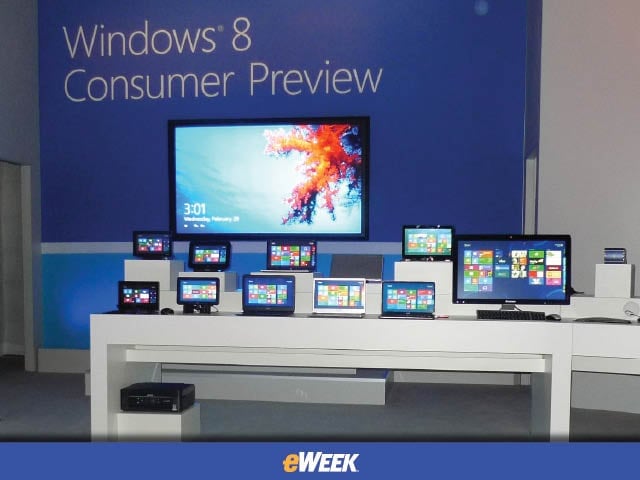
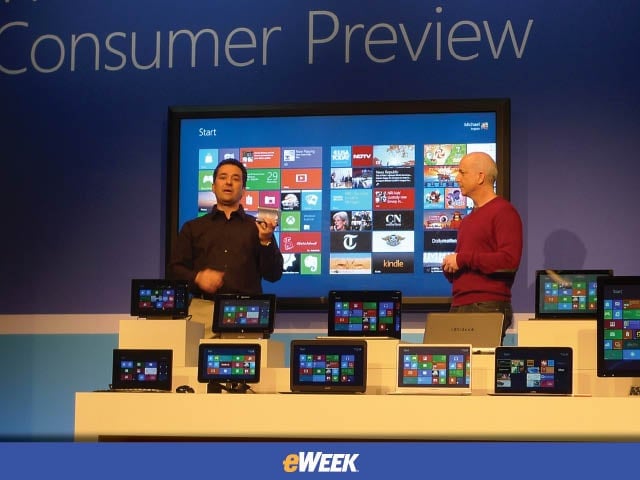
The presentation included touch-screen notebooks and tablets, desktop PCs and an enormous 82-inch wall-mounted touch-screen display made with Corning Gorilla Glass.


Start Screen
2

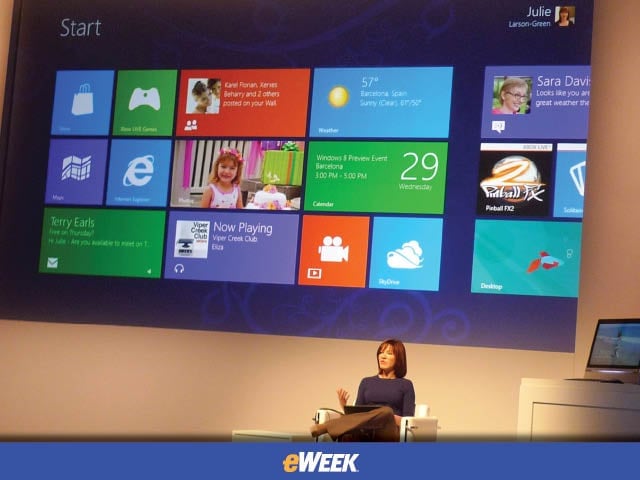
Larson-Green logs into Windows 8 on a Samsung tablet to show the new way applications are laid out as icons on the start screen.


Xbox Live App
3

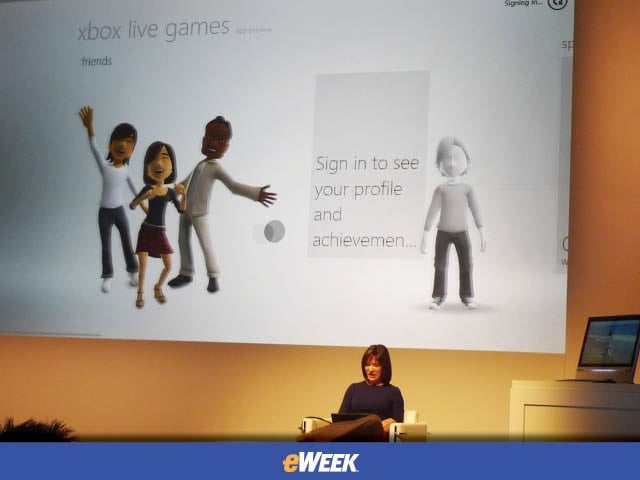
The Xbox Live application is one of many that will come preinstalled with the operating system, which allows users to connect with friends.


Social Networking
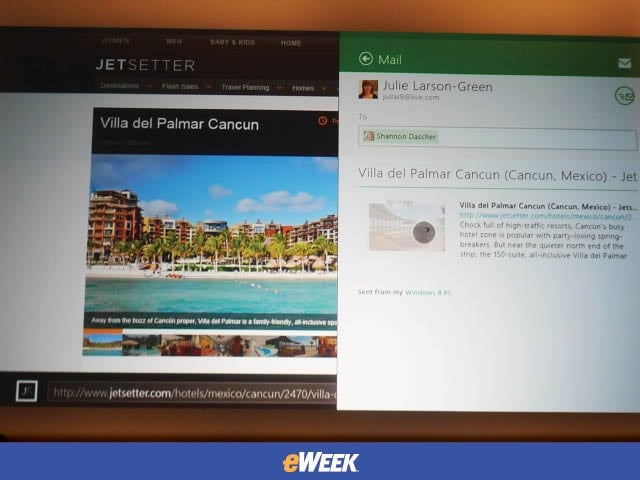
4

The People application makes it easier for friends to send links and documents to each other, while resizing or moving the screen around for instant messaging.


Windows 8 on a Notebook
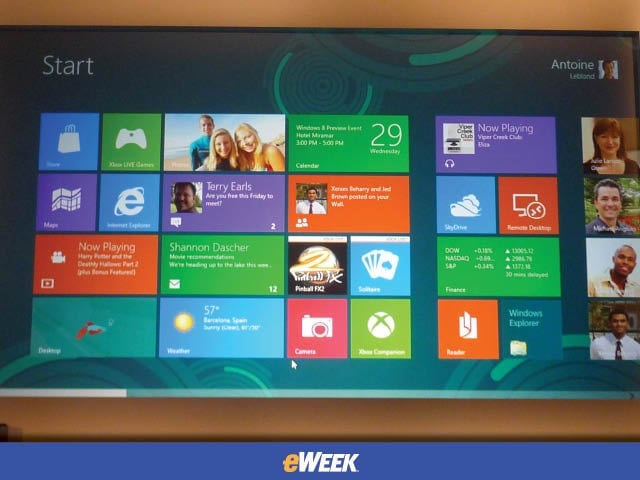
5

Using a Lenovo U300S Ultrabook, Antoine Leblond shows the audience how the “start” screen looks.


Finance App
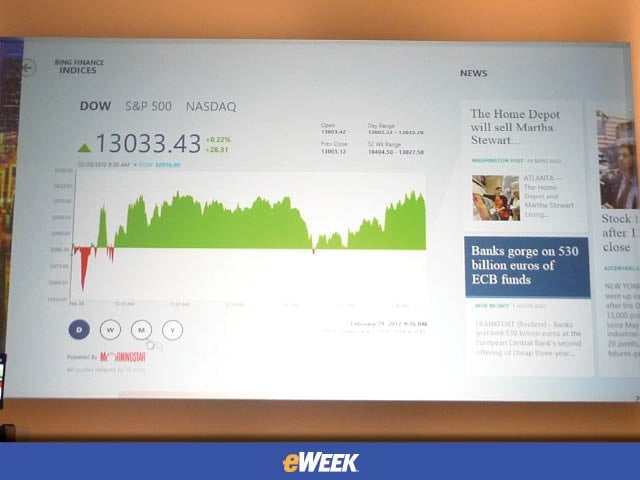
6

A demonstration of the finance app, where Leblond shows that navigation is as easy to do with the mouse as it is with your fingers.


Advertisement

Word and PowerPoint Apps

7

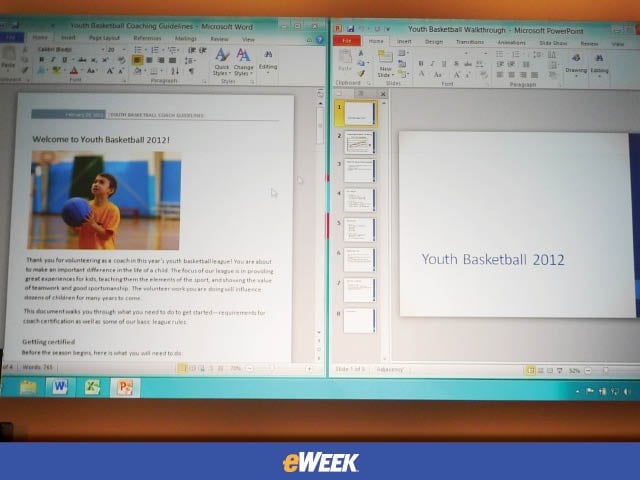
Here, Leblond demonstrates how the Word app can be docked to one side, while the PowerPoint app can be docked to the other for side-by-side viewing.


File Transfers
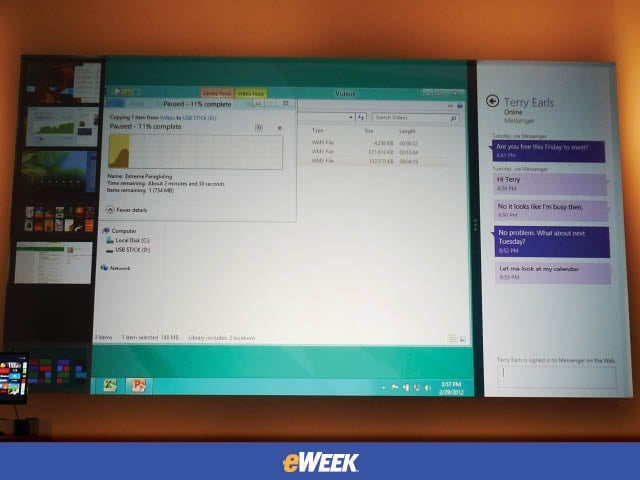
8

A new way of displaying file transfers gives users more information on the process, while the messaging application (on the right) and a list of open apps (on the left) appear.


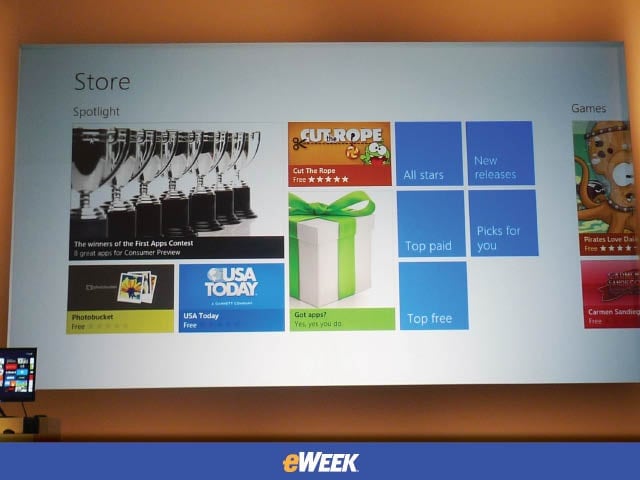
App Store
9

The landing page for the Windows App store features a “spotlight” section on the left where users can find top apps, new apps and recommended apps.


Windows 8 on the Big Screen
10

Vice president of Windows planning and ecosystem Michael Angiulo, along with Steven Sinofsky, show off the operating system on an 82-inch touch-screen display with a PC powered by a dual-core AMD processor.

Nathan Eddy

A graduate of Northwestern University's Medill School of Journalism, Nathan was perviously the editor of gaming industry newsletter FierceGameBiz and has written for various consumer and tech publications including Popular Mechanics, Popular Science, CRN, and The Times of London. Currently based in Berlin, he released his first documentary film, The Absent Column, in 2013.

eWeek Logo

eWeek has the latest technology news and analysis, buying guides, and product reviews for IT professionals and technology buyers. The site's focus is on innovative solutions and covering in-depth technical content. eWeek stays on the cutting edge of technology news and IT trends through interviews and expert analysis. Gain insight from top innovators and thought leaders in the fields of IT, business, enterprise software, startups, and more.

Propriété de TechnologyAdvice. © 2026 TechnologyAdvice. Tous droits réservés

Divulgation publicitaire : Certains des produits qui apparaissent sur ce site proviennent d'entreprises dont TechnologyAdvice reçoit une compensation. Cette compensation peut influencer la façon dont les produits apparaissent sur ce site, notamment l'ordre dans lequel ils apparaissent. TechnologyAdvice n'inclut pas toutes les entreprises ou tous les types de produits disponibles sur le marché.