








eWEEK Labs Walk-Through: Bandspeed AirMaestro
by Andrew Garcia
AirMaestro 3100AG
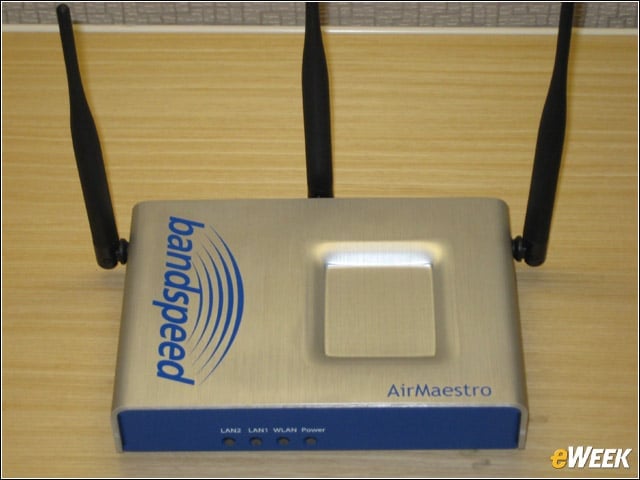
Bandspeed’s access point has three radios, allowing businesses to utilize the 2.4GHz and 5GHz band simultaneously and provide always-on Wi-Fi monitoring services.
Connections
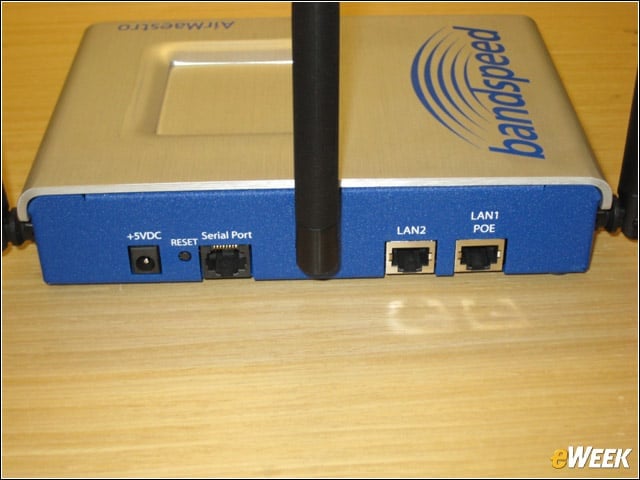
Because Bandspeed’s APs do not yet support 802.11n, the 3100AG only offers a pair of 10/100 Ethernet ports (1 with PoE).
Management Console
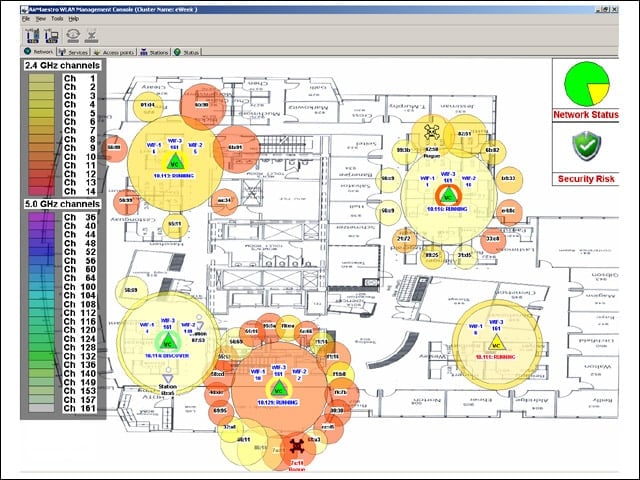
The AirMaestro WLAN Management Console gives administrators a centralized view of the WLAN network, its potential sources of interference and identified rogue devices.
Rogues Gallery
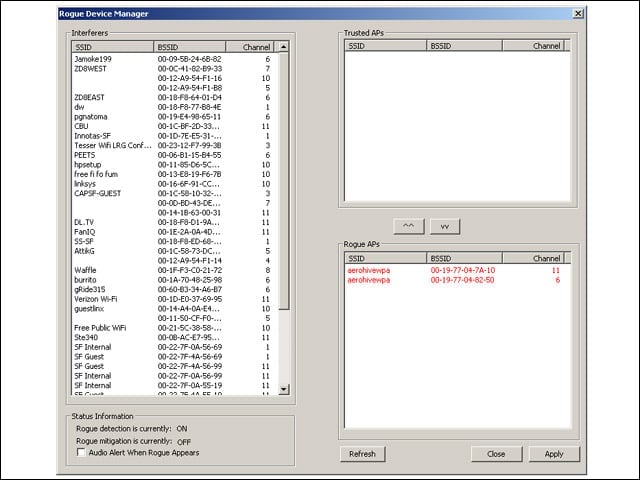
AirMaestro APs further detail detected interferers and rogues, allowing administrators to conduct over-the-air mitigation if desired.
Create a Network
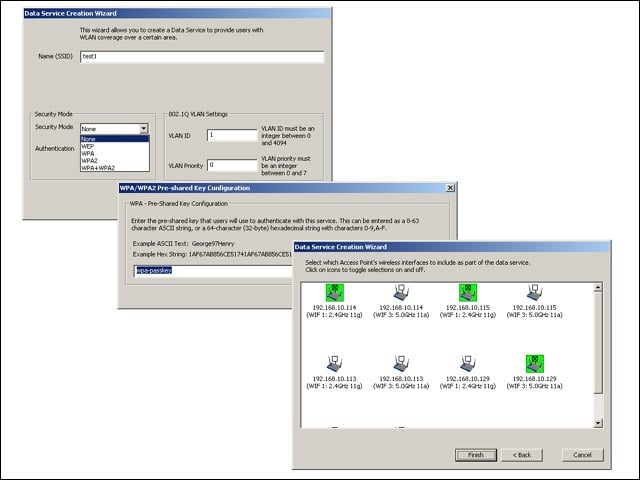
From the Management Console, administrators can easily create data or voice networks, assign security parameters, and deploy settings to the intended access points.
Cluster Management
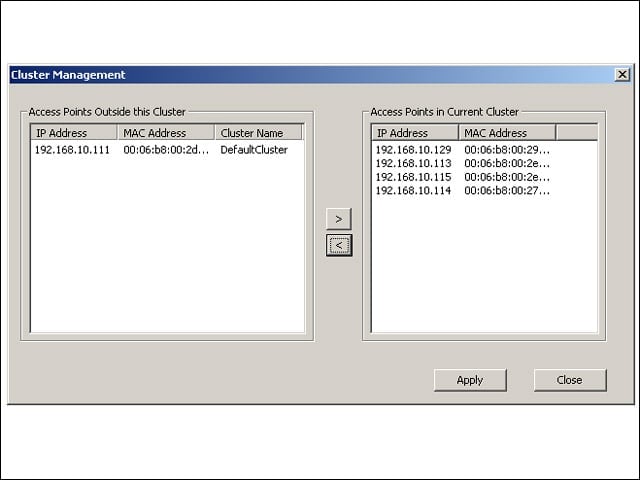
Administrators can add or remove APs from the managed cluster either via the Console (shown) or through any access point’s Web-based GUI.
Spectrum Analysis
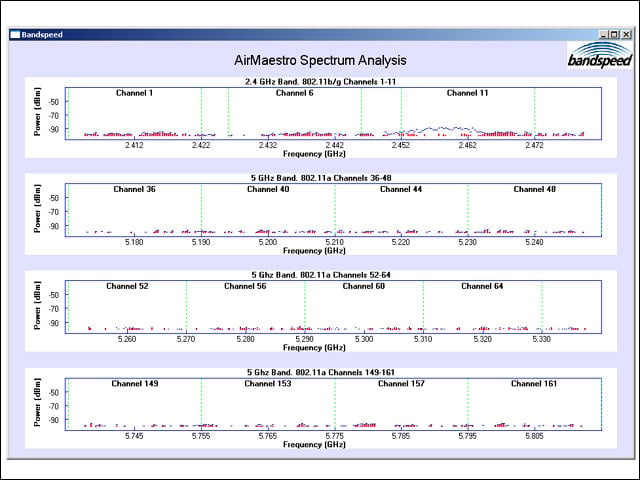
Bandspeed’s APs can be used to identify non-Wi-Fi sources of radio interference in the 2.4GHz and 5GHz bands, identifying detected microwave ovens or cordless phones.
AP GUI
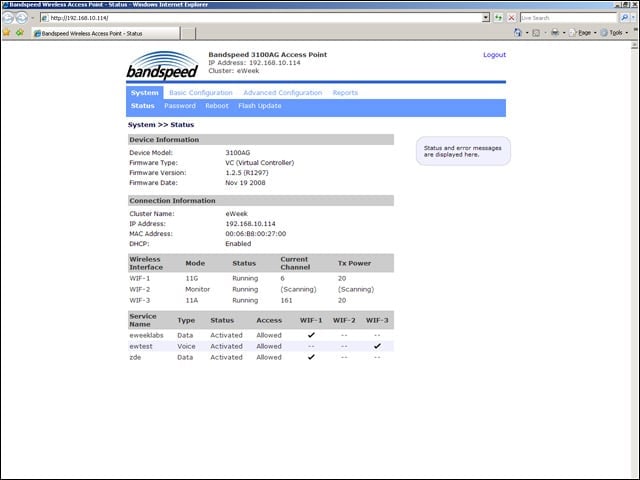
Bandspeed utilizes a controllerless architecture, and unfortunately, APs must be configured individually for some things.
Granular Controls
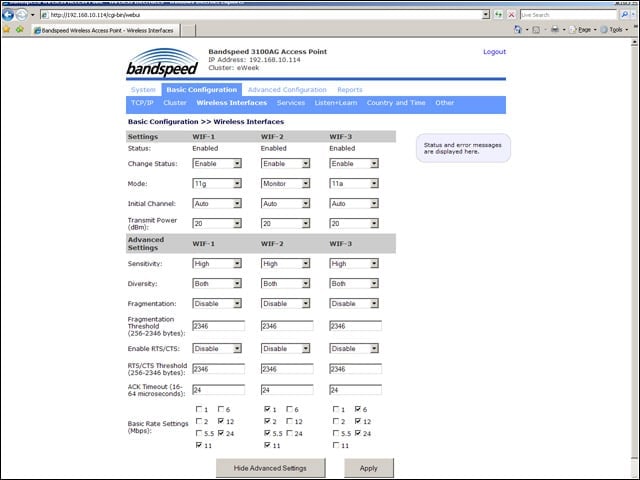
When managing APs individually via each device’s GUI, administrators have access to more in-depth controls over Wi-Fi and QOS behaviors.