LABS GALLERY: Palm Pixi Has Management Mojo, but Is Otherwise Limited

LABS GALLERY: Palm Pixi Has Management Mojo, but Is Otherwise Limited
Écrit par
Andrew Garcia
Andrew Garcia
Published: Dec 15, 2009
Updated: Feb 2, 2021
1 minute read
eWeek Le contenu et les recommandations de produits sont indépendants de la rédaction. Nous pouvons gagner de l'argent lorsque vous cliquez sur des liens vers nos partenaires. En savoir plus


LABS GALLERY: Palm Pixi Has Management Mojo, but Is Otherwise Limited

LABS GALLERY: Palm Pixi Has Management Mojo, but Is Otherwise LimitedBy Andrew Garcia


Pixi Front
2

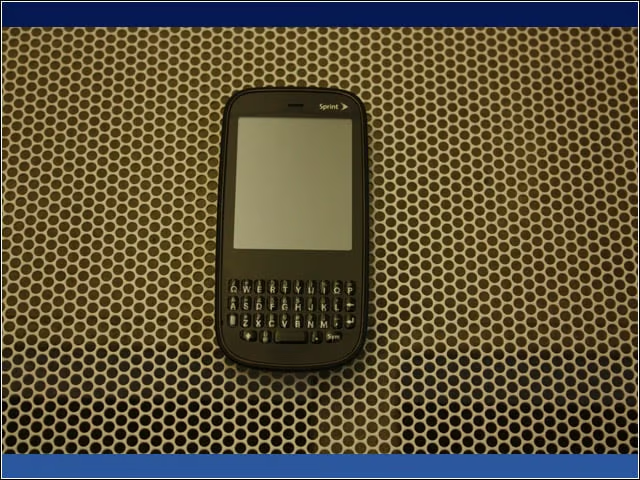
The Palm Pixi measures in at a tiny 2.2 by 4.4 by 0.4 inches and 3.26 ounces. The Pixi features the same gesture-based navigation as its predecessor, using the capacitive touch screen.


Pixi Back
3

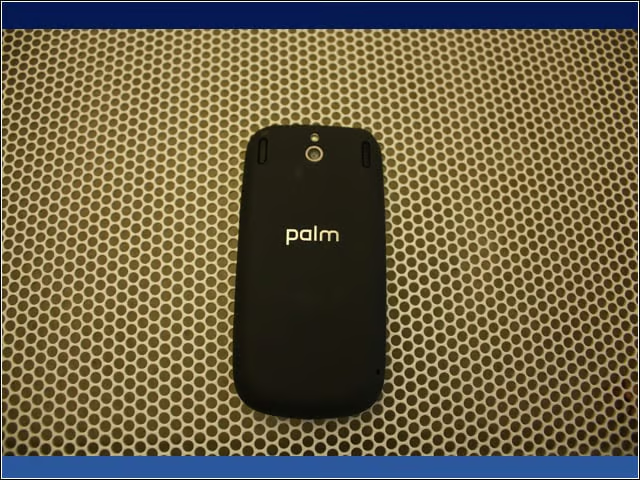
The Pixi comes with a 2-megapixel still camera with LED flash, plus a speakerphone.


Pixi Right
4

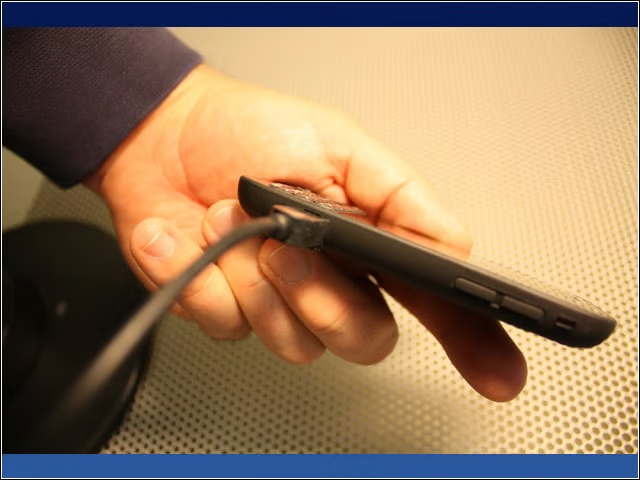
The right side of the device houses the volume controls and mute slider, plus a covered jack for the sync/power cable.


Backplate Off
5

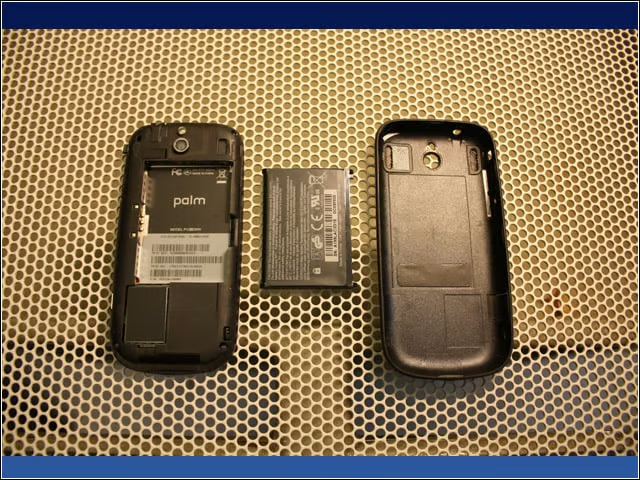
The Pixi has a replaceable 1,150 mAhr battery, but to get at it you have to figure out how to peel the backplate off. The Pixi’s battery life can be pretty short with automatic network services enabled, and I frequently found the battery dead in the mornings during my tests.


Advertisement

Account Synchronization

6

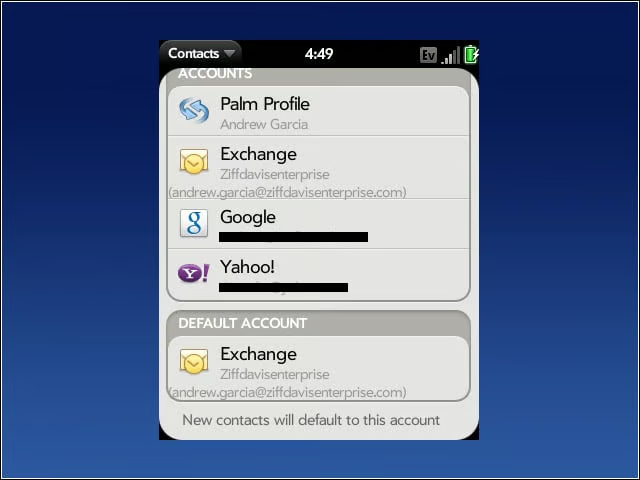
Using Palm Synergy, the Pixi can synchronize with multiple data services—including Google, Exchange, Yahoo and Facebook—unifying like content from all those sources into a single, easily searchable interface.


ActiveSync Calendar
7

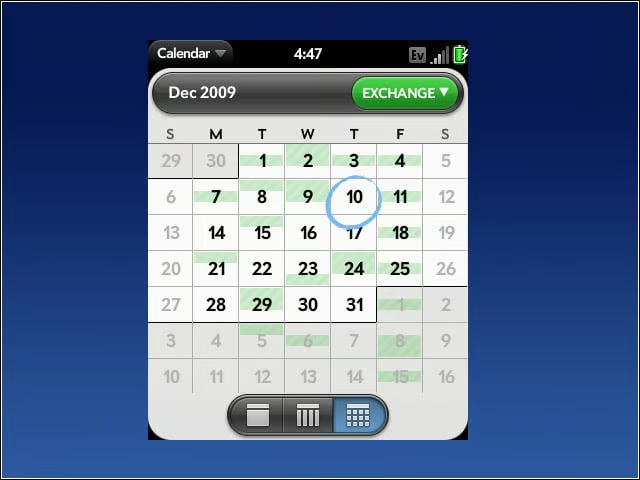
The Calendar, like Contacts and Email, aggregates content from online sources. Here, I filtered down to view only my Exchange calendar.

E-Mail

8

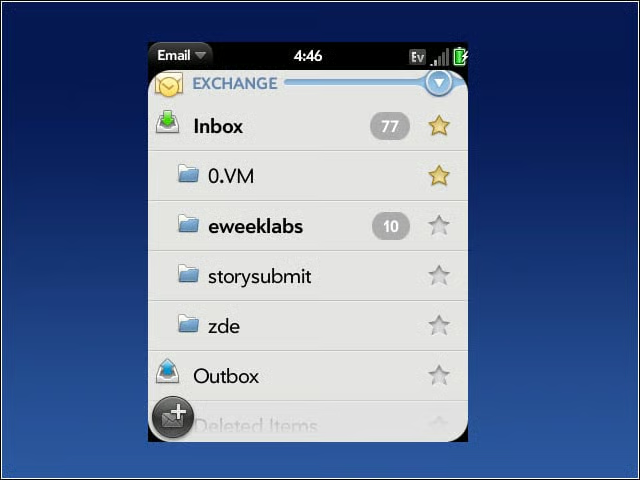
The Pixi works surprisingly well with ActiveSync. Here, it is automatically displaying my existing e-mail folders. ActiveSync works well from the management side, as well. For example, administrators can enforce certain on-device policies, such as like password complexity and length.


No Title

Andrew Garcia

Andrew cut his teeth as a systems administrator at the University of California, learning the ins and outs of server migration, Windows desktop management, Unix and Novell administration. After a tour of duty as a team leader for PC Magazine's Labs, Andrew turned to system integration - providing network, server, and desktop consulting services for small businesses throughout the Bay Area. With eWEEK Labs since 2003, Andrew concentrates on wireless networking technologies while moonlighting with Microsoft Windows, mobile devices and management, and unified communications. He produces product reviews, technology analysis and opinion pieces for eWEEK.com, eWEEK magazine, and the Labs' Release Notes blog. Follow Andrew on Twitter at andrewrgarcia, or reach him by email at agarcia@eweek.com.

eWeek Logo

eWeek has the latest technology news and analysis, buying guides, and product reviews for IT professionals and technology buyers. The site's focus is on innovative solutions and covering in-depth technical content. eWeek stays on the cutting edge of technology news and IT trends through interviews and expert analysis. Gain insight from top innovators and thought leaders in the fields of IT, business, enterprise software, startups, and more.

Propriété de TechnologyAdvice. © 2026 TechnologyAdvice. Tous droits réservés

Divulgation publicitaire : Certains des produits qui apparaissent sur ce site proviennent d'entreprises dont TechnologyAdvice reçoit une compensation. Cette compensation peut influencer la façon dont les produits apparaissent sur ce site, notamment l'ordre dans lequel ils apparaissent. TechnologyAdvice n'inclut pas toutes les entreprises ou tous les types de produits disponibles sur le marché.