






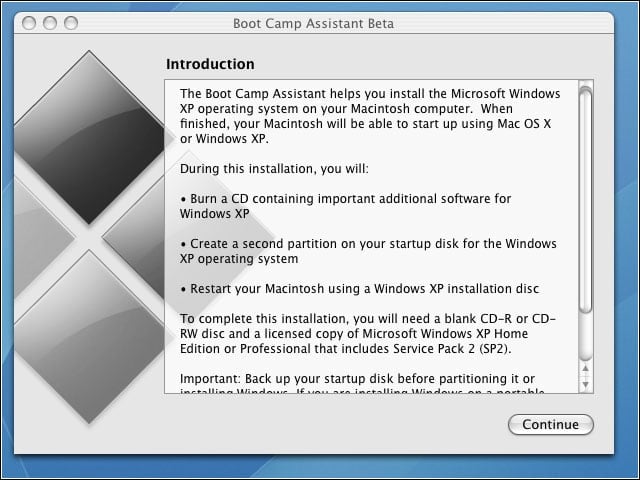


- Apple Boot Camp installation
- Apple Boot Camp installation – Warning message
- Apple Boot Camp installation – Start Windows XP Installation
- Apple Boot Camp installation – Create second partition
- Apple Boot Camp installation – Burn Disk
- Apple Boot Camp installation – Burn Driver Disk
- Apple Boot Camp installation – Windows Partitions
- Apple Boot Camp installation – Unknown Device Properties
- Apple Boot Camp installation – Unknown Device Properties – 2
- Apple Boot Camp installation – System Properties
- Apple Boot Camp installation – Before Installing Drivers
- Apple Boot Camp installation – Device Manager: After Installing Drivers
- Apple Boot Camp installation – Drivers – 1
- Apple Boot Camp installation – Drivers – 2
- Apple Boot Camp installation – Drivers – 3
- Apple Boot Camp installation – Bluetooth Device
- Apple Boot Camp installation – Dual CPUs
- Apple Boot Camp installation – Choose Start Up OS
- Apple Boot Camp installation – Our Windows Volume
- Apple Boot Camp installation – NTFS partition viewable, not editable
Apple Boot Camp installation
Apples blessing on a Windows dual-boot option may jar long-time loyalists but should ease anxieties of those not yet using Apple machines.
Apple Boot Camp installation – Warning message
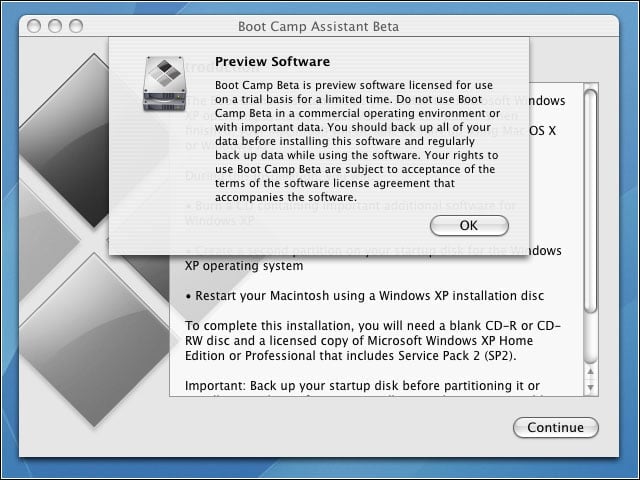
Before making any decisions based on Boot Camps debut, users should note both installation requirements and beta software warnings.
Apple Boot Camp installation – Start Windows XP Installation
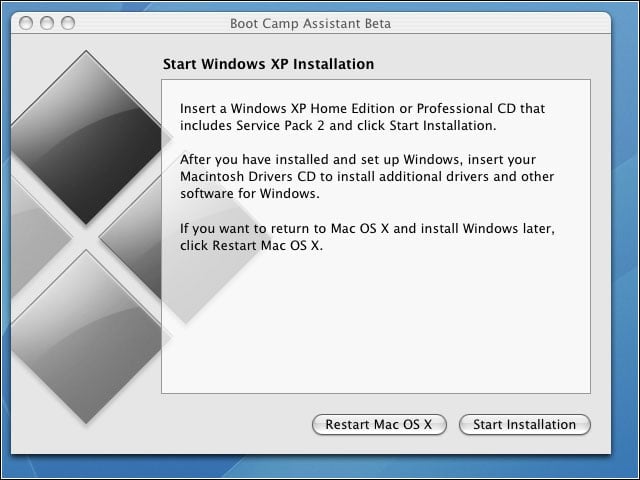
Boot Camp doesnt add Windows capability to an OS X machine; it merely paves the way for purchase and installation of Microsofts OS.
Apple Boot Camp installation – Create second partition
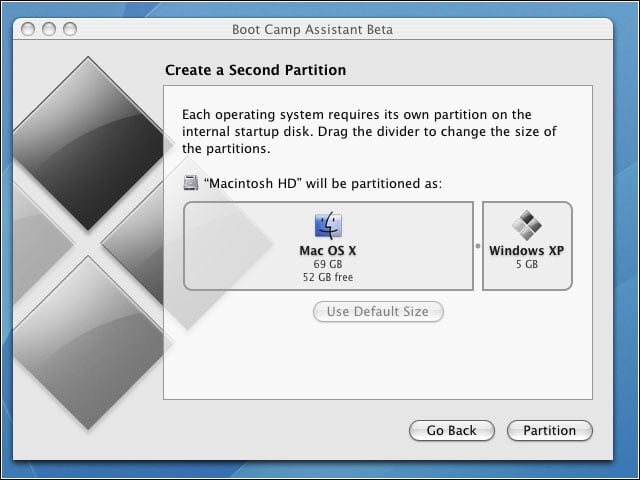
Unlike virtual-machine approaches, Boot Camp doesnt give a Mac a concurrent Windows personality; it merely enables conversion between configurations.
Apple Boot Camp installation – Burn Disk
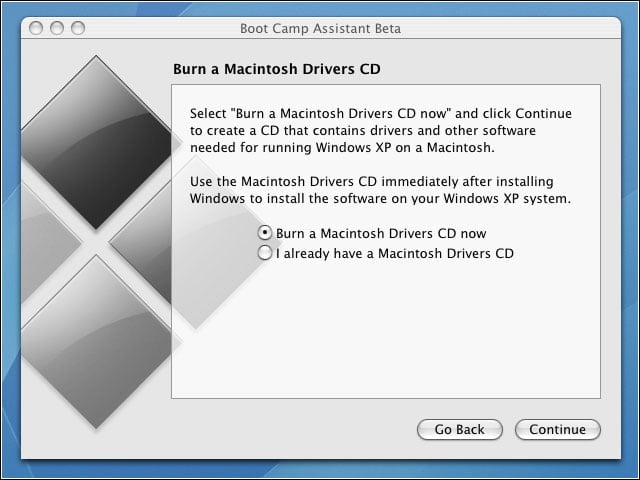
Driver compatibility has always been the most fragile aspect of any Windows installation, and it may be some time before the verdict is fully rendered on usability of new or legacy Windows devices
Apple Boot Camp installation – Burn Driver Disk
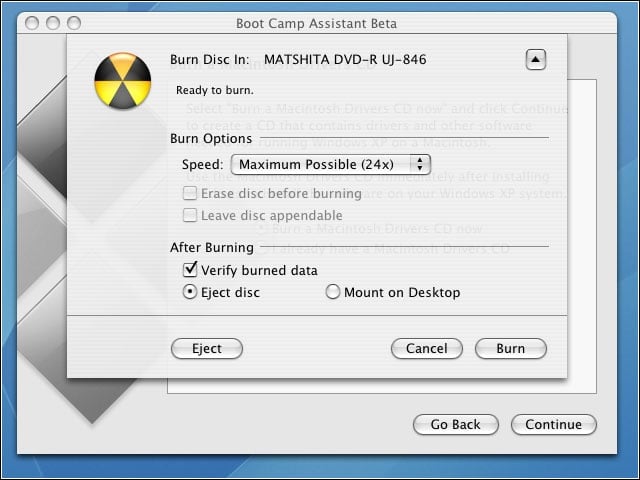
Both Apple and potential customers can only hope that burn is not in the sense of crash and burn — but with real Intel hardware under the hood, the road to Windows on the Mac looks clear.
Apple Boot Camp installation – Windows Partitions
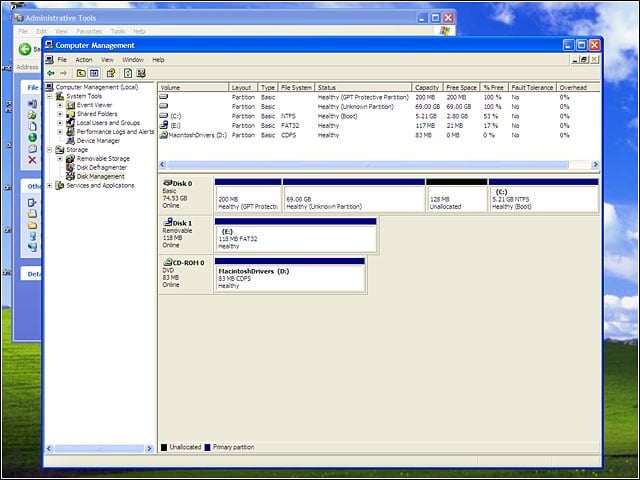
Disk partitioning restrictions would have been a bigger problem only a few years ago, but most of the machines where Boot Camp will go are likely to have the disk space to spare.
Apple Boot Camp installation – Unknown Device Properties
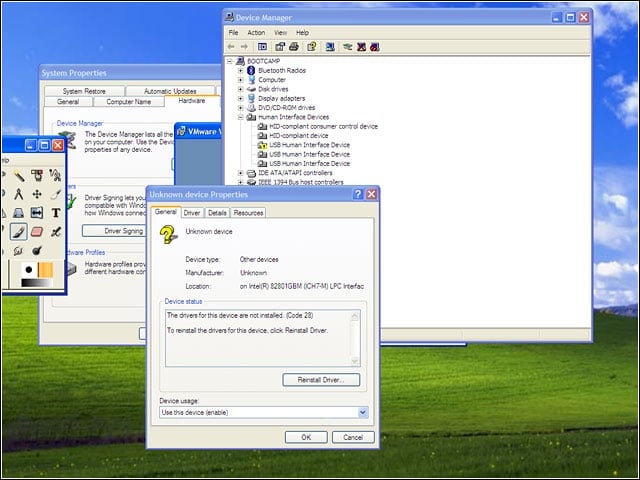
Device compatibility may prove to be the last problem solved for Windows on Mac capability…
Apple Boot Camp installation – Unknown Device Properties – 2
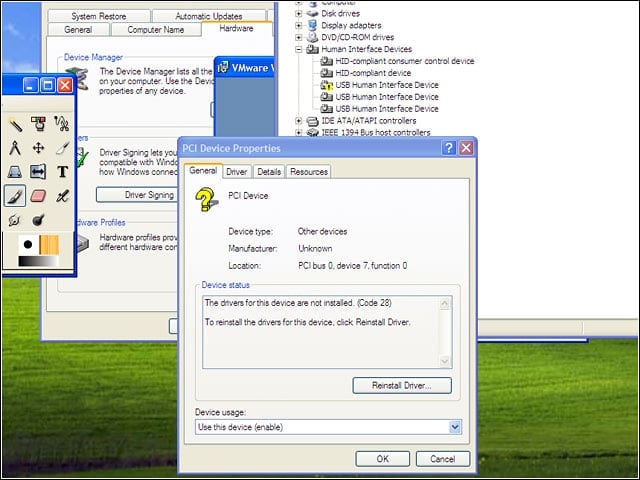
…but Apples gradual adoption — and in some cases, propulsion — of industry hardware standards has given the company a running start toward being all hardware things to all OS users.
Apple Boot Camp installation – System Properties
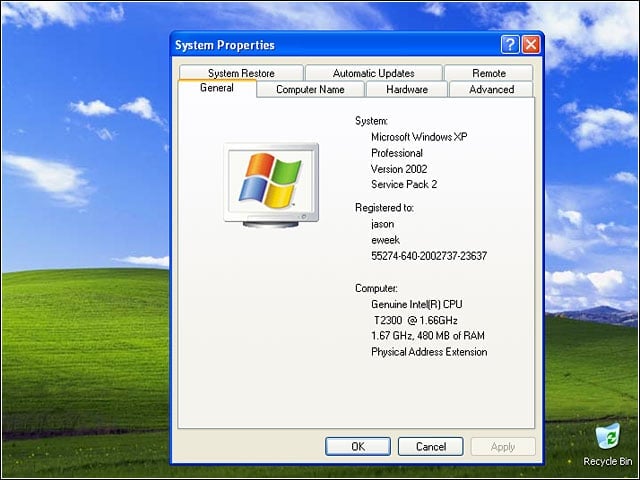
It doesnt just look like Windows XP: it is Windows XP, with nothing up any emulations sleeves.
Apple Boot Camp installation – Before Installing Drivers
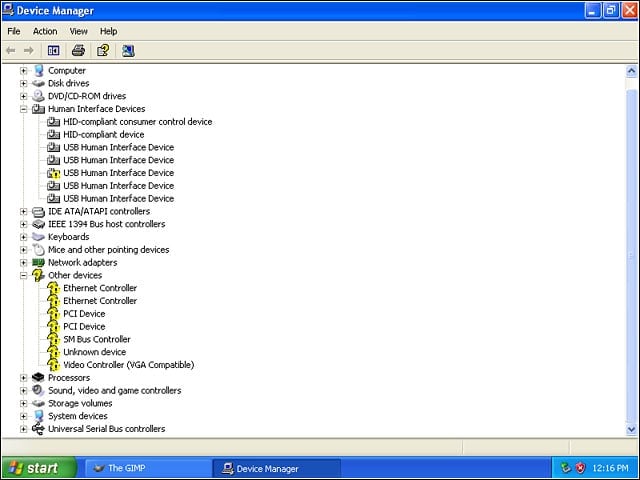
Several errors occured before installing the Macintosh drivers.
Apple Boot Camp installation – Device Manager: After Installing Drivers
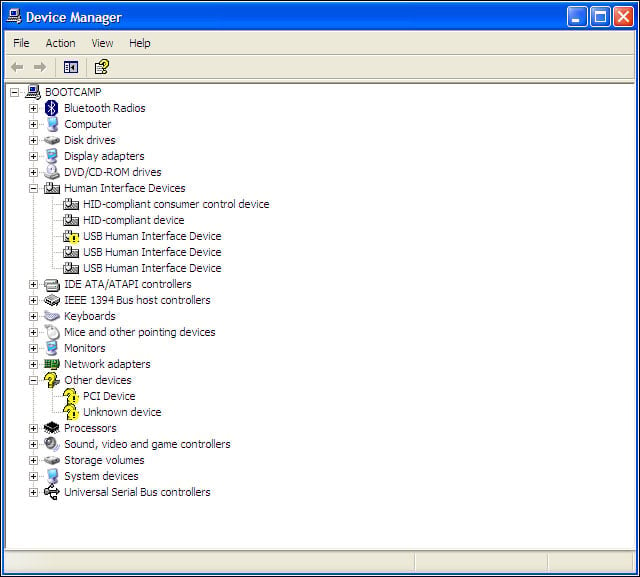
Like a disembodied brain discovering its fingers and toes, a Mac that wakes up with Windows on board can expect to take a while to figure out what it has — but driver installation does the trick.
Apple Boot Camp installation – Drivers – 1
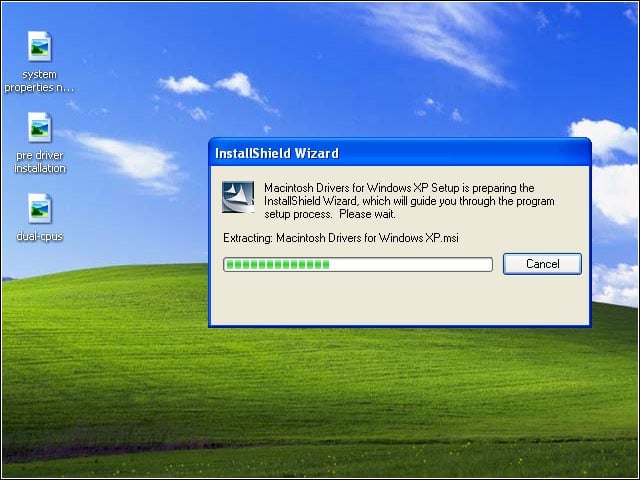
Once they get this far into the process, Windows users will see little that is not familiar.
Apple Boot Camp installation – Drivers – 2
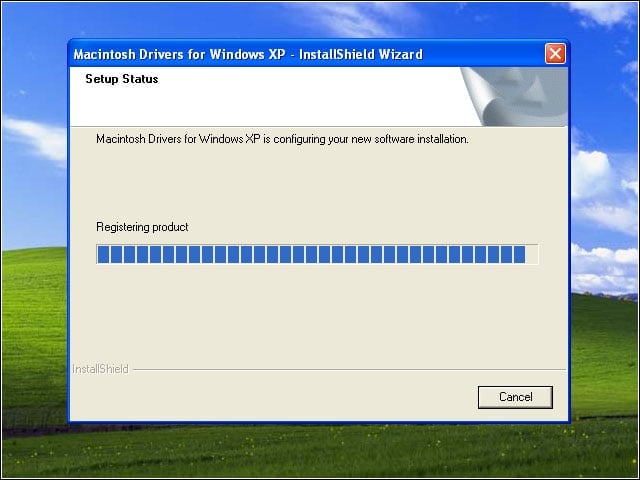
Apples attention to ease of use doesnt stop at the doorway to Winland; the Boot Camp end game should not scare anyone away from finishing the task, unlike some more complex multi-boot alternatives.
Apple Boot Camp installation – Drivers – 3
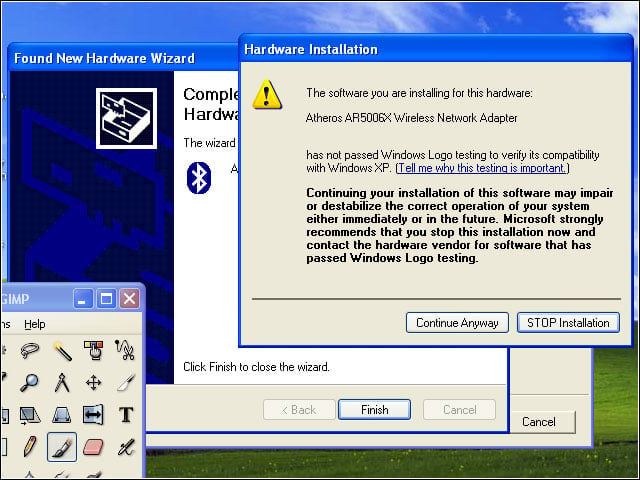
Users must expect a certain degree of cats-walking-around-each-other caution as Mac and Windows find themselves sharing space.
Apple Boot Camp installation – Bluetooth Device
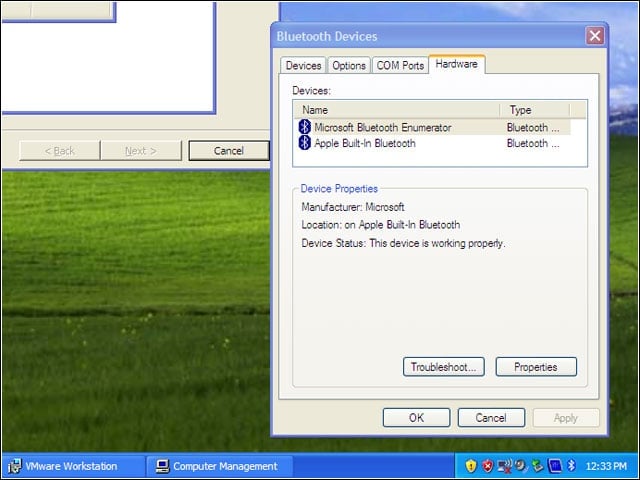
Modern hardware like Bluetooth devices ran smoothly; what did not work was a hall-of-mirrors experiment in trying to run Mac OS X from the Mac parition by booting VMWare Workstation from Windows.
Apple Boot Camp installation – Dual CPUs
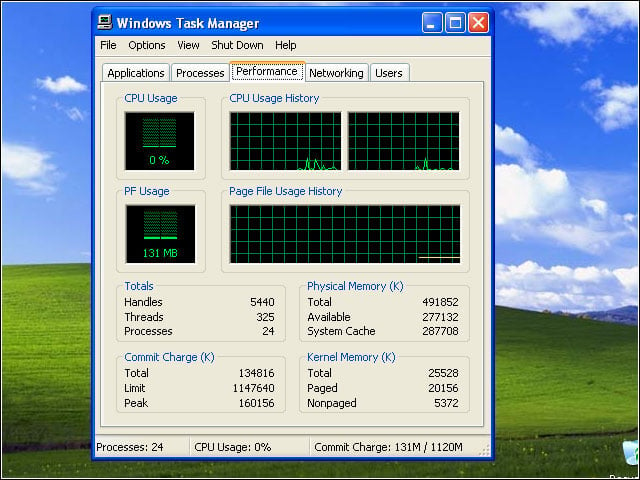
With ample CPU resources, though, a contemporary Mac is more than up to the task of making Windows march.
Apple Boot Camp installation – Choose Start Up OS
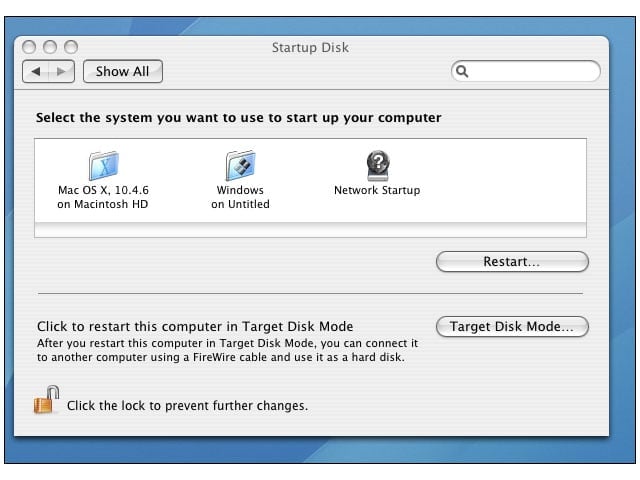
To Apples credit, Windows can be selected as the default on a Boot Camped machine; Windows users owe it to themselves, though, to give OS X a chance before they retreat to the familiar.
Apple Boot Camp installation – Our Windows Volume
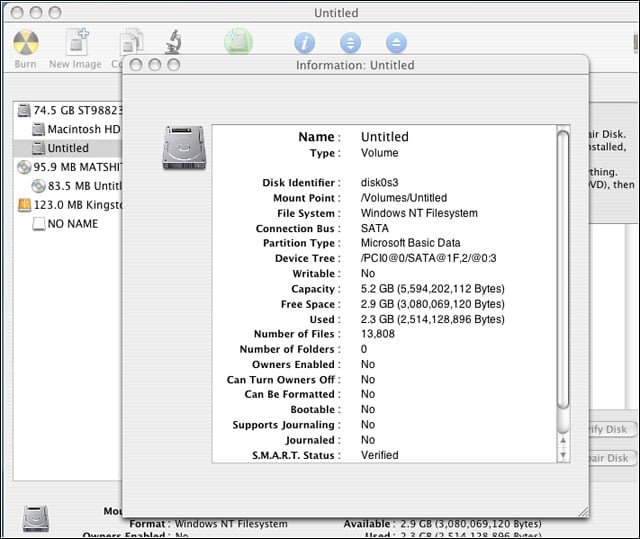
Choice of Windows partition details must balance best Windows performance and control against maximum interoperability
Apple Boot Camp installation – NTFS partition viewable, not editable
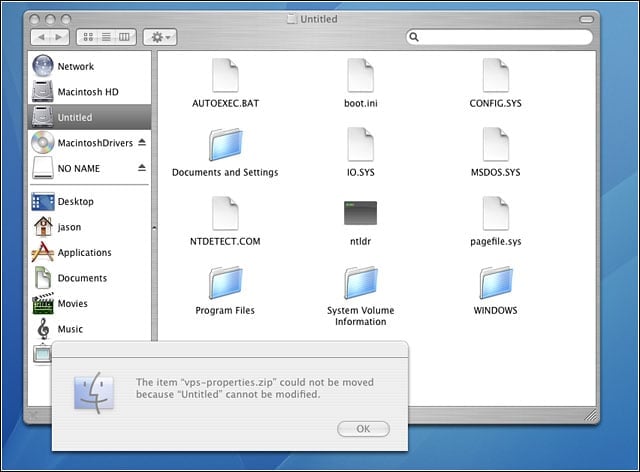
There are good reasons for using NTFS in the Windows disk partition, but there are drawbacks as well.