






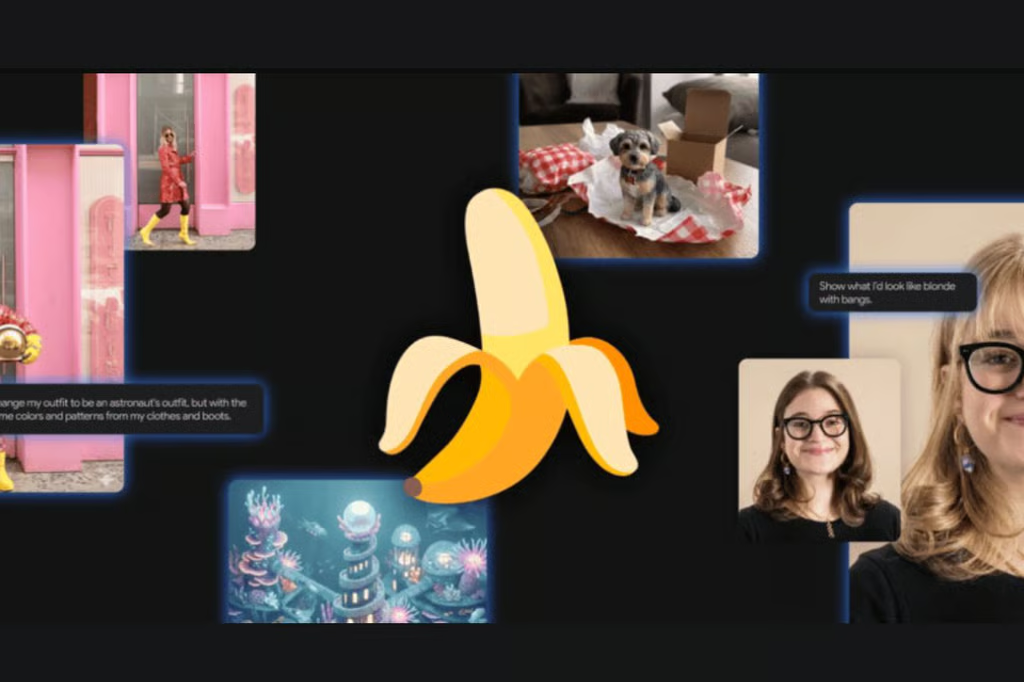


Google’s Nano Banana showed up suddenly last year, and as they say, the rest is history.
The tech giant's weirdly named creation — Nano Banana — is a family of AI image generation and editing models, built on the Gemini 3 architecture. Think of it this way: Gemini 3 is the brain doing the reasoning, and Nano Banana is the hand holding the paintbrush.
Rather than functioning as an isolated text-to-image toy, Nano Banana operates as a fully integrated visual reasoning engine. It acts as the visual execution system paired with Gemini’s underlying cognitive brain, translating dense datasets, brand kits, and complex layouts into pixel-perfect deliverables.
There are three models in the current lineup:
Model | Official name | Speed | Best for |
| Nano Banana | Gemini 2.5 Flash Image | Fast | Everyday edits, basic generation |
| Nano Banana Pro | Gemini 3 Pro Image | Slower | Brand work, print, precision output |
| Nano Banana 2 | Gemini 3.1 Flash Image | Fastest (3× Pro) | Rapid iteration, social content, mockups |
Key distinction: Nano Banana 2 is not a downgrade from Pro; it's a different tool built for a different job. Speed and volume vs. polish and precision.
- Where to access it
- Core specs at a glance
- Five prompting frameworks to get the best output from Nano Banana
- Text-to-image (no reference)
- Multimodal generation (with reference images)
- Image editing (conversational)
- Real-time data visualization
- Prompt like a creative director
- Text rendering cheat codes
- Aspect ratio quick reference
- Nano Banana 2 vs Pro: When to use which
- Common failures and how to fix them
- Watermarking and AI detection
- Quick reference prompt starters
Where to access it
Platform | What you get |
| Gemini App (iOS/Android/Web) | Full access, free tier included — easiest starting point |
| Google Search (AI Mode) | Quick generation within search results |
| Google Lens | Image creation via the Lens Create feature |
| Google AI Studio | Developer testing and prompt experimentation |
| Gemini API / Vertex AI | Production deployment, batch workflows, governance controls |
| Google Slides ("Help me visualize") | Inline visual generation inside presentations |
Note on free: Both Nano Banana 2 and Nano Banana Pro are accessible for free through the Gemini app, but Pro usage has a generation cap. Hit the cap, and the app automatically rolls you back to the base model.
Core specs at a glance
Nano Banana 2 (Gemini 3.1 Flash Image)
- Generation speed: 2–5 seconds per image
- Max resolution: 4K (4096×4096), with native 512px, 1K, and 2K options
- Aspect ratios: 15 options including extreme formats — 8:1 and 1:8 (unique to this model)
- Character consistency: Up to 4 characters across a series
- Reference images: Up to 14 object references in a single prompt
- Input token limit: 131,072
- Output token limit: 32,768
- Text rendering accuracy: ~87% (industry-leading)
- Real-time web search: Yes — pulls live data to inform generation
- Cost vs Pro: ~75% cheaper per image
Nano Banana Pro (Gemini 3 Pro Image)
- Generation speed: ~10–15 seconds per image
- Max resolution: Native 4K
- Aspect ratios: Standard set (1:1, 16:9, 9:16, 4:3, 3:4, 21:9, etc.)
- Character consistency: Up to 5 characters
- Reference images: Up to 14 object references
- Input token limit: 65,536
- Output token limit: 32,768
- Text rendering accuracy: ~64%
- Real-time web search: Yes
- Style locking: More stable across long prompt series
Both models share: C2PA Content Credentials, SynthID invisible watermarking, multilingual text generation (10+ languages), and a knowledge cutoff of January 2025, supplemented by live search.
Five prompting frameworks to get the best output from Nano Banana
Text-to-image (no reference)
You're the director of a scene that doesn't exist yet. Keywords alone won't cut it; describe the scene like you're briefing a photographer.
Formula: Subject + Action + Location/Context + Composition + Style
Example prompt:
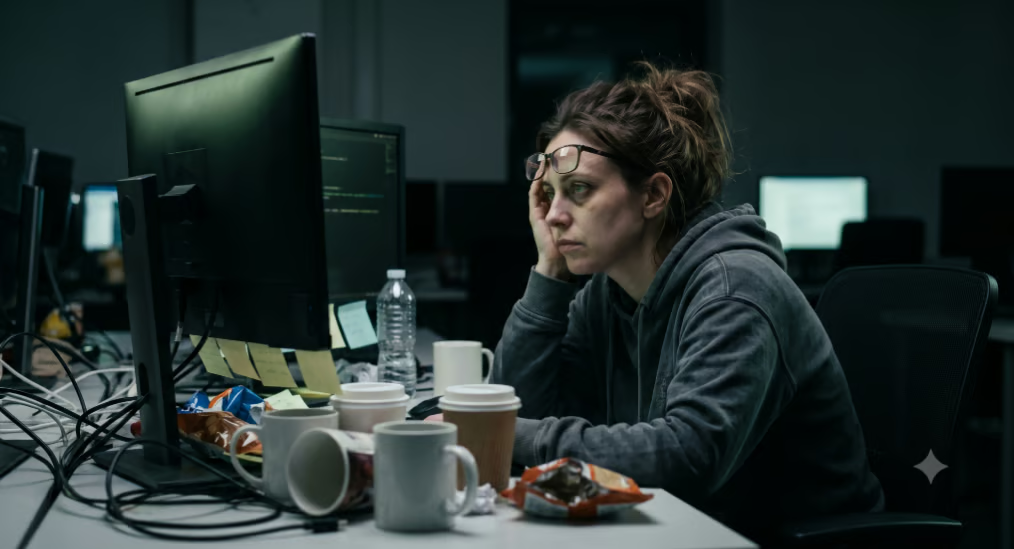
"A tired-looking software engineer in her late 30s, dark circles under her eyes, sitting at a cluttered desk surrounded by empty coffee cups. She's staring at a monitor with a faint green glow. Low-angle medium shot. Cinematic color grade, muted blue-green tones, documentary-style lighting."
Multimodal generation (with reference images)
Feed the model existing images to guide its output, useful for brand consistency, product placement, or character carry-over.
Formula: Reference images + Relationship instruction + New scenario
Example prompt:
"Using the attached product photo as the object and the attached mood board as the style reference, place the product in a sun-lit coastal café setting. Keep the product proportions exact. Lifestyle shot, editorial quality."
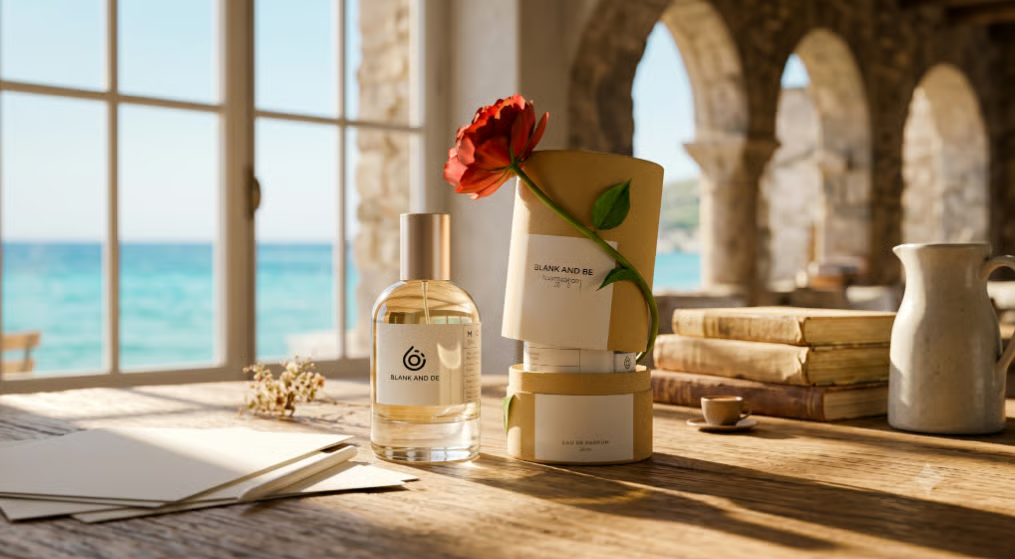
Image editing (conversational)
You already have a base image. Your job is to be precise about what changes and what stays locked in place.
The five core editing verbs:
Verb | Use it when... | Example |
| Add | Inserting something new | "Add a red neon sign above the doorway" |
| Remove | Deleting an element | "Remove the car parked in the background" |
| Replace | Swapping one thing for another | "Replace the grey sky with a dramatic storm" |
| Change | Altering an existing element | "Change her jacket to a deep burgundy leather" |
| Make | Applying a style or transformation | "Make this look like a 1970s film photograph, grainy and warm" |
Pro tip: Always tell the model what to keep and what to change. Adding "keep the subject's face and clothing exactly as they are" dramatically reduces unwanted drift in the output.
Real-time data visualization
Nano Banana 2 can pull live information from the web and visualize it, a capability no other major image model currently matches.
Formula: Search/source request + Analytical task + Visual format
Example prompt:
"Search for today's air quality index in London. Represent the data as a clean illustrated dashboard in a smartphone UI mockup. Use a simple icon system — green for good, amber for moderate, red for poor. Include the borough name and a timestamp."
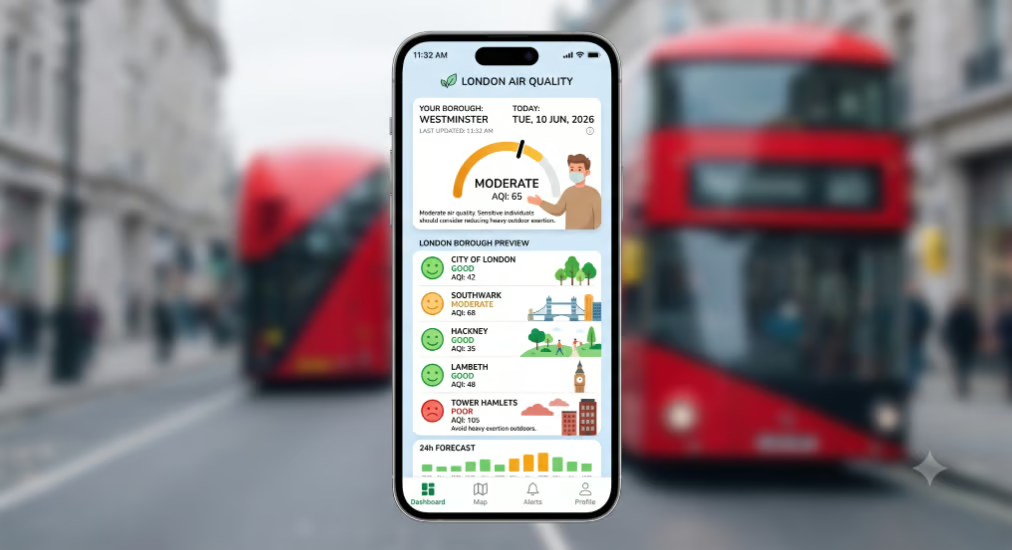
Verify outputs: Real-time data features are promising but not bulletproof. Dates and statistics are known to pull out stale information. Always cross-check data-driven visuals against a reliable source before publishing.
Prompt like a creative director
Move beyond description; give the model the same kind of brief you'd give a shoot photographer.
Lighting options to specify:
- Soft fill: "Three-point softbox setup, even illumination, no harsh shadows"
- Drama: "Chiaroscuro lighting, single hard source from camera left"
- Natural warmth: "Golden hour, backlit, long shadows across the ground"
- Product clean: "Flat lay, overhead, diffused white studio light"
Camera and lens language:
- "Shot on Fujifilm X100V, natural color science"
- "Wide-angle lens, f/2.8, shallow depth of field, subject sharp, background soft"
- "Macro lens, extreme close-up, surface texture visible"
- "Aerial view, drone perspective, 200mm equivalent focal length"
Color grading shortcuts:
- Nostalgic: "Kodak Ektar film stock, slight color fade, warm highlights"
- Moody cinema: "Teal and orange color grade, crushed blacks"
- Clean commercial: "Neutral color temperature, high clarity, no grain"
Material and texture prompting: Don't say "jacket" — say "oversized vintage denim jacket, pre-washed indigo, stress marks along the seams." The more tactile your language, the richer the output.
Text rendering cheat codes
Nano Banana 2's text accuracy is currently one of the best of any AI image model. To maximize it:
- Always use quotation marks around the exact text you want rendered: "SUMMER SALE"
- Name the font or describe it: "Bold condensed sans-serif, similar to Impact" or "Flowing brush script, similar to Pacifico"
- Specify color and size relationship: "Large white headline text, smaller grey subheading below"
- Use the text-first trick: In a conversational session, ask Gemini to generate the text copy first, then ask for the image containing that copy. The model handles pre-approved text more accurately than text it has to invent.
- Localization: Specify the target language directly — "Translate this text into Arabic and render it right-to-left in the poster layout."
- Don't rely on it for long-form body copy: Headlines, labels, short slogans; solid. For full paragraphs of article text, expect waviness and occasional errors at the character level.
Aspect ratio quick reference
Ratio | Best use |
| 1:1 | Instagram posts, profile images |
| 16:9 | YouTube thumbnails, presentations, desktop wallpapers |
| 9:16 | Reels, TikTok, Stories, mobile ads |
| 4:5 | Instagram feed (optimal engagement format) |
| 21:9 | Cinematic widescreen, website hero banners |
| 8:1 (NB2 only) | Ultra-wide website headers, email banners |
| 1:8 (NB2 only) | Vertical mobile app assets, sidebar graphics |
| 3:2 | Print photography standard |
| 4:3 | Presentation slides, older screen formats |
Nano Banana 2 vs Pro: When to use which
Choose Nano Banana 2 when:
- You're iterating fast and need to see options quickly
- The brief is for social media, web graphics, or marketing mockups
- You need readable text in the image (its text accuracy is actually higher than Pro)
- Cost-per-image matters (it's 75% cheaper)
- You need extreme aspect ratios (8:1 or 1:8)
- You're building or testing an image pipeline at volume
Choose Nano Banana Pro when:
- The final output is going to print or a large-format display
- You need maximum photorealism in complex multi-subject scenes
- Brand consistency across a large batch of images is critical
- You're doing high-end product photography for a premium campaign
- The prompt is long, layered, and highly specific; Pro handles complex briefs more faithfully
Common failures and how to fix them
Problem | Likely cause | Fix |
| Face looks merged or distorted | Ambiguous reference prompt | Add: "Keep each person visually distinct, do not blend facial features" |
| Hands have too many fingers | Known AI anatomy limitation | Regenerate, or crop composition to minimize hand visibility |
| Style drifts between generations | No style anchor in prompt | Include a consistent style phrase in every prompt in the series, or reference a prior output |
| Text is garbled or wavering | Prompt lacks specificity | Use quotes, name the font, keep copy short |
| Real-time data is outdated | Web search latency or caching | Always verify dates and statistics manually before publishing |
| Output ignores part of the prompt | Too many instructions at once | Break into sequential prompts — generate first, then edit in stages |
| Image looks blurry despite high resolution | Generation artefact | Regenerate; add "sharp focus, high clarity" to the prompt |
| Aspect ratio reverts to default | Not specified explicitly | State the ratio at the start of the prompt: "Generate a 9:16 image of..." |
Watermarking and AI detection
Every image generated by Nano Banana carries two layers of attribution:
SynthID: An invisible digital watermark embedded at the pixel level, undetectable by the human eye but readable by detection tools. It survives basic watermark-removal software. Google's SynthID verification feature in the Gemini app has been used more than 20 million times since launch.
C2PA Content Credentials: A metadata standard that logs how an image was created, including AI involvement. Think of it as a provenance receipt embedded in the file. Verification is rolling out to the Gemini app.
What this means for journalists and publishers: AI-generated images from Nano Banana are technically identifiable if the right tools are used, but the watermarks are invisible during casual social media browsing. User awareness remains the weakest link in the chain.
Quick reference prompt starters
Copy, adapt, and use these as starting points:
- Product mockup: "Studio product shot, [product description], placed on a [surface texture], soft diffused lighting from the left, shot on a mirrorless camera with a 50mm lens, clean white background, commercial quality"
- Social media graphic with text: "Square 1:1 format, bold graphic poster, deep navy background, large centered text reading "[YOUR HEADLINE]" in a heavy condensed sans-serif font in white, minimalist flat design style"
- Infographic slide: "16:9 format, clean corporate infographic showing [your data points], flat icon style, blue and white color palette, bold axis labels, no background clutter"
- Character-consistent series: "[Character description]. [Scene description]. Maintain the character's exact appearance — face, hair, clothing — across all images in this series."
- Photo restoration: "Restore and colorize this black-and-white photograph. Preserve the original composition and subject details exactly. Add natural, era-appropriate color. Increase clarity and reduce grain."
- Localized marketing asset: "Generate a promotional banner for [product/event]. Include the text [your copy] rendered in [language]. Cultural context: [market]. Format: 16:9."
Also read: Our list of the best Nano Banana prompts shows how to create micro-world scenes, product mockups, cinematic edits, and more.