







Windows Server 2008 R2 RC Includes Important Improvements to Hyper-V Implementation
Running Together
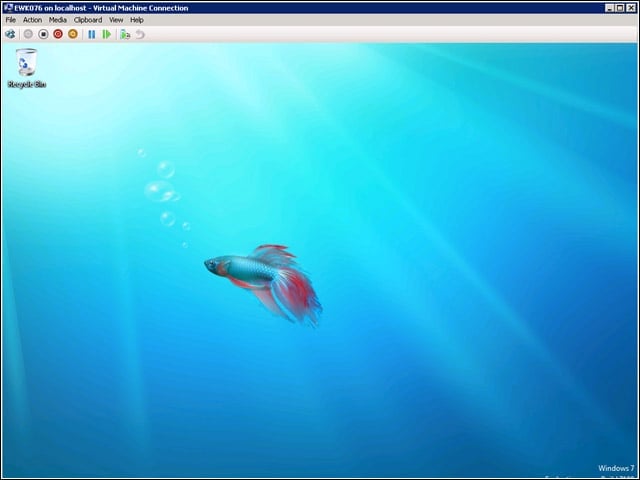
Windows Server 2008 R2 RC improves on how guest machines are hosted in Hyper-V. In the next several screens, I’ll add a virtual hard drive to this running instance of Windows 7 to add storage space.
Adding VHD
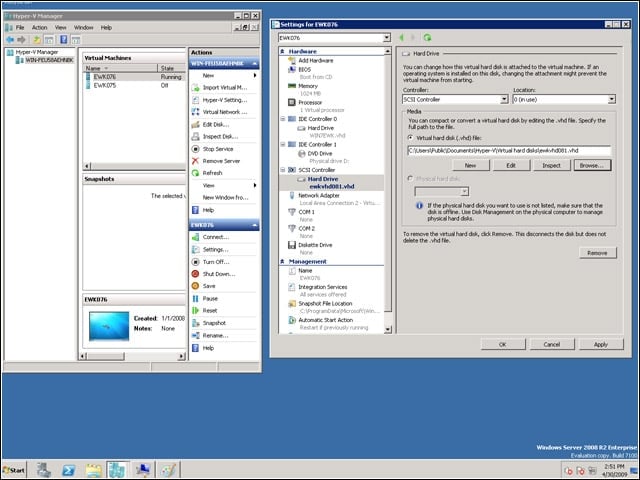
On the left, you see two virtual machines: EWK076, shown running, and EWK075, which is off. On the right, you see that I’m adding “ewkvhd081,” a virtual hard drive I created earlier, to the running VM named EWK076.
Two Drives
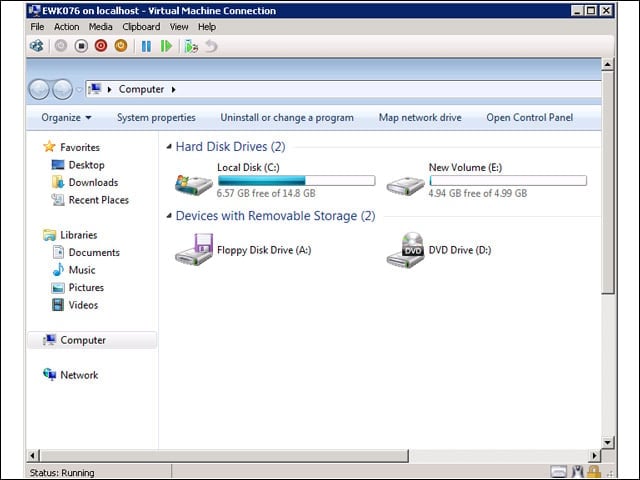
Looking at the system properties on the virtual machine EWK076, you can see that there are now two hard drives available. Local disk C: is the 15GB drive that was created with the virtual machine and holds the Windows 7 operating system and also the new volume E:, which is a small 5GB virtual hard drive.
Now Just One
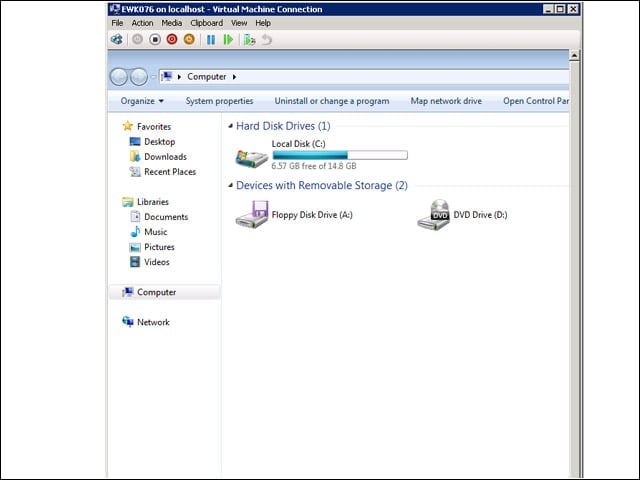
On the fly, I was able to remove the virtual hard drive E: through the Hyper-V manager running on my Windows 2008 R2 system. The virtual machine, EWK076, didn’t hiccup as hard drives were added and removed while it was running.
Logical Processors
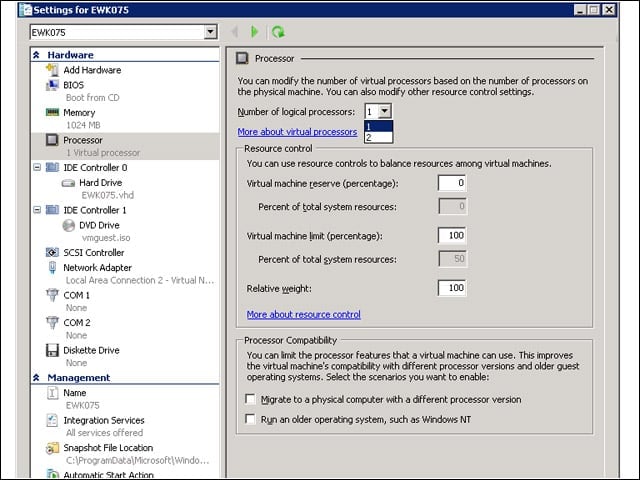
According to a November 2008 Microsoft posting on TechNet, Hyper-V can handle up to 32 physical processors. The number of logical processors that can be assigned to a guest is limited to the number of physical processors. Here, you see that my test system has two physical processors.
AppLocker
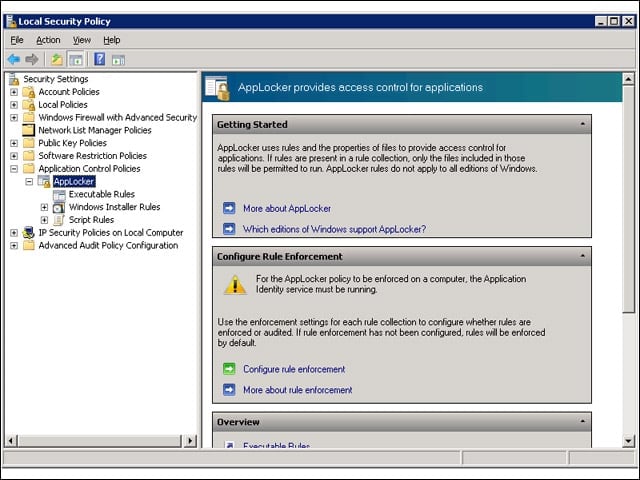
AppLocker replaces the Software Restriction Policies feature in Windows 7 and Windows Server 2008 R2. AppLocker has been cleaned up to reduce administrative overhead and help control how users can access and use files, such as .exe files, scripts, Windows Installer files and DLLs.
User Account Control
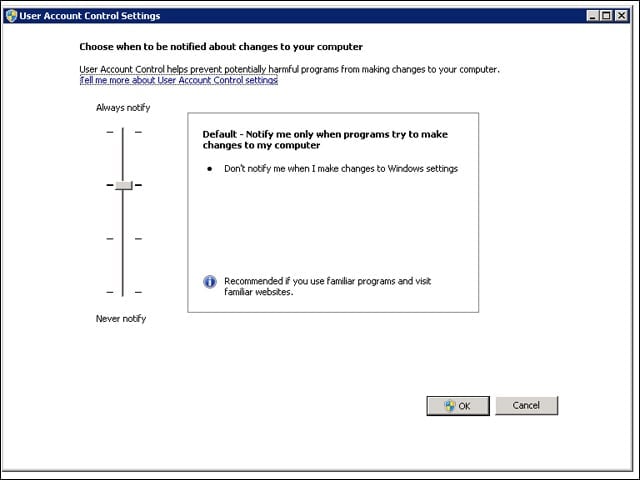
In Windows 7 and Windows Server 2008 R2, UAC increases the number of tasks that the standard user can perform without prompts for administrator approval, allows a user with administrator privileges to configure the UAC (shown here) and provides additional local security policies.
PowerShell
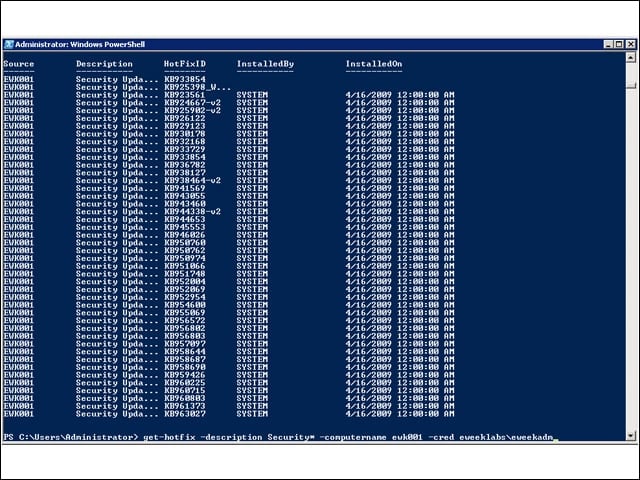
There are many new command tools, called cmdlets, including one shown in action here called get-hotfix that retrieved the security hotfixes off of another server on the eWEEK Labs test network. You can see the command at the bottom of the screen.