








- Windows 10 Preview Shows What Windows 8 Should Have Looked Like
- Shades of the Past Loom in Windows 10 Preview
- The Start Menu Returns
- There’s Now a Search App
- Making System Settings Outside of the Control Panel
- Windows 10 Borrows Something From Linux, Unix
- It’s OK to Mix App Types
- There Are More Echoes of Windows 8
- Multitasking Made Easy
Windows 10 Preview Shows What Windows 8 Should Have Looked Like
By Wayne Rash
Shades of the Past Loom in Windows 10 Preview
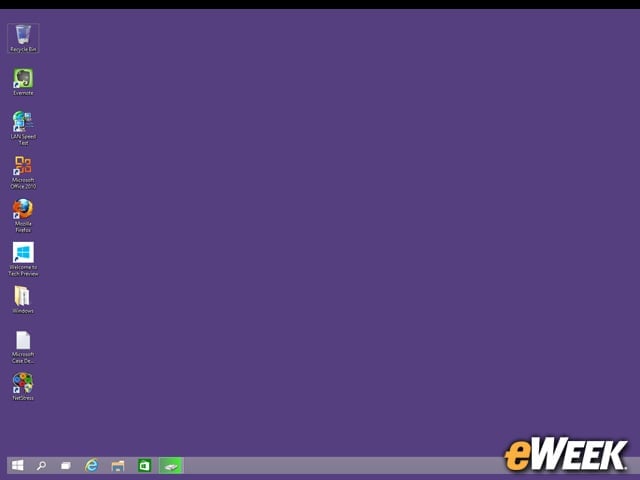
Windows 10, labeled here as the Windows Technical Preview, boots into the Windows Desktop when it’s installed on a machine without a touch screen. If this looks a lot like the Windows 8 desktop to you, then you’d be right. But there are minor differences, including the Microsoft Store on the taskbar and a new icon for Windows Explorer. The Windows icon in the lower left corner looks just like the one that invoked the Start screen but actually invokes the new Start Menu.
The Start Menu Returns
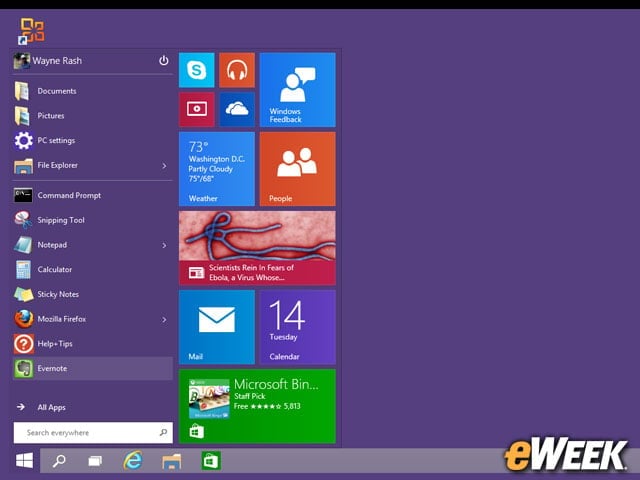
Yes, the Start Menu is back. Attached to the menu items is a box containing tiles harkening back to the Windows 8 Start Screen. The tiles work the same way, and you can change their size and position and change what’s displayed on the tiles. The whole thing is actually very configurable, so users can modify it to meet their needs.
There’s Now a Search App
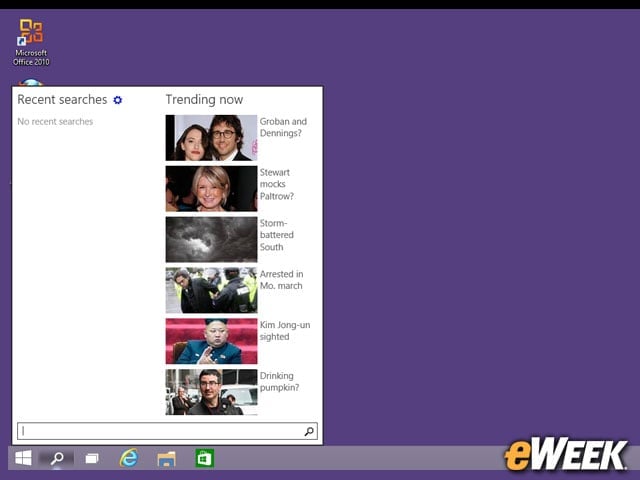
Click on the magnifying glass on the Taskbar, and you get a search app that, among other things, shows you trending headlines. It’s also supposed to list your most recent searches, but that appears not to be fully functional. What’s important is that the search function will now search your computer and the Internet all at once. It’s kind of nifty, unless you’re just trying to find last week’s invoice.
Making System Settings Outside of the Control Panel
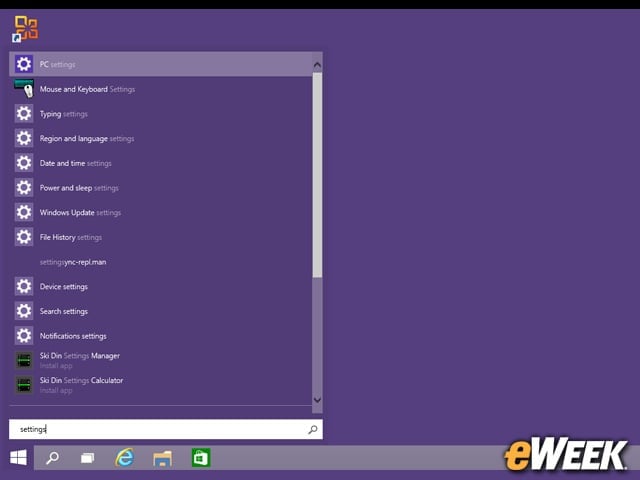
There’s life beyond the control panel. While the familiar Windows Control Panel still exists, there is also a separate list of functions for some settings if you search for them. They do the same thing as the control panel, but this is another way to find them.
Windows 10 Borrows Something From Linux, Unix
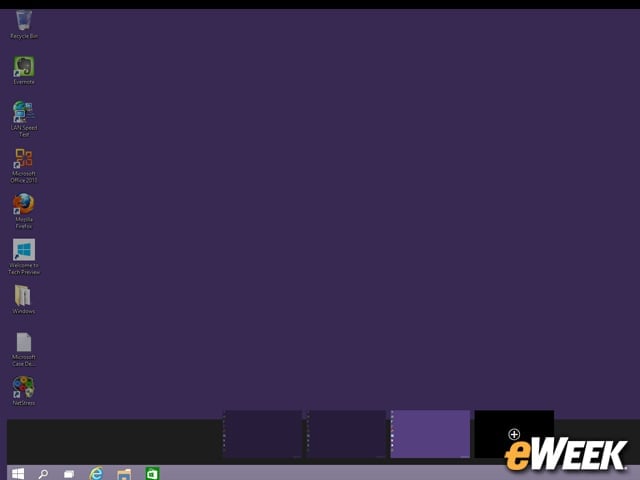
What appears to be a selection of multiple desktops at the bottom of the screen is actually (wait for it) a display of multiple desktops. Windows has borrowed the idea of multiple desktops from the Unix and Linux world and brought them to Windows. Each looks like a duplicate of the first desktop, but you can open different apps in them, and then switch as needed. It’s a great way to keep work apps separate from the fun stuff.
It’s OK to Mix App Types
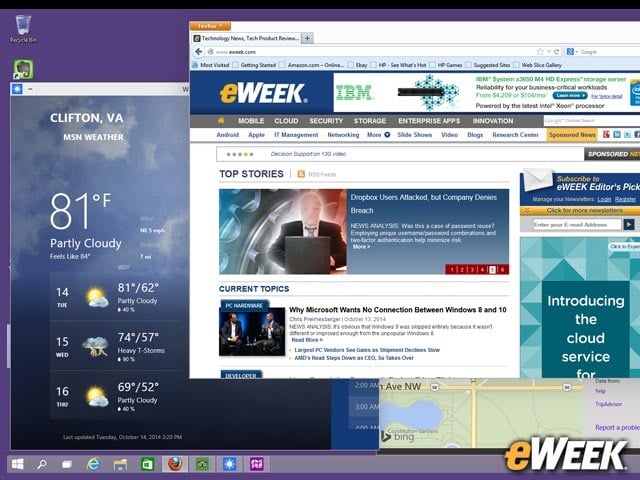
Here’s something you could never have done with Windows 8. Open on this screen are a traditional desktop app (Firefox in this case) and a couple of those Modern apps that used to work only on the tiled interface. In this case, we’re seeing the Maps and the Weather apps. Those apps are indeed from the Microsoft Store, and they now run in their own Windows. They can be resized as needed.
There Are More Echoes of Windows 8
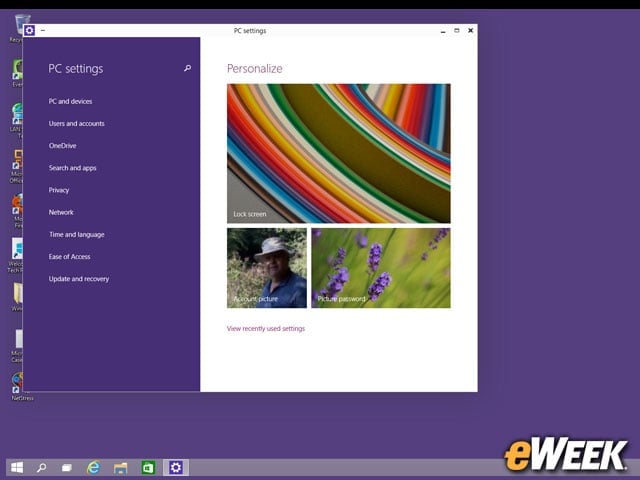
There’s yet another way to change settings on Windows 10, this time in the same Settings app that existed in Windows 8. There are some differences in this version, but they’re minor. Perhaps the most significant difference is that you can’t shut down the computer from here. That’s back on the Start Menu where it belongs.
Multitasking Made Easy
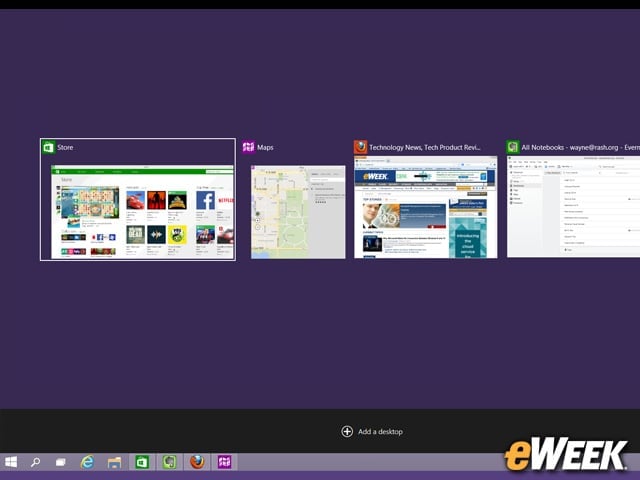
One of the annoying things about earlier versions of Windows was that it was easy to open enough windows to lose track of what was where, making it hard to find things. Now, you can switch between apps and desktops easily and quickly. Here is an example of how it looks with a few windows open. Note that you can also add desktops, which will appear below these windows. This feature adds significantly to the ease of use with Windows 10.