







[WP_IMAGE]VMware vSphere 5.0 marks a step forward for the vNetwork Distributed Switch (vDS) with the addition of a SPAN monitoring port and user-definable network resource pools, and virtual-to-physical configuration of QoS using 802.1 tagging.These are all advances in virtual switch infrastructure. The next step is to make networking as easy to implement as creating a VM.I
’
ll admit that lab networking architecture (whether in eWEEK Labs or in your own test environment) isn
’
t stringently planned out. Nor is it subject to the kind of rigorous change controls that would apply to a production network. Further, our existing virtual switches provided
“
good enough
”
networking and weren
’
t maintained much beyond making sure that all the VMs could see each other and the storage.Having said all that, it
’
s pretty clear that networking is still an
“
also starring
”
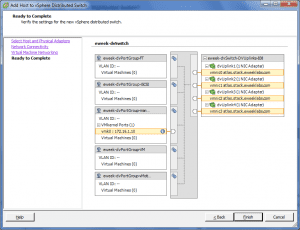
technology at VMware. During my tests, one of the chief headaches of my time in the trenches was caused by the migration of the existing, virtual standard switches associated with each of my ESX host systems. There are a variety of ways to go from every-host-has-it
’
s-own-switch to one big switch. The point is that it was very difficult to even get a handle on the process. And once I had adopted the simplest method (given my small environment and quiescent VMs) it was still tricky to both migrate the switch and maintain connectivity to the management port via vCenter.I would like to see more automation built into the vDS creation process. At the end of the day, adding and removing physical host network resources should be about as easy as standing up and pulling down a VM.