







Secunia PSI 2 Finds and Installs Patches for Installed Applications
by Andrew Garcia
Dashboard History
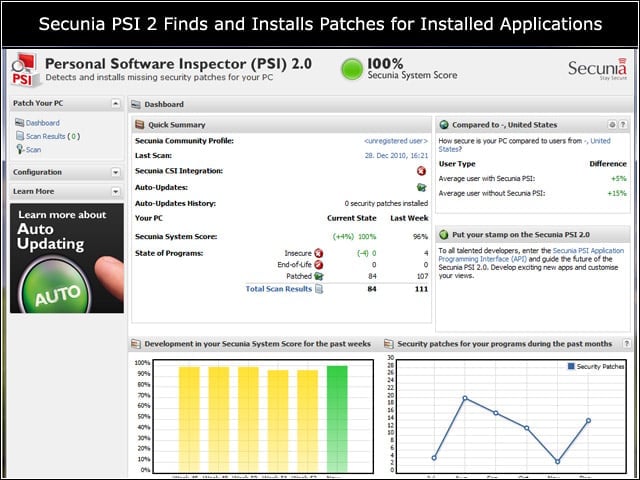
The new dashboard clearly shows latest security posture assessment, along with historical graphs depicting posture over time and well as aggregate patches relevant to the system. Best of all, the new dashboard doesn’t need ActiveX-based Flash anymore.
Scanning
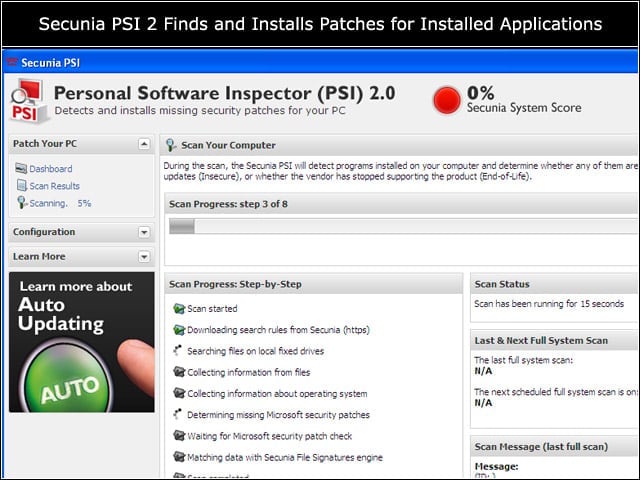
Leveraging Secunia’s vulnerability research, PSI conducts a weekly scan of operating system components and all applications installed, looking for out-of-date or end-of-life applications that could pose a security risk.
Auto Updates
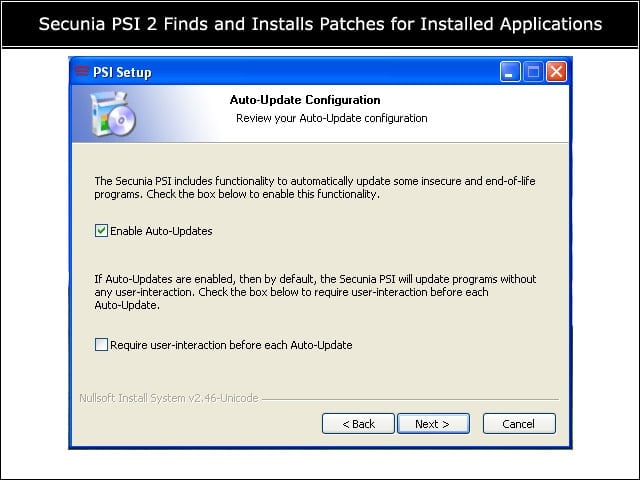
New with version 2.0, PSI now can patch certain programs as well as alert status. PSI will attempt to auto-install patches for supported applications or wait for user approval.
Scan Results
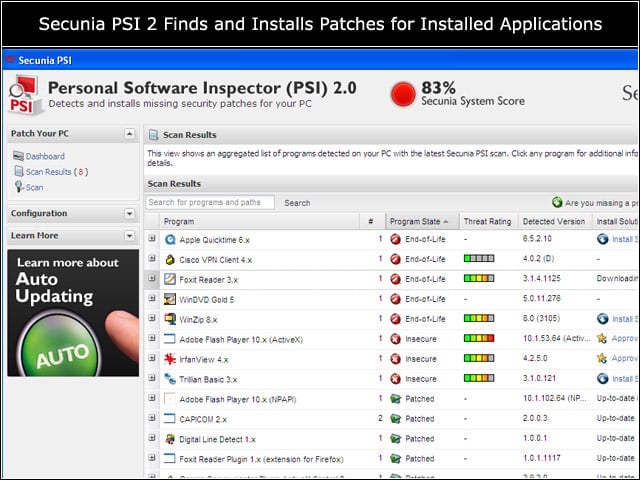
PSI 2.0 now shows all detected applications in a single screen, moving insecure and end-of-life applications to the top of the list. The user can approve installation of patches for supported applications directly from the list.
System Tray
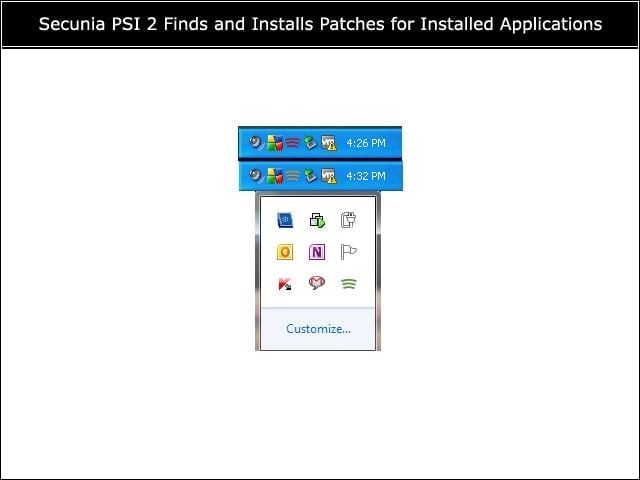
The System Tray icon is now functional in both Windows XP and Windows 7, showing the user a different color depending on system state assessment. Green means 100 percent up-to-date, while red means less than 90 percent up-to-date.
Application Details
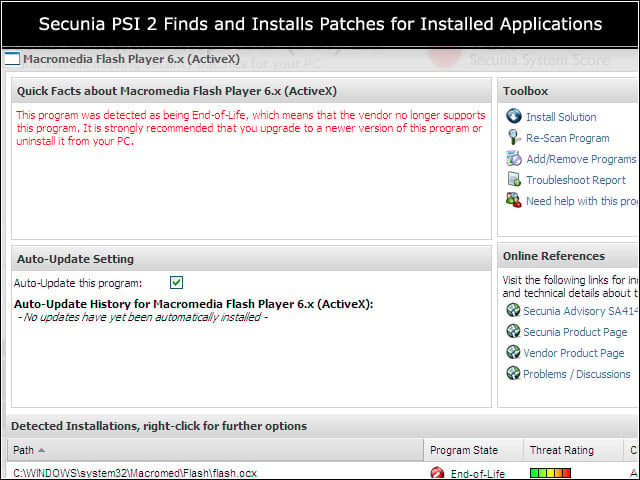
Users can click on an application from the Scan Results page to access further information about the item.
Additional Settings
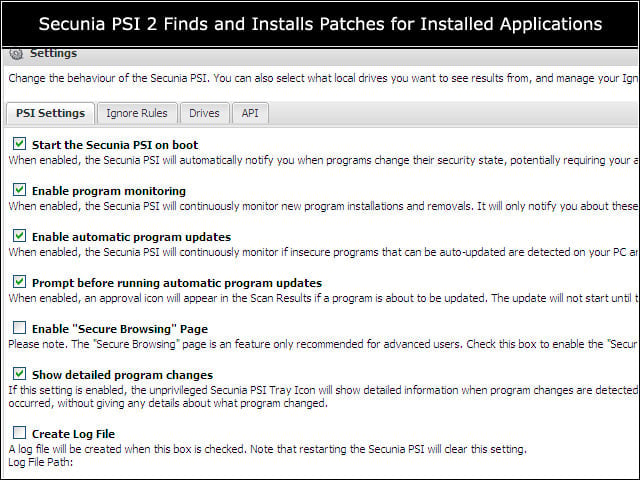
Users with local admin privilege can control the behavior of PSI 2.0, enabling automatic updates or the Secure Browsing page, or creating Ignore Rules to exempt certain applications status from the results.
Secure Browsing
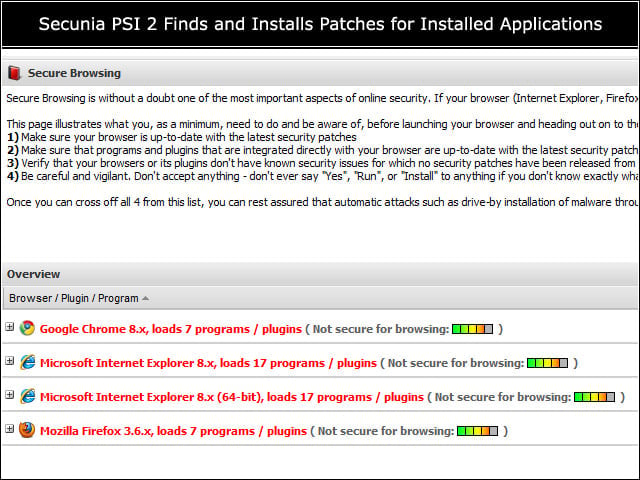
Off by default, the Secure Browsing page shows the security posture for all detected installed browsers, reporting unpatched or zero day vulnerabilities in each browser and their installed plugins.