







Labs Gallery: Fedora 11 Shows Significant Virtualization Gains
VM Creation
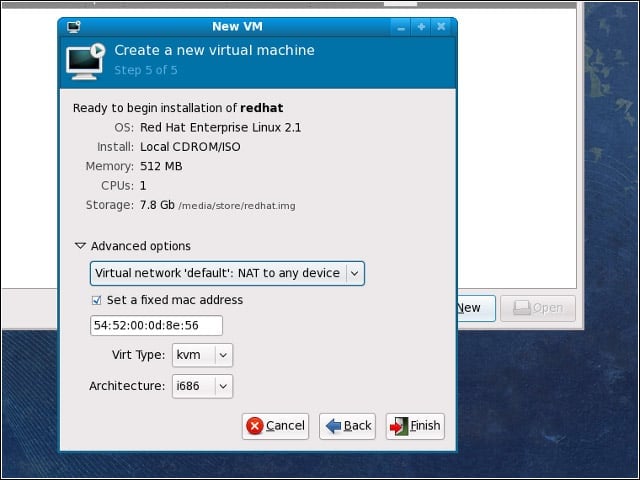
Fedora 11 relies on Linux’s KVM (Kernel Virtual Machine) functionality for its virtualization-hosting capabilities.
VM Storage
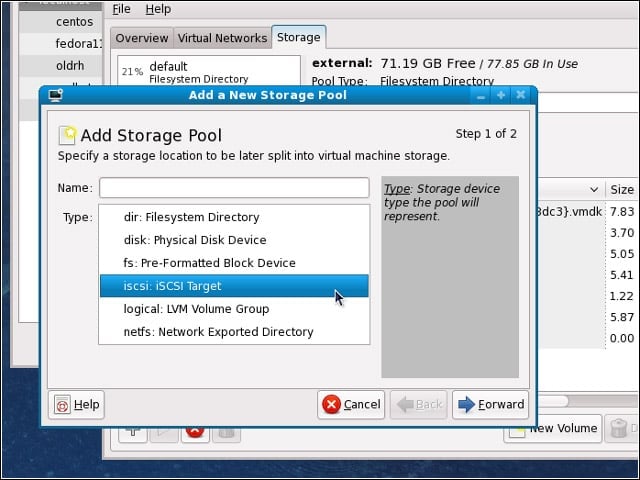
Fedora 11 has grown more adept at accessing and managing storage resources for virtualization.
VM Storage Cont.
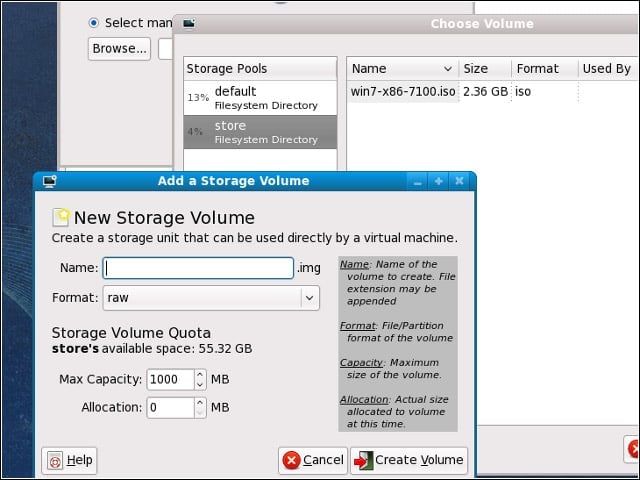
After configuring my storage pools, I could add volumes to install my VMs on.
Virt-Manager & Storage
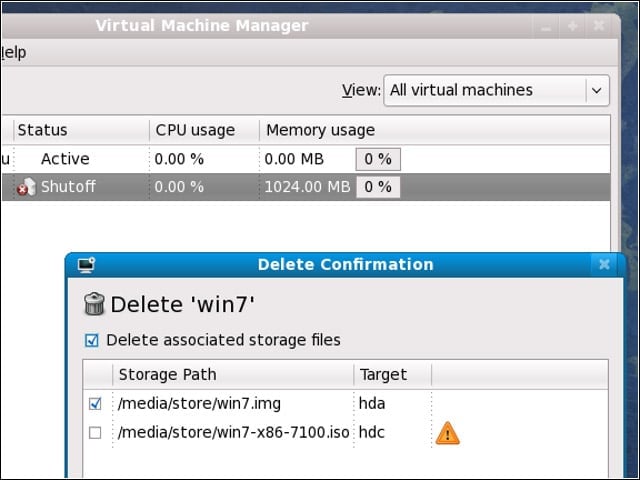
I noticed various feature improvements in Fedora’s virt-manager, such as the new knack for offering to delete associated storage files when deleting a VM.
Virtualization Viewer
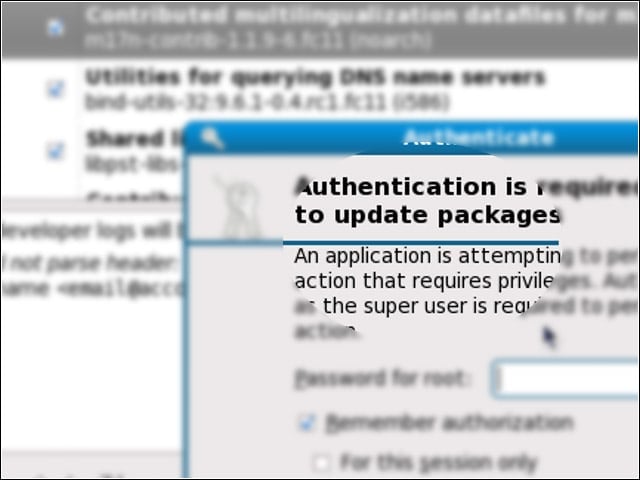
The VM console viewer application that comes with Fedora 11 boasts better pointer performance and resolution support.
VM Isolation
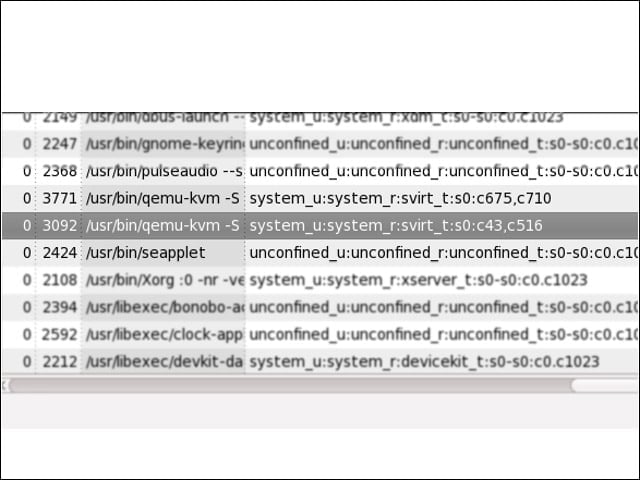
Fedora 11 taps its SELinux security framework to enforce isolation among running VMs, using the framework’s MCS (Multi Category System) policy.
Codec Fetching
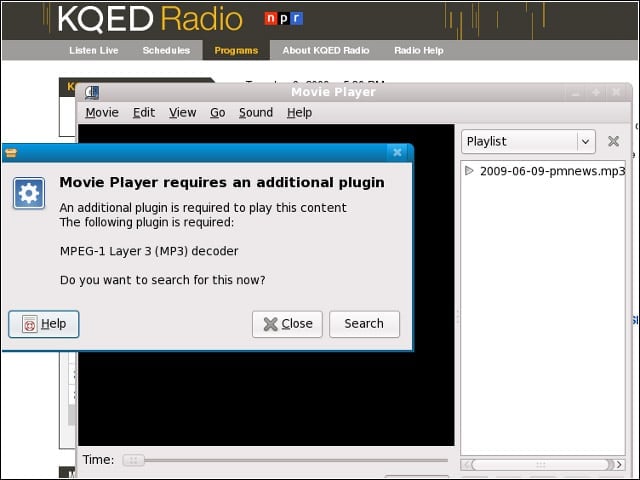
As is typical of free Linux OSes, my Fedora 11 system wouldn’t play MP3 files “out of the box.” The system did, however, offer to download the needed codec the first time I attempted to open an MP3.
ext4 File System
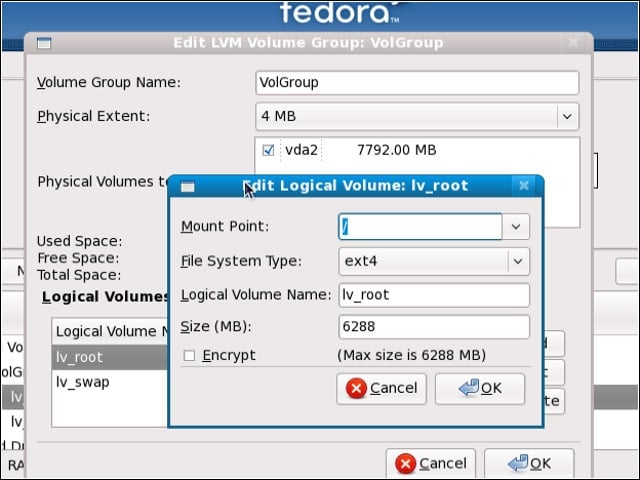
Fedora 11 defaults to the ext4 file system, the successor to Linux’s standard ext3 system that promises to boost performance. I didn’t run any ext3 versus ext4 speed tests, however.
Pick an IDE
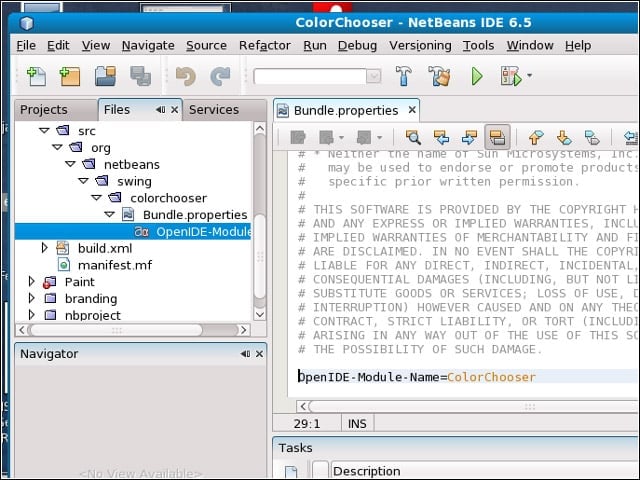
Fedora 11 comes with NetBeans 6.5 (shown here), as well as Eclipse 3.4.2, MonoDevelop 2.0 and Eric Python IDE 4.3.3.
Screenshot Tool
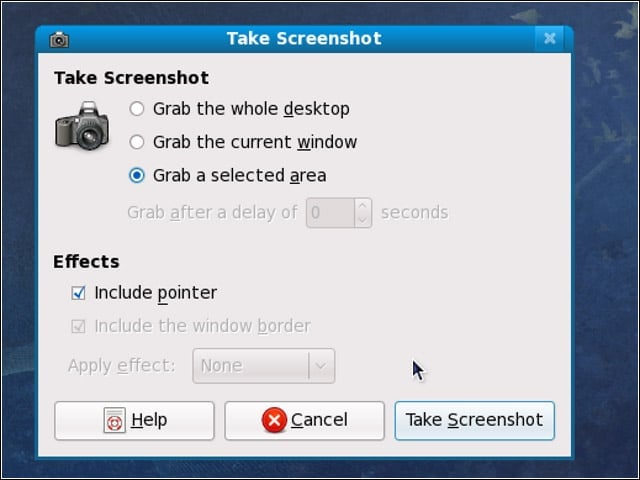
One of my favorite features in the GNOME 2.26 desktop environment that Fedora includes is the “grab a selected area” option in GNOME’s screenshot tool.
