







- eWEEK Labs Walk-Through: Microsoft System Center Virtual Machine Manager Corrals VMware ESX
- Adding VMware Host Through Microsoft Console
- Another ESX Infrastructure
- Host Properties for an ESX Server
- Creating New VMs
- EWK018 Running
- Add VMware VirtualCenter Server
- Virtual Machine Identity
- Configure Hardware
- Select Host
- Summary
eWEEK Labs Walk-Through: Microsoft System Center Virtual Machine Manager Corrals VMware ESX
eWEEK Labs Walk-Through: Microsoft System Center Virtual Machine Manager Corrals VMware ESXby Cameron Sturdevant
Adding VMware Host Through Microsoft Console
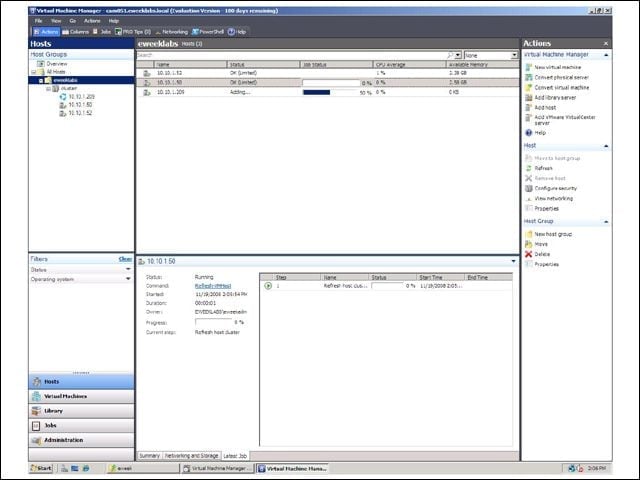
Here you see a new VMware ESX host being added to the eWEEK Labs VMware Infrastructure environment, as monitored through Microsoft’s cross-platform System Center Virtual Machine Manager 2008. This is a first for VMM.
Another ESX Infrastructure
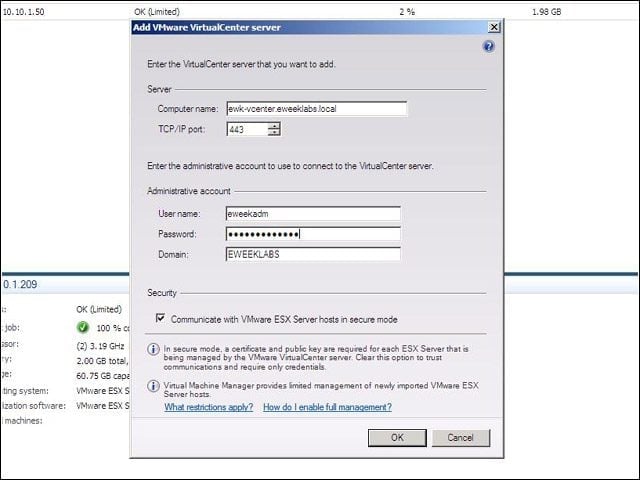
Adding a VMware VirtualCenter server is the starting point for streamlining heterogeneous VMware and Microsoft Hyper-V systems in the single console provided by Microsoft’s SC VMM 2008.
Host Properties for an ESX Server
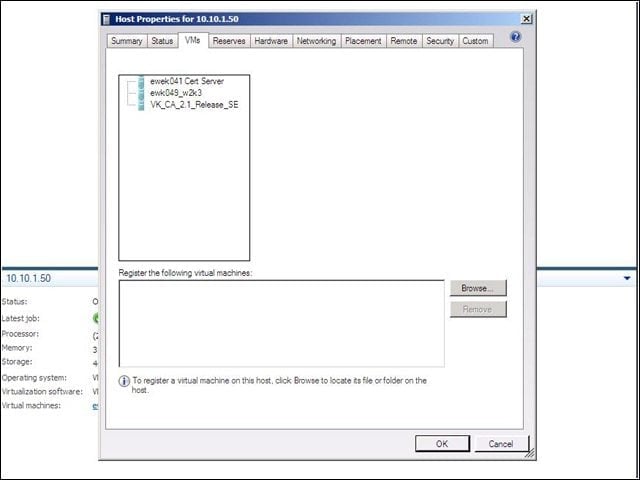
Using Microsoft’s SC VMM 2008 I was able to access details about a VMware ESX host including the virtual machines running on that physical host.
Creating New VMs
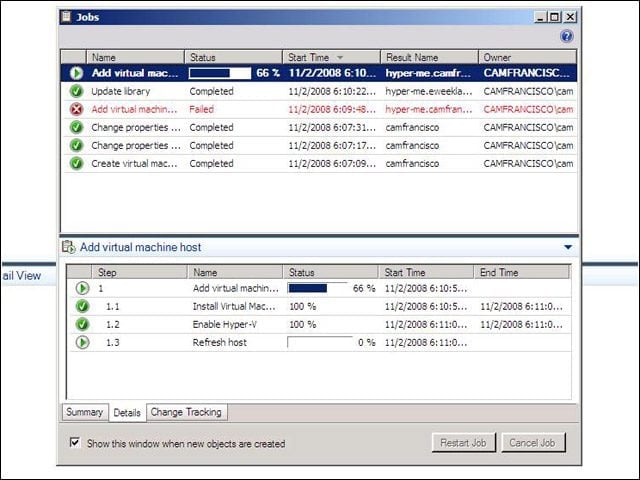
My Microsoft Windows Server 2008 system is called “Hyper-me” and here we see the first steps in creating a new VM on the system. Since the Hyper-V role was already enabled, VMM 2008 simply walked through the steps to create the system.
EWK018 Running
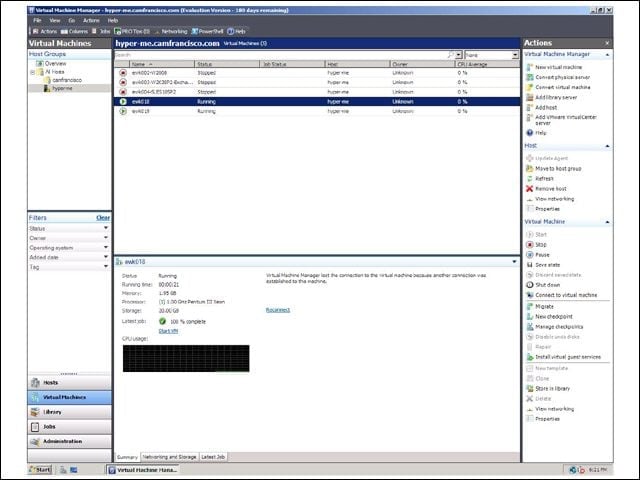
Here we see the status of lab machine EWK018. Notice that several systems are running and that several more are not. It’s simple to jump between machines to get status information.
Add VMware VirtualCenter Server
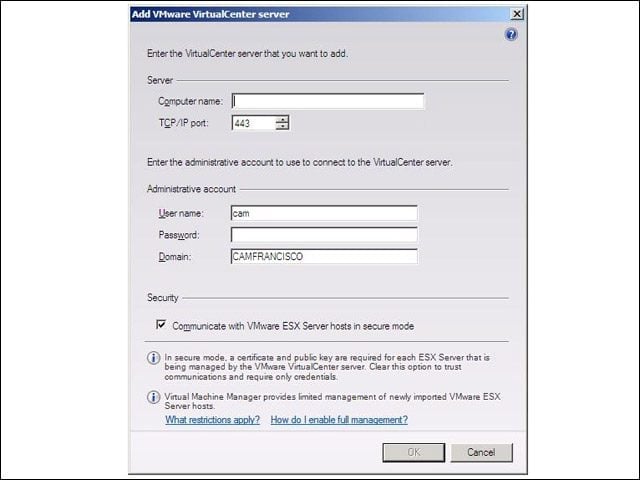
This is the first step to incorporate a VirtualCenter server into a VMM 2008 environment. You’ll see more on this as we move to actually bring together the lab virtual infrastructure. I’ll be bringing you more slides of our integration process.
Virtual Machine Identity
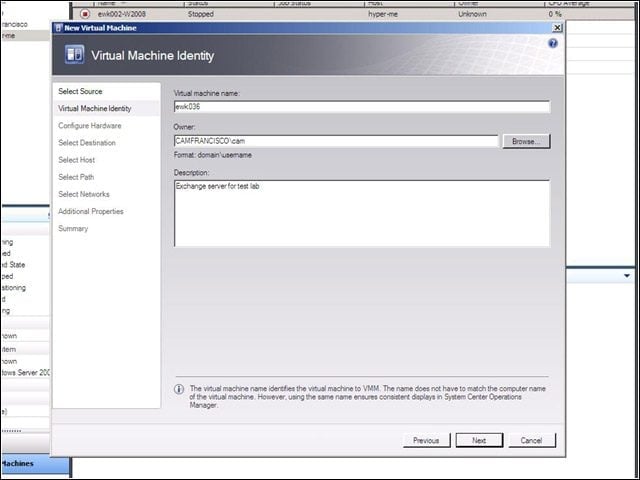
Creating a new virtual machine in VMM 2008 is practically identical to the steps taken to create a new VM in Hyper-V.
Configure Hardware
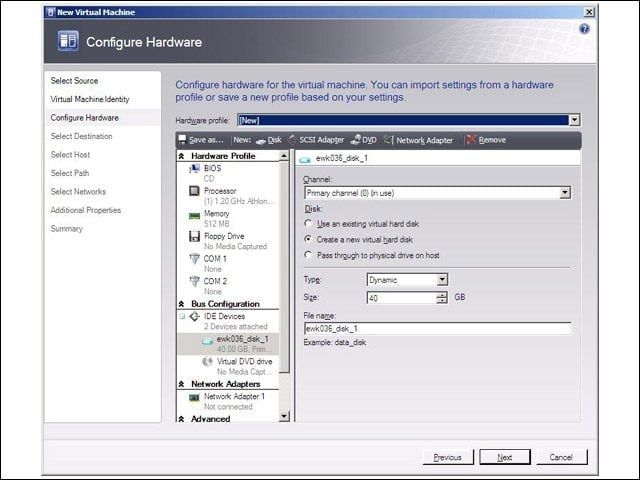
Adding a hardware configuration to a new VM can be centralized in VMM 2008.
Select Host
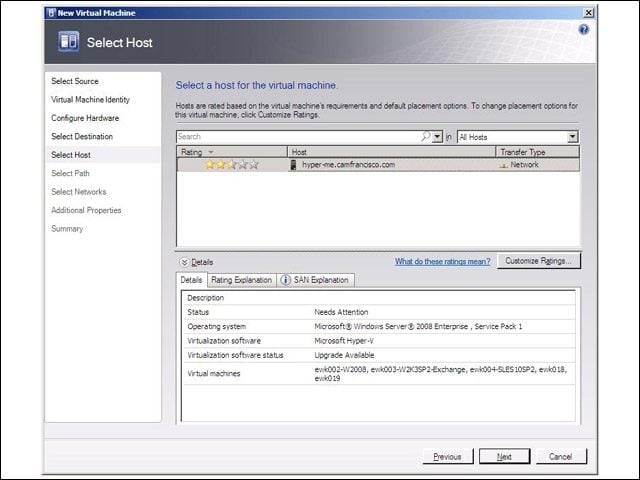
“Hyper-Me” got a rating of 2.5 stars out of 5 because some of the system software needs upgrading.
Summary
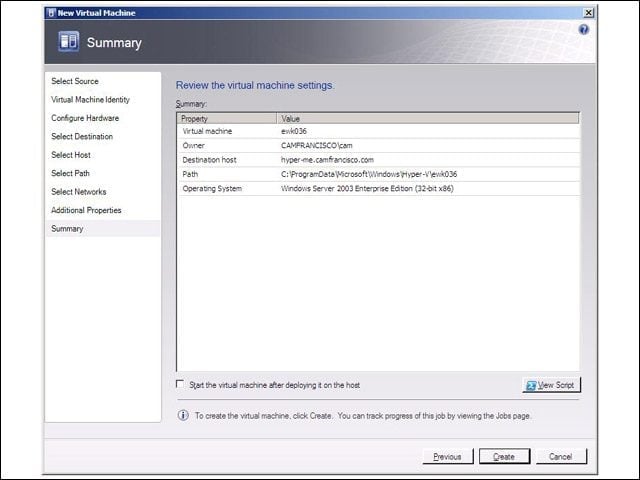
Once the configuration of a new VM is complete, VMM 2008 creates a new system.