





RockMelt Friends Facebook, Twitter to Rival Chrome, Firefox, IE

by Clint Boulton
RockMelt
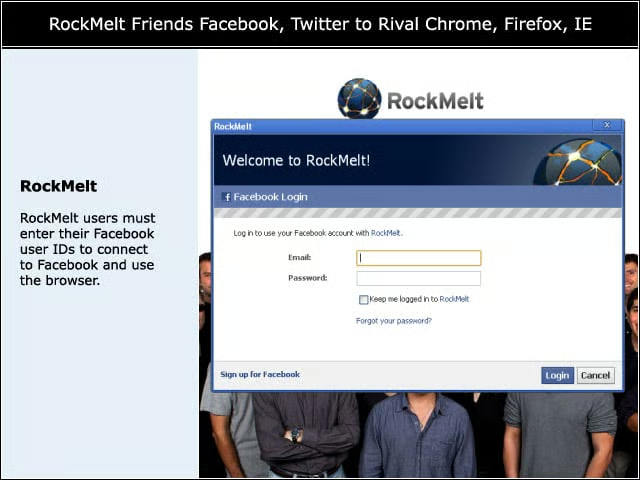
RockMelt users must enter their Facebook user IDs to connect to Facebook and use the browser.
Permissions
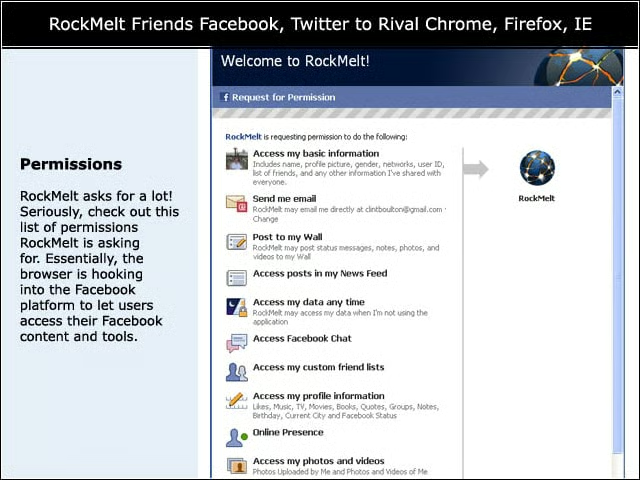
RockMelt asks for a lot! Seriously, check out this list of permissions RockMelt is asking for. Essentially, the browser is hooking into the Facebook platform to let users access their Facebook content and tools.
Home Sweet Home
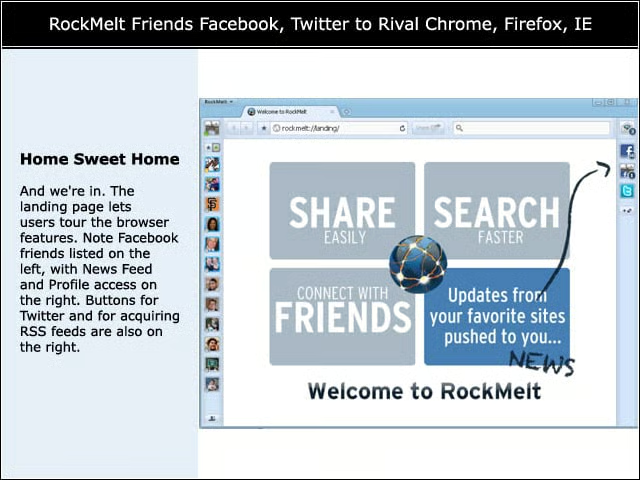
And we’re in. The landing page lets users tour the browser features. Note Facebook friends listed on the left, with News Feed and Profile access on the right. Buttons for Twitter and for acquiring RSS feeds are also on the right.
Available Applications
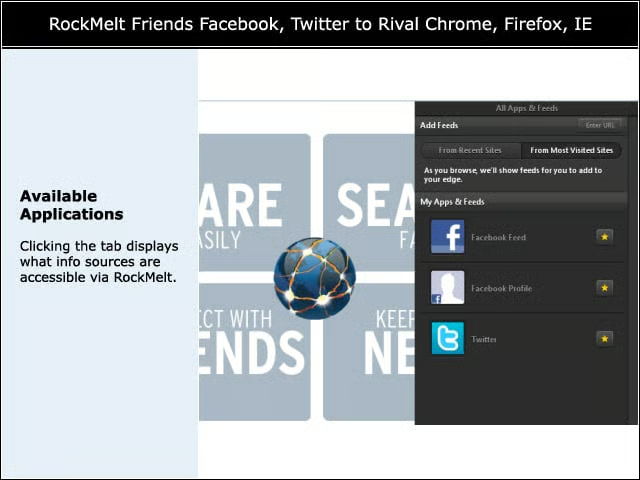
Clicking the tab displays what info sources are accessible via RockMelt.
Adding News Feeds
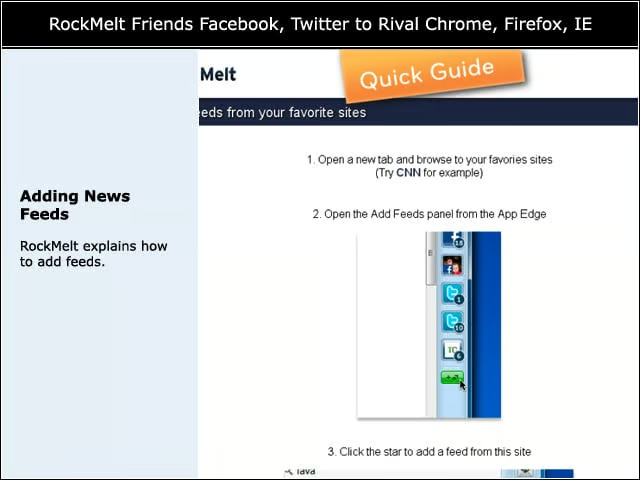
RockMelt explains how to add feeds.
Google News
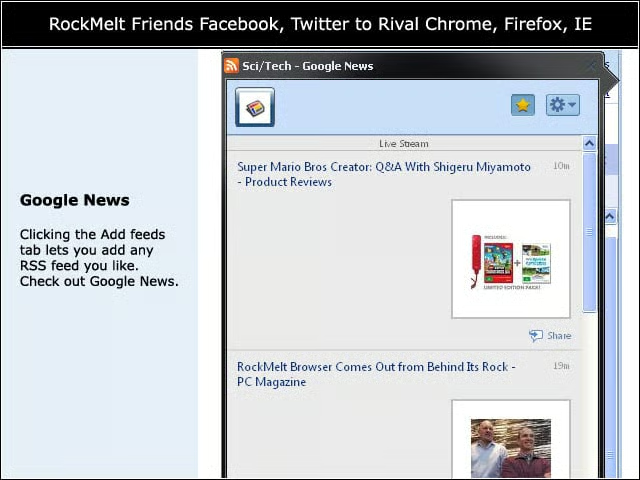
Clicking the Add feeds tab lets you add any RSS feed you like. Check out Google News.
Facebook Updates
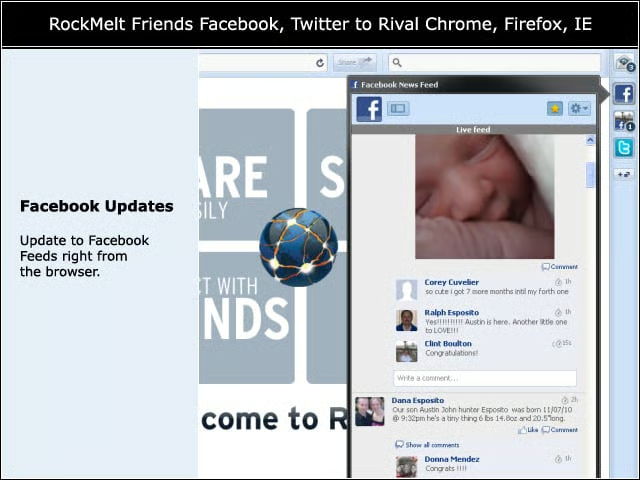
Update to Facebook Feeds right from the browser.
Chatting with Facebook Friends
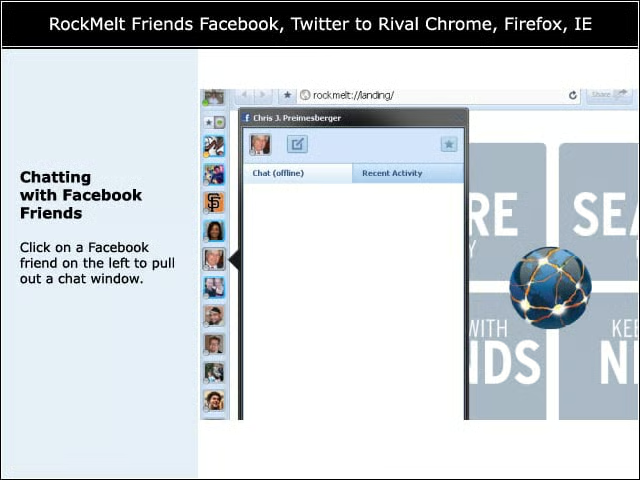
Click on a Facebook friend on the left to pull out a chat window.
Twitter Tweets

Click on the Twitter tab to populate your tweet stream within RockMelt.

Preview search results without clicking on them in RockMelt.
Importing Bookmarks

Like any good browser that wants to lure users by making them comfortable, RockMelt lets you import bookmarks from other browsers.
Chrome-like Controls

Note the very Chrome-like controls for RockMelt, based on Google’s Chromium open-source project.
Prediction

Using the status update option in RockMelt, we recommend that Facebook should buy the company to own the increasingly social Web browsing experience.
Taking a RockMelt Tour

RockMelt explains what you can do with the browser. Sign up for an invite here.