





Microsoft Visual Studio 2013: Key New Features for Developers
by Darryl K. Taft
Work Item Charting
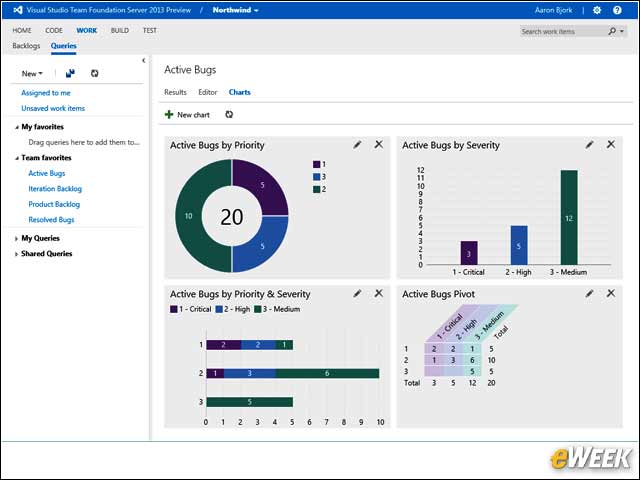
Work Item Charting enables developers to create charts quickly to visualize data from work item queries. These charts can be created with just a few clicks and refresh automatically as data is updated. Developers can create a variety of charts rapidly to visualize data based from their work item queries, such as bugs, user stories and tasks.
Cloud Business Apps
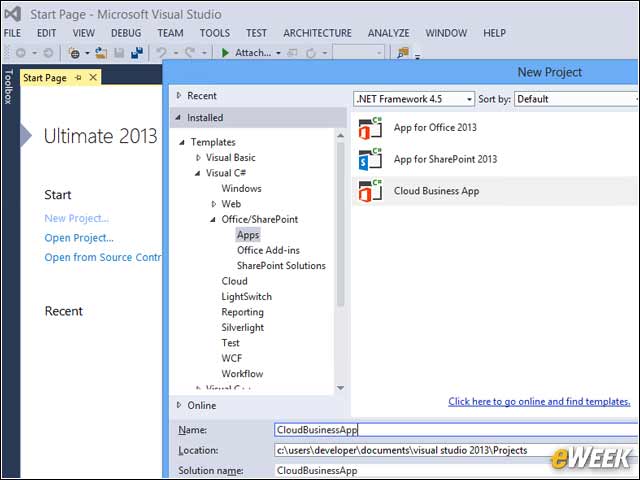
With Visual Studio 2013, you can create and manage modern business applications that extend the Office 365 experience to help people interact with business processes, artifacts and other systems. Office 365 Cloud Business Apps run in the cloud, taking advantage of the rich platform capabilities exposed by Windows Azure and Office 365.
TypeScript
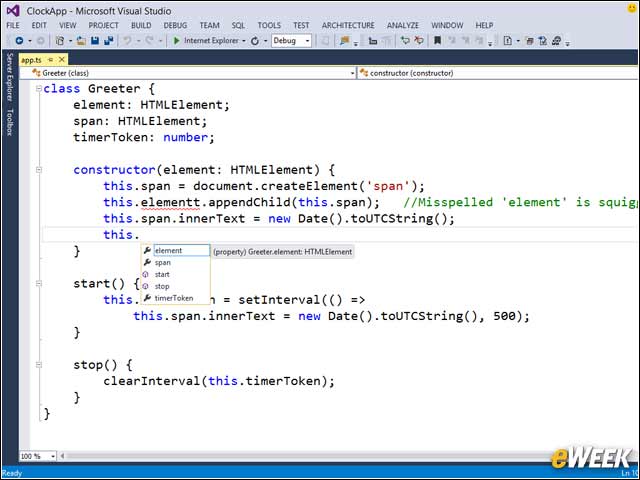
Microsoft’s TypeScript team shipped TypeScript 0.9.1.1 in Visual Studio 2013 RC. TypeScript is Microsoft’s language for application-scale JavaScript development.
Peek Definition
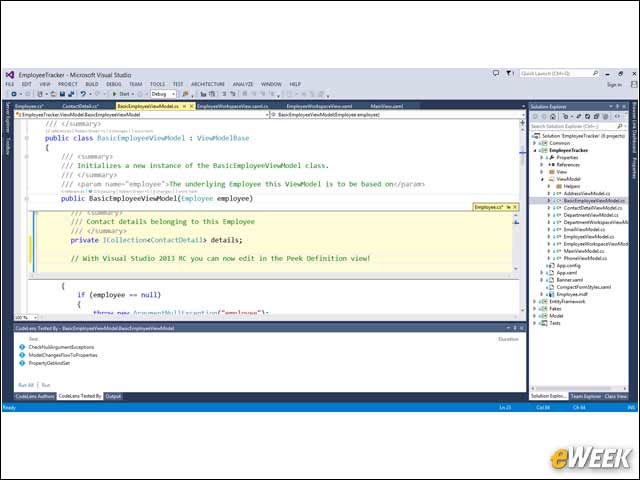
Visual Studio 2013 RC adds several new features for Peek Definition, including the ability to edit in view. Developers can use the Peek Definition command to see code definitions without switching away from the code they’re writing. Peek Definition and Go To Definition show the same information, but Peek Definition shows it in a pop-up window, and Go To Definition shows it in a separate code window.
CodeLens
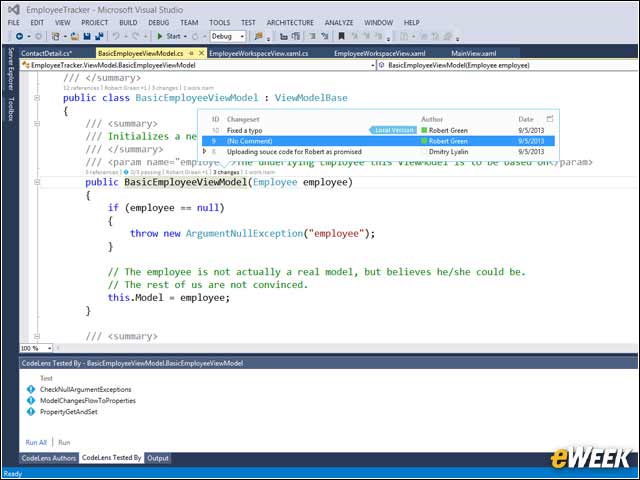
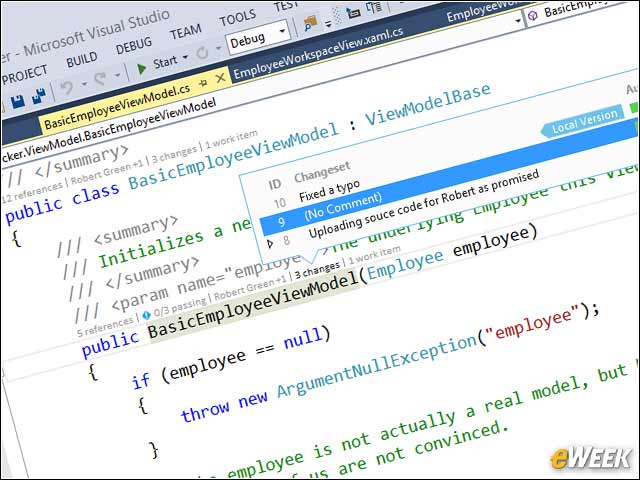
Visual Studio 2013 RC adds deep Lync integration in CodeLens and adds indicators for exposing Bugs, Work Items and Code Reviews related to the class or member.
Configuration
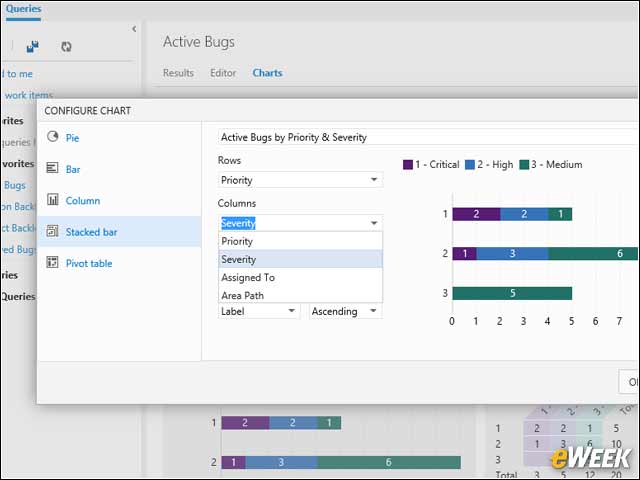
This image is from Work Item Charting and shows the configuration chart.
Entity Designer
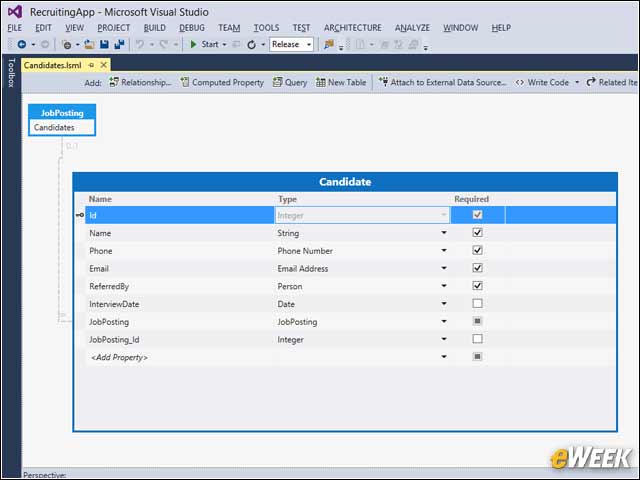
This image shows a Cloud Business App with Entity Designer.
Browser Link
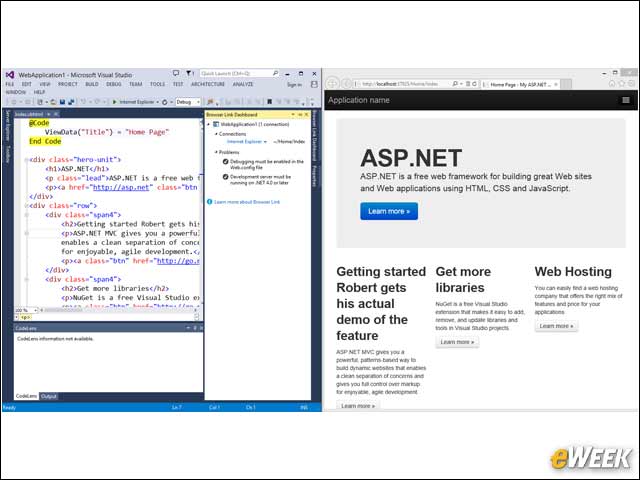
This image depicts creating a new panel with Browser Link.