





- 10 Reasons for Business Users to Stick With Slack for Collaboration
- It’s All About Channels
- It Has an Effective File-Sharing Option
- Team Collaboration Is Critical
- Another Call Option
- An Outstanding Search Tool
- An App for (Nearly) Every Platform
- The Security Is Outstanding
- There’s Strong Third-Party App Support
- Slack’s Data Makes the Point
- Freebies and Cheap Pricing
10 Reasons for Business Users to Stick With Slack for Collaboration

On March 14, Microsoft announced the general release of its new Teams collaboration application, which is baked into Office 365. This signals the start of another enterprise market battle to determine whether Microsoft can convince enterprise customers to adopt Teams rather than a similar application from a cloud startup company called Slack. Already, users and technology analysts are comparing Slack’s features with the newly arrived Teams. Their evaluations will determine whether Microsoft will push yet another standalone productivity application out of corporate offices, as it has before. Teams has a major advantage because it is integrated with Office 365. But Slack has its own outstanding workgroup productivity features that bridge the gap between collaboration and data security. It also has a healthy ecosystem of third-party app developers; its search and archiving features are stellar; and its pricing is hard to beat. In this slide show, eWEEK will discuss the key features that make Slack such an attractive option for so many companies.
It’s All About Channels
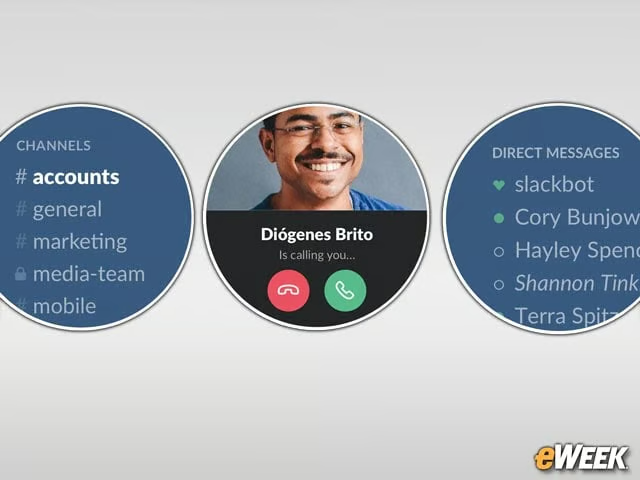
Channels sit at the core of the Slack experience. Companies can set up channels for all employees or create private channels for members of a team. The channels are easy to create and allow for file-sharing.
It Has an Effective File-Sharing Option
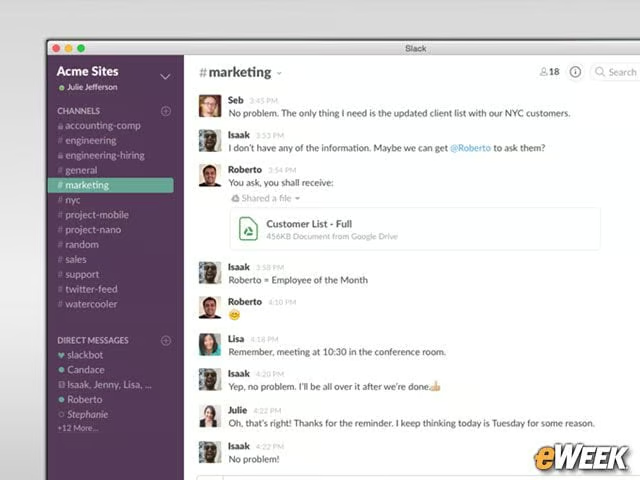
Slack is designed to act as a repository for files. Users can upload any file type for others to see and download. In some cases, content can be viewed within Slack.
Team Collaboration Is Critical

The channels and private and group chats within Slack can improve collaboration among team members. And deeper collaboration is possible through a variety of plug-ins.
Another Call Option

Slack offers voice and video calls within channels or direct messages. And it’s available without additional plug-ins. Communicating over Slack in different ways is a cinch.
An Outstanding Search Tool
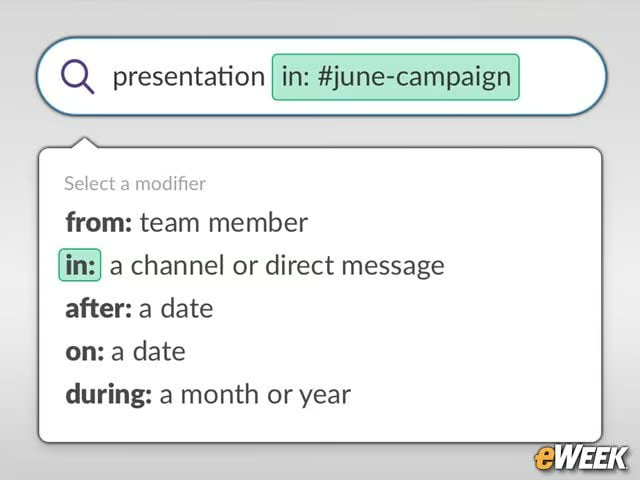
From within Slack online or in its apps, users can type in keywords and search matches in text messages, file names and more. It also can find content that was shared long ago.
An App for (Nearly) Every Platform
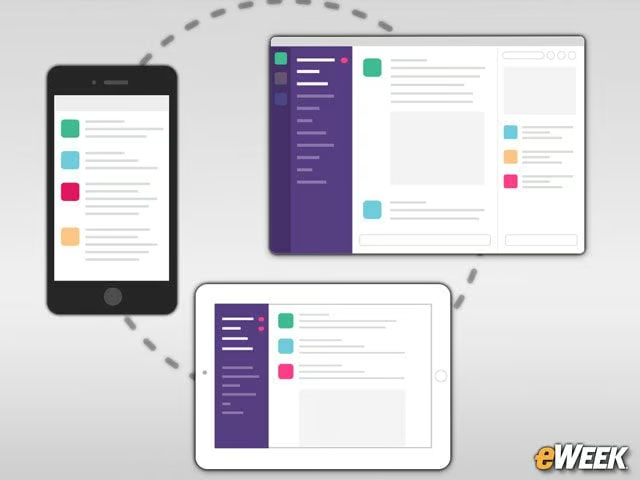
Slack is a platform-agnostic solution. The service is accessible via a browser, and an app works on Macs and Windows PCs. Users also can download Slack to their mobile devices.
The Security Is Outstanding

Slack comes with several security features. It allows for multi-factor authentication, encrypts all data and supports eDiscovery. Slack even features data loss protection to mitigate chances of companies losing their critical information.
There’s Strong Third-Party App Support

Slack has an impressive third-party apps ecosystem. Beyond what the service offers, users will find a slew of plug-ins including bots, marketing tools, project management solutions and much more.
Slack’s Data Makes the Point

Slack polled its users on how well it helps them achieve their corporate goals and found that the average Slack user is 32 percent more productive with the tool than without it. Slack also found its service can cut down emails by nearly 50 percent and reduce meetings by 25 percent.
Freebies and Cheap Pricing
Slack is available as a free version, which supports 5GB of file storage and lets users search up to 10,000 messages and integrate up to 10 apps. Standard or Plus plans offering more features cost $6.67 and $12.50 per month, respectively.