





- LABS GALLERY: Google Chrome 4.0, Mozilla Firefox 3.6 Betas Up Browser Ante
- Chrome 4.0-Bookmark Sync
- Chrome 4.0-Choosing Bookmark Sync
- Chrome 4.0-Bookmark Availability
- Chrome 4.0-Sync Options
- Firefox 3.6-Personas
- Firefox 3.6-Choosing Persona
- Firefox 3.6-Persona Look and Feel
- Firefox 3.6-Persona Management
- Firefox 3.6-Status Tracking
- Firefox 3.6-HTML 5 Capabilities
- Firefox 3.6-HTML 5 Video Feature
LABS GALLERY: Google Chrome 4.0, Mozilla Firefox 3.6 Betas Up Browser Ante

by Jim Rapoza
Chrome 4.0-Bookmark Sync

Outside of speed and engine improvements, the only really noticeable new feature in the beta of Chrome 4.0 is Bookmark Sync, which taps a user’s regular Google account to enable bookmark syncing among multiple versions of Chrome.
Chrome 4.0-Choosing Bookmark Sync
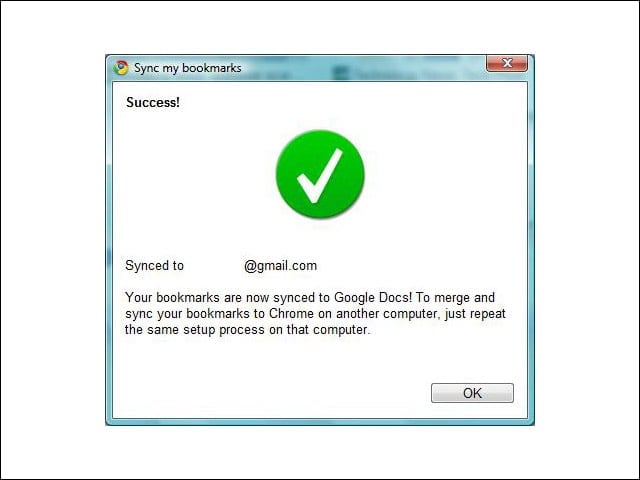
Syncing bookmarks through Chrome 4.0 is as simple as choosing Bookmark Sync from the Tools menu and then entering your Google log-in credentials.
Chrome 4.0-Bookmark Availability

Bookmarks are also available in the user’s Google Docs folder.
Chrome 4.0-Sync Options

Bookmark syncing can be turned on or off in the Chrome Options window.
Firefox 3.6-Personas

A new feature introduced in the beta of Firefox 3.6 is Personas—essentially browser themes that can be easily created and deployed.
Firefox 3.6-Choosing Persona

When a user finds a Persona that he or she would like to use in the browser, just a single mouse click (on the Wear This button) is required to enable the Persona.
Firefox 3.6-Persona Look and Feel

Like traditional browser themes (or chrome, as they used to be called), Personas add images and change the look of the browser.
Firefox 3.6-Persona Management
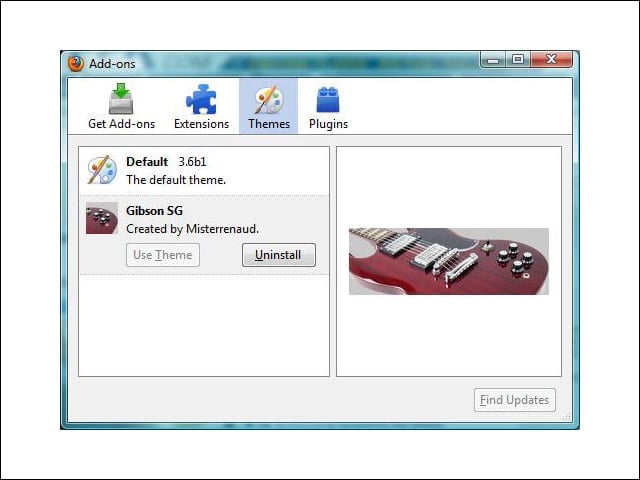
Personas can be managed from the Themes tab of the Firefox Add-ons window.
Firefox 3.6-Status Tracking
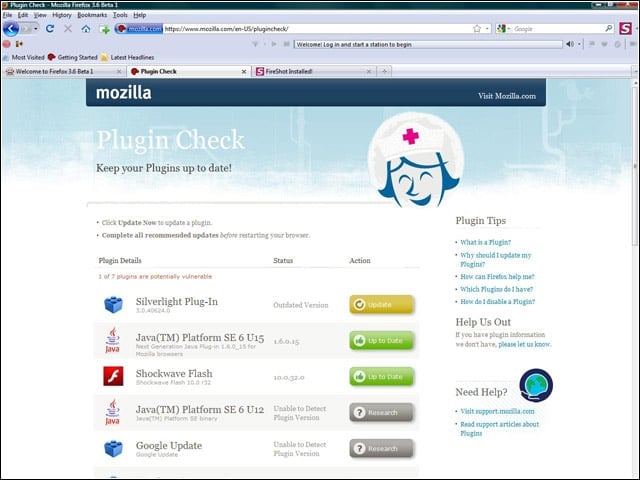
Firefox 3.6 can also track the status of plug-ins in the browser, notifying users when plug-ins are out of date.
Firefox 3.6-HTML 5 Capabilities

The HTML 5 video capabilities in Firefox see a boost in 3.6, with the ability to choose full-screen for native video viewing in the browser.
Firefox 3.6-HTML 5 Video Feature

With the new HTML 5 video feature, users can watch full-screen video in the browser without the need for third-party video-viewing plug-ins.