Microsoft Debuts -Morro’ Security Software

執筆者
Brian Prince
Brian Prince
Published: Jun 23, 2009
Updated: Feb 2, 2021
1 minute read
Microsoft Debuts -Morro’ Security Software
eWeek のコンテンツおよび製品のおすすめは、編集上の独立性を保っています。パートナーへのリンクをクリックすると、当社が報酬を得る場合があります。 詳細を見る


Microsoft Debuts -Morro’ Security Software

Microsoft Debuts -Morro’ Security Software

The Beginning
2

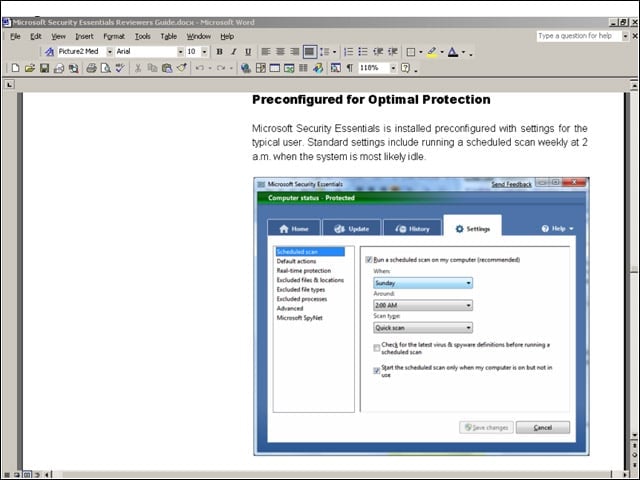
Microsoft Security Essentials comes with certain settings configured out of the box. That includes a regularly scheduled weekly scan and automated scanning of downloaded files and attachments.


User Interface
3

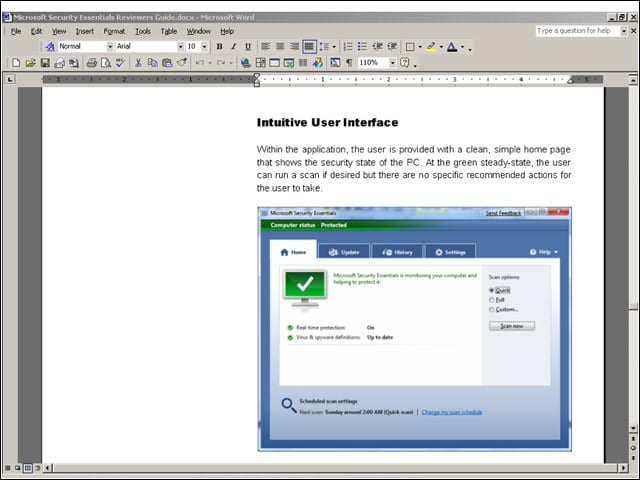
Pictured here is the user interface. When the PC requires user action, the look of the homepage will change based on the issue.


Red Light, Green Light
4

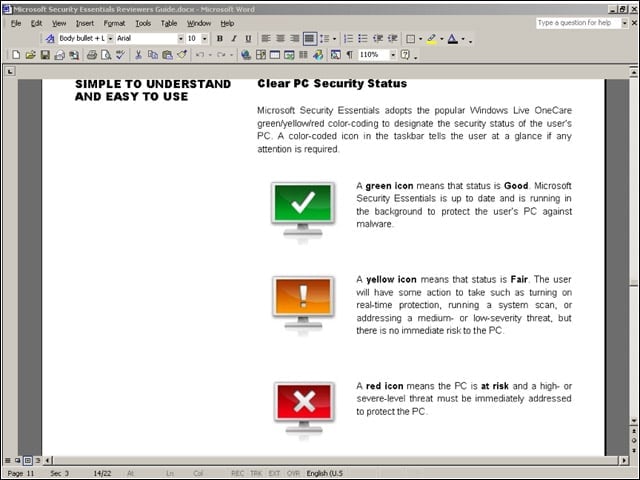
Similar to Windows Live OneCare, Security Essentials uses green/yellow/red color-coding to designate the security status of the users PC. A color-coded icon in the taskbar tells the user if any attention is required.


Identifying Threats
5

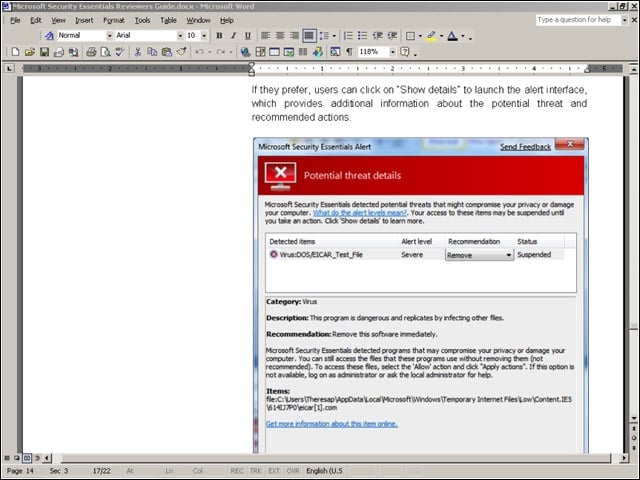
Shown here is a Microsoft alert triggered when a possible threat is detected. Threats are ranked by their seriousness, with the highest ranking called severe.


Advertisement

Handling Infections

6

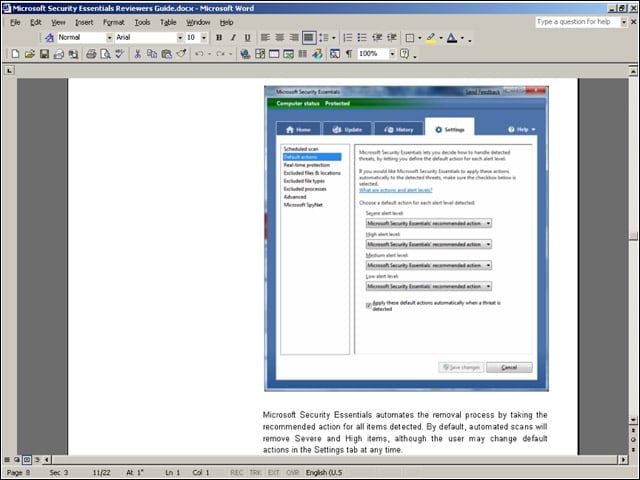
Automated scans will remove items rated severe or high by default. The user, however, can change the actions it takes by default by changing the settings.

Brian Prince

Brian Prince

Content Writer
eWeek Logo

eWeek has the latest technology news and analysis, buying guides, and product reviews for IT professionals and technology buyers. The site's focus is on innovative solutions and covering in-depth technical content. eWeek stays on the cutting edge of technology news and IT trends through interviews and expert analysis. Gain insight from top innovators and thought leaders in the fields of IT, business, enterprise software, startups, and more.

TechnologyAdvice が所有・運営しています。 © 2026 TechnologyAdvice. 無断転載を禁じます

広告主に関する開示:このサイトに掲載されている製品の一部は、TechnologyAdvice が報酬を受け取っている企業のものです。この報酬は、製品がこのサイトのどこにどのように表示されるか(表示される順序など)に影響する場合があります。TechnologyAdvice は、市場で入手可能なすべての企業やすべての種類の製品を掲載しているわけではありません。