




- Microsoft Exchange Server 2010: 10 Things You Need to Know
- Seamless Experience on PC, Phone, Browser
- Access to E-Mail When Not Connected
- MailTips
- Multiple Ways to Organize E-Mail
- Multiple Ways to Find E-Mail
- Voicemail in Your Inbox
- Calendar Sharing and Publishing
- Multiple Ways to Ensure Important E-Mail is Read
- Presence and IMing
- Out of Office
Microsoft Exchange Server 2010: 10 Things You Need to Know
by Darryl K. Taft
Seamless Experience on PC, Phone, Browser
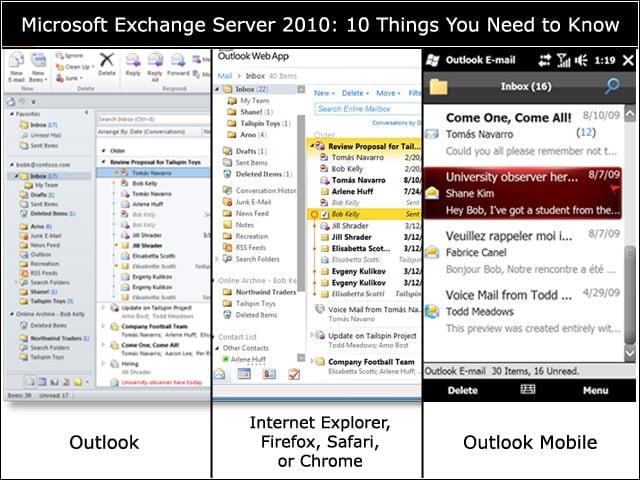
Whether you access your e-mail from Outlook, a smartphone, or your Internet browser, you should be able to read, sort, reply, delete the same way you normally do.
Access to E-Mail When Not Connected
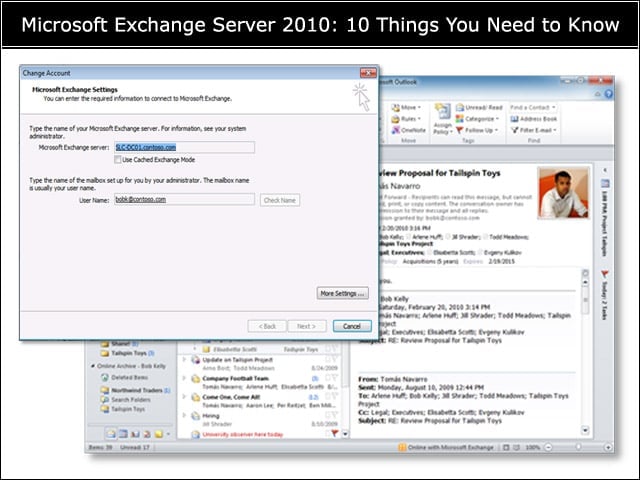
Cached mode in Outlook gives you access to your e-mail when you arent on the Internet, all without having to install additional connector software.
MailTips
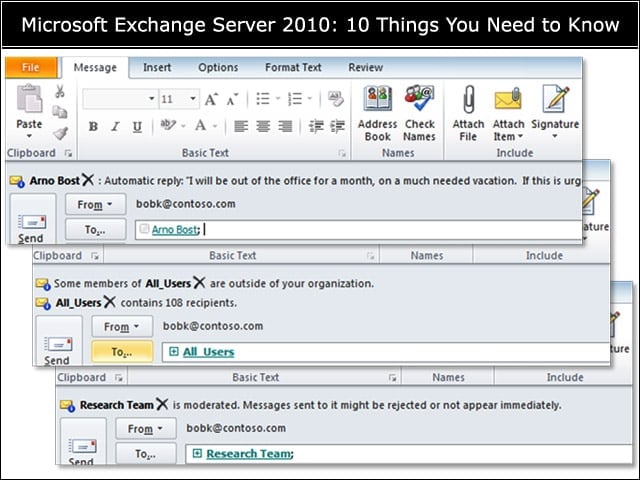
Early warning system• Out of office• External recipient• Reply all on BCC• Moderated Distribution List• Restricted recipient• Lots of recipientsKnow what you cant do• Restricted Distribution List• Message size• Mailbox full
Multiple Ways to Organize E-Mail
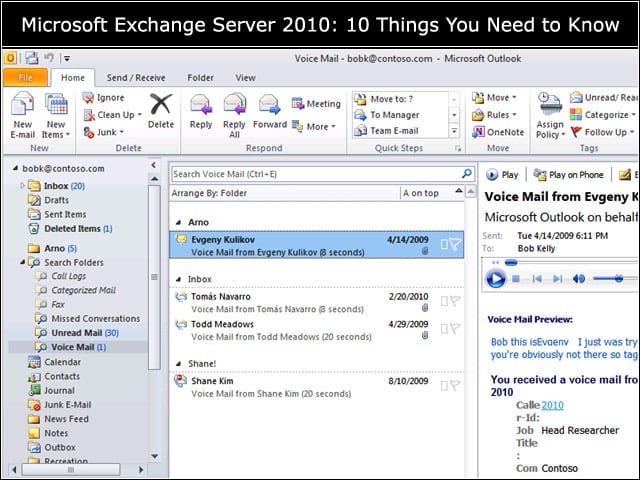
Users can choose the e-mail organization methods that work best for them: Organize using Folders or Categories; apply actions automatically by setting Inbox rules; or create Search Folders to view messages that meet search criteria.
Multiple Ways to Find E-Mail
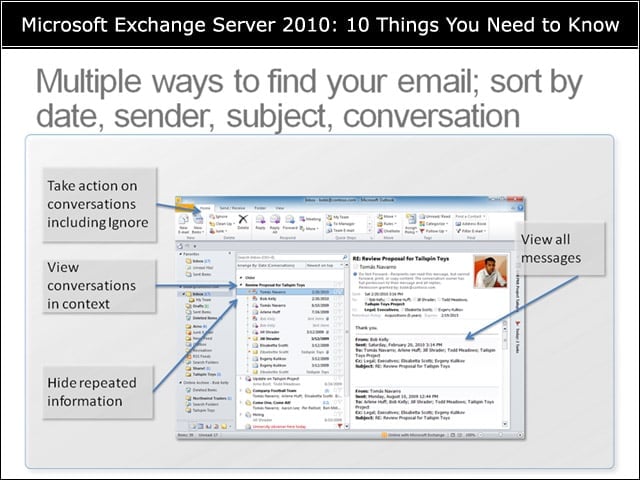
Users can take action on conversations, including Ignore; view conversations in context; hide repeated information; and view all messages.
Voicemail in Your Inbox
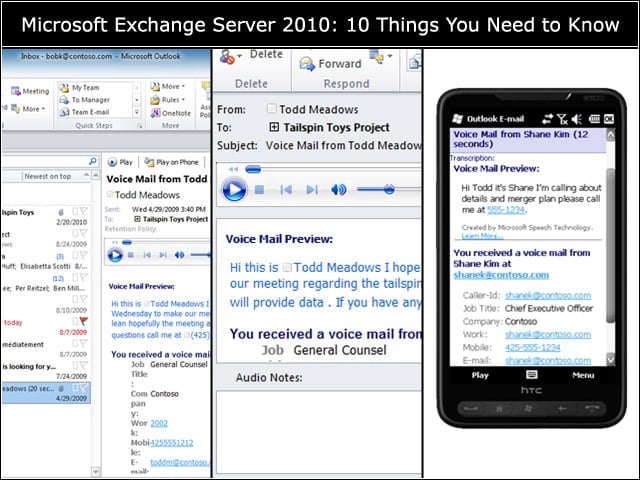
Exchange features a transformed voicemail experience with Exchange-powered voice mail enhancements like speech-to-text previews of received voice messages, and the flexibility for users to create customized voice mail menus and call-handling rules to ensure callers are given the right priority.
Calendar Sharing and Publishing
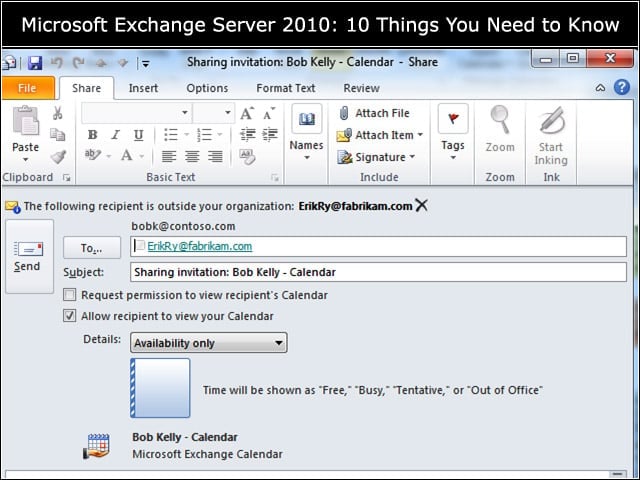
Users can share calendars internally or externally with trusted Exchange organizations (trust can be set by user or by domain, and once trust is set, everything is transparent), publish calendar in iCal format for anyone to see, or use the admin control for sharing and publishing
Multiple Ways to Ensure Important E-Mail is Read
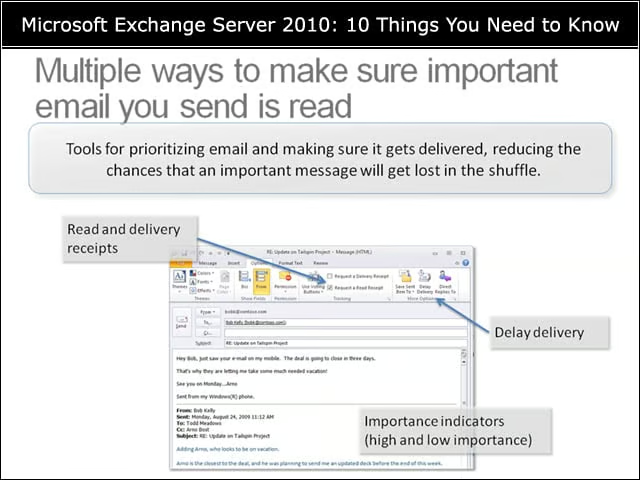
Tools for prioritizing e-mail and making sure it gets delivered, reducing the chances that an important message will get lost in the shuffle.
Presence and IMing
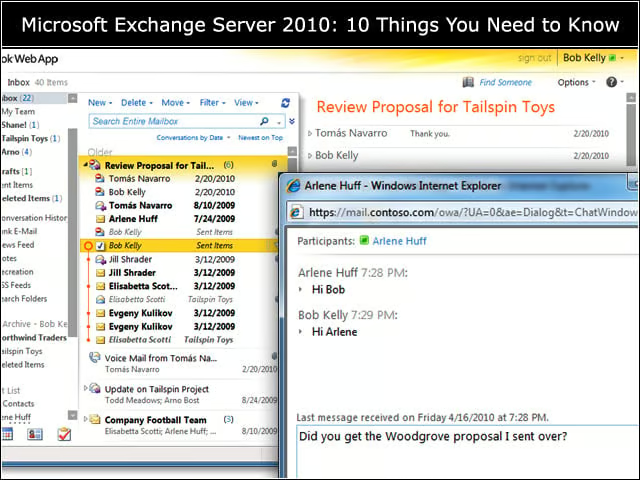
Features enabled by Lync Online or Lync Server include presence throughout Outlook Web App, see-and-set presence, chat using IM, starting a chat from anywhere you see a user, and IM log-in from multiple locations.
Out of Office
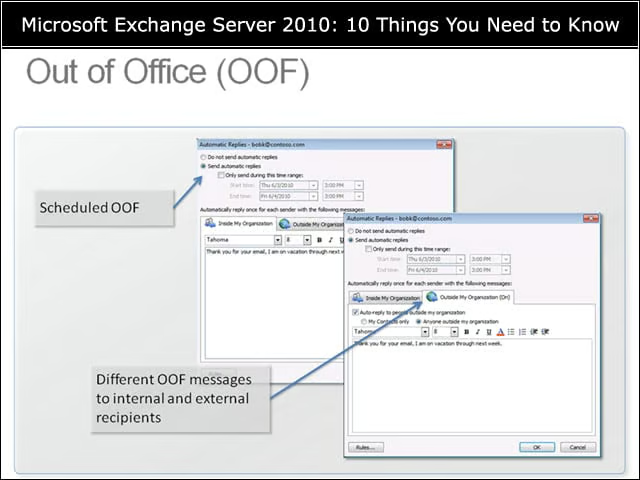
An e-mail system must have out-of-office functionality and flexible out-of-office capabilities.