




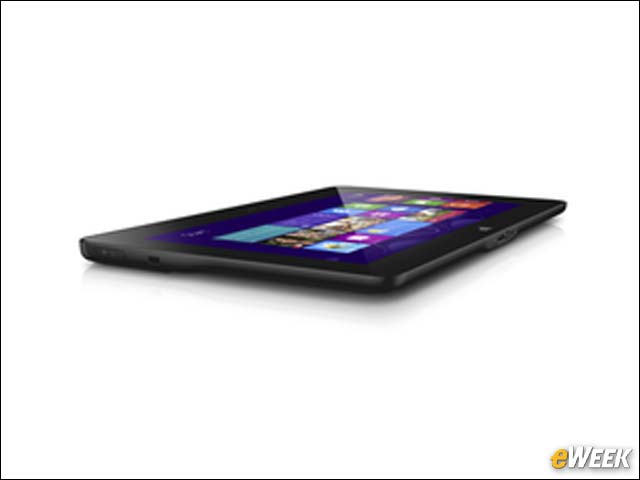
Dell Latitude 10
Dell’s enhanced Latitude 10 tablet offers a range of security features, including Trusted Platform Module 1.2 hardware, Microsoft’s BitLocker Drive Encryption, and support for Computrace software, which will enable IT staffs to track and recover lost or stolen tablets.
Fingerprint Scan

Also new on the enhanced Latitude 10 is a fingerprint scan that, when combined with the smart card reader, offers dual authentication.
Smart Card Reader

Here is a look at the smart card reader on the back of the new Latitude 10.
Ruggedized Latitude

Pictured is a Latitude 10 encased in a protective covering.
Battery

The enhanced Latitude 10 comes with the ability to swap in another battery, which gives the Windows 8-based tablet up to 20 hours of battery life, according to Dell officials.
Dell Wireless Dock

Dell’s new dock is the first docking station that leverages the WiGig multi-gigabit tri-band WiFi standard, which Dell officials said offers wireless connectivity that is 10 times faster than the fastest current WiFi networks. The docking station also is compatible with Dell’s Latitude 6430u Ultrabook.
Handle

Dell’s tablets come with the option of a strap on the back that can make it easier to hold the devices.
Tablet Lineup

Dell was already shipping several other tablets before launching the new enhanced Latitude 10. The Latitude 10 is a Windows 8-based, Intel-powered system, while the XPS 10 runs the Windows RT operating system and is powered by an ARM-designed chip. Dell also sells the XPS 12, a convertible device also running Windows RT on an ARM-designed chip.
XPS 10 Tablet

Dell launched the XPS 10 in November 2012, just weeks after Microsoft announced Windows 8 and Windows RT.
XPS 12 Convertible
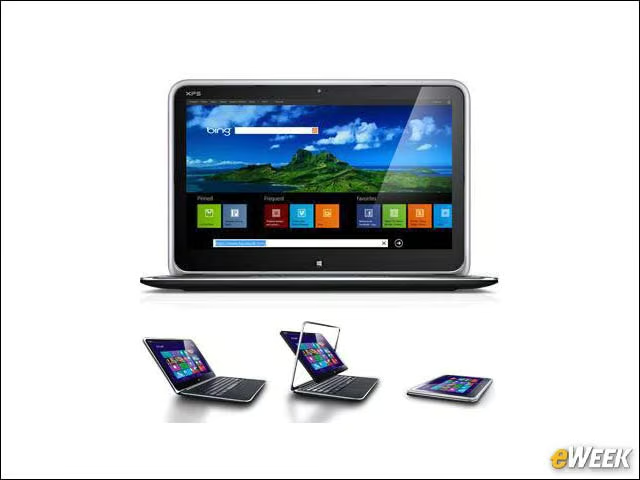
The 12-inch device can be used as either an Ultrabook or as a tablet.