eWEEK Labs Takes a First Look at Microsoft Windows Mobile 6.5

執筆者
Andrew Garcia
Andrew Garcia
Published: Feb 16, 2009
Updated: Feb 2, 2021
1 minute read
eWEEK Labs Takes a First Look at Microsoft Windows Mobile 6.5
eWeek のコンテンツおよび製品のおすすめは、編集上の独立性を保っています。パートナーへのリンクをクリックすると、当社が報酬を得る場合があります。 詳細を見る


eWEEK Labs Takes a First Look at Microsoft Windows Mobile 6.5

Microsoft Windows Mobile 6.5 Features New Widgets, Apps

by Andrew Garcia


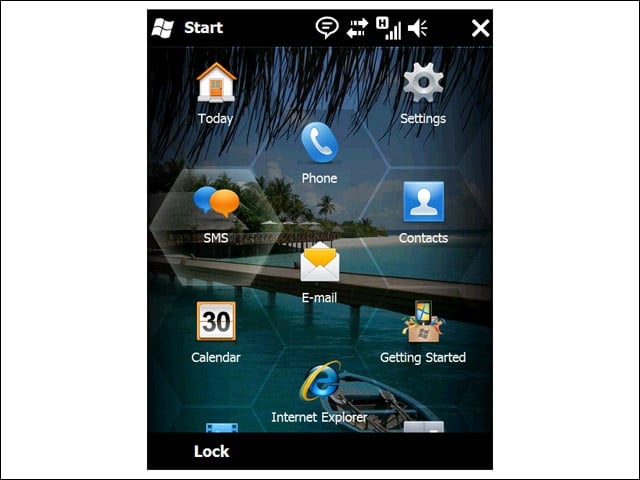
Start Menu

2

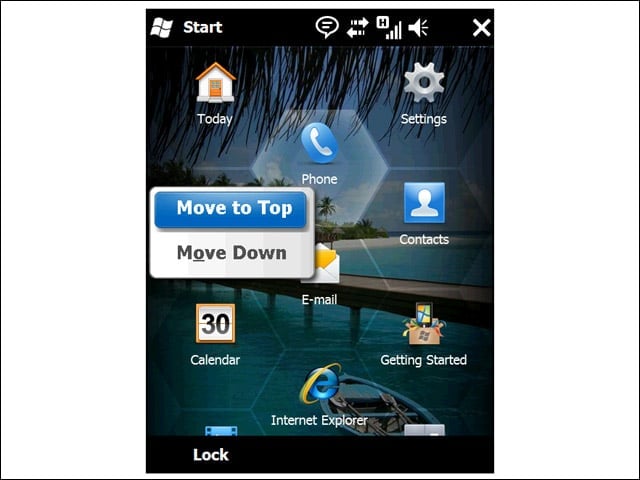
Gone is the drop-down Start Menu from previous versions of Windows Mobile, replaced by a full-screen, scrollable display.


Honeycomb
3

The on-screen icons are designed to be manipulated with the finger—not a stylus—so Microsoft architected the touch zones as wide hexagons (rather than small squares) to compensate for frequent fat fingering.


Scrolling
4

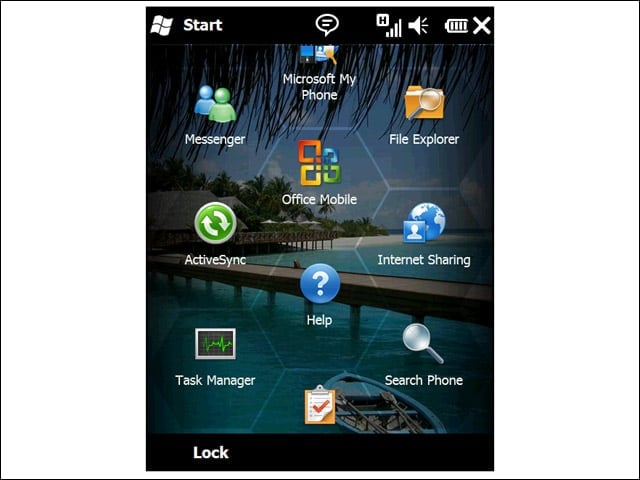
The Start Menu extends downward from what you see right off the bat, accessible with an upward flick of the finger. In the alpha version we saw, on-screen scrolling was sluggish.


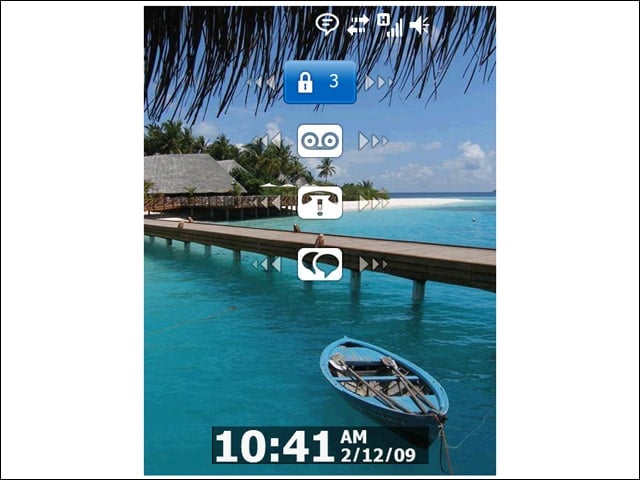
Lock Screen
5

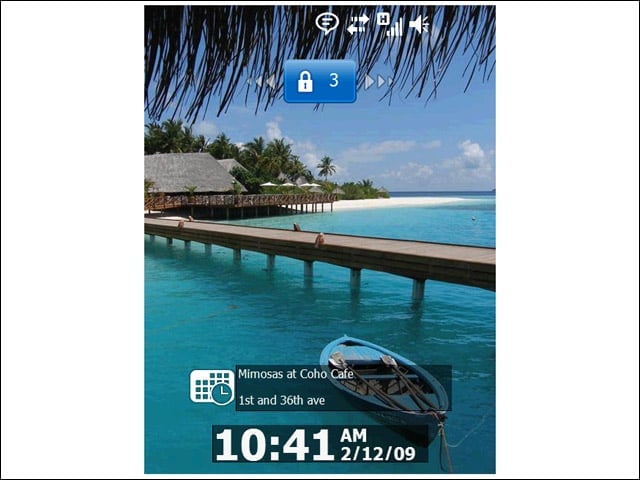
Windows Mobile 6.5 delivers more information to locked devices. For instance, users can now see their next appointment without having to unlock the unit.


Advertisement

Direct Access

6

From the lock screen, users can get a sense of what is new on the device. On-screen displays indicate new incoming voicemails, e-mails or text messages. Therefore, users can go directly to the application with new content from the lock screen rather than having to navigate a menu first.


Unlock
7

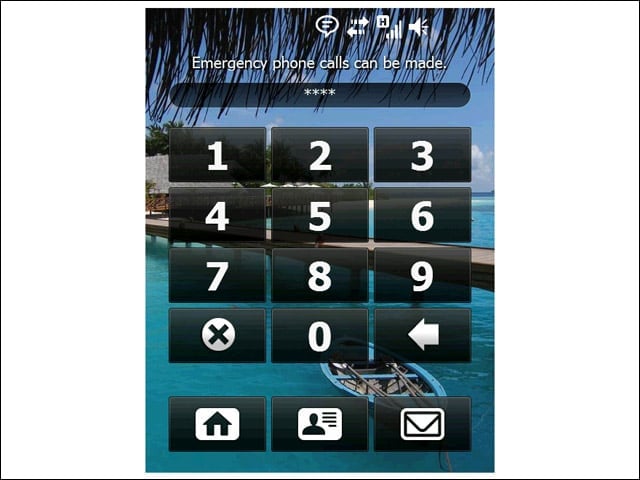
Of course, if the users want to create an unlock PIN, they can do so. The device will then require a log-in attempt before diplaying the status-enabled lock screen.


Full Internet
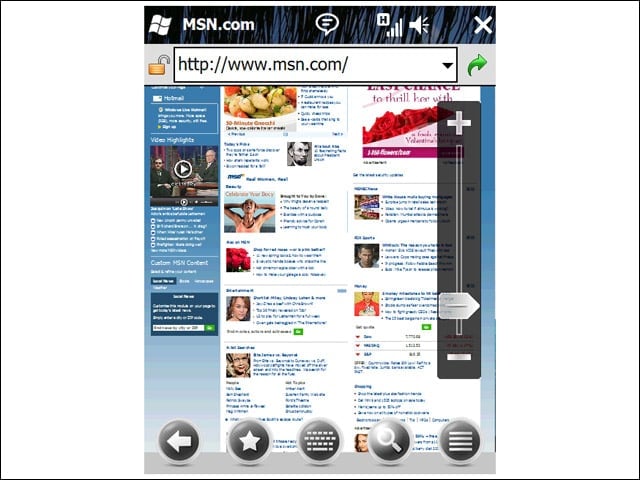
8

Users can choose between full Web mode (including integrated Flash support) or a mobile-optimized view. To zoom, users need simply to adjust the slider bar on the right, then follow the on-screen markers to finger-navigate to the desired location on the page.

Andrew Garcia

Andrew Garcia

Content Writer

Andrew cut his teeth as a systems administrator at the University of California, learning the ins and outs of server migration, Windows desktop management, Unix and Novell administration. After a tour of duty as a team leader for PC Magazine's Labs, Andrew turned to system integration - providing network, server, and desktop consulting services for small businesses throughout the Bay Area. With eWEEK Labs since 2003, Andrew concentrates on wireless networking technologies while moonlighting with Microsoft Windows, mobile devices and management, and unified communications. He produces product reviews, technology analysis and opinion pieces for eWEEK.com, eWEEK magazine, and the Labs' Release Notes blog. Follow Andrew on Twitter at andrewrgarcia, or reach him by email at agarcia@eweek.com.

eWeek Logo

eWeek has the latest technology news and analysis, buying guides, and product reviews for IT professionals and technology buyers. The site's focus is on innovative solutions and covering in-depth technical content. eWeek stays on the cutting edge of technology news and IT trends through interviews and expert analysis. Gain insight from top innovators and thought leaders in the fields of IT, business, enterprise software, startups, and more.

TechnologyAdvice が所有・運営しています。 © 2026 TechnologyAdvice. 無断転載を禁じます

広告主に関する開示:このサイトに掲載されている製品の一部は、TechnologyAdvice が報酬を受け取っている企業のものです。この報酬は、製品がこのサイトのどこにどのように表示されるか(表示される順序など)に影響する場合があります。TechnologyAdvice は、市場で入手可能なすべての企業やすべての種類の製品を掲載しているわけではありません。