





T-Mobile Ships the HTC G2 with Android 2.2 and High Speed HSPA+

by Wayne Rash
The Face of the G2
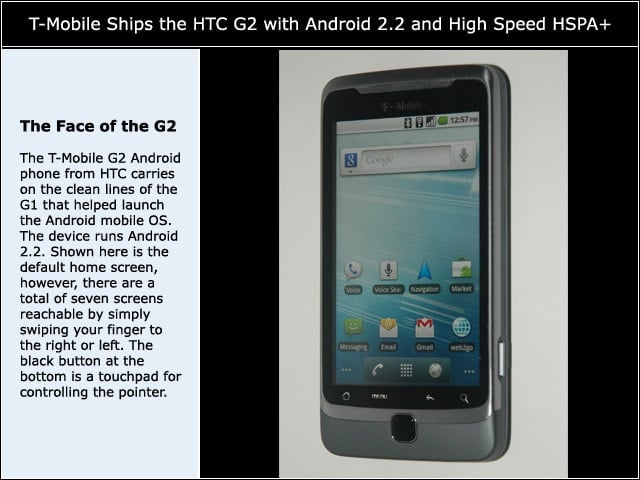
The T-Mobile G2 Android phone from HTC carries on the clean lines of the G1 that helped launch the Android mobile OS. The device runs Android 2.2. Shown here is the default home screen, however, there are a total of seven screens reachable by simply swiping your finger to the right or left. The black button at the bottom is a touchpad for controlling the pointer.
The Physical Keyboard
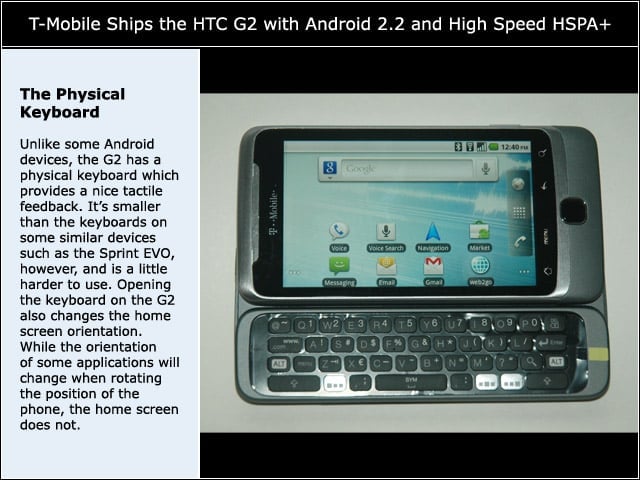
Unlike some Android devices, the G2 has a physical keyboard which provides a nice tactile feedback. Its smaller than the keyboards on some similar devices such as the Sprint EVO, however, and is a little harder to use. Opening the keyboard on the G2 also changes the home screen orientation. While the orientation of some applications will change when rotating the position of the phone, the home screen does not.
Left Side of the G2
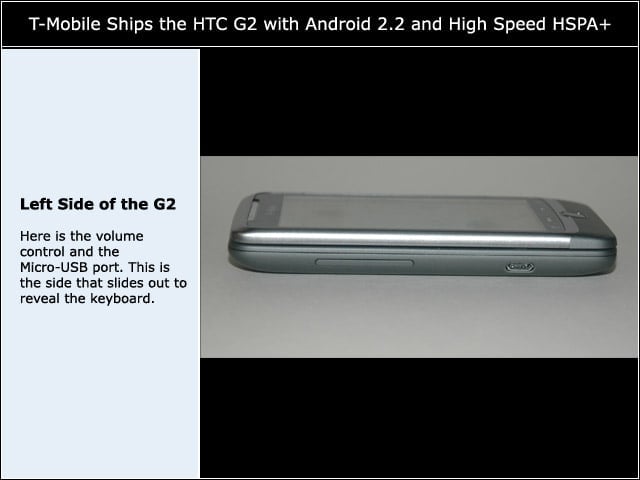
Here is the volume control and the Micro-USB port. This is the side that slides out to reveal the keyboard.
Right Side of the G2
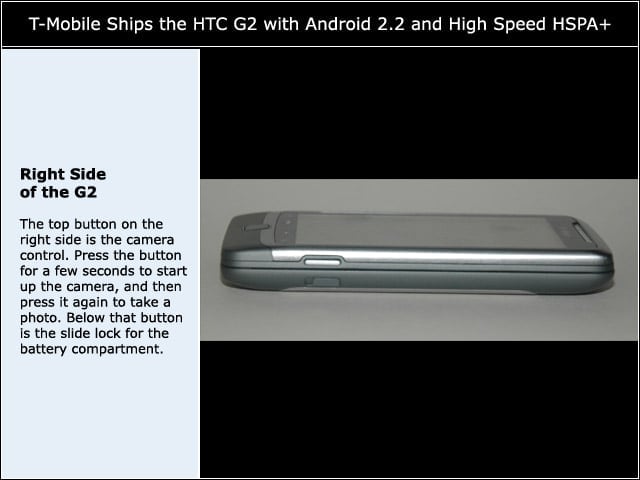
The top button on the right side is the camera control. Press the button for a few seconds to start up the camera, and then press it again to take a photo. Below that button is the slide lock for the battery compartment.
Top of the G2
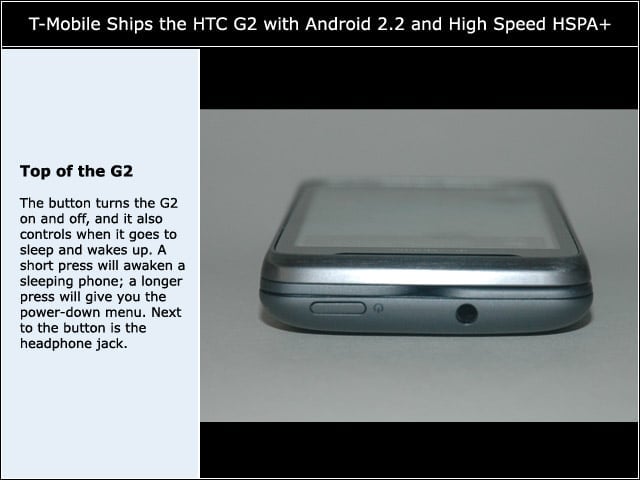
The button turns the G2 on and off, and it also controls when it goes to sleep and wakes up. A short press will awaken a sleeping phone; a longer press will give you the power-down menu. Next to the button is the headphone jack.
The Bottom of the G2
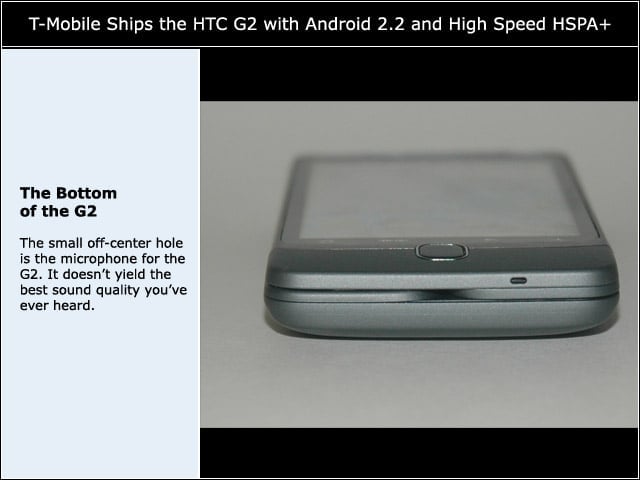
The small off-center hole is the microphone for the G2. It doesnt yield the best sound quality youve ever heard.
G2’s Back Side
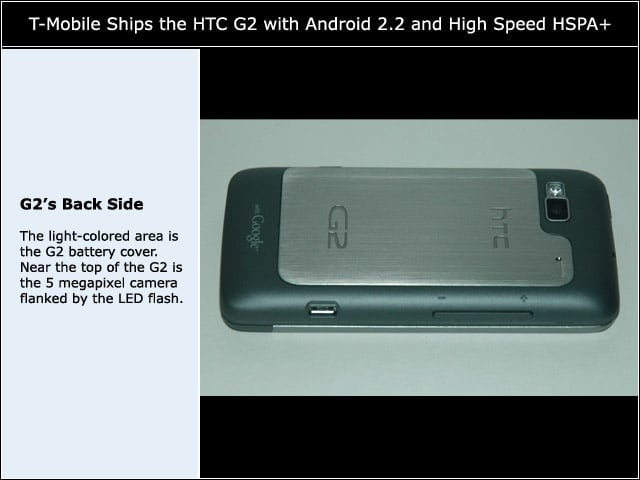
The light-colored area is the G2 battery cover. Near the top of the G2 is the 5 megapixel camera flanked by the LED flash.
Inside the G2
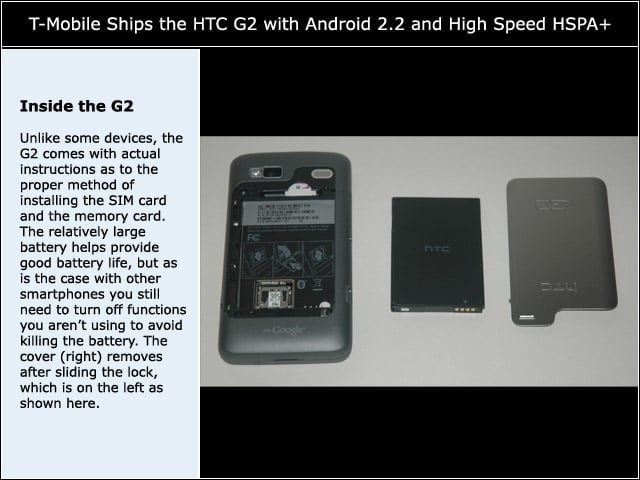
Unlike some devices, the G2 comes with actual instructions as to the proper method of installing the SIM card and the memory card. The relatively large battery helps provide good battery life, but as is the case with other smartphones you still need to turn off functions you arent using to avoid killing the battery. The cover (right) removes after sliding the lock, which is on the left as shown here.