




- eWEEK Labs Walk-Through: Longhorn Server Beta 2
- eWEEK Labs Walk-Through: Longhorn Server Beta 2 – Add roles wizard
- eWEEK Labs Walk-Through: Longhorn Server Beta 2 – Process manager
- eWEEK Labs Walk-Through: Longhorn Server Beta 2 – How to cleartype two
- eWEEK Labs Walk-Through: Longhorn Server Beta 2 – Initial config
- eWEEK Labs Walk-Through: Longhorn Server Beta 2 – Roles
- eWEEK Labs Walk-Through: Longhorn Server Beta 2 – Server manager
- eWEEK Labs Walk-Through: Longhorn Server Beta 2 – Update and feedback
eWEEK Labs Walk-Through: Longhorn Server Beta 2
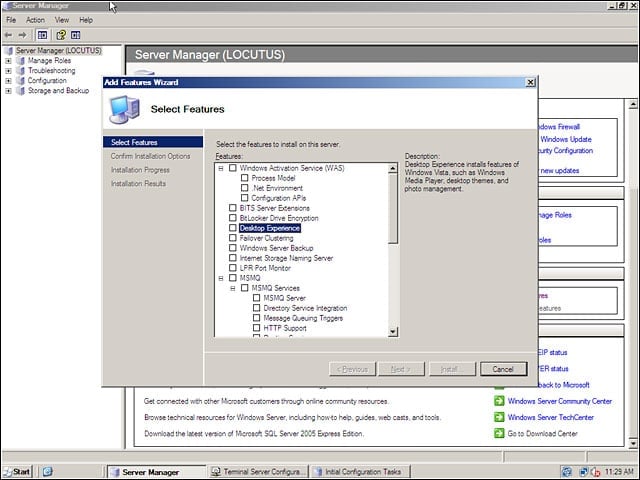
eWEEK Labs used Server Manager to install new features, such as Windows load balancing and failover capabilities, and to load up the Desktop Experience to Vista-cize Longhorn Server.
eWEEK Labs Walk-Through: Longhorn Server Beta 2 – Add roles wizard
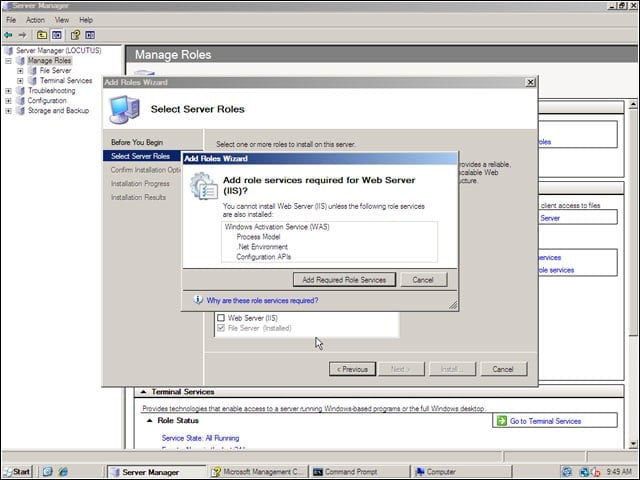
We used Server Manager to install server roles on our Longhorn test box.
eWEEK Labs Walk-Through: Longhorn Server Beta 2 – Process manager
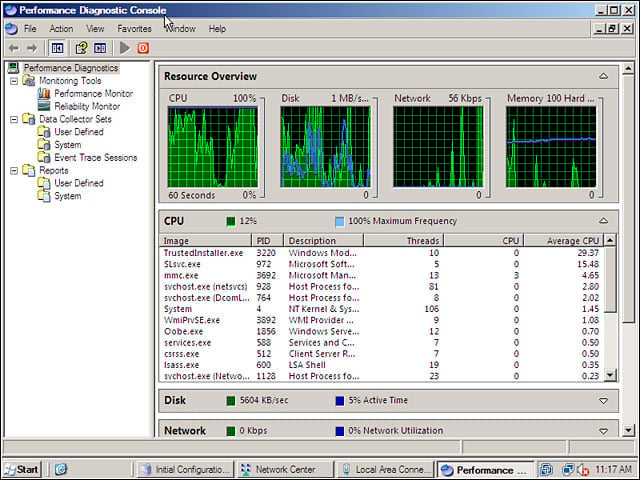
Now thats eye candy–Longhorn Server and Vista each offer a broadened view of whats happening on your machines, including some more info on what all those svchost processes are up to.
eWEEK Labs Walk-Through: Longhorn Server Beta 2 – How to cleartype two
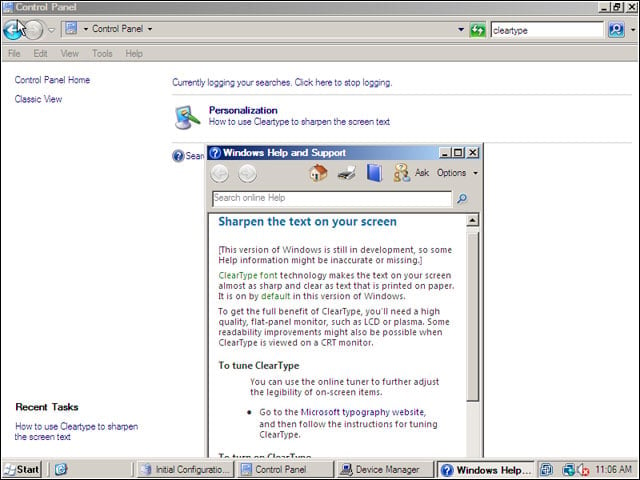
We wanted to know where to turn to enable ClearType on our new Longhorn Server box; Windows new integrated search helped us figure out where the option had been moved.
eWEEK Labs Walk-Through: Longhorn Server Beta 2 – Initial config
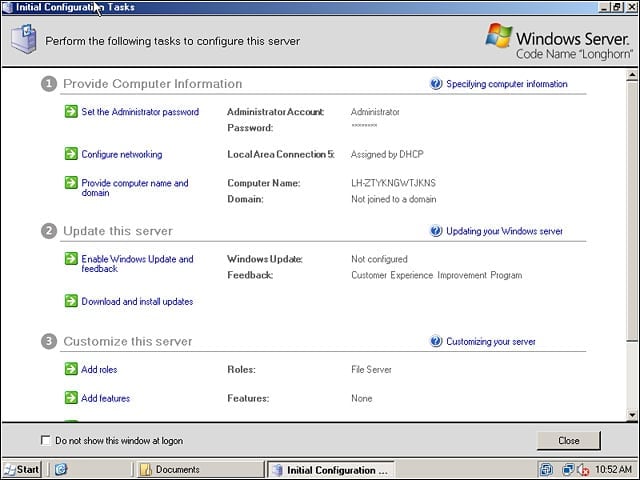
During installation, Longhorn Server asks only for a partition on which to install and (of course) for a license key. The servers new configuration screen led us through the final configuration steps.
eWEEK Labs Walk-Through: Longhorn Server Beta 2 – Roles
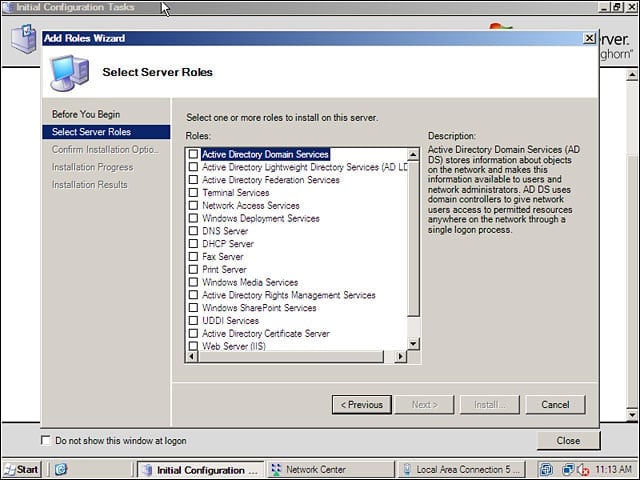
Windows Longhorn Server organizes its services into roles, and we could–unlike in Windows Server 2003–install multiple roles at once.
eWEEK Labs Walk-Through: Longhorn Server Beta 2 – Server manager
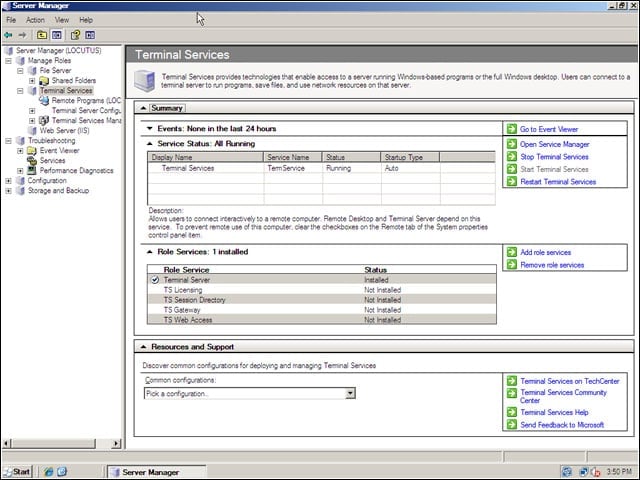
Longhorn Servers Server Manager does a great job gathering together all the operations and information that relate to particular roles.
eWEEK Labs Walk-Through: Longhorn Server Beta 2 – Update and feedback
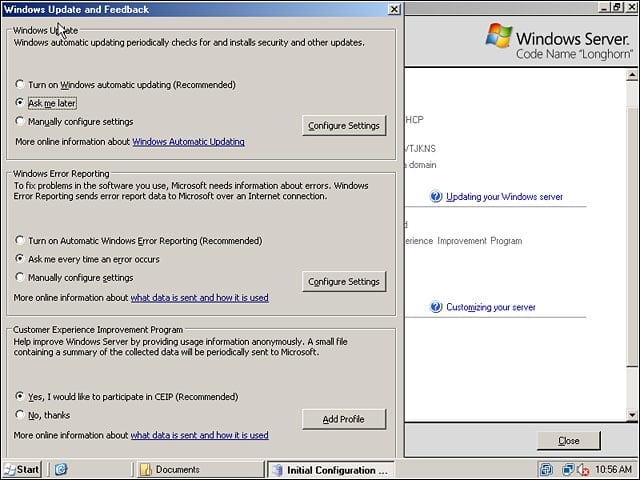
We tweaked Longhorn Servers update and phone-home-feedback options from this dialog off the Initial Configuration Tasks screen.