




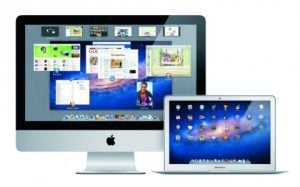
I’m taking my first look at (Mac) OS X Lion this week, but so far, I can’t say that I’m happy with what I see. That’s because the user interface of Lion is a step backwards in so many ways that I’m going to sit out this release for a while.
[WP_IMAGE]
I would have done that anyway, at least until the 10.7.1 release, just out of habit. I didn’t install Snow Leopard on my personal machines until 10.6.2, but that had as much to do with my reliance on a printer that wasn’t supported in Snow Leopard – one which at the time I couldn’t afford to replace – as my natural hesitation to mess with something that I know works. But my beef with Lion goes much deeper than printer drivers, as it turns out.For starters, the Launchpad is a waste of resources. That’s because in my world, if an application’s so important that I’m going to use it every day, I’m going to put it in the Dock. Launchpad simply provides an alternative to looking in the Applications folder, and one that’s terribly information-free. On top of that, the Lion install placed every executable in the Applications folder into Launchpad, including the uninstallers for installed applications, which you’re only going to run once, if ever.
Launchpad appears to display every executable in the Applications folder; is that really necessary?
Don’t even talk to me about Mission Control. It may be fine for those Mac users who never implemented Spaces, but Spaces was what sold me on Leopard in the first place. Since then, it’s become an essential ingredient in my workflow. If I’m writing, I’m switching between Space 1 (Safari and Mac Mail), Space 2 (Word and Firefox, the latter for accessing our CMS and creative request forms), and Space 4 (Outlook, for work e-mail). If I’m doing genealogical research, it’s 1, 2 and 3, and so on. It’s a habit I got into when I was dabbling in Solaris some years ago, and I’m not at all amused by the idea of doing without it.
Then there’s the look and feel of the Finder; in particular, the sidebar in Finder windows. With that feature, one of the things that I have found to be most helpful in previous releases of Mac OS X is the coloring of the sidebar icons that represent various folders. In Lion, these are now barely-differentiated blobs of grey; I now find myself reading the labels before I move a file from one place to another, and I never had to do that before.
Here’s the latest item in Lion that’s causing me to give the new OS a hairy eyeball: the user-level Library folder is now hidden by default. If Apple’s intention was to prevent unsophisticated users from rummaging around in there, that’s almost forgivable; at least, until you look around and realize that the general Library folders (/Library and /System/Library) are still visible to the user. I’m particularly interested in access to /~user/Library because I find myself having to swap different versions of Safari’s “Restore from last session” list (LastSession.plist) from time to time. Although it’s possible to get to /~user/Library through the GUI, by holding down the Option key and using the “Go” menu, one should be able to toggle that behavior in Finder Preferences in a similar fashion to any other hidden file or folder.
In short, I won’t be updating my own hardware to Lion in the foreseeable future; although there are some technical advantages that upgrading would bring, my productivity is far more important to me than a better security model, full-disk encryption, or anything else I’ve seen so far. Apple has accomplished what I didn’t think was possible: it’s released an operating system that I don’t want to use.